
哎哟!提交表单时出了点问题。
2026年,三款AI编程工具占据了主导地位:GitHub Copilot、Cursor和Claude Code。它们总共覆盖了超过1500万开发者(GitHub博客),吸引了超过20亿美元的风险投资,并且几乎出现在Reddit、Hacker News和X上所有关于开发者工具的讨论中。
然而,大多数开发者仍然根据一篇博客文章或同事的推荐来选择他们的AI编程助手。结果往往是选择不当——一个个人开发者每月支付39美元购买Copilot Pro+,而每月20美元的Cursor Pro就能满足他们所有需求;或者一个团队负责人选择了Cursor,而他们公司已经为GitHub Enterprise付费,其中包含了Copilot。
本次比较是围绕您的实际工作方式而非产品营销页面上的描述来构建的。我们对这三款工具在同一组实际编程任务上进行了测试——从单行自动补全到多文件重构,再到自主生成拉取请求——并记录了每款工具的优势、劣势以及局限性。
如需更广泛地了解包括Windsurf、Augment Code、Tabnine以及其他8款工具在内的全貌,请参阅我们的完整指南: 2026年11款最佳AI编程助手。
这三款工具表面上看起来相似——它们都能帮助您更快地编写代码。但它们基于截然不同的架构构建,这种差异决定了它们在实际使用中的所有体验。
GitHub Copilot 是一款扩展。它可以集成到您现有的编辑器(VS Code、JetBrains、Visual Studio、Neovim、Xcode)中,并在您现有的IDE工作流之上增加AI功能。优点是零迁移成本——您可以保留您的编辑器、扩展和快捷键设置。缺点是Copilot受限于扩展API所允许的功能。它无法像专门构建的IDE那样,围绕AI重新设计编辑体验。
Cursor 是一款完整的IDE。作为VS Code的一个分支构建,它控制着整个编辑体验——从Tab键补全的显示方式到多文件编辑的应用方式。这意味着Cursor可以做一些任何扩展都无法做到的事情:预测您跨多行的下一次编辑,通过Composer同时对10个文件应用更改,或者在云沙箱中启动一个后台代理来处理任务,同时您可以在本地继续编码。缺点是您需要切换编辑器。如果您的团队统一使用JetBrains,那么不进行迁移就无法选择Cursor。
Claude Code 是一款终端代理。它没有图形用户界面、没有编辑器集成,完全没有可视化界面。您在终端中运行它,将其指向您的代码库,并用自然语言给出指令。Claude Code会读取您的文件,使用专门的子代理(路由器、编码器、审阅者、测试员)规划方法,执行更改,运行测试,并报告结果——所有这些都无需您触碰编辑器。优点是深度:Claude Code能够以基于IDE的工具无法做到的方式,对您的整个代码库进行推理。缺点是您无法获得视觉反馈。您无法看到CSS更改后网页的外观,无法验证模态框是否正确渲染,也无法发现布局回归问题。
如需深入了解Claude Code架构与Cursor的对比,请参阅: Claude Code vs Cursor:2026年您应该使用哪款AI编程工具?
最适合: 已经使用GitHub的团队,希望获得AI编程辅助,且设置最少、IDE兼容性最佳。
GitHub Copilot是全球应用最广泛的AI编程助手。超过1500万开发者在77,000多个组织中使用它,包括 77%的财富500强公司。GitHub自己的研究发现,使用Copilot的开发者 完成任务的速度提高了55% 比不使用它的开发者。
定价层级(2026年):
2026年改变游戏规则的功能。 Copilot的编程代理现在可以直接从GitHub Issues中分配任务。打开一个issue,标记Copilot,它就会创建一个分支,编写实现代码,运行CI测试,并打开一个拉取请求。对于使用GitHub Projects的团队来说,这意味着初级任务可以直接从问题跟踪器进入拉取请求,无需人工干预代码。IDE(VS Code、JetBrains)内的代理模式允许您用自然语言描述任务,并让Copilot跨多个文件进行规划、构建和执行。
不足之处。 多文件重构方面落后于Cursor的Composer和Claude Code的子代理系统。免费版每月50条消息的聊天限制对于活跃用户来说过于严格。并且编程代理只在GitHub生态系统内工作——如果您的CI运行在GitLab上,或者您的项目管理在Linear中,那么深度集成优势就会消失。
最适合: 想要获得最强大的一体化AI编程体验的个人开发者和小型团队。
Cursor成为历史上增长最快的开发者工具公司,完成了 超过9亿美元的融资,据报道估值达到100亿美元 ,投资者包括Accel和Coatue,并有Nvidia和Google的参与。
定价层级(2026年):
Cursor的独特之处。 因为Cursor控制着整个IDE,它可以做一些任何基于扩展的工具都无法复制的事情:
Tab键补全 超越了单行预测。Cursor会根据您刚刚的操作,预测您的下一次编辑——包括多行更改、光标跳转和删除。使用Tab键接受,它会自然地融入您的编辑节奏。开发者普遍反映,Cursor的Tab键预测明显比Copilot的行内建议更智能。
Composer 是多文件编辑模式。用自然语言描述一个更改(“为/users端点添加分页,更新前端表格组件,并编写集成测试”),Composer会识别文件,规划更改,并按顺序应用它们。您审查的是差异,而不是聊天回复。
后台代理 是最新的功能。分配一个任务(重构此模块,修复此失败的测试套件,为此包添加TypeScript类型),一个基于云的代理会在沙箱环境中处理它,同时您可以在本地继续编码。完成后,您会收到一个拉取请求进行审查。
不足之处。 每月200美元的Ultra套餐价格让大多数个人开发者望而却步。由于Cursor是VS Code的一个分支,您会失去对某些专有Microsoft扩展的访问权限。使用JetBrains的团队面临艰难的迁移选择。此外,后台代理虽然强大,但在Pro套餐中每天限制为10个——重度用户很快就会达到上限。
最适合: 处理复杂代码库的高级开发者,需要深度推理能力来进行大规模重构、调试和架构更改。
Claude Code是Anthropic的终端原生编程代理,由Claude Sonnet 4和Claude Opus 4提供支持。在 SWE-bench Verified基准测试中,Claude模型始终名列前茅——Claude 4.5 Opus以76.8%的得分和高推理能力,使其成为自主软件工程任务中最强大的模型。
定价层级(2026年):
子代理架构。 当您给Claude Code一个复杂任务时,它不会试图一次性解决所有问题。相反,它会生成专门的子代理:
这种架构在处理复杂的多文件任务时,比单次处理工具能产生明显更好的结果。跨200个文件重命名模式、迁移API版本、将JavaScript项目转换为TypeScript——这些都是Claude Code深度优势显而易见的任务。
/review命令。 Claude Code包含一个内置的代码审查功能,它超越了表面级的代码检查。它会检查安全漏洞、性能问题、错误处理遗漏和架构一致性。有关此工作流程的详细说明,请参阅: 如何使用Claude Code自动化代码审查。
Where it falls short. No GUI means no visual feedback. Claude Code cannot see what a web page looks like after a CSS change, verify that a modal renders correctly, or catch a layout regression. Response times are slower — 5 to 10 seconds to analyze context before generating a suggestion, compared to near-instant autocomplete in Cursor and Copilot. And the terminal-only workflow has a learning curve for developers who have spent their careers in visual IDEs.
For a comparison between Claude Code and OpenAI's competing agent, see: Codex vs Claude Code.
Theory is useful. Results are better. Here is how each tool performed across seven common development tasks.
All three tools stop at the same point: the moment the code exists in your editor or terminal. None of them can:
This is the workflow gap that separates AI coding assistants from AI developer workflow automation. The coding assistant writes the code. The workflow agent handles everything around it.
Sai fills this gap. It connects your developer tools — GitHub, Slack, Google Calendar, Jira, email — and automates the coordination work between them. Set up a workflow to scan open PRs every morning, generate standup notes from your activity, or monitor CI/CD pipelines.
Because Sai operates a full cloud desktop with a browser, it can also run Claude Code directly — combining Claude Code's code generation with Sai's ability to visually verify the result. The code gets written, the browser opens, and Sai confirms the feature works before you review the pull request.
For a complete overview of the AI coding agent landscape beyond these three tools, see: Best AI Coding Agents in 2026.
Stop comparing feature lists. Start with how you work.
Choose GitHub Copilot if:
Choose Cursor if:
Choose Claude Code if:
Use two or more tools together if:
The comparison above covers where each tool excels at writing code. But writing code is only half the job. The other half — verifying that the code works, monitoring deployments, coordinating with teammates, updating project trackers — is where all three tools stop and where the workflow gap begins.
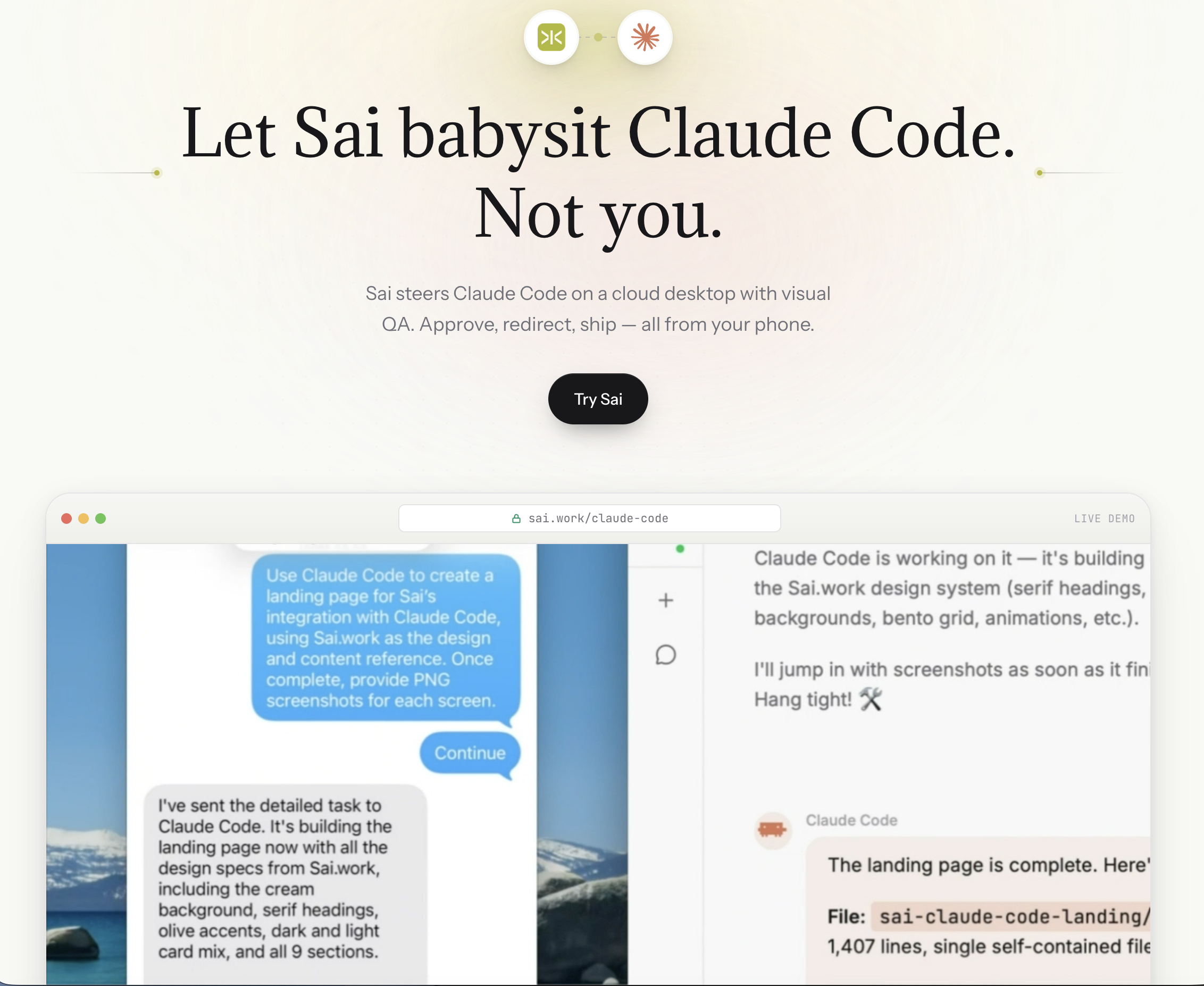
This is exactly why we built the Claude Code integration on Sai. The idea is simple: Claude Code is the coder. Sai is the operator.
How it works in practice. When you run Claude Code through Sai, the workflow extends beyond code generation into a full closed loop:
This matters because the hardest bugs to catch are the ones that pass every test but fail visually. A coupon field that accepts the code but does not update the cart total. A dark-mode toggle that changes the background but leaves the text unreadable. A responsive layout that works on desktop but overflows on mobile. Claude Code alone cannot see any of these. Sai can.
Five capabilities that only the combination unlocks:
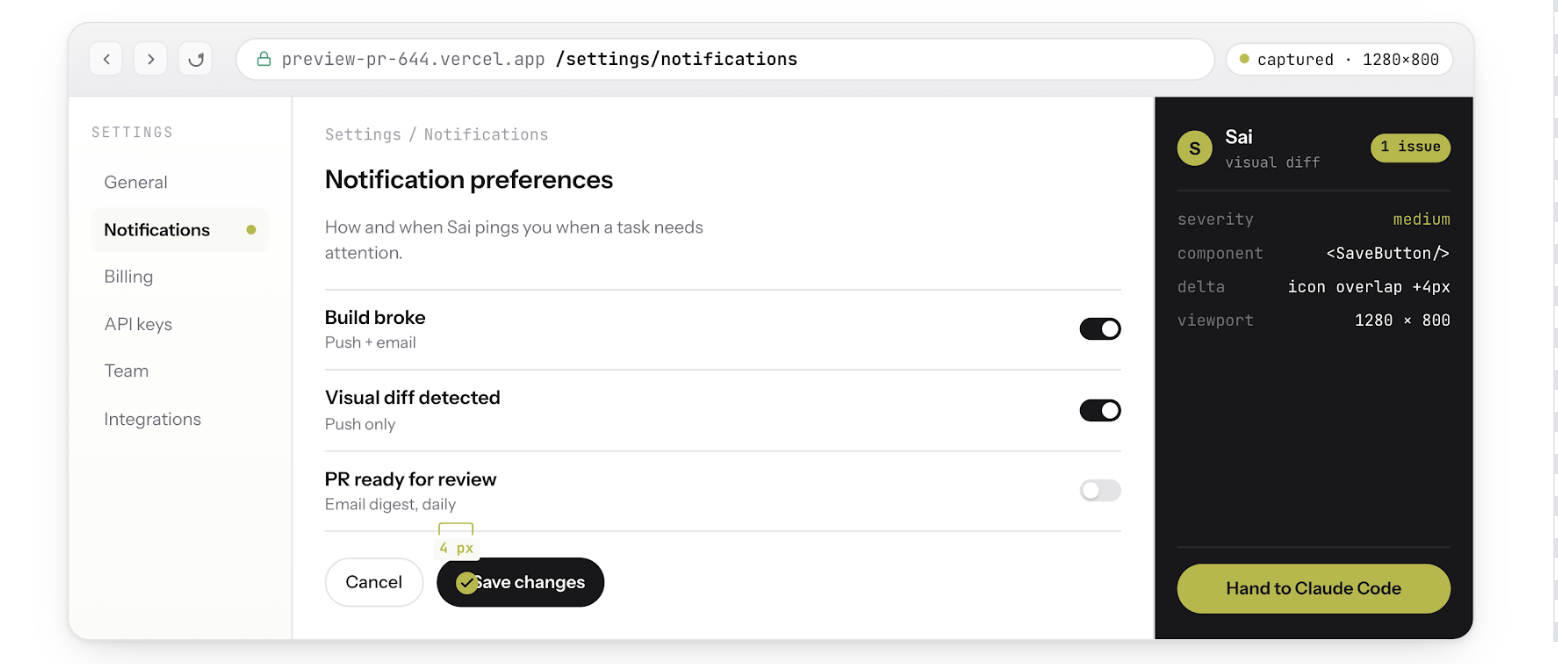
Visual QA after every code change. Sai opens a browser, navigates to the affected page, and screenshots the before-and-after state. If the page does not match expectations, Claude Code gets the screenshot as context and iterates — without you touching anything.
Bug reproduction from screenshots. A QA engineer pastes a screenshot of a broken checkout flow in Slack. Sai reads the screenshot, reproduces the exact steps in a real browser, confirms the bug exists, then hands Claude Code the reproduction steps and error logs. Claude Code writes the fix. Sai re-verifies it works. The entire cycle completes without a human opening a browser.
Auth-walled tool access. Claude Code runs in a terminal. It cannot log into Sentry to check for new exceptions, open Stripe to verify a webhook configuration, or navigate Datadog to correlate a performance regression with a specific deploy. Sai can. It operates a full cloud desktop with persistent browser sessions, which means it accesses the same authenticated tools your team uses every day — and feeds that context back to Claude Code.
Steer from your phone. Because Sai runs on a cloud desktop (not your local machine), the entire workflow survives laptop closure. Start a refactoring task from your desk, close your laptop, commute home, and review the verified PR from your phone. Claude Code keeps working. Sai keeps verifying. You approve when it is ready.
CI/CD monitoring and auto-fix. Set up a Sai workflow to watch your CI pipeline. When a build fails, Sai reads the error logs, determines whether it is a flaky test, a dependency issue, or a real regression, and triggers Claude Code to fix it. If the fix passes CI on retry, Sai opens the PR. If it fails again, Sai escalates to you with a summary of what it tried and why it did not work.
The bottom line. GitHub Copilot, Cursor, and Claude Code are all excellent at generating code. None of them can verify that the code actually works in a real environment. Adding Sai to any of these tools — especially Claude Code — closes that gap. The code gets written, tested, visually verified, and deployed without you context-switching between your IDE, browser, Sentry, Slack, and CI dashboard.
To try the integration: Sai Now Runs Claude Code
For a step-by-step walkthrough of the code review workflow: How to Automate Code Review with Claude Code