
Oops! Something went wrong while submitting the form.

Claude Code and Cursor both claim to be the best AI coding tool. They are fundamentally different products solving different versions of the same problem.
Cursor is an AI-enhanced IDE. It wraps VS Code with inline completions, chat-based editing, and an agent mode that can make multi-file changes. You stay in the editor. The AI assists while you drive.
Claude Code is a terminal-based coding agent. You give it a task in natural language and it works autonomously — reading files, writing code, running tests, creating commits. You describe the destination. The AI drives.
This distinction matters more than any benchmark. The right tool depends on how you want to work, not which model generates better code.
We spent 30 days using both tools on production projects — a full-stack SaaS application, an open-source CLI tool, and a data pipeline. This guide breaks down every dimension that matters: code quality, speed, pricing, developer experience, and the critical gap that neither tool addresses.

Claude Code is Anthropic's agentic coding tool that runs in your terminal. Launched in February 2025 as a research preview and generally available since May 2025, it operates as an autonomous agent rather than an assistant.
How it works:
You open your terminal, type claude, and describe what you want in natural language:
claude "Refactor the payment module to support Stripe and PayPal. Update tests."
Claude Code then:
It uses specialized subagents internally — a Router that decomposes tasks, Coder agents that write implementations, a Reviewer that checks quality, and a Tester that validates changes. You do not manage these agents directly. You describe the outcome and Claude Code figures out the steps.
Key characteristics:
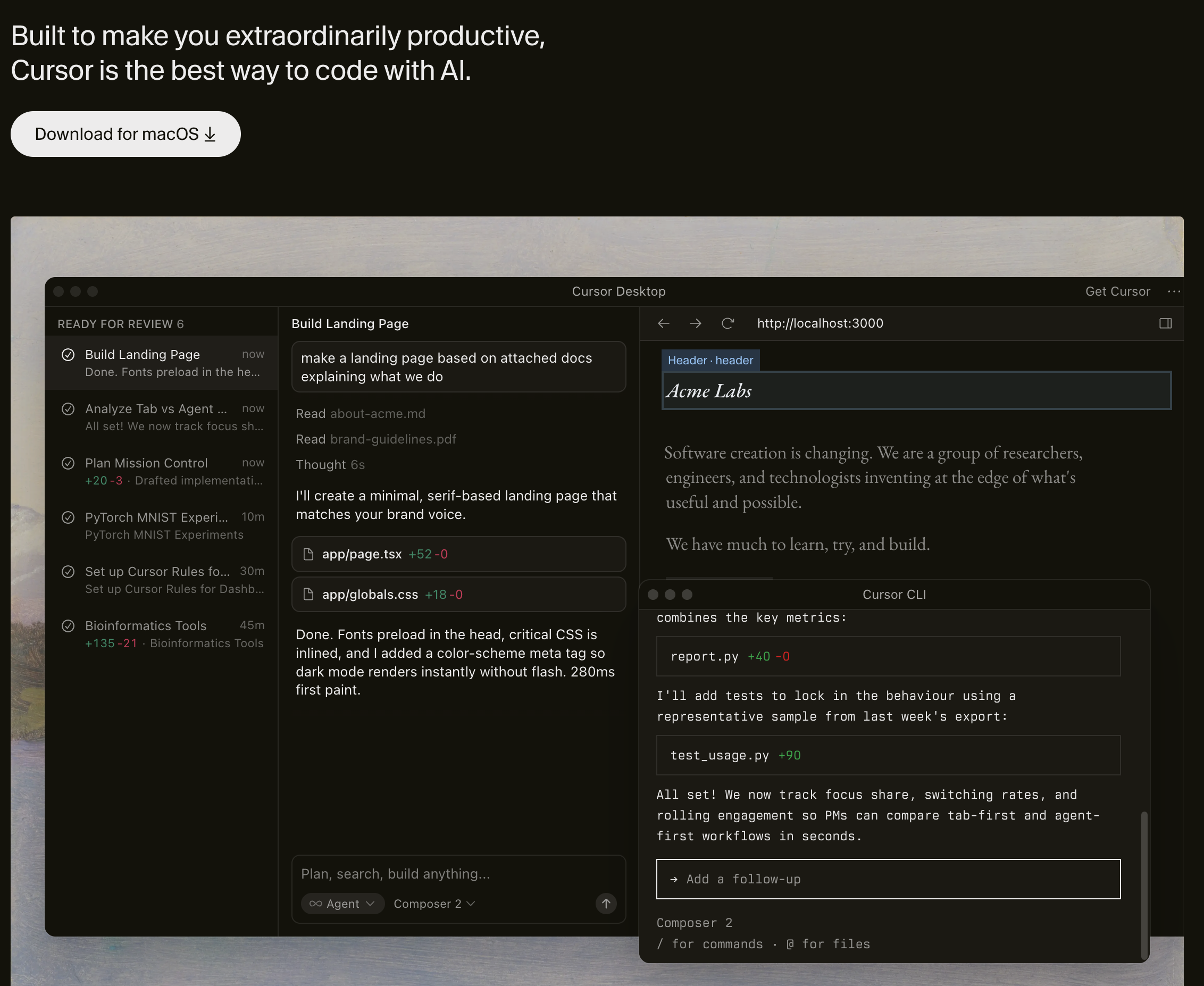
Cursor is an AI-powered IDE built on VS Code. It launched in 2023 and has grown into the most popular AI code editor, with over 1 million developers using it by mid-2025.
How it works:
You open Cursor like any code editor. As you write code, it provides:
# In Cursor chat:
"Add form validation to the signup page. Show inline errors for each field."
Cursor reads your open files, understands the project structure, and makes changes directly in the editor. You see each edit in real time and can accept or reject individual changes.
Key characteristics:
This is the fundamental difference. Everything else flows from it.
Claude Code operates on a delegation model. You describe what you want. It figures out how to do it. You review the result.
The workflow looks like:
This works well when:
This works poorly when:
Cursor operates on an acceleration model. You write code. The AI helps you write it faster. You stay in control of every decision.
The workflow looks like:
This works well when:
This works poorly when:
Claude Code uses Claude Sonnet 4 (and can be configured to use Opus) for its primary reasoning. Because it runs autonomously, it can spend more time thinking through complex problems without a user waiting for each response.
In our testing, Claude Code produced more architecturally sound solutions for complex tasks. When asked to refactor a payment module, it considered error handling, rollback logic, and edge cases that Cursor's agent mode did not address on the first pass.
Cursor supports multiple models — Claude, GPT-4o, Gemini — and lets you switch between them. For inline completions and quick edits, this flexibility is valuable. For deep reasoning tasks, the model matters less than the workflow: Cursor's chat-based interaction means you guide the AI through the problem step by step.
Builder.io's analysis found that Claude Code uses approximately 5.5x fewer tokens than Cursor for equivalent tasks. This is partly because Claude Code plans more before acting, while Cursor's interactive model involves more back-and-forth.
In practice, this means Claude Code costs less per task on heavy-use days — but the pricing models are different enough that direct cost comparison requires looking at your actual usage patterns.
Both tools handle multi-file changes, but differently:
Claude Code uses a BYOK (bring your own key) model. You pay Anthropic directly per token. For a typical day of coding:
Claude Code also offers a Max plan ($100/month or $200/month) that bundles usage.
Cursor uses subscription pricing:
For developers who code 4-6 hours daily, Cursor Pro often runs out of premium requests mid-month. Many heavy users report upgrading to Ultra or supplementing with their own API key — at which point the cost advantage over Claude Code disappears.
Cursor: Download the app, open your project, start coding. If you have used VS Code, you already know the interface. AI features are discoverable through keyboard shortcuts and context menus. Time to first productive use: 5 minutes.
Claude Code: Install via npm, run claude in your terminal, type your first task. The terminal-only interface requires comfort with CLI tools. You need to learn how to write effective prompts for autonomous execution. Time to first productive use: 15-30 minutes.
Cursor feels like a supercharged editor. Tab completions are fast — often ready before you finish thinking about what to type. The inline chat (Cmd+K) is natural for small edits. Agent mode handles larger tasks without leaving the IDE.
Claude Code feels like a junior developer who never gets tired. You describe tasks and review results. The feedback loop is slower but the throughput is higher. You can queue multiple tasks, walk away, and come back to finished work.
Cursor has the full VS Code ecosystem — debuggers, linters, test runners, Git UI, and thousands of extensions. Everything works because it is VS Code under the hood.
Claude Code is terminal-only. It integrates with Git natively but does not have a visual debugger, file tree, or extension marketplace. Some developers pair it with their existing editor for visual work and use Claude Code for autonomous tasks.
Both tools offer code review capabilities, but at different levels.
Claude Code has a built-in /review command and a GitHub Action for automated PR review:
# Review current changes
claude review

# Review a specific PR
claude review --pr 142
It uses specialized subagents — Logic Reviewer, Security Reviewer, Style Reviewer, Architecture Reviewer — to analyze diffs. It posts inline comments on GitHub PRs and provides a structured summary.
Cursor recently launched Bugbot, which automatically reviews GitHub PRs. It runs on every PR by default (for Cursor users) and posts inline comments identifying potential bugs.
Cursor's review is more opinionated about quick fixes — it often suggests one-click patches directly in the PR. Claude Code's review tends to be more analytical, explaining the reasoning behind each finding.
When you need to refactor an entire module, write a complete test suite, or migrate a codebase from one framework to another, Claude Code excels. You describe the task once and get a complete result.
Example: "Migrate the authentication system from Passport.js to Auth.js. Update all routes, middleware, and tests."
Claude Code handles this as a single task. In Cursor, you would need to guide the agent through each file, review intermediate states, and course-correct multiple times.
For non-visual code — APIs, database migrations, CI/CD pipelines, serverless functions — Claude Code's terminal-native workflow is efficient. There is nothing to see visually, so the IDE advantage disappears.
Claude Code's specialized review subagents produce more structured, categorized findings than Cursor's Bugbot. For teams that want detailed security analysis and architecture feedback, Claude Code's review is more comprehensive.
Claude Code reads your entire codebase before making changes. It understands how files relate to each other and makes changes that are consistent across the project. This matters most in large codebases with shared utilities, types, and conventions.
Claude Code runs in any terminal — local machines, CI servers, SSH sessions, cloud VMs. Cursor requires a desktop environment. For automation workflows, scheduled tasks, and server-side code generation, Claude Code is the only option.
When you are building UI components, adjusting CSS, or iterating on layouts, Cursor's live preview and inline editing are unbeatable. You see changes instantly, accept or reject individual edits, and maintain tight feedback loops.
Example: "Move the sidebar to the left, add a collapse animation, and adjust the content area to fill the remaining space."
In Cursor, you see each change as it happens and can adjust in real time. In Claude Code, you describe the task, wait for the result, and hope the animation timing feels right — then describe corrections for the next iteration.
Cursor's autocomplete is the fastest in the industry. It predicts multi-line edits based on your recent context and coding patterns. For developers who prefer writing code themselves with AI assistance, this is the killer feature no other tool matches.
Cursor lets you switch between Claude, GPT-4o, Gemini, and custom models mid-conversation. Different models excel at different tasks — GPT-4o for certain frontend patterns, Claude for reasoning-heavy backend work. Claude Code is locked to Anthropic's models.
Render's testing found that Cursor's agent mode handles Docker configuration and deployment setup more reliably than Claude Code. When the task involves configuring build environments, Dockerfiles, and CI pipelines with specific platform requirements, Cursor's interactive approach lets you correct issues faster.
For developers who are learning a new codebase or technology, Cursor's chat panel is excellent. You can highlight code, ask "what does this do," and get explanations with context. Claude Code's autonomous model is less suited to exploratory, conversational interaction.
Here is what every "Claude Code vs Cursor" comparison misses.
Both tools operate at the code level. They read diffs, analyze syntax, and generate implementations. Neither one:
This is not a minor gap. In our testing, approximately 35-40% of production bugs were in categories that neither Claude Code nor Cursor could detect — visual regressions, cross-flow state bugs, and environment-specific failures.
The code can be syntactically perfect and still ship a broken product.
Real example: A PR updates coupon discount logic. Both Claude Code and Cursor review the diff and find no issues. The discount function is correct. But when a user applies a coupon, removes an item, then tries to checkout — the total goes negative. The bug exists in the interaction between two features, not in the code of either one. Only testing the actual product reveals it.
Sai is an AI agent that runs on a cloud desktop. It operates browsers, takes screenshots, reads error logs, and interacts with real applications — everything that code-level tools cannot do.
When paired with Claude Code, Sai creates a complete build, test, fix loop:
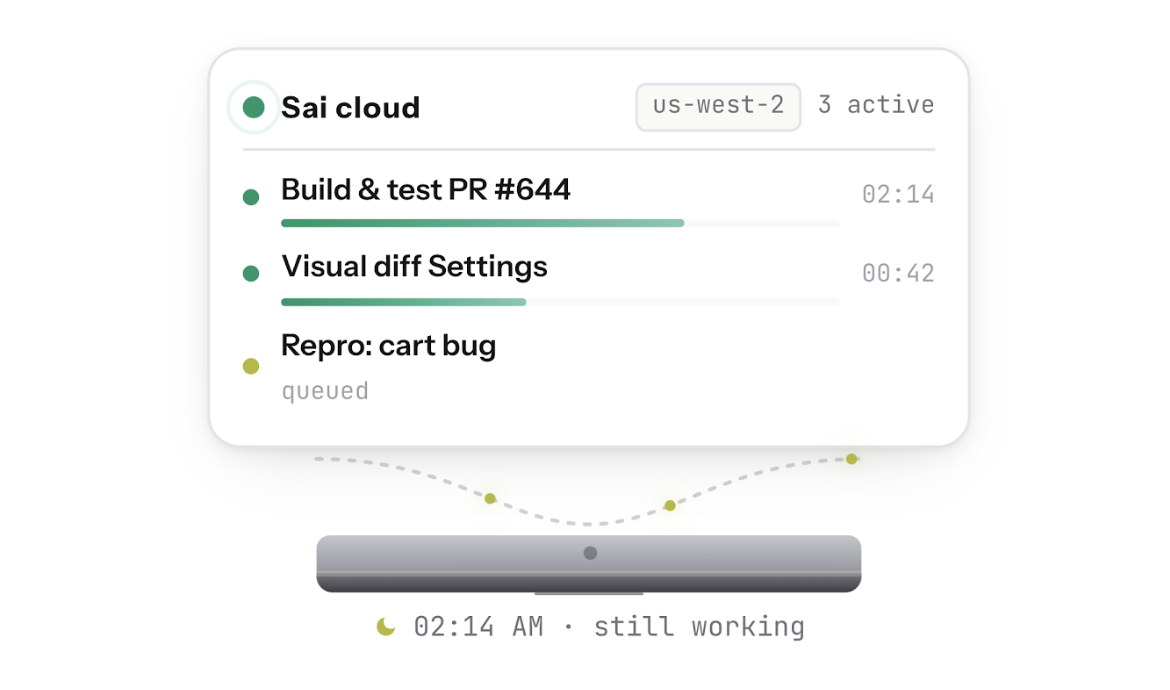
This is not a replacement for either Claude Code or Cursor. It is the verification layer that both tools lack.
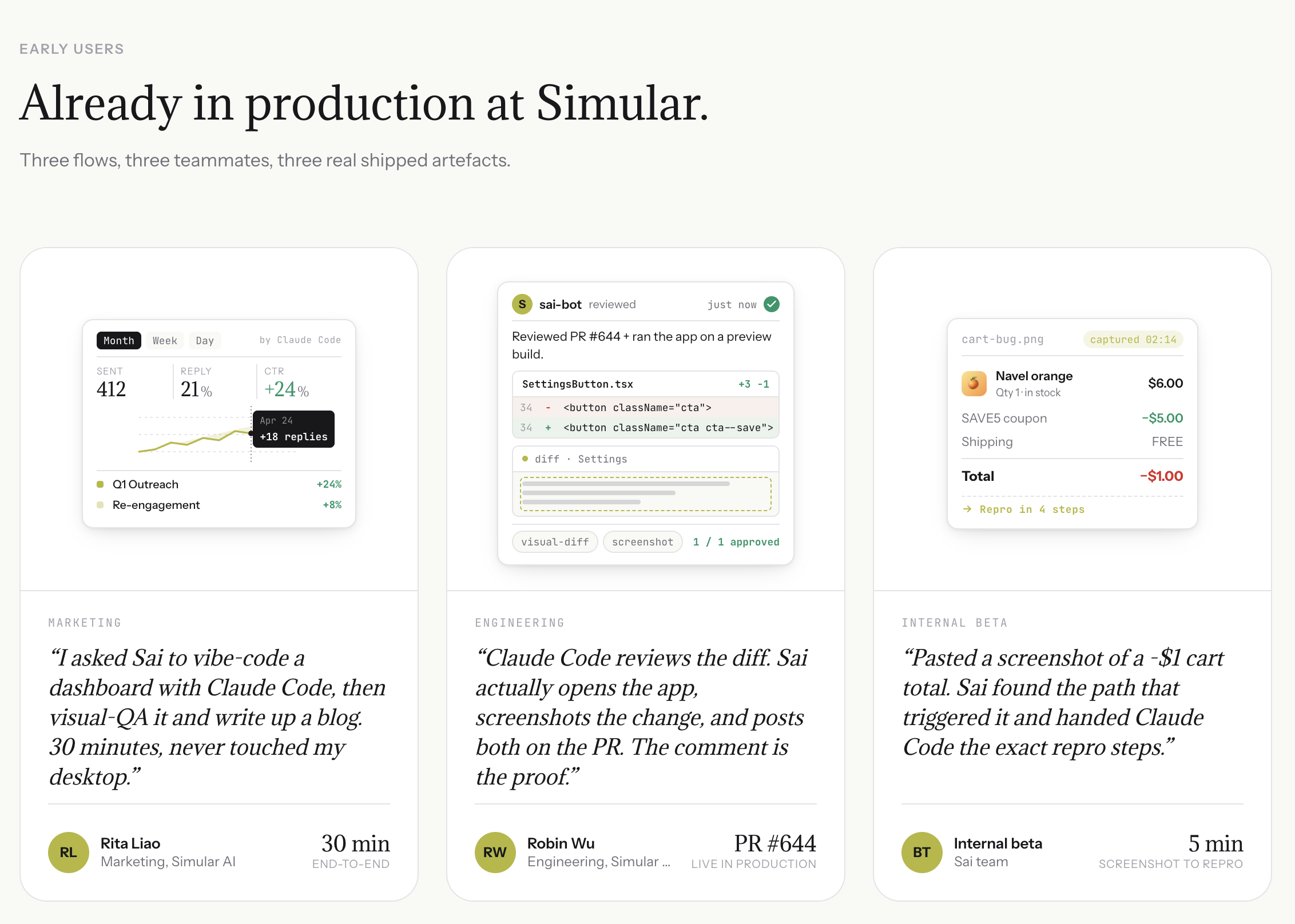
Without Sai: You push a PR. Claude Code or Cursor reviews the diff. PR gets merged. Users report bugs 2 hours later. You debug from a vague Slack message.
With Sai: You push a PR. Claude Code reviews the diff. Sai opens the preview and tests the flows. Sai finds the negative total bug before merge. Claude Code fixes it. Sai re-tests. PR merges with verified fix.
Visual QA: Sai opens your app in a real browser and sees what users see. It catches CSS regressions, broken layouts, overlapping elements, and loading state issues — bugs that exist in pixels, not in code.
Bug reproduction from screenshots: Hand Sai a screenshot from a user report. It explores the app, finds the click path that triggers the issue, and generates engineering-ready steps-to-reproduce. Claude Code and Cursor cannot process screenshots into actionable reproduction steps.
Auth-walled context: Sai logs into Sentry, Datadog, Stripe, and admin dashboards to pull error logs, transaction records, and configuration data. It feeds this context directly into Claude Code's session — context that terminal-based and IDE-based tools cannot reach.