Oops! Something went wrong while submitting the form.
How to Automate Code Review with Claude Code
Learn how to automate code review with Claude Code. This guide covers PR review setup, subagent architecture, and how to add visual QA that catches what diff-based review misses.
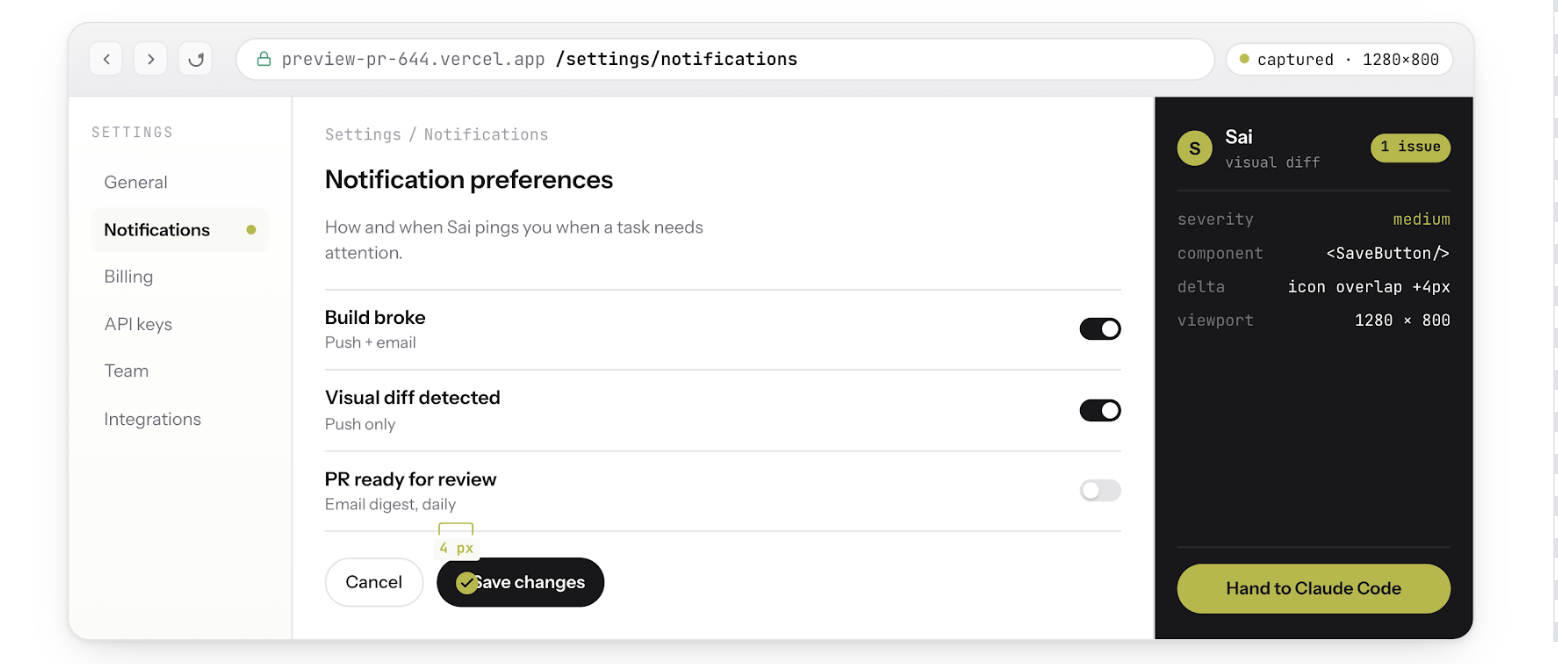
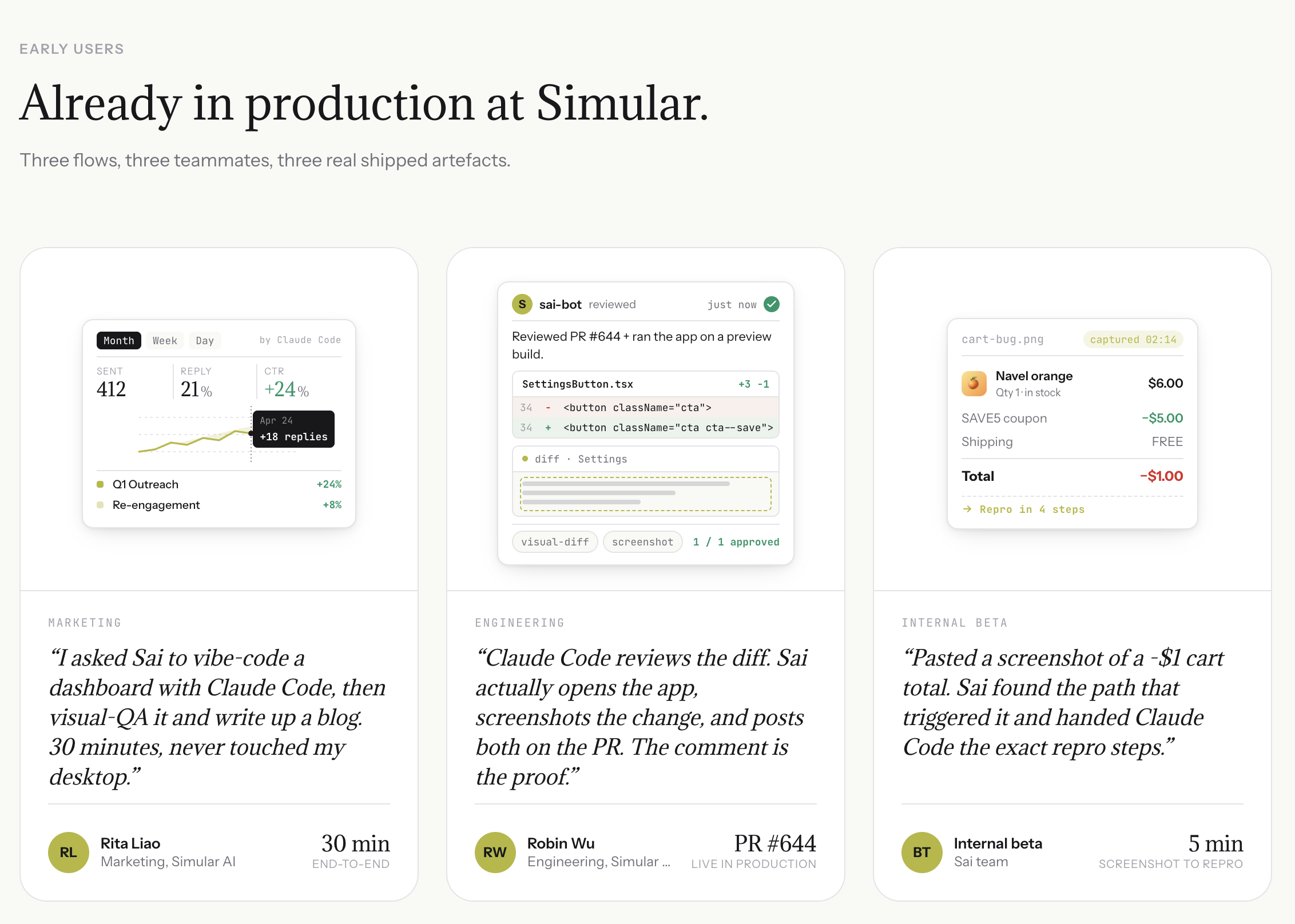
When a PR opens, Sai does not just read the diff — it opens your preview deployment, logs into a test account, and clicks through the affected user flows step by step. It screenshots every state transition and flags anything that breaks, giving reviewers visual evidence instead of code comments.
Automated Bug Reproduction from Screenshots
Paste a user's bug screenshot into Sai. It explores the app, finds the exact sequence of clicks that triggers the issue, and generates an engineering-ready ticket with steps to reproduce, expected vs. actual behavior, and annotated screenshots — turning vague reports into actionable context for Claude Code.
Closed-Loop Fix Verification
After Claude Code patches the code, Sai re-runs the same test flow automatically. It captures before-and-after screenshots, checks Sentry for new errors, and posts a structured pass/fail report to Slack or GitHub — so your team never merges a fix without confirming it actually works in the product.
The Code Review Bottleneck Nobody Talks About
Your team ships faster than it reviews.
AI coding agents — Claude Code, Cursor, GitHub Copilot — generate pull requests faster than any human reviewer can read them. A senior engineer who used to review three PRs before lunch now faces twelve. The code looks clean. The tests pass. The linter is quiet.
But the checkout page is broken.
This is the code review gap in 2025: the distance between "the code is correct" and "the product works." Traditional code review — whether human or AI — reads diffs. It checks logic, patterns, and syntax. It does not open the app, click through the checkout flow, apply a coupon, and notice the total drops to negative four dollars.
Most AI code review tools make this gap wider, not smaller. They generate more comments, more suggestions, more noise. Engineers on Reddit describe the pattern: "AI review creates more work than it saves because every comment needs a human to verify whether it's real."
The problem is not that code review is too slow. The problem is that code review is incomplete. It reviews the code. Nobody reviews the product.
This guide walks through three tiers of code review automation:
Manual review — how most teams do it today
Claude Code review — automated diff analysis with /review and GitHub Actions
Behavior-first review — Claude Code reads the code while Sai tests the product
By the end, you will know exactly how to set up each tier, when to use which, and where the real time savings come from.
How Claude Code Reviews Pull Requests
Claude Code is Anthropic's AI coding agent that runs in your terminal. It reads your codebase, understands project context, and can review code at a level that goes well beyond simple linting.
The /review command
The fastest way to get a Claude Code review is the built-in /review command:
Claude Code analyzes the diff using multiple specialized subagents:
Logic Reviewer — checks for correctness, edge cases, and regressions
Security Reviewer — scans for vulnerabilities, secret exposure, and injection vectors
Style Reviewer — enforces naming conventions, patterns, and readability standards
Architecture Reviewer — flags structural issues and pattern violations
Each subagent focuses on its domain and reports independently. The result is a structured review with categorized findings, severity levels, and suggested fixes.
Claude Code as a GitHub Action
For automated PR review on every push, Claude Code offers a GitHub Action:
Once configured, Claude Code:
Receives the PR webhook from GitHub
Clones the repository and checks out the PR branch
Reads the full diff plus surrounding context
Posts inline comments on specific lines
Adds a summary comment with overall assessment
You can also trigger reviews manually by commenting @claude review on any PR.
What Claude Code review does well
Claude Code review is genuinely useful for:
Catching logic bugs that require understanding the codebase context, not just the changed lines
Identifying missing error handling — it reads the surrounding code and notices when a function that can throw is called without a try/catch
Spotting regressions — it understands what the code did before and flags when new changes break existing behavior
Reducing reviewer fatigue — it handles the mechanical checks so human reviewers can focus on architecture and product decisions
What Claude Code review cannot do
Claude Code reviews code. It does not run code. This means it cannot:
Open a browser and test the actual UI
Verify that a CSS change looks correct on different screen sizes
Check that a payment flow completes end-to-end
Notice that a button is now hidden behind another element
Reproduce a bug from a user screenshot
Access auth-walled tools like Sentry, Datadog, or admin dashboards
This is not a limitation of Claude Code specifically — it is the fundamental limitation of diff-based review. No tool that only reads code can tell you whether the product works.
The Gap: What AI Code Review Still Misses
Here is a real scenario. Your team uses Claude Code review on every PR. It is configured, running, and catching real bugs. Then this happens:
PR #247: Update coupon logic for cart discounts
Claude Code reviews the diff and finds:
No logic errors in the discount calculation
Proper null checks on coupon object
Tests pass for apply/remove coupon
No security issues
The PR gets merged.
Two hours later, a user reports: "I applied a $5 coupon to my cart, then removed an item. The total is now negative. I cannot check out."
What happened? The coupon logic was correct in isolation. But the interaction between coupon application and cart item removal created a state that no test covered and no diff reviewer — human or AI — would catch by reading code alone.
This is the class of bugs that grows as codebases get more complex:
State interaction bugs — two features that work independently but break together
Flow-dependent bugs — issues that only appear after a specific sequence of user actions
Environment-specific failures — staging behaves differently from local
These bugs share one characteristic: you can only find them by using the product.
Prefer to keep Claude Code as the reviewer? Give it a computer with box by Simular, so the same agent that reads the diff can open the preview in Chrome and click the changed flows.
The Full Loop: How Sai + Claude Code Does Code Review
Sai is an AI agent that runs on a cloud desktop. It can open browsers, click through applications, take screenshots, read error logs, and interact with tools like Sentry, Slack, and GitHub — all while running autonomously.
Traditional AI review: PR opens → AI reads diff → AI posts comments → Human verifies
Sai + Claude Code review:PR opens → Claude Code reads diff → Sai opens the app → Sai tests the flows → Sai screenshots issues → Claude Code fixes the code → Sai re-tests → Structured report posted
The key difference: Claude Code reviews the code. Sai reviews the product.
How the 8-step loop works
Step 1: Trigger
The loop starts from one of three sources:
A GitHub PR is opened or updated (webhook trigger)
A user reports a bug ("checkout total is negative after applying a coupon")
A Sentry alert fires with a new error
Traditional review starts from the diff. This loop can start from the user experience.
Step 2: Claude Code analyzes the code
Claude Code reads the PR diff, understands the codebase context, and identifies potential issues at the code level — logic errors, missing edge cases, security concerns.
Step 3: Sai opens the preview deployment
While Claude Code reads the code, Sai opens the preview URL in a real browser on its cloud desktop. It logs in with a test account and navigates to the affected area.
Step 4: Sai tests the actual user flows
This is the critical step that no other AI review tool performs. Sai:
Adds items to the shopping cart
Applies the coupon code
Modifies quantities and removes items
Proceeds to checkout
Checks that totals, taxes, and discounts calculate correctly
Steps to reproduce:1. Add 3 oranges at $2 each. Cart total: $6.002. Apply coupon code SAVE5. Cart total: $1.003. Remove one orange. Cart total: -$1.004. Click checkout. Error: "Cannot process negative total"
Expected: Total should recalculate as $4.00 - $4.00 (capped) = $0.00Actual: Total shows -$1.00Screenshots: [before_coupon.png] [after_remove.png]Console errors: NoneSentry: No new errors logged
This is not a vague comment on a diff. This is a QA ticket with evidence.
Step 6: Claude Code fixes the code
Claude Code receives the structured reproduction steps, screenshots, and error context from Sai. Instead of guessing what might be wrong, it knows exactly:
Which page is affected
What operation sequence triggers the bug
What the expected behavior should be
What the actual behavior is
It generates a targeted fix — not a speculative suggestion.
Step 7: Sai re-tests the fix
After Claude Code patches the code, Sai runs the same test sequence again:
Apply coupon → remove item → check total
Verify the total no longer goes negative
Capture before/after screenshots
Check Sentry for new errors
Step 8: Structured report to Slack / GitHub
The final output is a structured QA report posted to your team's channel:
Sai QA Review: PR #247 — Coupon Discount Logic

Status: ✅ Fixed and verified

Issue found:
Cart total became negative when removing items after applying coupon.

Root cause:
Coupon discount was applied as fixed amount without
recalculating against updated cart total.

Fix applied:
Added cap logic — discount cannot exceed current cart subtotal.

Verification:
- Before fix: Total = -$1.00 after removing item [screenshot]
- After fix: Total = $0.00, coupon capped correctly [screenshot]
- Sentry: No new errors
- Checkout flow: Completes successfully
Step-by-Step: Setting Up Claude Code Review with Sai
Prerequisites
A GitHub repository with preview deployments (Vercel, Netlify, or similar)
This gives you automated diff-level review on every PR.
Step 2: Connect Sai to your GitHub repository
In Sai, set up a webhook workflow that triggers on PR events:
Open Sai → Settings → Workflows
Create a new webhook workflow
Select GitHub as the provider
Choose your repository
Set trigger event to pull_request.opened
Step 3: Define test flows
Tell Sai what to test when a PR touches specific areas:
When a PR modifies files in /src/checkout/:
1. Open preview deployment URL
2. Log inwith test account
3. Add 3 items to cart
4. Apply coupon TESTCOUPON
5. Modify quantities
6. Remove one item
7. Proceed to checkout
8. Screenshot each step
9. Report any total that is negative or mismatched
Step 4: Configure reporting
Choose where Sai sends results:
GitHub PR comment — inline with the code review
Slack channel — for team visibility
Linear ticket — for blockers that need tracking
Step 5: Run and iterate
The first few PRs will calibrate the system. Sai learns which flows matter, what "correct" looks like, and where false positives occur. After a week, you will have a review pipeline that catches both code-level and product-level issues automatically.
Aspect
Tier 1: Manual
Tier 2: Claude Code
Tier 3: Claude Code + Sai
Setup time
None
15 min (GitHub Action)
30 min (webhook + flows)
Review speed
30-60 min / PR
2-5 min / PR
3-7 min / PR
Catches logic bugs
✅
✅
✅
Catches visual bugs
❌
❌
✅
Tests user flows
❌
❌
✅
Provides evidence
Text comments
Inline comments
Screenshots + STR
Verifies fixes
Manual re-review
❌
✅ Automated re-test
Human time / PR
30-60 min
10-15 min
2-5 min
Five Real-World Scenarios
Scenario 1: E-commerce checkout bug
Trigger: PR updates payment processing logic.
Claude Code finds: Missing error handling for declined cards.
Sai finds: After a declined card, the "Place Order" button remains disabled even when the user enters a valid card. The loading spinner never clears.
Result: Claude Code fixes the error handling. Sai verifies the button re-enables after a successful card entry. QA report posted to Slack.
Scenario 2: Dashboard responsive design break
Trigger: PR refactors the dashboard grid layout.
Claude Code finds: No logic issues. CSS changes look correct.
Sai finds: On tablet viewport (768px), the sidebar overlaps the main content area. Two chart widgets are completely hidden behind the navigation panel.
Result: Sai screenshots the overlap at three breakpoints. Claude Code adjusts the grid breakpoint values. Sai re-tests and confirms the layout is clean at all sizes.
Scenario 3: Authentication flow regression
Trigger: PR updates the OAuth integration for Google Sign-In.
Claude Code finds: Token refresh logic looks correct. Scopes are properly configured.
Sai finds: After signing in with Google, the redirect lands on a 404 page because the callback URL was updated in the code but not in the Google Cloud Console configuration.
Result: Sai screenshots the 404. The team updates the Google Cloud Console. Sai re-tests the full OAuth flow — sign in, redirect, session creation — and confirms it works end-to-end.
Scenario 4: Reproducing a user bug report from a screenshot
Trigger: A user posts a screenshot in Slack: "This page looks broken."
Claude Code alone: Cannot process a screenshot. Needs code context.
Sai: Opens the same page, identifies the broken layout, clicks through to reproduce the exact state. Generates steps-to-reproduce with three annotated screenshots. Hands Claude Code the file paths, the page URL, and the expected vs. actual behavior.
Result: Claude Code identifies a z-index conflict in a recently merged PR. Fixes it. Sai verifies the page renders correctly.
Scenario 5: API change breaks frontend silently
Trigger: Backend PR changes the response shape of /api/orders — renames total_amount to totalAmount.
Claude Code finds: The API change is consistent with the new naming convention. Backend tests pass.
Sai finds: The frontend order history page shows "$NaN" for every order total. The frontend code still references total_amount.
Result: Sai screenshots the broken order history. Claude Code finds the frontend reference and updates it. Sai re-tests the order history page with real data.
Stop doing repetitive tasks. Let Sai handle them for you.
Sai is your AI computer use agent — it operates your apps, automates your workflows, and gets work done while you focus on what matters.

.svg)


.svg)