
Oops! Something went wrong while submitting the form.
Three AI coding tools dominate the conversation in 2026: GitHub Copilot, Cursor, and Claude Code. Between them, they cover more than 15 million developers (GitHub Blog), attracted over $2 billion in venture funding, and appear in virtually every developer tools discussion on Reddit, Hacker News, and X.
Yet most developers still pick their AI coding assistant based on a single blog post or a coworker's recommendation. The result is a mismatch — a solo developer paying $39/month for Copilot Pro+ when Cursor Pro at $20 covers everything they need, or a team lead choosing Cursor when their company already pays for GitHub Enterprise and Copilot is included.
This comparison is structured around how you actually work, not how the marketing pages describe the products. We tested all three tools on the same set of real coding tasks — from single-line autocomplete to multi-file refactoring to autonomous PR generation — and documented where each tool wins, loses, and breaks down.
For a broader overview of the full landscape including Windsurf, Augment Code, Tabnine, and 8 more tools, see our complete guide: 11 Best AI Coding Assistants in 2026.
These three tools look similar on the surface — they all help you write code faster. But they are built on fundamentally different architectures, and that difference shapes everything about how they feel in practice.
GitHub Copilot is an extension. It plugs into your existing editor (VS Code, JetBrains, Visual Studio, Neovim, Xcode) and adds AI capabilities on top of whatever IDE workflow you already have. The advantage is zero migration cost — you keep your editor, your extensions, your keybindings. The trade-off is that Copilot is constrained by what the extension API allows. It cannot redesign the editing experience around AI the way a purpose-built IDE can.
Cursor is a full IDE. Built as a VS Code fork, it controls the entire editing experience — from how Tab completions appear to how multi-file edits are applied. This means Cursor can do things no extension can: predict your next edit across multiple lines, apply changes to 10 files simultaneously through Composer, or spin up a Background Agent in a cloud sandbox to work on a task while you continue coding locally. The trade-off is that you switch editors. If your team standardizes on JetBrains, Cursor is not an option without migration.
Claude Code is a terminal agent. It has no GUI, no editor integration, no visual interface at all. You run it in your terminal, point it at your codebase, and give it instructions in natural language. Claude Code reads your files, plans an approach using specialized sub-agents (Router, Coder, Reviewer, Tester), executes changes, runs tests, and reports results — all without you touching your editor. The advantage is depth: Claude Code reasons about your entire codebase in ways that IDE-based tools cannot. The trade-off is that you get no visual feedback. You cannot see what a web page looks like after a CSS change, verify that a modal renders correctly, or catch a layout regression.
For a deep technical comparison of Claude Code's architecture versus Cursor, see: Claude Code vs Cursor: Which AI Coding Tool Should You Use in 2026?
Best for: Teams already on GitHub who want AI coding assistance with minimal setup and maximum IDE compatibility.
GitHub Copilot is the most widely adopted AI coding assistant in the world. Over 15 million developers use it across 77,000+ organizations, including 77% of Fortune 500 companies. GitHub's own research found that developers using Copilot completed tasks 55% faster than those working without it.
Pricing tiers (2026):
2026 features that changed the game. Copilot's coding agent can now be assigned directly from GitHub Issues. Open an issue, tag Copilot, and it creates a branch, writes the implementation, runs your CI tests, and opens a pull request. For teams using GitHub Projects, this means junior-level tasks can go straight from issue tracker to pull request without a human touching the code. The agent mode inside the IDE (VS Code, JetBrains) lets you describe a task in natural language and have Copilot plan, build, and execute across multiple files.
Where it falls short. Multi-file refactoring lags behind Cursor's Composer and Claude Code's sub-agent system. The free tier's 50-message chat limit is too restrictive for active use. And the coding agent only works within the GitHub ecosystem — if your CI runs on GitLab or your project management is in Linear, the deep integration advantage disappears.
Best for: Individual developers and small teams who want the most capable all-in-one AI coding experience available.
Cursor emerged as the fastest-growing developer tool company in history, closing a $900M+ fundraise at a valuation reported at $10 billion with investors including Accel and Coatue, and participation from Nvidia and Google.
Pricing tiers (2026):
What makes Cursor different. Because Cursor controls the entire IDE, it can do things that no extension-based tool can replicate:
Tab Completion goes beyond single-line predictions. Cursor predicts your next edit — including multi-line changes, cursor jumps, and deletions — based on what you just did. Accept with Tab, and it flows naturally into your editing rhythm. Developers consistently report that Cursor's Tab predictions feel noticeably smarter than Copilot's inline suggestions.
Composer is the multi-file editing mode. Describe a change in natural language ("add pagination to the /users endpoint, update the frontend table component, and write integration tests"), and Composer identifies the files, plans the changes, and applies them in sequence. You review a diff, not a chat response.
Background Agents are the newest capability. Assign a task (refactor this module, fix this failing test suite, add TypeScript types to this package), and a cloud-based agent works on it in a sandbox environment while you continue coding locally. When it finishes, you get a pull request to review.
Where it falls short. The $200/month Ultra tier prices out most individual developers. Because Cursor is a VS Code fork, you lose access to some proprietary Microsoft extensions. Teams on JetBrains face a hard migration choice. And Background Agents, while powerful, are limited to 10/day on the Pro plan — heavy users hit that ceiling quickly.
Best for: Senior developers working on complex codebases who need deep reasoning for large-scale refactoring, debugging, and architectural changes.
Claude Code is Anthropic's terminal-native coding agent, powered by Claude Sonnet 4 and Claude Opus 4. On the SWE-bench Verified benchmark, Claude models consistently rank at the top — Claude 4.5 Opus scored 76.8% with high reasoning, making it the most capable model for autonomous software engineering tasks.
Pricing tiers (2026):
The sub-agent architecture. When you give Claude Code a complex task, it does not try to solve everything in a single pass. Instead, it spawns specialized sub-agents:
This architecture produces meaningfully better results on complex, multi-file tasks than single-pass tools. Renaming a pattern across 200 files, migrating an API version, converting a JavaScript project to TypeScript — these are the tasks where Claude Code's depth advantage becomes obvious.
The /review command. Claude Code includes a built-in code review feature that goes beyond surface-level linting. It checks for security vulnerabilities, performance issues, error handling gaps, and architectural consistency. For a detailed walkthrough of this workflow, see: How to Automate Code Review with Claude Code.
Where it falls short. No GUI means no visual feedback. Claude Code cannot see what a web page looks like after a CSS change, verify that a modal renders correctly, or catch a layout regression. Response times are slower — 5 to 10 seconds to analyze context before generating a suggestion, compared to near-instant autocomplete in Cursor and Copilot. And the terminal-only workflow has a learning curve for developers who have spent their careers in visual IDEs.
For a comparison between Claude Code and OpenAI's competing agent, see: Codex vs Claude Code.
Theory is useful. Results are better. Here is how each tool performed across seven common development tasks.
All three tools stop at the same point: the moment the code exists in your editor or terminal. None of them can:
This is the workflow gap that separates AI coding assistants from AI developer workflow automation. The coding assistant writes the code. The workflow agent handles everything around it.
Sai fills this gap. It connects your developer tools — GitHub, Slack, Google Calendar, Jira, email — and automates the coordination work between them. Set up a workflow to scan open PRs every morning, generate standup notes from your activity, or monitor CI/CD pipelines.
Because Sai operates a full cloud desktop with a browser, it can also run Claude Code directly — combining Claude Code's code generation with Sai's ability to visually verify the result. The code gets written, the browser opens, and Sai confirms the feature works before you review the pull request.
For a complete overview of the AI coding agent landscape beyond these three tools, see: Best AI Coding Agents in 2026.
Stop comparing feature lists. Start with how you work.
Choose GitHub Copilot if:
Choose Cursor if:
Choose Claude Code if:
Use two or more tools together if:
The comparison above covers where each tool excels at writing code. But writing code is only half the job. The other half — verifying that the code works, monitoring deployments, coordinating with teammates, updating project trackers — is where all three tools stop and where the workflow gap begins.
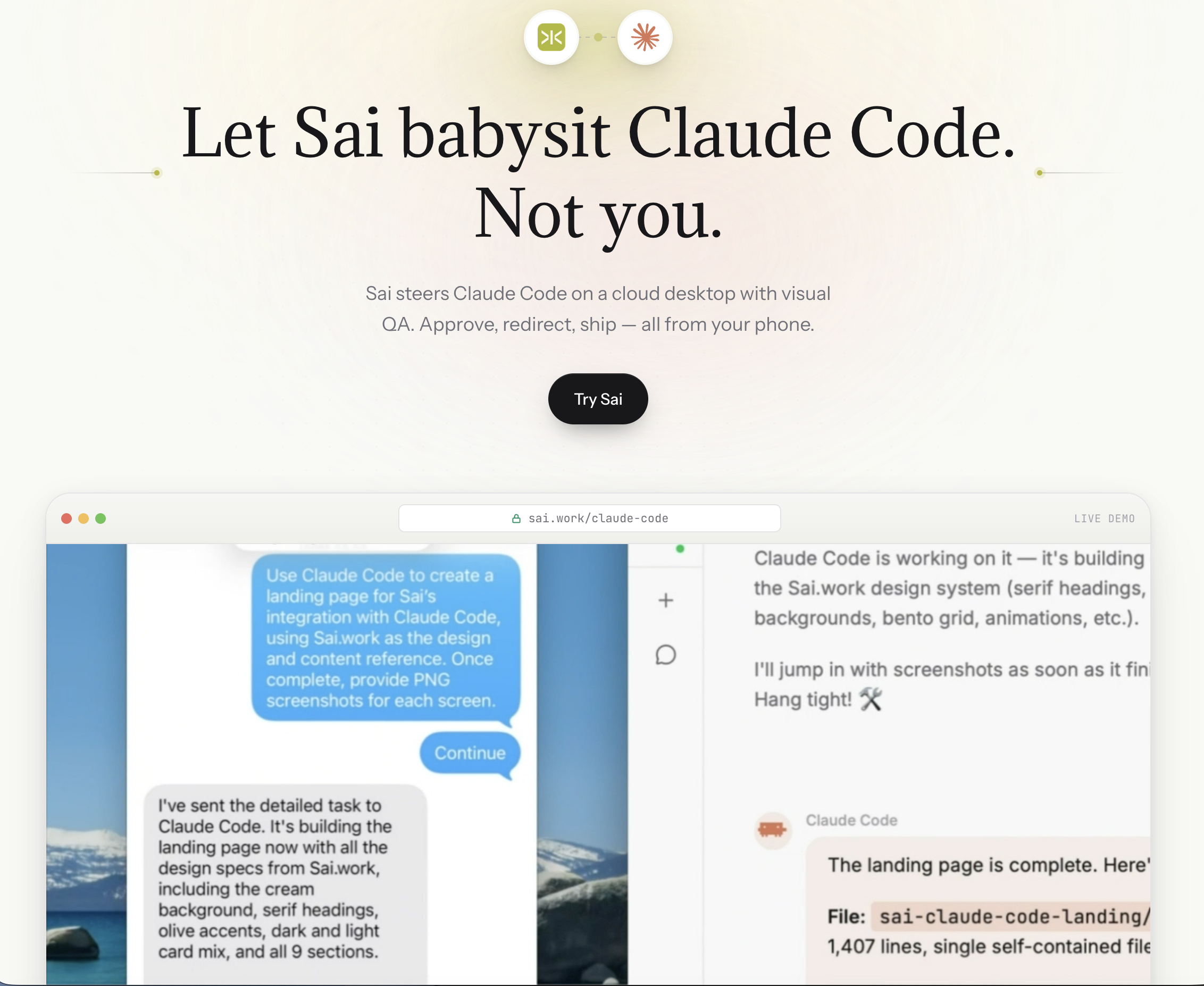
This is exactly why we built the Claude Code integration on Sai. The idea is simple: Claude Code is the coder. Sai is the operator.
How it works in practice. When you run Claude Code through Sai, the workflow extends beyond code generation into a full closed loop:
This matters because the hardest bugs to catch are the ones that pass every test but fail visually. A coupon field that accepts the code but does not update the cart total. A dark-mode toggle that changes the background but leaves the text unreadable. A responsive layout that works on desktop but overflows on mobile. Claude Code alone cannot see any of these. Sai can.
Five capabilities that only the combination unlocks:
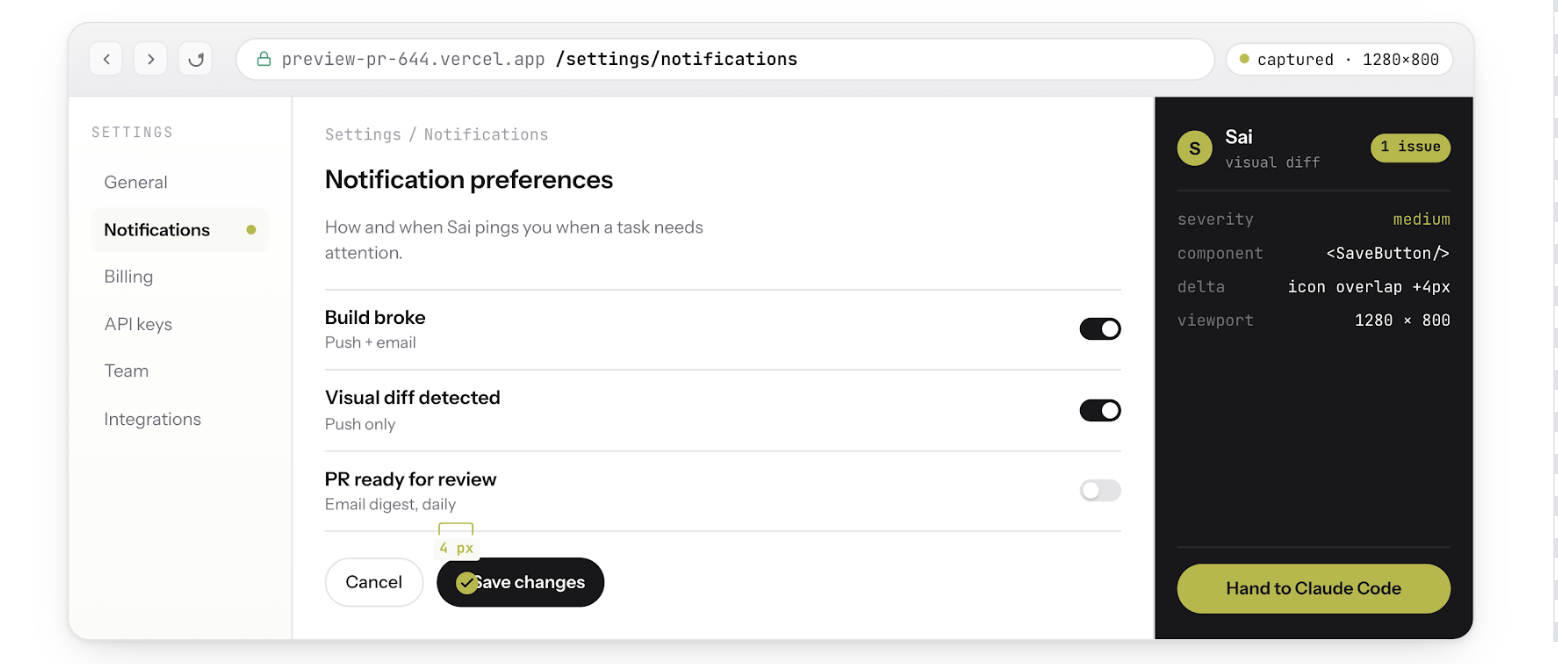
Visual QA after every code change. Sai opens a browser, navigates to the affected page, and screenshots the before-and-after state. If the page does not match expectations, Claude Code gets the screenshot as context and iterates — without you touching anything.
Bug reproduction from screenshots. A QA engineer pastes a screenshot of a broken checkout flow in Slack. Sai reads the screenshot, reproduces the exact steps in a real browser, confirms the bug exists, then hands Claude Code the reproduction steps and error logs. Claude Code writes the fix. Sai re-verifies it works. The entire cycle completes without a human opening a browser.
Auth-walled tool access. Claude Code runs in a terminal. It cannot log into Sentry to check for new exceptions, open Stripe to verify a webhook configuration, or navigate Datadog to correlate a performance regression with a specific deploy. Sai can. It operates a full cloud desktop with persistent browser sessions, which means it accesses the same authenticated tools your team uses every day — and feeds that context back to Claude Code.
Steer from your phone. Because Sai runs on a cloud desktop (not your local machine), the entire workflow survives laptop closure. Start a refactoring task from your desk, close your laptop, commute home, and review the verified PR from your phone. Claude Code keeps working. Sai keeps verifying. You approve when it is ready.
CI/CD monitoring and auto-fix. Set up a Sai workflow to watch your CI pipeline. When a build fails, Sai reads the error logs, determines whether it is a flaky test, a dependency issue, or a real regression, and triggers Claude Code to fix it. If the fix passes CI on retry, Sai opens the PR. If it fails again, Sai escalates to you with a summary of what it tried and why it did not work.
The bottom line. GitHub Copilot, Cursor, and Claude Code are all excellent at generating code. None of them can verify that the code actually works in a real environment. Adding Sai to any of these tools — especially Claude Code — closes that gap. The code gets written, tested, visually verified, and deployed without you context-switching between your IDE, browser, Sentry, Slack, and CI dashboard.
To try the integration: Sai Now Runs Claude Code
For a step-by-step walkthrough of the code review workflow: How to Automate Code Review with Claude Code