
Oops! Something went wrong while submitting the form.

Short answer: Lindy AI is an AI teammate that works inside Slack, email, text and your calendar. It handles inbox triage, meeting notes and follow-ups, research and reports through 3,000+ integrations, MCP, phone calls and a browser. Pricing starts with $50 of free credits for seven days, then $49.99 per user per month for 5,000 credits. Lindy is strong for teams that want an assistant in Slack. If you want an agent that does the work on a real computer, including desktop apps and sites with no integration, look at Sai by Simular; if you want an always-on agent inside ChatGPT, look at ChatGPT dots.
This review covers what Lindy does in late 2026, what it costs, where it works well and where it does not, then compares eight Lindy alternatives. All Lindy facts come from lindy.ai and its pricing page, checked on November 22, 2026.

Lindy is an AI assistant you "hire" for a role rather than a tool you configure. Its homepage calls it "the AI employee that plugs into your tools, learns how you work, and takes real work off your plate". In 2026 it positions itself as a teammate: it lives in Slack threads and mentions, your email, text messages over iMessage, phone calls and your calendar, and it takes requests the way a coworker would.
Earlier versions of Lindy centered on building individual agents ("Lindies") from triggers and actions. The current product leads with a ready-made assistant that already has skills for common jobs, and you add your own on top.
Lindy's setup has three steps, per its homepage:
Where you talk to it depends on the work, per Lindy's docs:
| Feature | What it does |
|---|---|
| Daily brief | A morning summary of what changed overnight, what is on today and what needs you |
| Inbox | Labels and sorts email as it lands, drafts replies in your voice into your drafts folder, texts you about time-sensitive mail, and drafts follow-ups when a sent email gets no reply |
| Meetings | Records and transcribes Google Meet, Zoom and Teams calls, preps briefings with attendee research, finds times and books meetings, and turns decisions into follow-up work |
| Skills | 40+ built-in skills, plus saved instructions for work you repeat, shareable with your workspace |
| Routines | A job with a trigger (a schedule or an event), a prompt and a destination for the result; personal or workspace-wide, with a library of templates |
| Teach a task | Record your screen or upload a written process; Lindy breaks it into steps and turns it into a skill and a routine |
| Memory | A versioned file system you can browse, edit and share, split into personal, team and system files |
| Artifacts | Dashboards, reports and internal pages Lindy builds and hosts on its own link, private to the workspace until you approve publishing |
| Integrations | 3,000+ apps (Gmail, Outlook, Slack, HubSpot, Salesforce, Notion, QuickBooks, Stripe and more) plus any hosted MCP server, with guardrails on which actions it can use |
| Credentials | Saved API keys and website logins, with a setting for who can use each one |
| Computer use | Available on the Pro and Max credit tiers |
| Lindy MCP server | Claude, ChatGPT, Codex, Cursor or VS Code can connect to your Lindy workspace to look up threads, meetings and files or hand work to Lindy |
| Model choice | Pick a model per task; most major models are available |
Lindy's site lists roles it can take on, each written like a job description: account manager, media buyer, social media manager, sales development rep, executive assistant, receptionist, bookkeeper and customer service rep. Its example jobs include chasing invoices, answering leads, client reports, watching ad spend, collecting reviews, finding customers, planning social posts, tracking competitors, updating the CRM and follow-up calls.
A typical setup for a small agency: a daily brief every weekday morning, every new lead answered day or night, proposals and invoices in a finance channel every Friday, and a weekly report per client.
Per Lindy's security page:
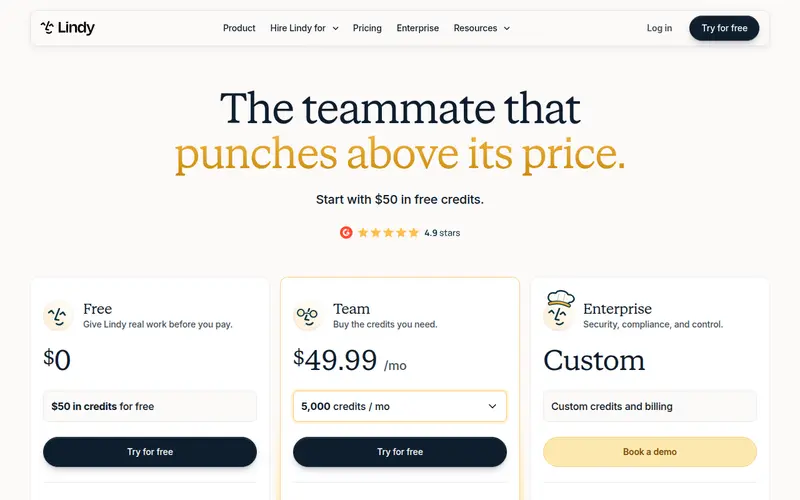
| Plan | Price | What you get |
|---|---|---|
| Free trial | $0 | $50 in free credits, valid for 7 days |
| Team | From $49.99 per user per month | 5,000 credits per seat, pooled across the workspace; larger credit tiers up to 1,750,000 credits for $9,999.50 |
| Top-ups | $10 per 1,000 credits | Credits bought on top of the plan; they do not expire with the cycle |
| Enterprise | Custom | Custom credits and billing, SSO, audit logs, HIPAA with BAA |
Credits measure the work Lindy does, and bigger jobs use more: Lindy's examples range from quick lookups and meeting wrap-ups, through competitor research and a day of support triage, to dashboards and decks built from your CRM. Monthly credits do not roll over. If the pool runs low, Lindy pauses credit-using actions rather than billing extra. Every active user in the workspace takes a paid seat, including teammates who join by mentioning Lindy in Slack, after a seven-day trial for Slack joiners.
Pros
Cons
Lindy is worth it for small and mid-sized teams that run on Slack and email and want one assistant to take routine requests: triage, meeting follow-ups, client updates and reports from connected tools. It is a weaker fit if your bottleneck is work in desktop apps, internal portals or websites that no integration covers, or if you want to pay for work done rather than for every seat.
We compared each option on:
| # | Tool | Best for | Where work runs | Starting price |
|---|---|---|---|---|
| 1 | Sai by Simular | Work on a real computer: desktop apps, portals, any site | Cloud Windows or Linux computer, or your own Mac/PC | Free; $50/mo pay as you go |
| 2 | ChatGPT dots | An always-on agent inside ChatGPT | Its own cloud computer and connected apps | Included with eligible ChatGPT plans |
| 3 | Claude | Teams already on Claude | Connected apps, Claude in Chrome | Claude paid plans |
| 4 | Viktor | An AI employee in Slack, Teams and email | Integrations | Free credits; Team $100/mo |
| 5 | Zapier Agents | Agents across 9,000+ apps | Zapier integrations | Zapier plans |
| 6 | n8n | Self-hosted, developer-friendly automation | Your server or n8n cloud | Free self-hosted; cloud by executions |
| 7 | Gumloop | No-code agent and workflow canvas | Integrations | 14-day free trial |
| 8 | Relevance AI | Teams of sales and GTM agents | Integrations | See vendor |

Pricing: Free (daily credits) | $50/month pay as you go | $500/month Sai Unlimited | Enterprise (custom) | Runs on: a cloud Windows or Linux computer, or your own Mac or Windows PC
Sai is a robosecretary that does the work on an actual desktop. Where Lindy reaches your tools through integrations, Sai opens the apps and sites themselves: it browses, uses desktop software, fills spreadsheets and moves information between apps the way a person would. That matters for the long tail of work no integration covers, such as a supplier portal, an old internal tool or a desktop accounting app.
Limitations: desktop workflows use more credits than a chat-only assistant; the cloud computers are Windows or Linux, so macOS-only apps need Sai on your own Mac; Sai is not a Slack-native teammate in the way Lindy is.
Best for: founders, operators and executives whose work spans websites, desktop apps and spreadsheets. Compare more options in our guide to the best AI assistants.
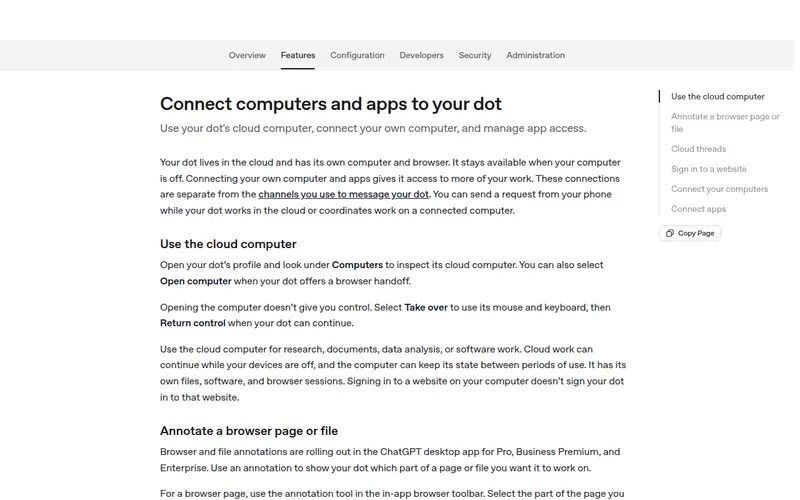
Pricing: included with eligible plans (Pro, selected Plus, Business; Enterprise billing from January 14, 2027) | Runs on: its own cloud computer, plus apps you connect
OpenAI describes a dot as "an always-on agent in ChatGPT" with "its own cloud computer". You give it a goal and context, and it keeps making progress between conversations: research, drafts, scheduled checks. It starts from your ChatGPT memory, can use your connected apps, and you set rules for what it may do without asking.
Key strengths: no new app for ChatGPT users; its own cloud computer and browser; custom rules for approvals; optional access to your own computer through the desktop app.
Limitations: still rolling out; not available in the EEA, UK or Switzerland; one personal dot per member in Business and Enterprise workspaces; texting is a limited beta.
Best for: individuals and teams who already live in ChatGPT. See our explainer on ChatGPT agent for how dots relate to ChatGPT Work.

Pricing: Claude paid plans | Runs on: Claude with connectors; Claude in Chrome for browser tasks
Claude works across connected apps and, with Claude in Chrome, in the tabs of your own browser, using the logins you have. Anthropic notes that Cowork is now part of Claude itself, rolling out to Pro and Max plans first.
Key strengths: strong writing and analysis; works with your logged-in browser tabs; available on all paid plans for Claude in Chrome.
Limitations: browser work happens in your own Chrome, so your computer needs to stay on; less of a Slack-resident teammate than Lindy.
Best for: knowledge workers who want an assistant for documents, research and browser tasks. If Claude needs a computer of its own, see how to give Claude or ChatGPT a computer.
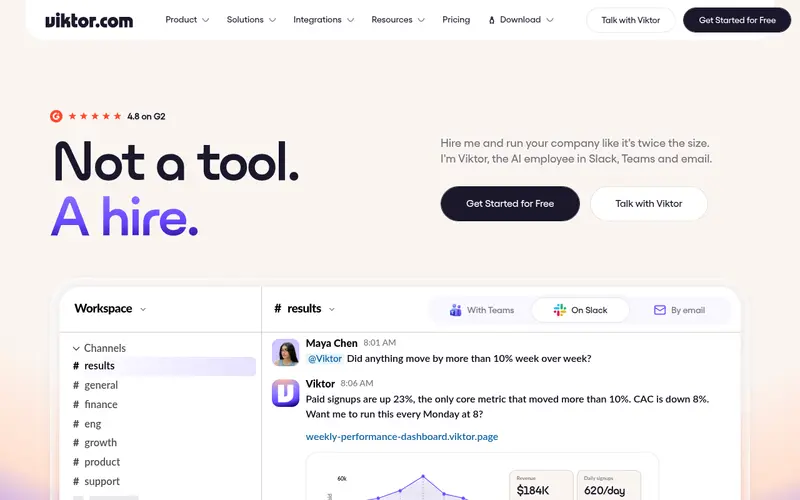
Pricing: free to start with up to $100 of credits; Team plan $100/month | Runs on: integrations
Viktor calls itself "the AI employee in Slack, Teams and email" and connects to 9,800+ tools. It is the closest like-for-like Lindy alternative: a teammate you message rather than a workflow you build.
Key strengths: Microsoft Teams as well as Slack; large integration catalog; free credits to try.
Limitations: integration-based, so the same gaps as Lindy for desktop apps and uncovered sites.
Best for: teams on Microsoft Teams who like Lindy's model.

Pricing: part of Zapier's plans | Runs on: Zapier integrations, with a Chrome extension
Zapier Agents let you build "AI teammates" that use company knowledge and act across 9,000+ apps, on command or on a schedule.
Key strengths: the widest integration catalog; fits teams already using Zaps.
Limitations: you build and maintain the agents; work outside Zapier's apps still needs another tool.
Best for: operations teams with existing Zapier automations. More options in our Zapier alternatives guide.

Pricing: free to self-host (Community Edition); cloud plans priced by workflow executions | Runs on: your server or n8n cloud
n8n is a workflow platform with AI agent nodes. Cloud plans include unlimited users and workflows and are priced by monthly executions, regardless of complexity.
Key strengths: self-hosting and data control; code where you need it; no per-seat fees on cloud plans.
Limitations: a builder, not an assistant; someone has to design and maintain the workflows.
Best for: technical teams that want control. See our n8n alternatives for more.
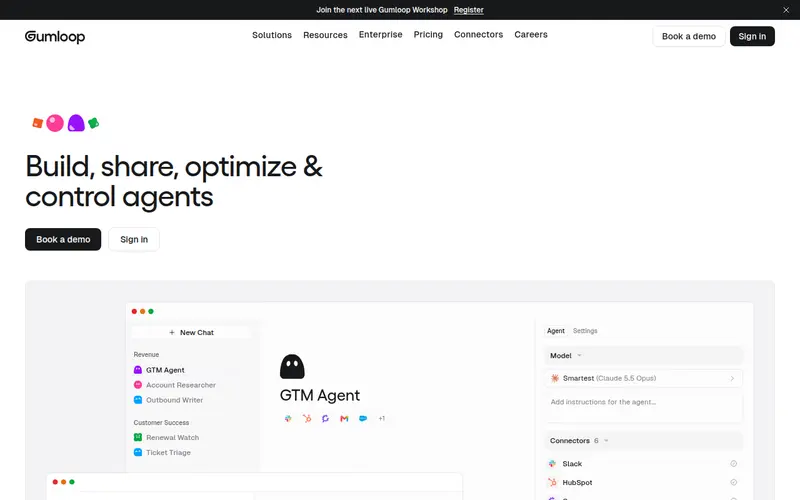
Pricing: 14-day free trial, then credit-based plans | Runs on: integrations
Gumloop is an "enterprise AI agent platform" for building, sharing and controlling agents on a visual canvas.
Key strengths: approachable builder; good for AI-heavy steps such as scraping and summarizing.
Limitations: still a builder; credit limits on lower tiers.
Best for: operations and growth teams that want to build their own flows without code.

Pricing: see vendor | Runs on: integrations
Relevance AI focuses on go-to-market work, with specialist agents for sales processes organized into what it calls factories.
Key strengths: sales-specific agents and templates; multi-agent setups.
Limitations: narrower than Lindy outside sales and GTM; setup takes time.
Best for: revenue teams building an agent workforce for prospecting and outreach.
| Lindy AI | Sai by Simular | |
|---|---|---|
| How it works | Integrations, MCP, phone, browser | Operates a real desktop: apps, browser, files |
| Where you talk to it | Slack, email, text, calendar | Sai app and web |
| Pricing model | Per seat, from $49.99/user/mo | Usage: free, $50/mo pay as you go, $500/mo Unlimited |
| Best at | Team requests, inbox, meetings | Multi-app work, portals, desktop software |
| Approvals | Before outside-impact actions | Before sending, posting or deleting |
Choose Lindy if your team wants a shared assistant in Slack that handles requests through connected tools. Choose Sai if the work lives in apps and websites without integrations, or you would rather pay for work than for seats. Many teams use both: Lindy for requests in Slack, Sai for the computer work behind them.
For agency-specific picks, see our Lindy alternatives for agencies.
Yes, on the Pro and Max credit tiers, according to Lindy's pricing page.
Lindy states it is SOC 2 and GDPR compliant, does not train models on your data, and offers SSO, audit logs and HIPAA with a signed BAA on Enterprise.
ChatGPT is a general assistant you work with in chat, and dots add an always-on agent with its own cloud computer. Lindy is built as a team assistant inside Slack and email, with per-seat pricing.