
Oops! Something went wrong while submitting the form.
Short answer: Agentic automation is automation in which AI agents decide the steps toward a goal and carry them out across apps, while rules-based bots handle the fixed steps and people approve the decisions that matter. Unlike RPA, which follows a script and breaks when a screen or input changes, an agent can read an unstructured email, handle an exception and choose what to do next. The leading platforms in 2026 are Sai by Simular for agents that work on a real computer without APIs, UiPath and Automation Anywhere for enterprise RPA estates adding agents, Microsoft Copilot Studio for Microsoft 365 shops, Workato for integration-led orchestration, and Zapier Agents, n8n and Lindy for smaller teams.
This guide explains what agentic automation is, how it compares with RPA and intelligent automation, where it pays off, and how eight platforms differ, using vendor documentation checked on November 22, 2026.
Agentic automation combines three kinds of worker in one process:
UiPath, which helped popularize the term, describes it as "combining agents, robots, AI, and people" so that even "the longest, most complex processes" can run end to end. Automation Anywhere uses a close cousin, agentic process automation (APA).
The key shift is from instructions to outcomes. A classic automation says "click here, copy this field, paste it there". An agentic one says "reconcile these invoices against the purchase orders and flag mismatches", and the agent works out the steps.
| RPA | Intelligent automation | Agentic automation | |
|---|---|---|---|
| What drives it | A fixed script | A script plus AI steps (OCR, classification) | An AI agent pursuing a goal |
| Handles unstructured input | No | Partly | Yes |
| Handles exceptions | Stops or escalates | Within trained cases | Reasons about new cases, escalates the rest |
| When the UI changes | Often breaks | Often breaks | Can adapt by reading the screen |
| Build effort | Map every step | Map steps, train models | Describe the goal, set guardrails |
| Best for | High-volume, stable tasks | Document-heavy processes | Variable, multi-app processes |
Intelligent automation is the earlier wave: RPA augmented with AI for specific steps, such as reading documents. Agentic automation puts the AI in charge of the flow itself and uses RPA and APIs as tools. Most enterprises will run all three side by side.
It is a weaker fit for tasks that are already stable and high-volume (keep the RPA bot) or decisions that need a human by policy.
We compared platforms on:
| # | Platform | Best for | How agents act | Starting price |
|---|---|---|---|---|
| 1 | Sai by Simular | Agents that work on a real computer, no API needed | Operates desktops and browsers | Free; $50/mo pay as you go |
| 2 | UiPath | Enterprises with RPA estates | Agents plus robots, orchestrated | Enterprise contract |
| 3 | Automation Anywhere | Agentic process automation at enterprise scale | Agents plus RPA | Enterprise contract |
| 4 | Microsoft Copilot Studio | Microsoft 365 organizations | Connectors, flows, agents | Microsoft licensing |
| 5 | Workato | Integration-led orchestration | Connectors and agents ("Genies") | Enterprise contract |
| 6 | Zapier Agents | Small teams on Zapier | 9,000+ app integrations | Zapier plans |
| 7 | n8n | Technical teams that want control | Workflows with agent nodes | Free self-hosted; cloud by executions |
| 8 | Lindy | An AI teammate for common business roles | Integrations, phone, browser | From $49.99/user/mo |

Pricing: Free (daily credits) | $50/month pay as you go | $500/month Sai Unlimited | Enterprise (custom) | Runs on: cloud Windows or Linux computers, or your own Mac or Windows PC
Sai automates digital work the way a person does it: on a computer. Instead of requiring an API or a connector for each system, Sai's agent opens the apps and websites, clicks, types and moves data between them. Simular's FAQ puts it simply: Sai is "built to automate digital workflows that don't expose public APIs", across Windows, macOS, Linux and virtual machines.
Limitations: screen-based work uses more compute than an API call, so stable API-friendly steps are cheaper in a workflow tool; macOS-only apps need Sai on your own Mac.
Best for: operations, finance and sales teams whose processes cross portals, desktop software and spreadsheets that integrations do not reach.

Pricing: enterprise contract | Runs on: UiPath Platform (cloud or self-hosted)
UiPath has repositioned its platform around agentic automation: agents for reasoning steps, its robots for deterministic steps, and people for oversight, coordinated by its orchestration layer (Maestro). Its vision piece stresses "agents you can trust" and human-in-the-loop exception handling.
Key strengths: mature RPA and governance; existing bots become tools for agents; strong enterprise controls.
Limitations: heavy platform for small teams; long implementation cycles; licensing complexity.
Best for: large organizations that already run UiPath bots.
Pricing: enterprise contract | Runs on: Automation Anywhere cloud platform
Automation Anywhere markets an Agentic Process Automation (APA) platform alongside its RPA software, with a guided assessment to map processes to agents.
Key strengths: enterprise RPA heritage; process discovery; vendor-led onboarding.
Limitations: enterprise sales motion; less suited to small teams experimenting quickly.
Best for: enterprises standardizing on one vendor for RPA and agents.
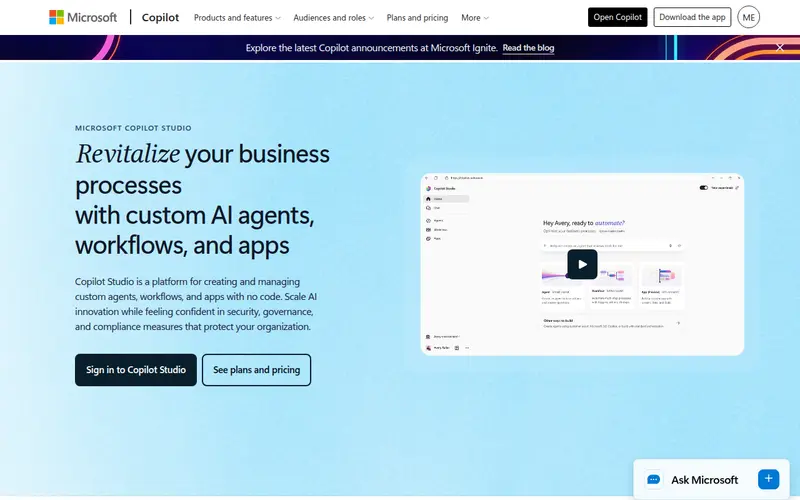
Pricing: Microsoft licensing | Runs on: Microsoft cloud with Power Platform connectors
Copilot Studio is a platform "for creating and managing custom agents, workflows, and apps with no code", with security, governance and compliance controls. Agents can work alongside Power Automate flows.
Key strengths: native to Microsoft 365, Teams and Dataverse; IT governance built in.
Limitations: best inside the Microsoft stack; licensing takes planning.
Best for: organizations standardized on Microsoft.
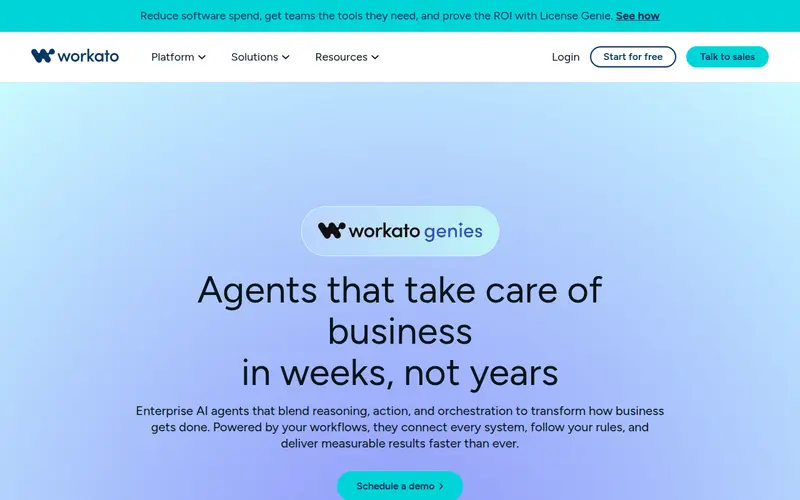
Pricing: enterprise contract | Runs on: Workato cloud
Workato positions "agentic orchestration" as enterprise AI agents that blend reasoning, action and orchestration, powered by its workflows and connectors. Its prebuilt agents are called Genies.
Key strengths: deep enterprise connector library; agents grounded in existing integrations.
Limitations: strongest where systems have APIs; enterprise pricing.
Best for: IT and business systems teams that already automate with Workato.

Pricing: part of Zapier's plans | Runs on: Zapier, with a Chrome extension
Zapier Agents let you create "AI teammates" with company knowledge that act across 9,000+ apps, on command or on a schedule.
Key strengths: easiest start for teams already on Zapier; widest app catalog.
Limitations: limited to what Zapier's integrations expose; cost grows with activity.
Best for: SMB operations teams. See Zapier alternatives.

Pricing: free to self-host; cloud plans priced by workflow executions | Runs on: your infrastructure or n8n cloud
n8n is a workflow platform with AI agent nodes. Cloud plans include unlimited users and workflows and charge by executions "regardless of complexity".
Key strengths: self-hosting and data control; code where needed; predictable pricing.
Limitations: you design and maintain the agents; API-based, so screen-only systems need another tool.
Best for: engineering and data teams. See n8n alternatives.

Pricing: $50 of free credits for 7 days; from $49.99 per user per month | Runs on: integrations, phone and browser
Lindy is an AI teammate in Slack, email and your calendar with 3,000+ integrations, MCP, phone calls and a browser. Actions with outside impact wait for approval. Full review: Lindy AI review and alternatives.
Key strengths: ready-made roles; Slack-native; quick start.
Limitations: per-seat pricing; integration-centered.
Best for: small and mid-sized teams that want agentic help without building flows.
Not always. Connector-based platforms need APIs or integrations, while computer-use agents such as Sai operate the apps' screens directly, which covers portals and desktop software with no API.
Start with one process, require approval for irreversible actions, give agents least-privilege accounts, keep payment details with people, and review logs before widening autonomy.