
Oops! Something went wrong while submitting the form.
CRM automation uses artificial intelligence and rule-based workflows to handle repetitive sales tasks — data entry, lead assignment, follow-up emails, pipeline updates — so your team spends more time selling and less time clicking. After testing 7 of the most popular CRM automation platforms over 6 weeks, we found that the best tool depends on whether you need automation inside your CRM or across your entire sales stack.
TL;DR: HubSpot leads for inbound-first teams with its generous free tier. Salesforce dominates enterprise with Einstein AI. But if you're tired of automation that stops at the CRM boundary — and you want an AI that can log into your CRM, pull lead data, draft personalized outreach, send follow-ups, and update records without you touching a single button — Sai by Simular is the only tool we tested that automates the full sales workflow end-to-end across any platform.
CRM automation is the use of technology to handle repetitive customer relationship management tasks without manual input. Instead of a sales rep manually logging calls, updating deal stages, assigning leads, and sending follow-up emails, CRM automation handles these actions through predefined rules, triggers, or AI-driven workflows.
Here's why it matters: sales reps spend only 37% of their time actually selling, according to Forbes. The rest goes to data entry, CRM updates, email management, and internal meetings. Salesforce's own research confirms that 28.9% of a rep's time goes to manual CRM data entry alone.
That means nearly a third of your sales team's workday is spent feeding the CRM — not closing deals.
The CRM market has responded. The global CRM software market is projected to reach $98.84 billion in 2026, growing at a 13.9% CAGR through 2030 (Grand View Research). And 91% of companies with 10+ employees now use a CRM of some kind. But having a CRM is not the same as using it effectively — and automation is the difference between a CRM that drains your team's energy and one that multiplies it.
To keep our evaluation fair and grounded, we tested all 7 tools against a standardized set of real sales workflows over 6 weeks. Here's our methodology.
We created identical test environments with 200 sample leads, 50 active deals, and 3 sales pipeline stages in each platform. We evaluated each tool on 5 criteria: setup speed (time from sign-up to first automation live), automation depth (how many steps can run without human intervention), cross-platform capability (can it automate beyond its own platform?), AI intelligence (does the AI actually improve your workflow or just add buzzwords?), and cost-effectiveness (automation value per dollar spent).
Every tool was evaluated by the same team member running the same sales workflow: identify leads, pull context from their records, draft personalized outreach, send a multi-touch sequence, track responses, and update the CRM.
We do not accept paid placements. Sai by Simular is included because it represents a fundamentally different approach to CRM automation, but it was evaluated against the same criteria as every other tool.
Here's our in-depth look at each tool — what we liked, what fell short, and the standout automation feature we tested.
Every other tool on this list automates within its own platform. Sai automates across platforms — because it operates your CRM, email, LinkedIn, and spreadsheets the way you do, through the actual interface. It's not a CRM; it's an AI coworker that sits on top of whichever CRM you already use and handles the cross-platform execution that no single tool can cover alone.
Sai handles the complete outreach loop in a single recurring workflow: log into your CRM, find target leads, grab context from their records (firmographics, product activity, past conversations), draft personalized copy, present it for your approval, execute a multi-touch cadence across email and LinkedIn, then update the CRM with results and follow-up items. Set it once, run it on schedule. It works with HubSpot, Salesforce, Pipedrive, Zoho — any CRM, because it doesn't need a native integration. It uses the browser interface directly.
Sai doesn't replace your CRM — you still need one for pipeline management, dashboards, and team collaboration. And because it operates through the GUI rather than APIs, complex workflows take a few minutes to run rather than executing instantly. For workflows that would take a human 30–60 minutes, that trade-off is more than worth it.
Scheduled Monday-morning lead re-engagement — Sai checks the CRM for leads inactive for 7+ days, pulls their context, drafts personalized follow-ups, queues them for your approval, sends on approval, and logs everything back into the CRM. Fully recurring, fully autonomous.
Free trial available. Founder membership pricing for early adopters.
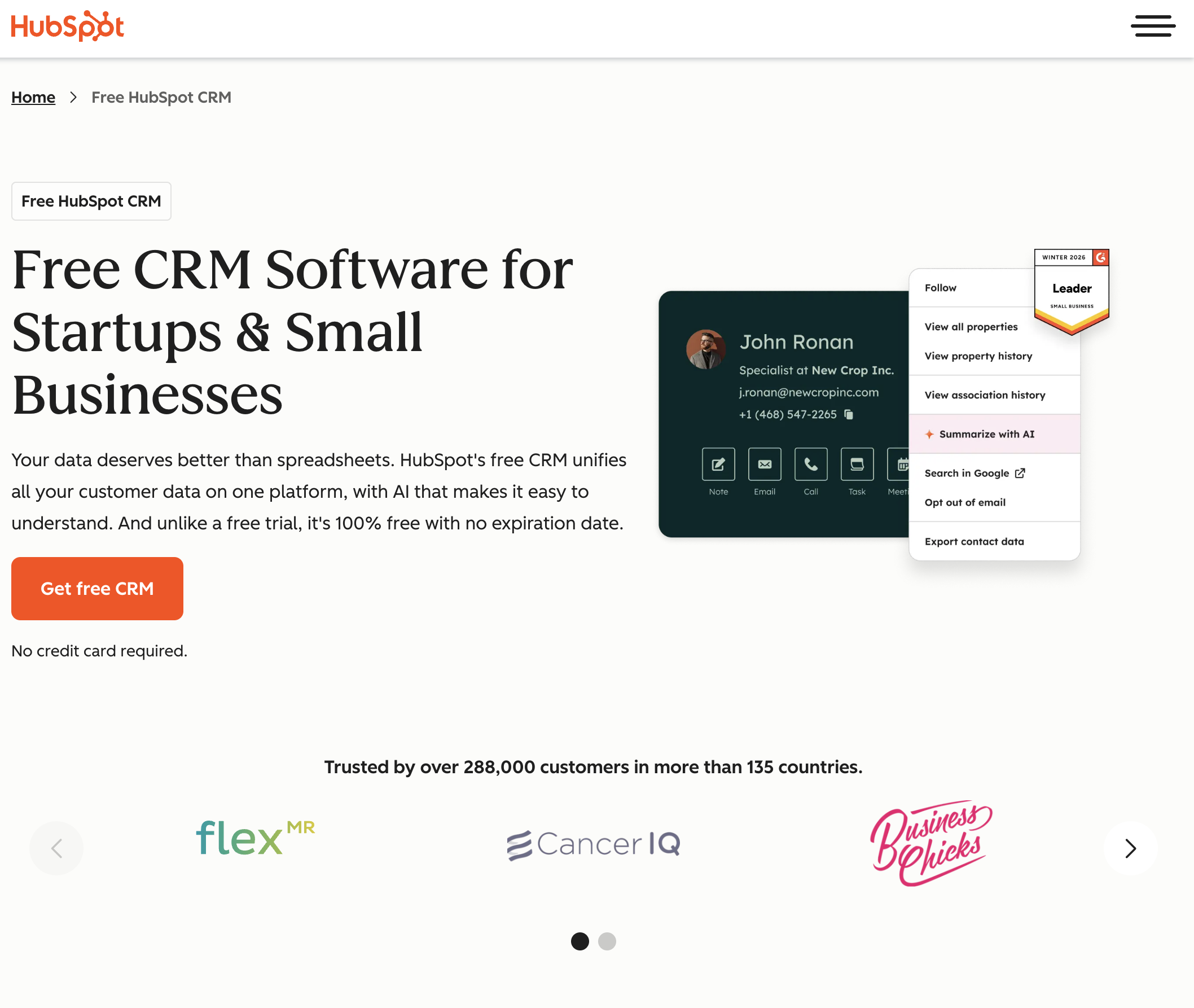
HubSpot's CRM automation is built around inbound: attract leads with content, nurture them with automated sequences, hand them to sales when they're ready. The free tier is genuinely powerful — unlimited users, up to 1 million contacts, email tracking, and basic automation.
The workflow builder is visual and intuitive, with if/then branching that handles most standard sales scenarios. Sequences let you build multi-step email cadences with automatic enrollment and personalization tokens. The marketing-to-sales handoff automation is the smoothest we tested — lead scoring triggers automatic assignment, then the rep gets a notification with full contact history. HubSpot's documentation and community are also best-in-class; when we got stuck, we found answers fast.
Advanced features — custom reporting, A/B testing in workflows, predictive lead scoring — are locked behind Professional at $90+/seat/mo, a steep jump from Starter. The automation stays inside HubSpot. If your leads live partly in LinkedIn, partly in Google Sheets, and partly in a shared inbox, HubSpot can't reach across those boundaries without Zapier or custom API work.
Lead lifecycle automation — when a contact hits a lead score threshold based on email opens, page visits, and form submissions, HubSpot auto-assigns them to the right rep, enrolls them in a personalized sequence, and creates a task with context. The sequence adapts if the prospect replies, pausing further emails and alerting the rep.
Free plan available. Starter from $15/seat/mo. Professional from $90/seat/mo. Enterprise from $150/seat/mo.
Salesforce set the CRM standard, and its automation reflects decades of enterprise refinement. Flow Builder is the most powerful visual automation engine we tested — handling complex branching logic, database queries, API callouts, and screen flows in one canvas.
Einstein AI provides lead scoring, opportunity insights, and (in the Agentforce tier) autonomous AI agents for specific tasks. AppExchange offers 7,000+ integrations. Flow Builder can automate approvals across complex org structures — something no other tool on this list handles as well. For enterprise sales orgs with compliance requirements, approval chains, and territory hierarchies, Salesforce is unmatched.
Complexity. Our tester took 3x longer to set up a basic lead-assignment automation compared to HubSpot or Pipedrive. Most mid-size companies need a Salesforce admin or consultant. Pricing adds up fast: meaningful automation typically requires Enterprise ($165/user/mo) or above, plus add-ons for Einstein features.
Einstein Activity Capture + Flow Builder pipeline — emails, meetings, and calls are auto-logged to the contact record. Flow Builder then scores activity volume against deal stage benchmarks, triggers alerts when engagement drops below threshold, auto-creates follow-up tasks with suggested next actions, and routes at-risk deals to managers for intervention. The entire chain runs across multiple objects and org levels.
No free plan (30-day trial). Starter Suite from $25/user/mo. Pro Suite from $100/user/mo. Enterprise from $165/user/mo.
Zoho packs impressive automation into its mid-tier plans, and its AI assistant Zia is more capable than most people expect — especially at the price point.
Workflow rules are available from Standard ($14/user/mo) with triggers, conditions, instant/scheduled actions, and notifications. Zia provides anomaly detection (spots unusual deal patterns), lead scoring, sentiment analysis on emails, and proactive workflow suggestions. Blueprint lets you build guided sales processes that enforce step-by-step best practices across your team — useful for onboarding new reps. The price-to-feature ratio is the best we tested, and the ecosystem spans 40+ Zoho apps.
The UI feels cluttered compared to Pipedrive or monday. Some features require navigating multiple settings pages. Cross-platform automation with non-Zoho tools requires Zoho Flow or Zapier — the native ecosystem, while broad, creates its own walled garden.
Zia anomaly detection paired with Blueprint enforcement — when Zia detects a deal's velocity deviating from historical patterns (e.g., a normally fast-moving deal suddenly stalling), it triggers a Blueprint path that forces the rep through a recovery sequence: log a call attempt, send a specific re-engagement email template, and escalate to manager if no response within 48 hours. All automatic.
Free plan (3 users). Standard from $14/user/mo. Professional from $23/user/mo. Enterprise from $40/user/mo. Ultimate from $52/user/mo.
Pipedrive's design philosophy centers on the pipeline view, and its automation follows suit — triggers are built around deal stages, making it natural for teams that think in terms of deals moving through a funnel.
The automation builder is the simplest we tested. Pick a trigger (deal enters stage, activity completed, lead created), set conditions, define actions — most automations take under 2 minutes to build. The AI Sales Assistant (Professional tier and above) proactively identifies deals at risk and suggests performance improvements based on your historical data. Pipedrive's "deal rotting" concept — where deals that sit idle too long are visually flagged — is a small but brilliant design choice that keeps pipelines honest.
Automation capabilities are thinner than HubSpot or Salesforce. No conditional branching on lower tiers. Email sequences lack the sophistication of HubSpot's. Everything stays within Pipedrive — no native way to reach into LinkedIn, browser, or other apps.
Deal rotting + automated win-back — when a deal hasn't been updated in your defined threshold (e.g., 5 days), Pipedrive flags it as rotting, auto-sends a re-engagement email to the prospect using a template you've pre-approved, creates a call task for the rep, and moves the deal to a "Needs Attention" stage. If no activity within another 3 days, it escalates to the team lead.
No free plan (14-day trial). Essential from $14/user/mo. Advanced from $29/user/mo. Professional from $49/user/mo. Power from $64/user/mo. Enterprise from $99/user/mo.
Freshsales is the sleeper pick. Its AI assistant Freddy is surprisingly capable for the price, and the free tier is generous enough for small teams to get real value.
Freddy AI is available from Growth ($9/user/mo) — making it the most accessible AI-powered CRM we tested. It provides contact scoring, deal insights, next-best-action suggestions, and auto-profile enrichment that pulls public data (company size, funding, job changes) without manual research. Built-in phone, email, and chat channels mean you can run multi-channel outreach without leaving the CRM. Time-based workflow triggers are well-suited for cadenced follow-up sequences.
The ecosystem is smaller than HubSpot or Salesforce. Reporting is adequate but not exceptional. Advanced customization is more limited than Zoho. And the automation, while solid, stays within the Freshworks boundary.
Freddy enrichment + auto-sequence — when a new lead is created, Freddy auto-enriches the profile with publicly available data (LinkedIn info, company details, recent funding), scores the lead based on fit criteria you define, and if the score exceeds your threshold, auto-enrolls the lead in a time-based email sequence with personalization tokens pulled from the enriched data. Reps only touch leads that Freddy has pre-qualified and pre-researched.
Free plan (3 users). Growth from $9/user/mo. Pro from $39/user/mo. Enterprise from $59/user/mo.
monday CRM extends the familiar monday.com board experience into sales. If your team already lives in monday.com for project management, the CRM module slots right in.
Same interface, same automations framework, same integrations. Custom automations use natural-language-style recipes ("When status changes to Qualified, assign to Sales Rep, and send email"). The board view is highly customizable — you can build any pipeline visualization you want. Cross-board automations that connect sales to post-sale delivery are uniquely powerful for companies managing the full customer lifecycle on one platform.
monday CRM is relatively new and it shows in sales-specific depth. Lead scoring, predictive analytics, and sophisticated sequence building are limited or absent. The 3-seat minimum on paid plans can be annoying for solopreneurs. AI capabilities trail behind Salesforce, Zoho, and Freshsales.
Cross-board deal-to-project handoff — when a deal is marked "Won," monday automatically creates a new project board from a template, assigns the onboarding team, populates it with client details from the CRM record, sends a welcome email to the customer, and notifies the account manager. Sales-to-delivery in zero clicks.
No free CRM plan (14-day trial). Basic from $12/seat/mo (3-seat min). Standard from $17/seat/mo. Pro from $28/seat/mo. Enterprise: custom pricing.
Here are 5 high-impact CRM automation examples you can implement today, regardless of which platform you use.
New lead assignment and routing: When a new lead enters your CRM (via form submission, import, or API), automatically assign it to the right sales rep based on territory, deal size, industry, or round-robin rules. Available in all 7 tools we tested.

Deal stage progression alerts: When a deal moves to a new pipeline stage, automatically create follow-up tasks, send internal notifications, and trigger relevant email sequences. Available in HubSpot, Salesforce, Pipedrive, and Freshsales.
Stale deal re-engagement: When a deal hasn't been updated in X days, automatically send a re-engagement email to the prospect and alert the assigned rep. Available in Pipedrive (deal rotting), HubSpot (workflow), and Zoho (escalation rules).
Post-meeting follow-up: After a meeting is logged, automatically send a summary email to the prospect, create follow-up tasks, and update the deal record. Partially available in most CRMs — fully autonomous (including drafting the summary from meeting context) only in Sai.
Full-funnel outreach sequences: Build a multi-touch campaign — email, LinkedIn message, phone reminder, follow-up email — that runs automatically based on the prospect's engagement. Native sequences available in HubSpot and Salesforce. Cross-platform sequences (email + LinkedIn + CRM updates) available in Sai.