
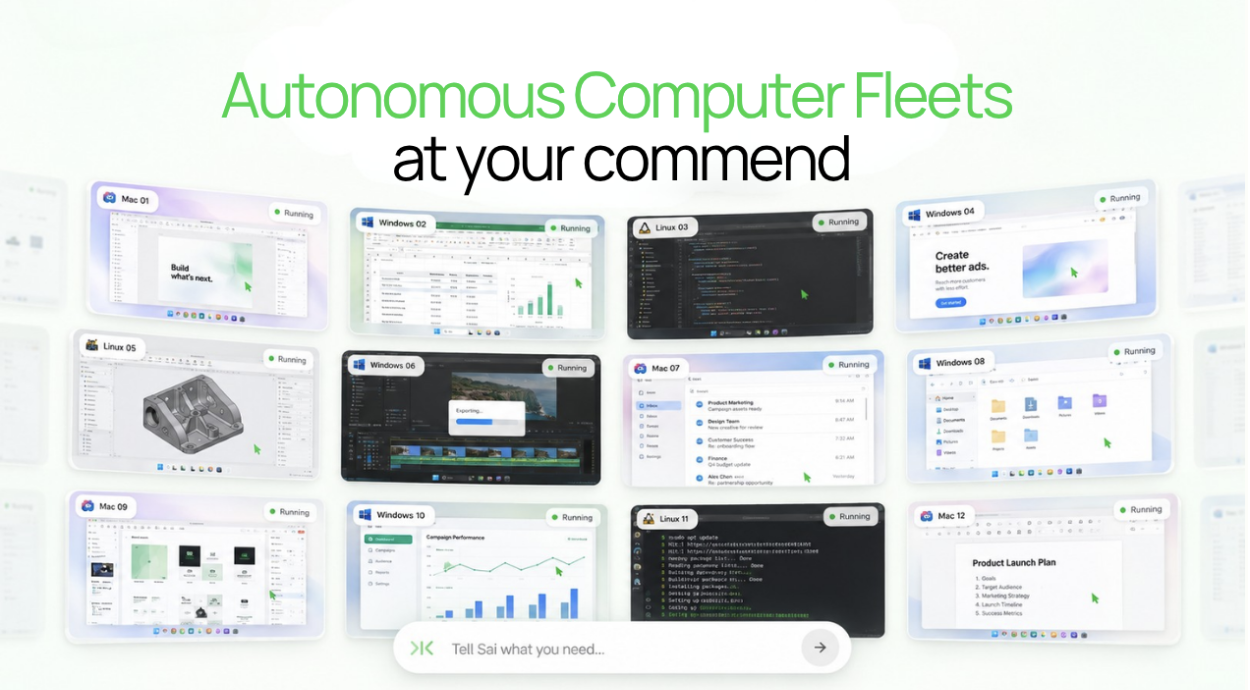
什么是“机器人秘书”?一种能够操控多个自主运行计算机的计算机代理程序。
November 23, 2026
Short answer: A cloud development environment (CDE) is a ready-to-code workspace that runs on a remote machine instead of your laptop: the source code, toolchain, dependencies and running services all live in the cloud, and you connect from a browser or your local editor. Teams use CDEs to get new developers coding quickly, keep environments identical, and keep source code off laptops. Common options in 2026 include GitHub Codespaces, Coder, Google Cloud Workstations and DevPod, while Ona (formerly Gitpod, now part of OpenAI) has moved to background agents. AI coding agents increasingly run in the same kind of environment.
What is a cloud development environment?
A cloud development environment is a development machine you don't own. Instead of installing languages, databases, CLIs and project dependencies on your laptop, you describe them once in a configuration file, and the CDE platform builds a fresh workspace from that file whenever someone needs one. Your editor connects to that workspace over the network. Code runs, tests execute and servers start on the remote machine; your laptop only shows the editor.
Three properties define a CDE:
- Defined as code. The environment comes from a file in the repository, most often a
devcontainer.json(the open Development Container spec at containers.dev) or a platform-specific template. Everyone gets the same setup. - On demand. Workspaces are created, stopped and deleted as needed, often from prebuilt images so they start in seconds instead of the time a full install takes.
- Remote and centrally managed. The compute runs in a cloud account or data center the company controls, with access, cost limits and policies set by a platform team.
How a CDE works
A typical CDE session looks like this:
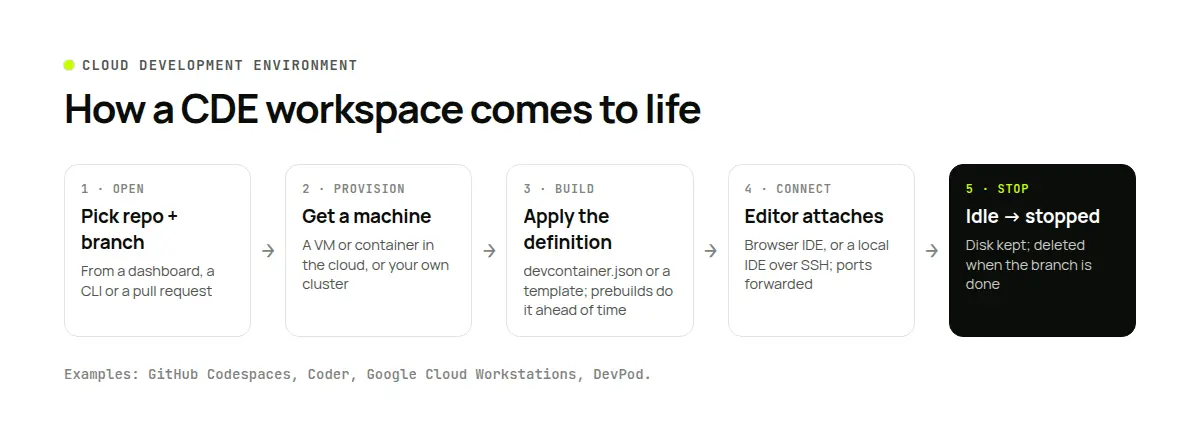
- A developer opens a workspace for a repository and branch, from a web dashboard, a CLI or a link in a pull request.
- The platform provisions a machine or container in the cloud (or on the company's own Kubernetes cluster) with the CPU and memory size the template asks for.
- It builds or reuses the environment from the repo's dev container or template: base image, language runtimes, extensions, post-create scripts. Prebuilds do this ahead of time so the workspace is ready immediately.
- The editor connects. VS Code or a JetBrains IDE attaches over SSH or a remote-development protocol, or a browser-based editor opens in a tab. Ports for web servers are forwarded so you can preview the app.
- The workspace stops when idle to save cost, keeping its disk so work resumes where it left off, and is deleted when the branch is done.
CDE vs remote development environment vs local setup
“Remote development environment” is the broader term: any setup where your code runs on another machine. A CDE is a remote development environment that is also reproducible, self-service and managed.
| Local setup | Remote development environment (DIY) | Cloud development environment (CDE) | |
|---|---|---|---|
| Where code runs | Your laptop | A server or VM you connect to | Workspaces created by a platform |
| How it's set up | Setup steps, by hand | By hand on the server | From a config file in the repo, such as devcontainer.json or a template |
| Consistency across the team | Drifts over time | Drifts over time | Same definition for everyone |
| Source code on laptops | Yes | No | No |
| Cost model | Hardware you already own | Server rent | Per hour of workspace use, or self-hosted on your own infrastructure |
| Examples | Your machine | An editor connected to a VPS | GitHub Codespaces, Coder, Google Cloud Workstations, DevPod |
A CDE is also different from a cloud PC (a full personal desktop in the cloud, such as Windows 365) and from a code sandbox (a short-lived environment for running untrusted code). See our explainer on cloud PCs.
Why teams move to cloud development environments
- Faster onboarding. A new developer opens a workspace and starts coding, instead of following a long setup document.
- No more “works on my machine”. Everyone, including CI, runs the same image.
- More power on demand. Large builds, many services or big test suites get a bigger machine for an hour, then scale back.
- Security and compliance. Source code and secrets stay in the company's cloud, not on laptops that can be lost.
- Any device. A Chromebook or tablet with a browser is enough to work.
- Parallel branches. Each branch or pull request can have its own workspace, so switching context means switching tabs. This is also what makes CDEs a natural home for AI coding agents, covered below.
The main cloud development environments in 2026
| CDE | Where it runs | Environment definition | Pricing (checked Nov 23, 2026) |
|---|---|---|---|
| GitHub Codespaces | GitHub's cloud | devcontainer.json (or the default Linux image) | $0.18/hour for 2 cores, $0.36 for 4 cores; storage $0.07/GB-month. Free personal accounts include 120 hours of compute and 15 GB-month of storage a month |
| Coder | Self-hosted on your own infrastructure | Templates written in Terraform; dev containers supported | Community edition free; Premium priced per user per year |
| Google Cloud Workstations | Your Google Cloud project | Workstation configurations | $0.05 per vCPU-hour management fee + $0.20/hour per cluster, plus Compute Engine and disk |
| DevPod | Any cloud provider, a Kubernetes cluster, or your laptop | devcontainer.json | Free and open source; you pay for your infrastructure |
| Microsoft Dev Box | Azure | Images per project | Retires Sept 18, 2028 |
GitHub Codespaces
Codespaces is GitHub's hosted CDE. A codespace is built from the default Linux image or from a custom dev container configuration in the repository, and prebuilds can prepare large projects in advance (prebuilds use GitHub Actions compute). Billing has two parts: compute while the codespace is active, priced by machine size ($0.18 an hour for 2 cores up to $2.88 for 32 cores), and storage at $0.07 per GB-month. GitHub Free personal accounts include 120 hours of compute and 15 GB-month of storage each month; GitHub Pro includes 180 hours and 20 GB-month. Usage multiplies by machine size, so a 2-core machine uses the included hours twice as fast. Organization plans don't include a free quota (GitHub Docs, checked November 23, 2026).
Coder
Coder is an open-source platform for self-hosted development environments on infrastructure you already own. Templates are written in Terraform and define the infrastructure each workspace runs on; Coder also supports dev containers. Developers use desktop or web IDEs, including VS Code, JetBrains, Cursor and Jupyter, and Coder positions the same workspaces for AI coding agents such as Claude Code and Codex. The Community edition is free with unlimited workspaces; Premium is sold per user per year and adds high availability, audit logging and multi-org access control (coder.com, checked November 23, 2026).
Google Cloud Workstations
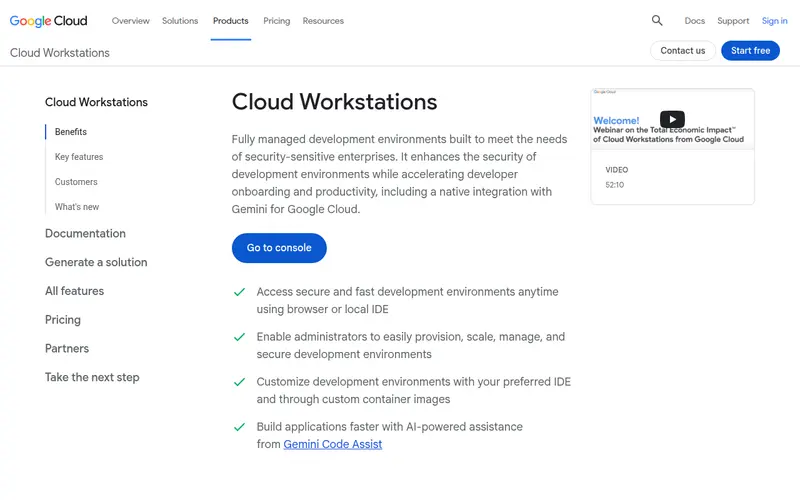
Google's managed CDE runs workstations on Compute Engine virtual machines with Persistent Disks in your Google Cloud project. You can set an inactivity time limit that stops idle workstations. Pricing is the Compute Engine and disk resources you use, plus a management fee of $0.05 per vCPU-hour while a workstation runs and a control plane fee of $0.20 per hour per cluster. In Google's own example, one developer on a 4 vCPU workstation for 198 hours a month costs about $73 plus the cluster fee (checked November 23, 2026).
Ona (formerly Gitpod)
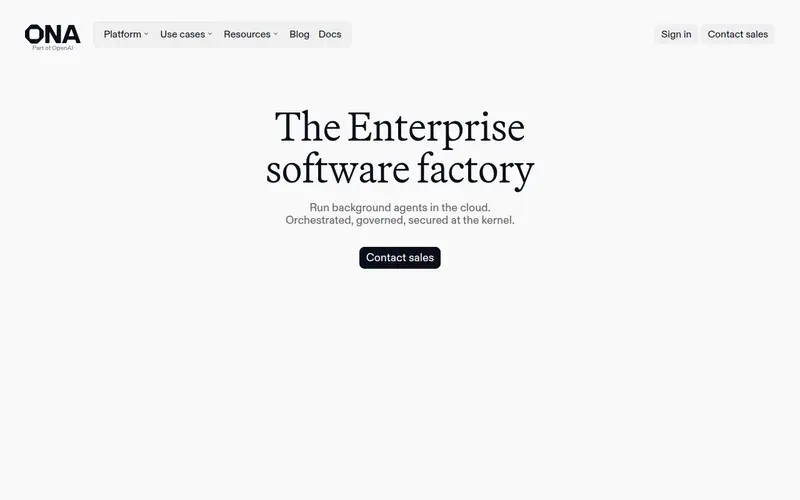
Gitpod was one of the best-known CDEs. In September 2025 it rebranded as Ona and pivoted to an AI agent platform. On June 11, 2026, Ona announced it was joining OpenAI, and its site now describes Ona as part of OpenAI and pitches background agents that run in cloud environments inside your VPC (checked November 23, 2026). Teams looking for a classic CDE today usually compare the other options on this page.
DevPod
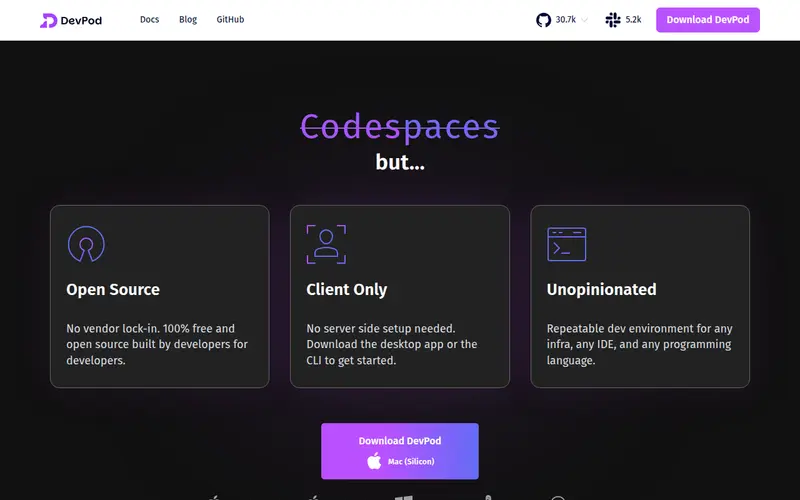
DevPod, from vCluster Labs, is a free, open-source, client-only tool: there's no server to set up. It creates dev environments from a repository's devcontainer.json on your preferred cloud provider, a Kubernetes cluster or your own laptop, and ships as a desktop app and a CLI. It's a good fit for individuals and small teams who want the CDE workflow without running a platform.
A note on Microsoft Dev Box and Daytona
Microsoft Dev Box offers Windows developer workstations in Azure, but Microsoft has set its retirement for September 18, 2028 (with a closing-down period that began on September 14, 2026) and recommends Windows 365 instead, so it's a weak choice for new projects. Daytona, which some lists still group with CDEs, now describes itself as infrastructure for running AI-generated code; we cover it in Daytona alternatives.
Cloud development environments and AI coding agents
The biggest change to CDEs since 2025 is who uses them. AI coding agents (Claude Code, OpenAI Codex, Cursor's background agents and others) work best when they have a full development environment of their own: a clone of the repo, the toolchain, the ability to install packages, run tests and start the app. Running several agents in parallel on a laptop gets slow and risky, so agents moved to the cloud:
- Codex Cloud runs coding tasks in cloud environments you can publish and reuse; each task has its own workspace and keeps working while your computer is asleep.
- Claude Code cloud sessions (Claude Code on the web) run on Anthropic-managed infrastructure by default, keep running after you close your laptop, and use saved cloud environments that control network access, environment variables and setup scripts.
- Cursor Cloud Agents (formerly Background Agents) run in isolated VMs with full development environments and can open pull requests. Read more in Cursor background agents.
- Coder pitches its self-hosted workspaces for agents too, with up to 5 active Coder Agents on its Community and Premium plans and unlimited on AI Premium.
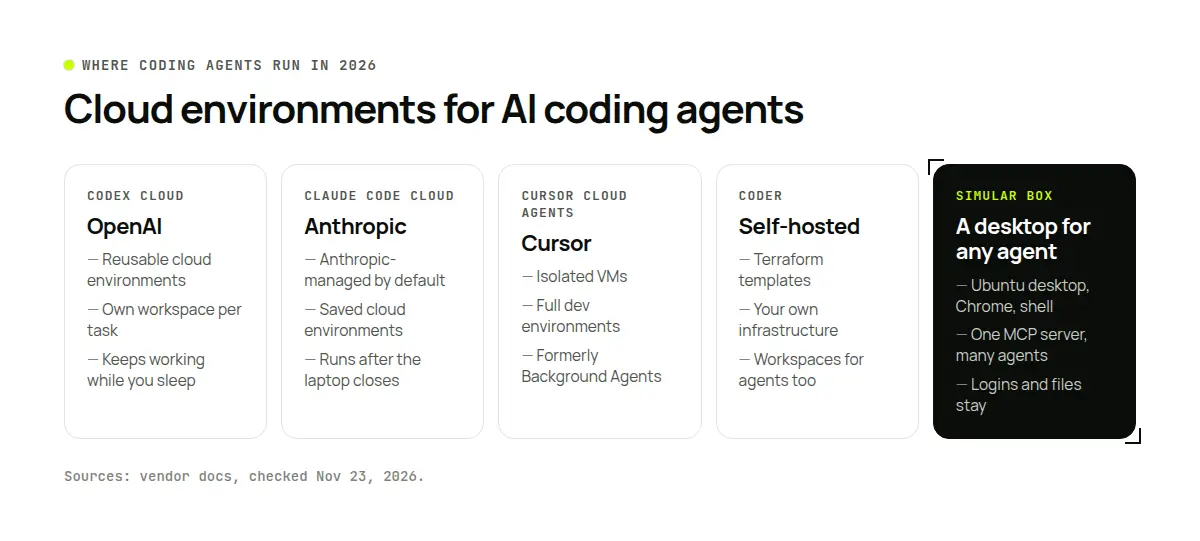
These managed environments are effectively CDEs for agents: defined per repo, created on demand, and thrown away after the task. They're ideal for “fix this issue and open a PR”.
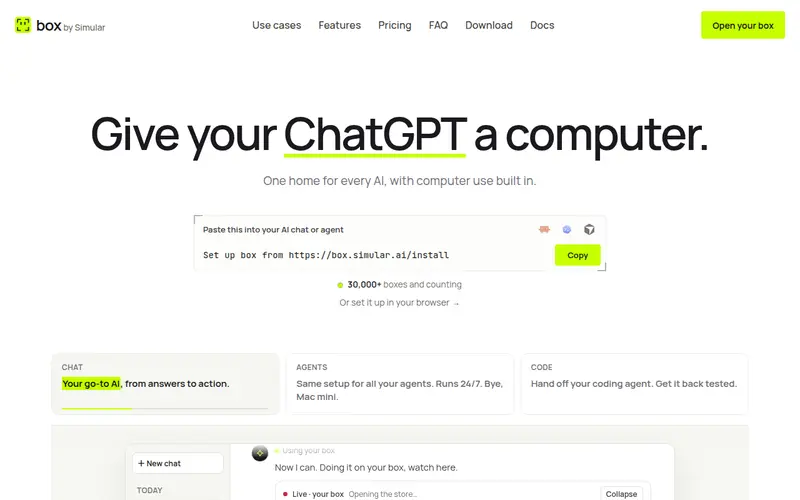
Some agent work needs more than a coding workspace, though. The agent may need to log in to a staging site, click through a web app to check a fix, use a desktop tool, or keep a session going across many days and several agents. For that, give the agent a computer. Simular Box (box by Simular) is a cloud computer for AI agents: a Linux desktop with Chrome and a shell, added to your AI as one remote MCP server. Claude Code (where box is a custom plugin from Simular's own marketplace), Codex, Cursor and other MCP clients can run commands and use the browser and desktop on the box, and they share the same files and signed-in accounts, taking turns. Headless runs such as claude -p and codex exec are covered in the box docs. The Free plan starts with 5,000 credits ($5); S is $19/month and M, which never sleeps, is $39/month (box.simular.ai, checked November 23, 2026).
A practical split many teams use: a CDE (or the agent vendor's cloud environment) for repo-scoped coding tasks, and a cloud computer for agent work that touches browsers, desktops and long-lived sessions. See cloud computers for developers and Claude Code remote for setups.
Pros and cons of cloud development environments
Pros
- Minutes to a working environment, for people and agents alike
- Identical environments across the team and CI
- Code and secrets stay off laptops
- Bigger machines when you need them
- Many parallel workspaces per developer or agent
Cons
- Needs a reliable internet connection; latency can be felt in the editor
- Hourly costs add up if workspaces aren't stopped when idle
- Someone has to maintain dev container files or templates
- GPU, mobile and desktop-app development can be harder to set up remotely
- Vendor changes (such as Gitpod becoming Ona and joining OpenAI, or Dev Box's retirement) can force a migration, which is a reason to keep environments defined in an open format like dev containers
How to choose a CDE
- Already on GitHub and want zero setup? GitHub Codespaces.
- Code must stay in your own cloud or data center? Coder, or Cloud Workstations if you're on Google Cloud.
- Want the workflow without a platform or per-seat fee? DevPod on your own infrastructure.
- Mostly running AI coding agents? Start with the agent's own cloud environment (Codex, Claude Code on the web, Cursor); add a cloud computer such as Simular Box when agents need a browser, a desktop or sessions that persist.
- Need full Windows desktops for developers? Consider Windows 365 over Dev Box given the 2028 retirement.
FAQ: cloud development environment
What is a cloud development environment?
A cloud development environment (CDE) is a development workspace that runs on a remote machine and is created on demand from a config file in the repo. You connect from a browser or local editor while code, tools and services run in the cloud.
What's the difference between a CDE and a remote development environment?
A remote development environment is any setup where code runs on another machine, such as SSH into a server. A CDE adds automation: workspaces are defined as code, created on demand, and managed centrally.
Is GitHub Codespaces a cloud development environment?
Yes. GitHub Codespaces is a hosted CDE that builds workspaces from a repository's dev container configuration. GitHub Free personal accounts include 120 hours of compute and 15 GB-month of storage a month (checked November 23, 2026).
What happened to Gitpod?
Gitpod rebranded as Ona in September 2025 and pivoted to background AI agents. On June 11, 2026, Ona announced it was joining OpenAI.
Are cloud development environments secure?
They can be more secure than laptops, because source code and secrets stay in a controlled cloud account. Security depends on access controls, network rules and how secrets are injected.
Do AI coding agents need a cloud development environment?
For parallel or unattended work, it helps: Codex Cloud, Claude Code cloud sessions and Cursor Cloud Agents all run in cloud environments that keep working after you close your laptop. When an agent also needs a browser, a desktop or long-lived sign-ins, a cloud computer such as Simular Box fills that gap.
Is a CDE the same as a cloud PC?
No. A cloud PC is a full personal desktop (for example Windows 365). A CDE is a coding workspace built from a repo's config, usually without a desktop.
What is a devcontainer?
A dev container is an open specification (containers.dev) for describing a development environment in a devcontainer.json file. Codespaces, DevPod, Ona, Coder and VS Code all support it.
Sources
- GitHub Docs, “GitHub Codespaces billing”, checked November 23, 2026
- Coder pricing (coder.com/pricing) and docs, “Templates”, checked November 23, 2026
- Google Cloud, Cloud Workstations pricing, checked November 23, 2026
- The Register, “Gitpod reinvents itself as Ona in pivot to AI agent platform”, September 3, 2025
- Ona blog, “Ona is joining OpenAI”, Johannes Landgraf, June 11, 2026; ona.com, checked November 23, 2026
- DevPod (devpod.sh) and the Development Container specification (containers.dev), checked November 23, 2026
- Microsoft Learn, “Microsoft Dev Box retirement guide”, checked November 23, 2026
- ChatGPT Learn, “Codex Cloud”; Claude Code Docs, “Use Claude Code in the cloud”; Cursor Docs, “Cloud Agents”, checked November 23, 2026
- box by Simular docs (headless, MCP) and pricing on box.simular.ai, checked November 23, 2026
