

Oops! Something went wrong while submitting the form.

%20(1).svg)
.svg)
If you work with investors, you already know the pain: every fund has a different website, every portfolio page a different layout. Manually copying those companies into Google Sheets turns one simple research task into an afternoon of tab-hopping. Learning how to route portfolio data straight into Sheets with Scaper gives you a live source of truth for sales, BD, and deal sourcing. Once that flow exists, delegating it to an AI agent means it runs quietly in the background while you focus on conversations, not copy-paste.
There are a few ways to get portfolio companies from investor sites into Google Sheets. The best approach depends on whether you are cleaning up a one-off list or building a repeatable, always-fresh pipeline.
This is the classic. Open a fund’s portfolio page, scroll, copy each company name, URL, and description, and paste into Google Sheets.
Pros: Zero setup, works everywhere, great for a handful of funds.
Cons: Painfully slow at scale, error-prone, and impossible to keep current as portfolios change.
If the portfolio page has a structured table or consistent HTML, you can use built-in functions:- IMPORTHTML to pull tables or lists.- IMPORTXML with XPath to grab specific elements like company names or links.
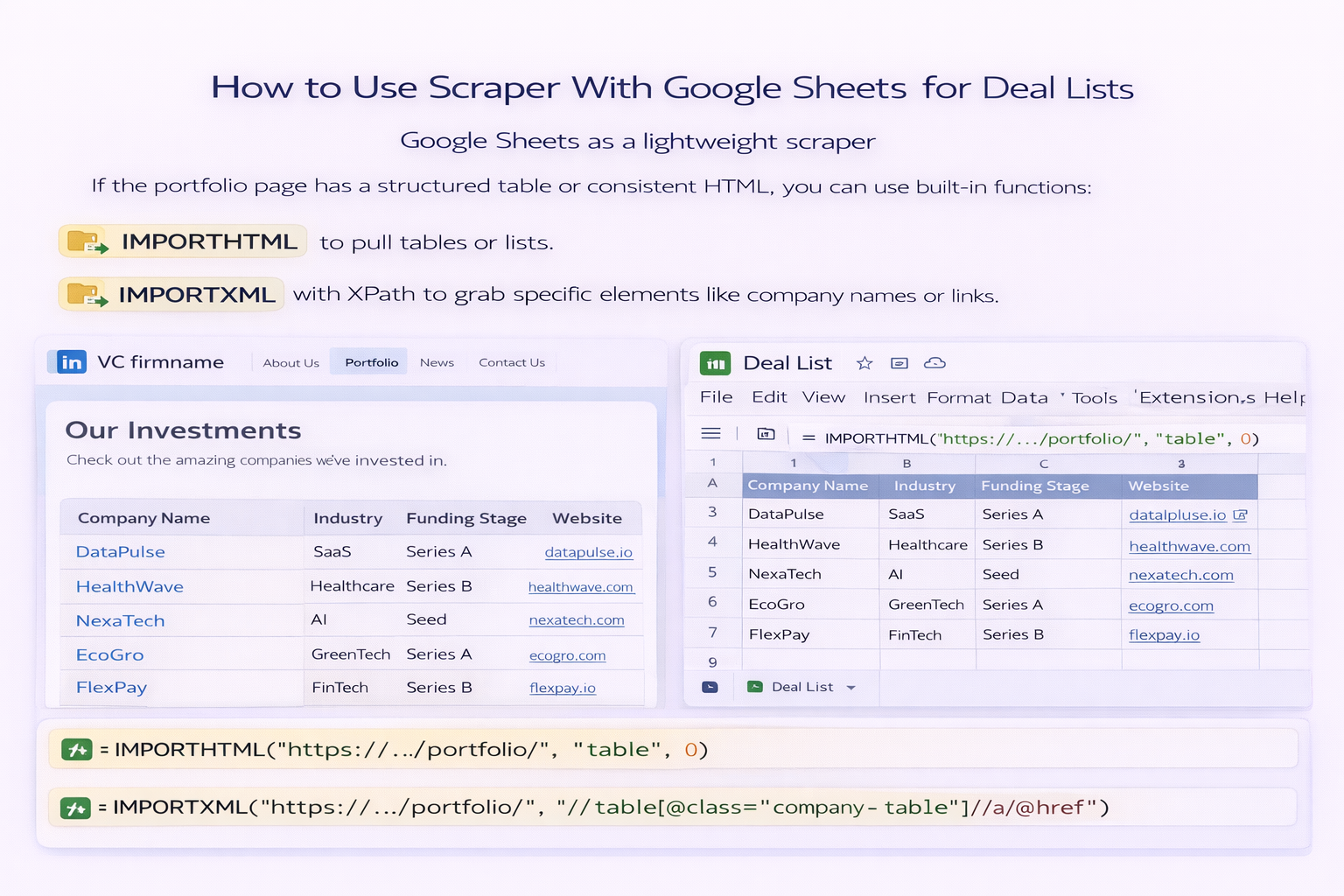
Pros: Still no code, updates when the page changes, good for static sites.
Cons: Breaks when layouts change, struggles with JavaScript-heavy pages, and can be fiddly to maintain across dozens of funds.
Tools like general web scrapers or extensions can help you point-and-click to select portfolio rows and export to Google Sheets.
Pros: Faster to configure than pure formulas, more flexible for nested pages.
Cons: Still requires you to run them manually, and you become the bottleneck when teams need fresh data.
Here is where Simular-style agents shine. You teach an AI agent once: open your list of funds, launch Scaper or navigate with the browser, visit each portfolio page, extract key fields, standardize tags, and write everything into Google Sheets.
Pros: Runs on a schedule, adapts to small layout changes, scales from a few funds to hundreds, and frees humans for outreach and analysis.
Cons: Needs an initial setup and a short training loop so the agent understands your exact schema, naming rules, and edge cases.
The sweet spot for most agencies, sales teams, and founders is a hybrid: use Scaper plus an AI agent to handle 90% of the grunt work, then do a quick human pass in Sheets for high-stakes accounts. That way your portfolio intelligence is always a few clicks away, never a weekend project.

