
Oops! Something went wrong while submitting the form.


.svg)
If you have ever spent a late night hand-editing a QuickBooks chart of accounts template in Excel, you know the pain. Columns to align, account types to match, detail types to double check, GST or tax codes to set, and then the nerve‑wracking import into QuickBooks, hoping there are no red error rows.
The template workflow itself is brilliant: start from a proven structure, customise for your industry, then import once into QuickBooks so every balance, P&L, and cash flow report is grounded in a clean CoA. But it is also fragile. One wrong account type, a duplicated name, or a bad date format and you are back in Excel hunting for what went wrong. For accountants, agencies, and operators doing this across dozens of clients, that friction multiplies fast.
This is where pairing QuickBooks and Excel with an AI computer agent changes the story. Instead of you doing every click, the agent learns your preferred structure, edits templates in Excel, validates against QuickBooks rules, and even re‑runs imports when something fails. You become the architect of the chart of accounts; the agent becomes the tireless implementer, executing the same precise workflow at 11 pm that it did at 9 am.
Delegating the QuickBooks chart of accounts template work to an AI agent means you stop babysitting spreadsheets and imports. The agent downloads templates, fills required green fields, enforces naming rules, and retries QuickBooks imports until everything is green. You review the result, not the tedious steps, freeing your time for pricing strategy, client advisory, or campaign planning.
These are the classic, fully manual methods most firms start with.
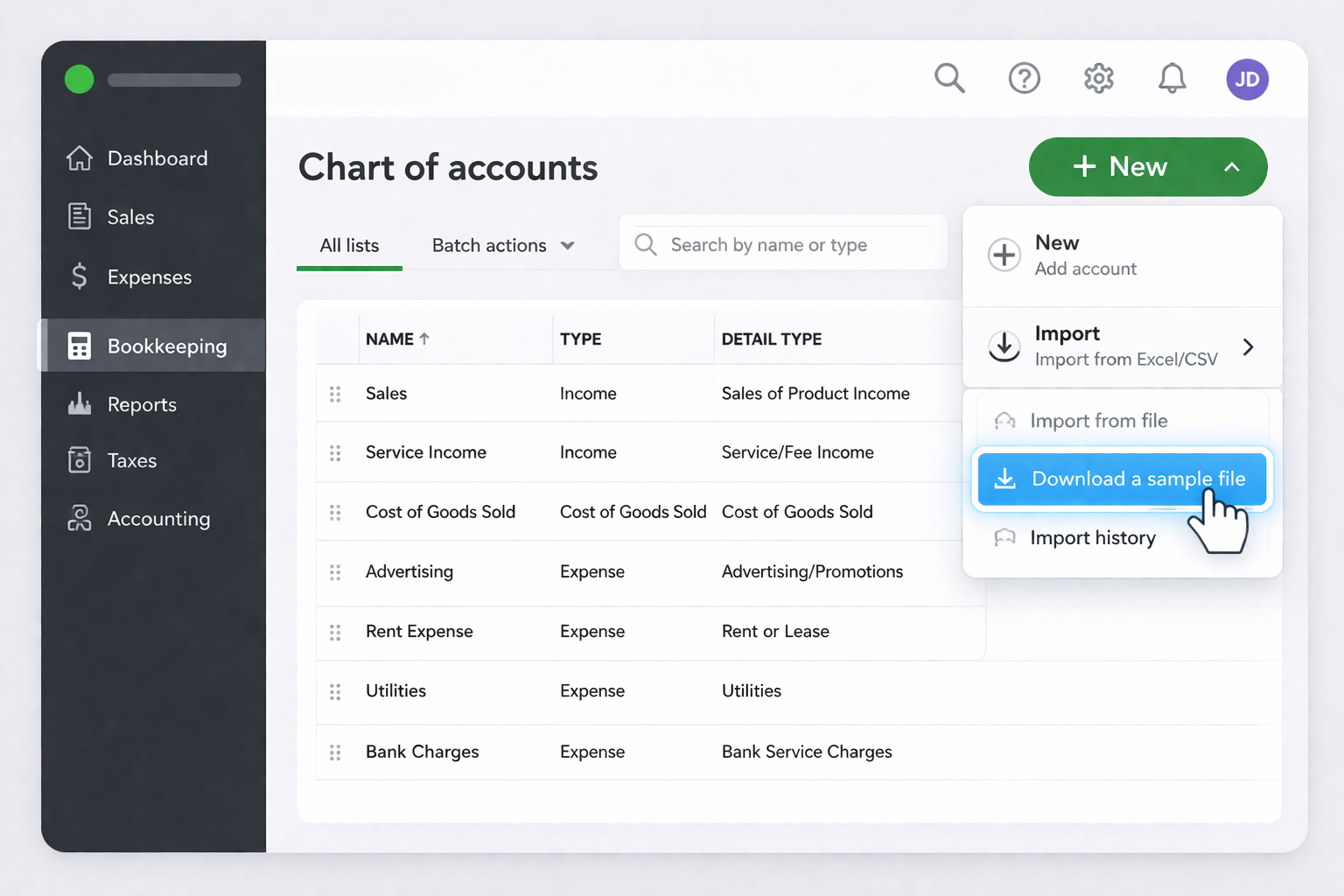
QuickBooks supports header and sub-accounts:
Pros: Full control, no extra tools, ideal for a first‑time setup.
Cons: Slow, error‑prone, hard to repeat across many entities or frequent restructures.
Once you move beyond one business, you start feeling the drag of repetition. Here are no‑code patterns to speed things up without writing code.
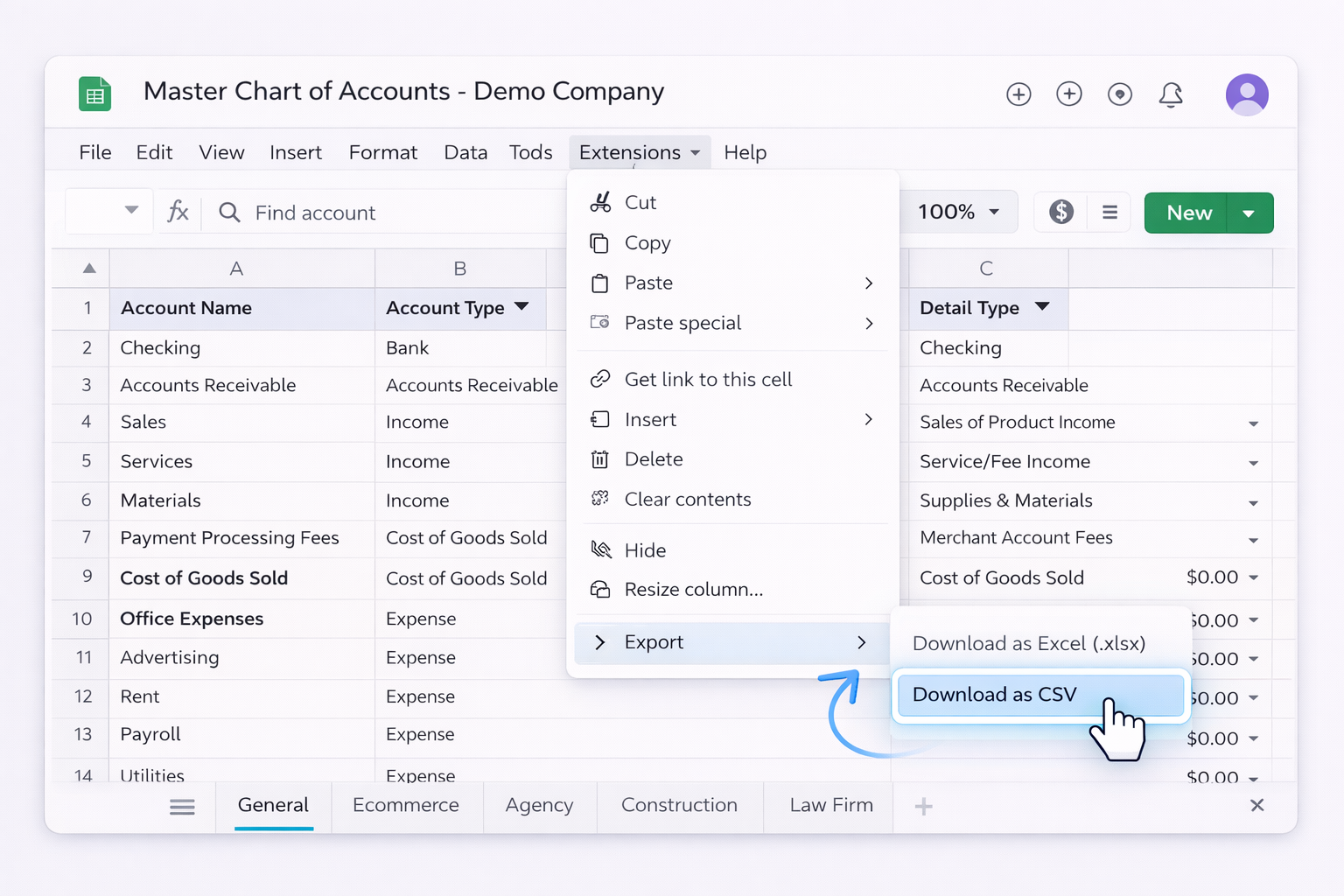
Pros: One source of truth, fewer ad‑hoc edits, still human‑friendly.
Cons: Still manual exporting and importing, and you must keep QuickBooks account type lists in sync by hand.
Use Zapier, Make, or Power Automate to orchestrate files.
Example workflow:
Pros: Automates file preparation and naming, useful for agencies and bookkeeping firms onboarding many clients.
Cons: Still relies on a person to open QuickBooks and run the import; error handling is manual.
Pros: Reduces import errors before you ever touch QuickBooks.
Cons: Still spreadsheet‑centric, and rules must be updated with every QuickBooks change.
At some point, even no‑code flows are not enough. You are still the one clicking through QuickBooks imports, opening Excel, and hunting down mismatched types. This is where an AI computer agent like Sai turns your CoA workflow into a repeatable, autonomous process.
Simular is a production‑grade computer use agent that can operate across your desktop, browser, and cloud apps. It can open Excel, manipulate templates, log into QuickBooks, and run long, multi‑step workflows with transparent, inspectable steps.
Workflow:
Pros: Massive time savings, consistent execution, ideal for firms managing dozens or hundreds of entities.
Cons: Requires an initial investment in designing and testing the workflow; best suited to stable, well‑defined CoA standards.
Official QuickBooks import docs to reference in your agent instructions: https://quickbooks.intuit.com/learn-support/en-us/help-article/chart-accounts/import-chart-accounts/L9Res1eb1_US_en_US
Beyond initial setup, charts of accounts drift: new product lines, new marketing channels, new tax rules.
Workflow:
Pros: Keeps every entity aligned to your standard without you reconciling lists one by one.
Cons: Needs careful governance so automated changes do not conflict with bespoke client requirements.
QuickBooks imports often fail for small reasons: dates, currencies, duplicate names.
With Simular:
Pros: You almost never see raw error dialogs; you see curated issues. Great for busy finance teams.
Cons: Requires clear exception policies so the agent knows when to stop and escalate.
By combining the official QuickBooks and Excel templates with an AI computer agent, you keep the reliability of Intuit’s workflow while offloading the drudgery. You design the chart of accounts; the agent does the clicking, formatting, and re‑trying, at a scale no human team could match.
