Oops! Something went wrong while submitting the form.
Morning Sales Routine Automation: How AI Runs Your First Hour
Sales reps waste 90 min daily on admin before their first call. This guide shows how AI automates your morning sales routine — inbox to pipeline in 10 minutes.
Why Do Sales Reps Still Waste Their Best Selling Hours on Admin?
Overnight Inbox Intelligence
Sai scans your Gmail and CRM notifications while you sleep, categorizes every inbound lead and reply by urgency, and surfaces a prioritized action list before your coffee is ready.
One-Click Meeting Prep
For every meeting on today's calendar, Sai pulls the attendee's LinkedIn activity, recent email threads, and deal stage from your CRM into a one-page briefing doc — 15 minutes of research done in 60 seconds.
Automated Follow-Up Drafting
Sai identifies stale deals and unanswered threads from the last 48 hours, drafts personalized follow-up emails for each, and queues them for your review in a single Google Sheet.
Why Do Sales Reps Still Waste Their Best Selling Hours on Admin?
The average sales rep spends only 28% of their week actually selling (Salesforce State of Sales, 2025). The remaining 72% goes to email, CRM updates, meeting prep, internal communication, and data entry. The first hour of the day — when focus and energy peak — is the worst offender.
Here is why the morning routine has resisted optimization:
Too many disconnected tools. A typical morning sales workflow touches Gmail, Salesforce or HubSpot, LinkedIn, Google Calendar, Slack, and a note-taking app. Each tool requires a separate login, a different mental model, and manual copy-paste to move context between them. McKinsey's 2025 workplace study found that knowledge workers switch between applications 1,200 times per day, with each switch costing 2-5 seconds of cognitive reset.
CRM data entry is a compounding tax. Every call, email, and meeting generates data that should land in the CRM but rarely does in real time. By morning, reps face a backlog of yesterday's updates plus overnight inbound activity. Forrester's 2025 CRM adoption report found that 43% of reps spend more than 60 minutes daily on CRM data entry alone — and still miss key updates.
Meeting prep requires manual research across multiple sources. Before a 10 AM call with a prospect, a rep needs the latest email thread, the prospect's LinkedIn posts, the deal stage, and any internal notes from colleagues. Assembling this context manually takes 10-15 minutes per meeting. Reps with 3-4 meetings per day lose nearly an hour to prep alone (HubSpot Sales Productivity Report, 2024).
TL;DR — Key numbers:
28% of a rep's week is actual selling; 72% is admin (Salesforce, 2025)
1,200 app switches per day for knowledge workers (McKinsey, 2025)
43% of reps spend 60+ minutes daily on CRM data entry (Forrester, 2025)
10-15 minutes per meeting for manual prep; 3-4 meetings = ~50 min lost (HubSpot, 2024)
Top-performing reps spend 18% more time selling than average reps (LinkedIn State of Sales, 2025)
A morning sales routine is the structured set of tasks a rep completes in the first 60-90 minutes of the workday to prepare for productive selling. It is the difference between starting your day reactive — drowning in overnight emails — and starting proactive — knowing exactly which deals need your attention and which prospects are ready to talk.
A complete morning sales routine typically covers five stages:
Inbox triage. Scanning overnight emails and CRM notifications to identify hot leads, urgent replies, and internal requests that need immediate attention.
Pipeline review. Checking your active deals — which ones advanced, which ones stalled, which ones have upcoming deadlines or renewal dates.
Meeting prep. Researching attendees and refreshing context for today's scheduled calls and demos.
Follow-up drafting. Writing outreach for stale deals, unanswered proposals, and prospects who showed intent but went quiet.
Prioritization. Deciding the 3-5 highest-impact activities for the day and blocking time for them.
Most AI sales toolshandle one of these stages — an inbox assistant here, a meeting prep tool there. Sai handles all five as a single scheduled workflow that runs before you open your laptop.
How to Automate Your Morning Sales Routine with AI (Step-by-Step)
Step 1: Set Up Overnight Inbox Triage
The first thing Sai does each morning — before you wake up — is scan your Gmail and connected CRM for everything that arrived since end of business yesterday. This is not a simple "unread count." Sai categorizes every message into actionable buckets:
Category
What Sai Looks For
Priority
🔴 Hot leads
New inbound demo requests, pricing inquiries, "ready to move forward" language
Respond within 1 hour
🟠 Active deal replies
Responses from prospects in your pipeline — questions, objections, scheduling requests
Sai exports this prioritized list to a Google Sheet — your "morning briefing." Each row includes the sender, subject, a 1-sentence summary of the message content, the suggested response priority, and a direct link to the email thread. By the time you sit down, you know exactly which 3-5 messages need your attention first.
Before vs. After:
Before (manual): Open Gmail → scroll through 30-50 overnight emails → try to mentally sort what matters → miss a hot lead buried between newsletter spam → start replying from top to bottom regardless of priority → 25 minutes gone
After (Sai): Open your morning briefing sheet → see 3 hot leads flagged at the top → click directly into the most urgent thread → draft is already waiting → 4 minutes to review and send
Step 2: Run Automated Pipeline Review
After inbox triage, Sai opens your CRM and scans every deal in your active pipeline. It is looking for three things:
Deals that need attention today:
Proposals sent 3+ days ago with no response
Deals with upcoming renewal or decision dates within 7 days
Opportunities where the champion has gone silent (no email or LinkedIn activity in 10+ days)
Deals that moved overnight:
New emails from prospects with active opportunities
Calendar invitations that suggest an evaluation is progressing
LinkedIn posts from decision-makers that reveal changing priorities
Pipeline health metrics:
Total pipeline value vs. quota gap
Number of deals in each stage
Average deal age by stage vs. your historical closing timeline
Sai compiles this into a "pipeline pulse" summary — a one-page snapshot of your pipeline health with specific action items. A rep managing 30-40 active opportunities would spend 15-20 minutes clicking through CRM dashboards to assemble this view manually. Sai delivers it in the same Google Sheet as your inbox triage, on a second tab.
For every meeting on your Google Calendar today, Sai builds a one-page prep brief. This is not a calendar reminder — it is a research-backed briefing that pulls from multiple sources:
What Sai assembles for each meeting:
Email history: The last 5 email exchanges with each attendee, summarized into key discussion points and open questions
LinkedIn intelligence: Each attendee's last 3-5 posts, any recent job changes or promotions, mutual connections you could reference
Deal context: Current deal stage, last activity date, outstanding proposals, internal notes from your team
Company news: Recent press releases, funding rounds, or product launches from the prospect's company (pulled from Google News)
Suggested talking points: Based on the research above, Sai drafts 3 opener suggestions and 2 questions to advance the conversation
A rep with 4 meetings per day saves roughly 40-60 minutes of manual prep. More importantly, they walk into every conversation with context that makes the prospect feel like the only person in their pipeline. This is the same meeting scheduling and follow-up workflowthat Sai runs for post-meeting tasks, now applied proactively to pre-meeting research.
Step 4: Draft Follow-Ups for Stale Deals and Unanswered Threads
While reviewing your pipeline, Sai identifies every deal and email thread that needs a follow-up. For each one, it drafts a personalized message based on the full conversation history and the prospect's recent activity:
Example — Stale proposal follow-up:
What a generic follow-up looks like (ignored):
"Hi Mark, just following up on the proposal I sent last week. Have you had a chance to review it? Happy to answer any questions."
What Sai drafts (gets replies):
"Hi Mark — saw your post about expanding the SDR team to 15 reps this quarter. That is going to put serious pressure on your onboarding pipeline, which is exactly what our implementation plan on page 3 of the proposal addresses. Want me to walk your VP Sales through that section on a quick call? I have slots Thursday and Friday afternoon."
The difference is specificity. Sai pulled Mark's LinkedIn post from yesterday and connected it directly to a relevant section of the outstanding proposal. This kind of contextual follow-up requires 10+ minutes of research to craft manually. Sai drafts it in seconds.
All follow-up drafts are queued in a Google Sheet for your review. You edit, approve, or discard each one. Approved drafts are sent through your Gmail account — from your email, in your voice, with your signature. Nothing sends without your explicit sign-off.
Step 5: Schedule the Entire Routine as a Daily Workflow
Once you have configured each step, Sai runs the complete morning sales routine as a single scheduled workflow:
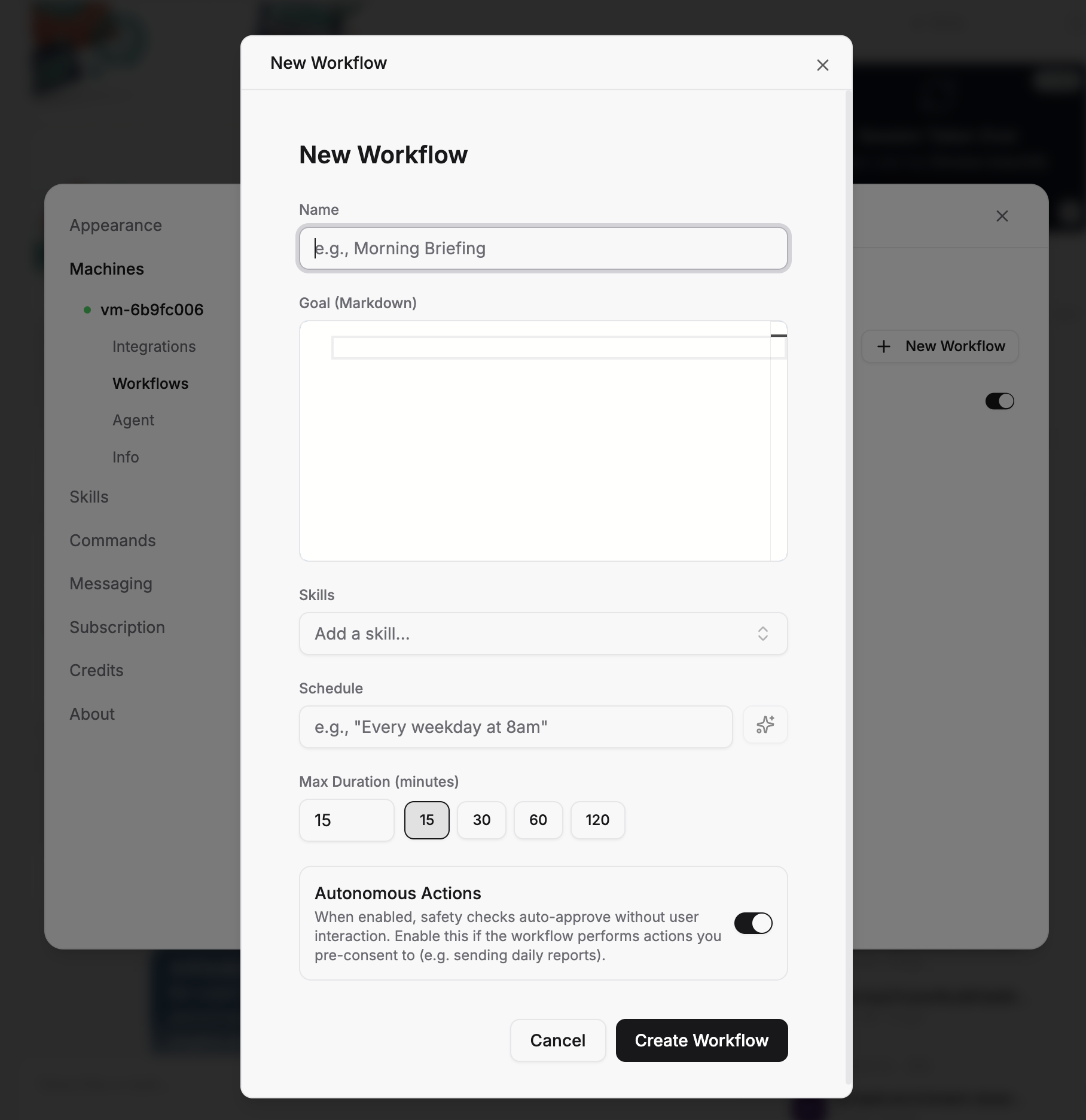
"Every weekday at 7:30 AM: Scan my Gmail for overnight messages and categorize by priority. Review my HubSpot pipeline for stale deals and upcoming deadlines. Generate prep briefs for all meetings on today's calendar. Draft follow-ups for unanswered threads older than 48 hours. Export everything to my Morning Briefing Google Sheet and flag hot leads for immediate attention."
By 7:45 AM, before you have finished your first coffee, your entire morning sales routine is done. The Google Sheet is your command center — one tab for inbox priorities, one for pipeline pulse, one for meeting briefs, one for follow-up drafts waiting for approval.
This is what it means to have an AI executive assistant that understands your sales workflow end-to-end. Not a chatbot that answers questions. Not a template engine that swaps variables. An agent that does the actual work.
Stop doing repetitive tasks. Let Sai handle them for you.
Sai is your AI computer use agent — it operates your apps, automates your workflows, and gets work done while you focus on what matters.

.svg)


.svg)