백그라운드에서 지속적으로 작동하므로 kWoW를 방해하지 않고 상시 리드 생성이 가능합니다.
승인 기반 제어를 제공하므로 반복적인 작업을 자동화하면서 중요한 작업을 계속 관리할 수 있습니다.
링크드인 리드 #제너레이션이 현대 비즈니스에 중요한 이유는?
링크드인은 단순한 소셜 플랫폼이 B2B 리드 수정을 위한 가장 효과적인 단일 채널입니다.Hubspot의 2024년 마케팅 정책에서는 LinkedIn의 전체 B2B 소셜 80% 를 미디어에서 교육하고 있습니다. 페이스북, X (트위터), 인스타그램을 합친 높은 거두고 #영업팀, 창업자, 성장 사업장에서 링크드인 #1 #2 ################상생자의 입장에서 링크드인
이유는 간단합니다.링크드인은 특별한 의도가 없는 유일한 플랫폼입니다. 모든 프로필에는 직책, 규모 회사, 업종, 최근 활동, 상호 실시간 관계 등의 변화가 있을 수 있습니다.
하지만 여기에 문제가 있습니다.링크드인 리드 제너레이션은 가장 어려운 일이죠. 단일 아웃리치 주제는 ICP 정의, 잠재 고객, 프로필, 개조 메시지 작성, 후속 관리 조치, 추적이 될 수 있습니다. Salesforce의 리드 제너레이션은 바로 28% 의 실제 영업에 함께하고 있습니다.
LinkedIn이 제대로 작동하는지 아는 것과 대규모로 작동하도록 만드는 것 사이의 격차가 매우 커지는 지탱을 수 있습니다.
L; 드라이
링크드는 B2B 소셜 미디어 리드의 80% 를 소모합니다.이는 모든 플랫폼 중 가장 높은 수치입니다 (허브스팟, 2024)
플랫폼은 콜드 채널이 복제할 수 없는 역할, 회사, 산업 및 활동별로 정밀한 타겟팅을 제공합니다.
평균 B2B 판매 주기에는 전 6-8개의 접점이 포함되며 후속, 지속적인 조치가 필요합니다.
#수동 링크드인 잠재 고객 발굴에는 의미 있는 #라인 구축에 3~4시간이 걸린다.
영업 담당자는 영업 시간의 28% 만 판매에 나머지는 소비자와 관리자로 간주됩니다 (세일즈포스).
An 사이 같은 AI 동료 백그라운드에서 잠재 고객 리서치, 리드, 리드, 아웃리치 초안 후속 작성, 일정을 처리하면서 마감에 집중할 수 있습니다.
링크드인 리드 제너레이션이란?
링크드인 리드 제너레이션은 LinkedIn의 전문 네트워크를 통해 잠재 고객, 파트너 또는 비즈니스 식별 기회를, 참여 및 구조화된 프로세스입니다.영업팀, 스타트업 창업자, 대행사, 채용 및 전문 의사 결정자를 대상으로 하는 모든 사람을 위한 B2B 아웃바운드 전략입니다.
일반적인 리드 생성과 달리 링크드인 리드 제너레이션은 고유의 컨텍스트가 풍부한 환경을 활용합니다.모든 잠재 고객에게는 현재 역할, 회사, 재직 기간 기술, 최근 게시물, 공유 인맥, 그룹 멤버십 등 데이터가 포함된 공개 프로필.이렇게 하면 전화 콜드 이메일이나 통화보다 더 많은 정보를 얻을 수 있습니다.
실제로 링크드인 리드 생성은 다단계 qlop를 따릅니다.
ICP 정의 — 역할, 회사, 업종, 문제점별로 대상 대상을 정확히 파악할 수 있습니다.
잠재 고객 리서치 — 링크드인, 세일즈 네터 네스터 또는 타사 도구를 사용하여 잠재 고객 작성하십시오.
링크드인 200개 국가에서 최소 10억 명 이상의 회원을 보유하고 있으며, 6,500만 명의 의사 결정자가 이 플랫폼을 적극적으로 사용하고 있습니다 (링크드인, 2024) .매년 25~ 30% 씩 감소하는 이메일 데이터베이스와 링크드인 프로필은 유지 관리되고 실시간 업데이트됩니다.
이는 다음을 의미합니다.
구매하지 않은 품질이 알려지지 않은 것으로 확인되지 않은 사람에게 연락하고 있습니다.
타게팅의 정확성은 직책, 기업 수익, 산업, 지역, 심지어 직무 연수에 따라 달라집니다.
링크드인 세일즈 네비게이터 사용자는 비용을 절감하고 할당량 달성 가능성이 45% 더 높다고 보고했습니다 (링크드인 판매 솔루션)
특히 B2B 링크드인 리드 제너레이션의 경우 다른 어떤 플랫폼도 이러한 수준의 세분성과 실시간 정확도를 제공합니다.
2.현장 신뢰를 통한 높은 응답률
LinkedIn 아웃리치는 응답률에서 콜드 지속적으로 이메일을 보낼 수 있습니다. 업계 벤치마크에 따르면 다음과 같습니다.
링크드인 인메일 오픈률: 57.5% (콜드 이메일 평균 21.6%)
링크드인 연결 요청 수락률: 맞춤형 메모 포함 25~ 40%
링크드인 메시지 응답률: 마케팅아웃리치의 경우 10~ 25% (콜드 이메일의 경우 1~ 5%)
그 이유는 내장 신뢰 신호입니다.
상호 연결은 사회적 자원을 만듭니다
공개 프로필은 한 눈에 신뢰성을 제공합니다
그룹, 회사 또는 관심사를 공유하면 쉽게 대화를 할 수 있습니다.
최근 활동 (게시물, 댓글) 은 실시간 참여 후크를 제공합니다.
사이 프로필 컨텍스트를 대규모로 분석하여 각 아웃리치 메시지를 템플릿이 아닌 진정으로 개인화된 것처럼 느끼게 하는 특정 신뢰 신호 (상호 연결, 공유된 경험, 최근 게시물) 를 식별하여 이를 증폭할 수 있습니다.
3.복리 수익이 있는 예측 가능한 파이프 라인
<지출을 중단하는 순간 리드 생성이 중단되는 유료 광고와 링크드인 리드 생성은 달라> 시간이 지날수록 늘어납니다.랭킹은 나은/콘텐츠는 | 가시성을 높이며 연결 기반-영구적인 자산이 있습니다.
구조화된 링크드인 리드 생성 시스템은 다음을 제공합니다.
매주 한 번 영업 권을 갖춘 잠재 고객
파트너십 및 공동 마케팅 기회
내 활동이 증가하는 것을 프로필 (방문자의 인바운드 관심)
따뜻한 인맥을 통한 추천 기회
핵심 지표: 일관된 링크드인 지원 활동 (매일 15~20개의 연결 요청+5-10개의 후속 메시지) 을 유지하는 것이 좋습니다.
4.AI 기반 자동화를 통한 막대한 시간 절약
대부분의 팀이 벽에 부딪히는 지점이 바로 여기입니다.수동 링크드인 리드 워크숍은 다음과 같습니다.
Task
Time Per Day (Manual)
Time Per Day (With Sai)
Time Saved
Prospect research & list building
45-60 min
5-10 min (review output)
~85%
Profile review & lead qualification
30-45 min
5 min (review scores)
~88%
Writing personalized connection requests
30-45 min
10 min (review & approve drafts)
~75%
Follow-up message management
20-30 min
5 min (approve follow-ups)
~80%
Pipeline tracking & CRM updates
15-20 min
0 min (auto-exported)
~100%
Total
2.5-3.5 hours
25-30 min
~85% reduction
#############오늘의 자동화 도구 (예: Dux-Soup or Phantombuster) 는 이 중 일부를 할 수 있지만 스크립트로 작동하기 때문에 상황에 맞게 조정하거나 #########################################################################################2
사이와 같은 AI 동료는 근본적으로 다른 접근 방식을 취합니다.Sai는 동료처럼 브라우저와 데스크톱에서 작동하기 때문에 다음을 수행할 수 있습니다.
프로파일 조사 및 ICP 관련 신호: BLCP 추출
특정 기준 (키워드 매칭뿐만 아니라) 을 사용하여 리드를 검증하세요.
실제 프로필 세부 정보를 참조하는 맞춤형 메시지 초안 작성
후속 조치 일정 수립 및 관리
구글 스프레드시트 또는 CRM으로 내보내기
중요한 작업을 검토하고 승인하는 동안에도 가능합니다.
5.대규모 개인화 — 병목 현상 제거
데이터는 명확합니다.링크드인 문은 일반 템플릿보다 2~3배 더 높은 응답률을 보입니다.하지만 대규모 개인화는 영업팀의 #1 병목 현상입니다.
성과가 높은 봉사 활동에는 다음이 필요합니다.
잠재 고객의 현재 역할, 최근 게시물 또는 회사 참조
가치 제안을 구체적인 문제점에 맞게 조정
다양한 연공서열에 맞는 어조 조정 (C-suite vs IC)
업계 상황에 따른 접근 방식 변경
오늘 20명 이상의 잠재 고객을 대상으로 이 작업을 수동으로 수행하는 것은 불가능합니다.Sai는 프로필 읽고, 관련 논점을 작성, 메시지 변형의 초안을 작성하여 품질을 떨어뜨리고, 대량으로 개인화할 수 있도록 리서치 레이어 역할을 하기 위해 이러한 격차를 해소합니다.
링크드인 리드 제너레이션을 수행하는 방법 단계별 ()
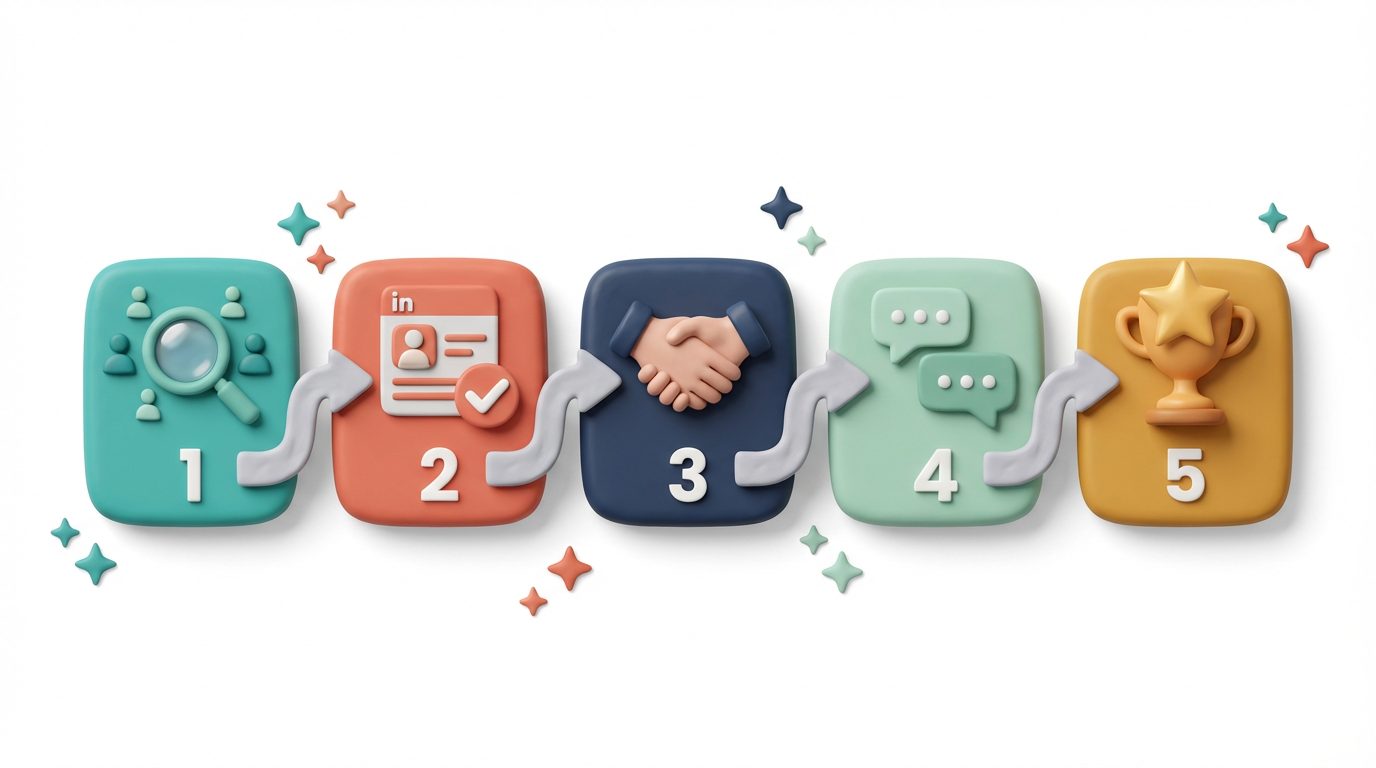
1단계: 이상적인 고객 프로필 (ICP) 정의
모든 것이 여기서 시작됩니다.ICP가 모호하면 홍보 활동이 낭비되고 응답이 집니다.ICP는 다음을 명시해야 합니다.
대상 역할: 예: 마케팅 담당 부사장, 성장 책임자, 설립자
회사 규모: 예: 직원 50~500명, 시리즈 A-C 스타트업
산업: 예: SaaS, 핀테크, 전자상거래, 전문 서비스
지리: 예: 미국, 영국, 다흐 지역, 동남아시아
부담 사항: 귀사의 회사가 이 페르소나에 대해 어떤 문제를 해결합니까?
구매 신호: 어떤 행동이 시장에 출시될 수 있는가?(: 최근 채용, 자금 공급 예, 관련 과제에 대한 게시물)
프로 팁: 최근 10건의 성사된 거래를 분석하세요.역할, 회사, 업종에서 어떤 관계가 나타날까요?이러한 패턴은 가정이 아닌 ICP 기반으로 활용하세요.
Sai는 기존 고객 데이터, CRM 내보내기 또는 과거에 성공한 대화를 통해 ICP 이미지를 자동으로 찾아냄으로써 이를 가속화할 수 있습니다.
2단계: 잠재 목록 고객 작성 및 확인
ICP가 정의되면 다음을 사용하여 잠재 고객 목록을 작성하십시오.
링크드인 검색 (무료) — 역할, 회사, 위치별 기본 필터
링크드인 세일즈 네엑스터 — 회사 인원수 증가, 최근 활동, 역할 연수 등을 포함한 고급 필터
서드파티 도구 — 심화를 위한 아폴로, 루샤, 줌인포
그러나 단서를 찾는 것은 방정식의 절반에 불과합니다. 자격 성과가 좋은 일과 다른 팀을 구분하는 대
잠재 각 고객에 대해 다음을 평가하십시오.
역할 적합성 — 제목이 아이콘과 일치합니까?
회사 적합성 — 회사의 규모, 단계, 산업이 적절한가?
타이밍 신호 — 최근 관련 문제점, 역할 변경 또는 기금 모금에 대해 게시한 적이 있습니까?
참여 잠재력 — 링크드인에서 활동하고 있습니까? (게시물, 댓글 작성) 아니면 휴면 상태입니까?
Sai는 매일 50개 이상의 프로필을 유쾌하게 스캔하는 대신 링크드인 프로필을 Black으로 처리하고, 주요 신호를 추출하고, ICP 순응하고, 잠재 고객의 마음을 사로 잡기, 각 리드의 점수가 높거나 낮은 이유와 함께 적격 후보 목록을 구글스프레드시트에서 출력할 수 있습니다.
3단계: 링크드인 프로필 최적화
단일 연결 요청을 하기 전에 프로필은 방문자를 대화로 전환해야 합니다. LinkedIn 사이트 랜딩 페이지라고 생각하면 모든 잠재 고객이 응답하기 전에 먼저 할 수 있습니다.
프로필 최적화 체크리스트:
헤드라인: 직책이 아닌 자신이 가치로 리드하세요.“애크미의 계정 담당자” 대신 “선제적 고객 인텔리전스를 통해 SaaS 팀이 이탈률을 30% 줄일 수 있도록 지원 해 주세요”.
배너 이미지: 가치 제안 또는 브랜드 강화
섹션 정보: 도움을 주는 사람, 해결한 문제, 증거 (지표/결과), 명확한 CTA를 포함하는 3-4단락
추천 섹션: 핀 관련 사례 연구, 블로그 게시물 또는 리드 마그넷
경험: 책임이 아닌 결과를 중심으로 과거 역할 구성
권장 사항: 대상 산업의 고객 또는 동료로부터 최소 3-5건
4단계: 개인화된 연결 요청 전송
이것은 대부분의 사람들이 실패하는 곳입니다.연결 요청은 첫 인상이며, 한 번의 기회만 얻을 수 있습니다.
연결 요청 원칙:
300자 미만으로 유지 (링크드인 제한)
잠재 고객에 대한 구체적인 내용을 참조하십시오.
연결 요청을 피칭하지 마십시오
#성사히거나 대화를 시작하는 데 집중하세요
아웃리치 템플릿 예시:
템플릿 1 — 상호 연결 후크: “안녕하세요 [이름 님], 우리 둘 다 [상호 연결] 과 연결되어 있다는 것이 알았습니다.저는 [회사] 가 [우주] 에서 계속 일을 지켜보고 있어요.서로 교류하고 교류하고 교환해요.”
템플릿 2 — 콘텐츠 참여 후크: “[이름] 님, [주제] 에 대한 최근 게시물을 정말 즐겼습니다.[구체적인 정보] 에 대한 의견이 공감했습니다.소통하고 싶었어요.”
템플릿 3 — 업계 관련성 후크: “[이름] 님, 안녕하세요.저는 [여러분이 생각하는 문제] 에 대해 여러 [업계] 와 함께 일하고 있습니다.서로 다가가 메모를 짜는 것이 유용할 것 같았어요.”
템플릿 4 — 회사 뉴스 후크: “[이름] 님, 안녕하세요.[회사] 의 최근 [마일스톤 — 자금 조달, 출시, 확장] 축하합니다.신나는 시간들서로 교류하고 당신이 만들고 있는 것에 대해 더 알아보고 싶습니다.”
사이는 각 잠재 고객의 프로필, 최근 게시물, 회사 뉴스 및 상호 관계를 분석하여 개인화된 연결 요청 변형의 초안을 작성할 수 있습니다.이를 통해 모든 것을 처음부터 다시 작성하지 않고도 각 사람이 개별적으로 완성된 것처럼 느껴질 수 있습니다.
5단계: 후속 조치 관리 및 대화 육성
데이터는 모든 것을 말해줍니다.영업의 80% 5회 이상의 후속 조치가 필요하지만 영업 담당자의 44% 는 단 한 번의 후속 조치 후에 포기합니다 (브레베 그룹) .후속 조치를 취할 수 있습니다.
다음 주기 모범 사례:
첫째 날: 연결 접수 → 따뜻한 감사 메시지 보내기 (피치 없음)
3-5일차: 관련 기사, 사례 연구 또는 해당 산업과 관련된 인사이트 등 가치 있는 정보 공유
7-10일차: 그들이 하는 일이나 어려움에 대해 진솔한 질문을 하세요
14-21일차: 소프트 피치 만들기 — 구체적인 불만 사항을 참조하고 간단한 대화를 나누세요.
30일차 이상: 응답이 없으면 장기 육성 목록에 추가 (정기적으로 콘텐츠 활용)
다음 메시지 템플릿:
“안녕하세요 [이름] 님, 연결해 주셔서 감사합니다![회사] 에서 [기능] 팀을 확장하고 것을 알게 되었습니다.저희는 [특정 가치] 를 가진 사람들을 위해 최선을 다하고 있습니다.15분짜리 간단한 채팅을 통해 적합한 것이 무엇인지 알 수 있을까요?“본 것을 공유하게 하여 효과를 발휘할 수 있게 되었습니다.”
Sai는 LinkedIn에서 대화를 나누고, 후속조치를 취하지 않은 리드에 플래그를 짓고, 대화 기록을 바탕으로 한 순간의 메시지 초안을 작성하여 잘못된 리드가 누락되지 않도록 할 수 있습니다.
6단계: 가이드라인 추적, 측정 및 최적화
측정하지 않는 것은 없습니다.다음과 같은 주요 지표를 매주 추적하세요.
Metric
Benchmark (Good)
Benchmark (Great)
What to Optimize If Low
Connection request acceptance rate
25-30%
35-50%
Profile quality + request personalization
Message response rate
10-15%
20-30%
Value proposition + messaging sequence
Meeting booking rate (from responses)
15-25%
30-40%
CTA clarity + qualification criteria
Lead-to-opportunity conversion
5-10%
15-25%
ICP accuracy + follow-up consistency
Average touchpoints to conversion
5-7
3-5
Targeting higher-intent prospects
Time to first meeting
7-14 days
3-7 days
Outreach timing + follow-up speed
지표 기반 최적화 조치:
낮은 수락률 → 프로필 및 연결 요청 > 개인화 개선
낮은 응답률 → 메시지 순서 및 가치 제안을 구체화하세요
낮은 회의율 → 영업 활용 방안 및 자격 기준 개선
높은 터치포인트 → ICP를 강화하여 의도가 높은 잠재 고객을 타겟팅하세요
Saip CapeLine은 데이터를 구성하고, 단계별 위치 계산하고, 어떤 메시징, 타이밍, ICP 세그먼트가 가장 실적이 좋은지 패턴을 찾아낼 수 있습니다.
Stop doing repetitive tasks. Let Sai handle them for you.
Sai is your AI computer use agent — it operates your apps, automates your workflows, and gets work done while you focus on what matters.

.svg)


.svg)