
Oops! Something went wrong while submitting the form.
SEO automation is using software to run repeatable SEO work without a person doing each step: site crawls and technical audits, rank tracking, reporting, keyword clustering, content briefs, meta tags at scale and monitoring. Strategy, final content approval, brand voice and link relationships should stay human. There are three ways to automate SEO: the scheduled features inside SEO tools (Semrush, Ahrefs, Screaming Frog), workflow tools that connect APIs (Make, n8n, Zapier, Gumloop), and computer-use agents like Sai that work inside Search Console, your SEO tool and your CMS the way a person would, including where there's no API.
SEO automation means handing the repeatable parts of search engine optimization to software so they run on a schedule or a trigger: collecting data, checking pages, comparing results week over week and producing reports or drafts. It doesn't mean automating rankings. Search engines rank pages on what they offer readers, so the goal of automating SEO is to give people more time for the judgment calls (strategy, content, relationships) that actually move results.
Tools, features and prices come from each vendor's own product, pricing and documentation pages, read on the date in the Sources line, plus Google's Search Central documentation for what's safe to automate. We also read the pages that rank for "seo automation" (Gumloop, Make, Siteimprove, MarketerMilk and others) to see which tasks practitioners agree can be automated. We didn't run our own benchmark tests.
We compared SEO automation tools on:
| SEO task | Automate it? | Tools that do it | What stays human |
|---|---|---|---|
| Technical audits and crawls | Yes | Screaming Frog, Semrush Site Audit, Ahrefs Site Audit | Deciding which fixes matter |
| Rank tracking | Yes | Semrush Position Tracking, Ahrefs Rank Tracker, SE Ranking | Choosing the keywords |
| SEO reports | Yes | Looker Studio, scheduled reports in SEO tools, Sai | The "so what" for the client or team |
| Alerts (traffic drops, indexing errors) | Yes | Google Search Console emails, rank tracker alerts | Diagnosing the cause |
| Keyword research and clustering | Partly | Semrush, Ahrefs, AI clustering in workflows | Picking topics that fit the business |
| Content briefs | Partly | Surfer, Clearscope, Sai | The angle and what you can say first-hand |
| Meta titles and descriptions at scale | Partly | AI steps in Make or n8n, CMS bulk edits, Sai | Spot checks before publishing |
| Internal links | Partly | Suggestions from audit tools and AI | Which links help the reader |
| Content writing | Draft only | AI writers, Sai | Expertise, editing, final approval |
| Link building | Prospecting only | Backlink tools for lists | Outreach and relationships |
| AI search (GEO) visibility | Yes, as monitoring | AI visibility trackers, Sai | What to change on the page |
Most of the operations of SEO can be automated; the decisions can't. Every serious guide on the topic draws the line in the same place: crawls, tracking, reporting and first drafts are fair game, while keyword strategy, final content approval, brand voice and outreach stay with people. Google's own spam policies are the hard limit: using automation to mass-produce pages mainly to manipulate rankings counts as scaled content abuse, whether a person or a tool writes them. Automated SEO is safe when it produces work a person reviews; it's risky when it publishes at scale unchecked.
1. Scheduled features inside SEO tools. The simplest start. Semrush and Ahrefs run site audits and rank tracking on a schedule and email reports; Screaming Frog can run scheduled crawls; Google Search Console emails you when it finds new issues. No setup beyond choosing what to track. The limit: each tool automates only its own data.
2. Workflow automation over APIs. Make, n8n, Zapier and Gumloop connect Search Console's API, SEO data APIs, a language model, Google Sheets, Slack and your CMS into one flow: pull data, cluster or summarize it, write it somewhere, alert someone. Powerful when every system has an API and someone maintains the flow. The limit: the work that only exists in a web interface (a client's CMS, a rank tracker without API access on your plan, a portal behind a login) is out of reach.
3. Computer-use agents. An agent like Sai opens the same tools a person does in a browser on its own cloud computer, signs in as you, clicks through the interface, reads what's on screen and files the result. It covers the gap the first two leave, and it fits recurring work such as weekly reports and monthly audits.
Most teams end up combining them: tool schedules for raw monitoring, a workflow or an agent to pull it together into something a person reads.
Most SEO teams need one tool from each row below: a data source, a crawler, an SEO suite, a reporting layer, and then either a workflow tool or an agent to tie them together.
| Tool | What it automates | How you set it up | Free option | Paid from | Best for |
|---|---|---|---|---|---|
| Google Search Console | Issue alerts by email; query, page and position data via API | Verify your site; alerts are on by default | Free | Free | Every site: the source of truth for Google data |
| Screaming Frog SEO Spider | Scheduled crawls with exports to Google Sheets and Looker Studio | File › Scheduling in the desktop app | Free up to 500 URLs per crawl (no scheduling) | Yearly licence | Technical audits on your own schedule |
| Semrush | Site Audit and Position Tracking on a schedule; scheduled PDF reports | Projects in the web app; report scheduling is an add-on | Free plan (1 project, 10 reports a day) | SEO plan $139/mo, or $117.33/mo billed annually; reports add-on from $10/mo | All-in-one SEO data, audits and rank tracking |
| Ahrefs | Always-on site audit, weekly rank tracking, alerts, scheduled reports | Projects in the web app; Report Builder add-on for scheduling | Ahrefs Free for your own sites | Starter $29/mo; Lite $129/mo with Rank Tracker | Backlink and keyword data, site health |
| SE Ranking | Daily rank tracking, audits, AI Overview and AI search visibility tracking | Projects in the web app; scheduled reports with the Agency Pack | 14-day trial | Core from $103.20/mo | Agencies and AI search tracking |
| Looker Studio | Self-updating SEO dashboards | Connect Search Console and GA4, share or email the report | Free | Free | Automated SEO reporting from Google data |
| Surfer | Content scoring against ranking pages; rank-drop alerts | Write in Surfer, Google Docs or WordPress | No free plan | Discovery $49/mo billed yearly | Briefs and on-page optimization |
| Clearscope | Content grading, tracking of queries in Google and AI assistants | Write in Clearscope or its Google Docs add-on | 14-day trial | Essentials $129/mo | Editorial teams optimizing at scale |
| Make, n8n, Zapier | Multi-step SEO workflows across APIs, with AI steps | Build a scenario, workflow or Zap | Free plans (n8n: free self-hosted) | Zapier from $19.99/mo; n8n cloud €20/mo billed annually | Teams with APIs and someone to maintain flows |
| Gumloop | Prebuilt SEO agents and workflows | Pick an SEO template and connect your tools | 14-day trial | Pro $37/mo | Marketers who want SEO agents without building from scratch |
| Sai | Audits, reports and content refreshes inside the real tools, including ones with no API | Describe the task in plain English; Sai reruns it on a schedule | Free plan with daily credits | $50/mo pay as you go | Recurring SEO work behind logins |
Search Console is where Google tells you how your site performs: clicks, impressions, average position, indexing status, Core Web Vitals and manual actions.
The SEO Spider is a desktop crawler that reads your site the way a search engine does and reports broken links, redirects, duplicate or missing titles and descriptions, canonicals, hreflang and more.
Semrush covers keyword research, competitor analysis, site audits, position tracking and reporting.
Ahrefs is known for its backlink index and keyword data, with Site Audit and Rank Tracker for monitoring.

SE Ranking is an SEO suite popular with agencies.
Google's free dashboard tool turns Search Console and Google Analytics data into reports that update themselves.

Both analyze the pages that rank for a keyword and score your draft against them.


Workflow tools glue the rest together. Typical SEO automations:
Which one: Zapier for the widest set of business apps with no code (free plan, Professional from $19.99/month); n8n for technical teams that want self-hosting and code when needed (free Community Edition, cloud from €20/month billed annually); Make for complex branching in a visual builder (free plan with 1,000 credits a month). Limits: each flow is only as reliable as the APIs behind it, and someone has to maintain it when a field or endpoint changes.
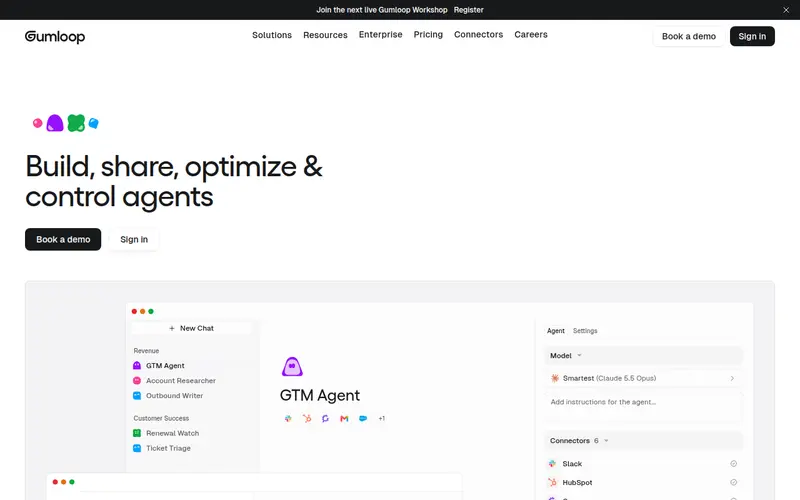
Gumloop offers SEO agents and workflows (keyword shortlists, competitor digests, bulk meta tags, weekly reports to Slack) built on its workflow builder, with connectors to Ahrefs, Semrush, Search Console, DataForSEO, Webflow and Slack. Pro is $37/month after a 14-day trial; there's no free plan.

Sai is a computer-use agent from Simular. It runs on its own cloud computer, signs in to Search Console, Semrush or Ahrefs, Google Sheets and your CMS as you, and does the clicking, exporting and filing a person would.
Automated SEO reports are where most teams start, because the work is the same every week. Here is the kind of instruction Sai runs on a schedule:
Every Monday at 8am, open Google Search Console for [example.com] and export the last 7 days vs the previous 7 for queries and pages. Open Semrush Position Tracking for the [Main keywords] project and note every keyword that moved more than [3] positions. In the [Weekly SEO] Google Sheet, add a new tab with: top 10 pages by clicks, biggest gains, biggest drops, and the keywords that moved. Write a five-line summary at the top: what changed, the likely cause, and one action. Post the summary and the sheet link in [#seo]. Don't change anything in Search Console or Semrush.
The brackets are yours to fill. Sai learns the run the first time and repeats it each week; you review the summary instead of building it.
The same approach works for a monthly automated SEO audit: run the site audit in your SEO tool, export the errors, open the ten most-visited affected pages to confirm each issue, group them by fix (redirects, missing titles, slow templates), and file one ticket per fix with the page list attached. For AI search, the GEO audit workflow checks how your pages appear in AI answers, and AI brand visibility tracking keeps watching. For keyword ideas from your own content, see the SEO seed keywords workflow.
No. It removes the repetitive data work, which gives a specialist more time for strategy, content and relationships.
SEO automation software runs fixed steps inside its own tool or across APIs. An AI SEO agent like Sai decides the steps for a task you describe and works across tools through their interfaces, including ones with no API.
Partly. Search Console, Looker Studio and the free version of Screaming Frog cover data, dashboards and small crawls, and n8n can be self-hosted. Sai has a free plan with daily credits.
Checked Nov 27, 2026: Google Search spam policies, Google Search Console, Search Console API, Screaming Frog SEO Spider, Semrush pricing, Ahrefs pricing, SE Ranking pricing, Looker Studio, Surfer pricing, Clearscope pricing, Make pricing, n8n pricing, Zapier pricing, Gumloop pricing, Sai, Sai pricing.