
隆重推出 SimuLang:桌面版 Playwright
作者 Ang Li • 加利福尼亚州帕洛阿尔托 • 2026 年 4 月 23 日
什么是 Simulang
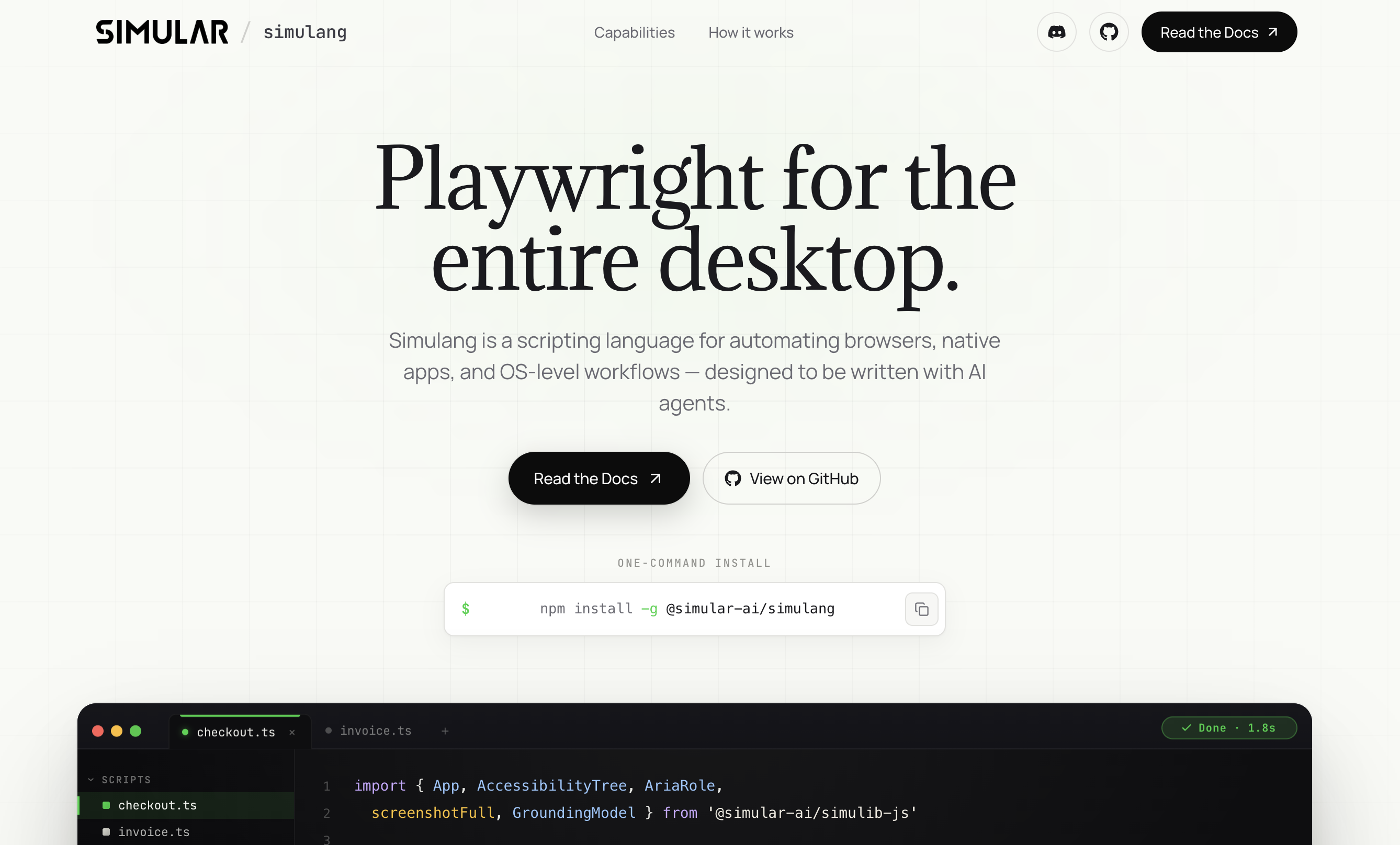
Simulang 是一种用于自动化浏览器、原生应用和操作系统级工作流的脚本语言,旨在由AI代理编写。我们刚刚开源了 Simulang。您现在只需一条命令即可安装它:
Why we built it
Browser automation has a well-established tool: Playwright. But browsers are only part of what people do on computers. Filing expense reports means switching between a browser, a PDF viewer, and a spreadsheet. Onboarding a new hire involves an HR portal, an email client, a Slack workspace, and a dozen system dialogs. Reconciling invoices requires a browser tab, a desktop accounting app, and a file manager.No existing automation framework handles all of these. Playwright stops at the browser tab. AppleScript is macOS-only and cannot touch a web page. AutoHotkey is Windows-only and relies on pixel coordinates that break whenever a window moves.
Simulang is one language that controls all of them.
What unifies Simulang: write once, replay forever
The features above share a single architectural decision that makes everything else possible: deterministic replay.
This has two consequences that define the product:
Speed. Each action takes under 50 milliseconds -- the time it takes to query a local API and execute a click. No image capture, no upload, no model reasoning. A 20-step workflow finishes in under a second. Screenshot-based agents take 3 to 5 seconds per action for the same workflow, making them 60 to 100x slower at scale.
Cost. A Simulang script consumes zero tokens on replay. You pay for the LLM reasoning when the script is first authored (or when Sai generates it from natural language). After that, every subsequent execution is free -- no API calls, no cloud processing, no per-run fees. For teams running hundreds of automated workflows daily, this is the difference between viable and prohibitively expensive.These are not incremental improvements. They are structural advantages that come from choosing the right abstraction: semantic elements instead of pixels, local execution instead of cloud inference, deterministic references instead of probabilistic guesses.
What Simulang does
Simulang scripts are ordinary TypeScript modules. They import from a single library and drive the operating system through its accessibility APIs -- the same structured interface that screen readers use.
A Simulang script can:
- Open any application -- browsers, native desktop apps, system dialogs, file managers.
- Read the accessibility tree -- every button, text field, menu item, and label exposed as a structured, ref-addressable element.
- Interact deterministically -- click, type, select, toggle, scroll, expand/collapse -- by element reference, not pixel coordinate.
- Fall back to vision -- when an application does not expose accessibility data, Simulang uses pixel-level vision grounding to locate elements on screen.
This means a single script can open Chrome, fill out a form, switch to Excel, paste the results into a spreadsheet, then open Slack and send a message -- without switching between three different automation tools.
How it works: two ways to see the screen
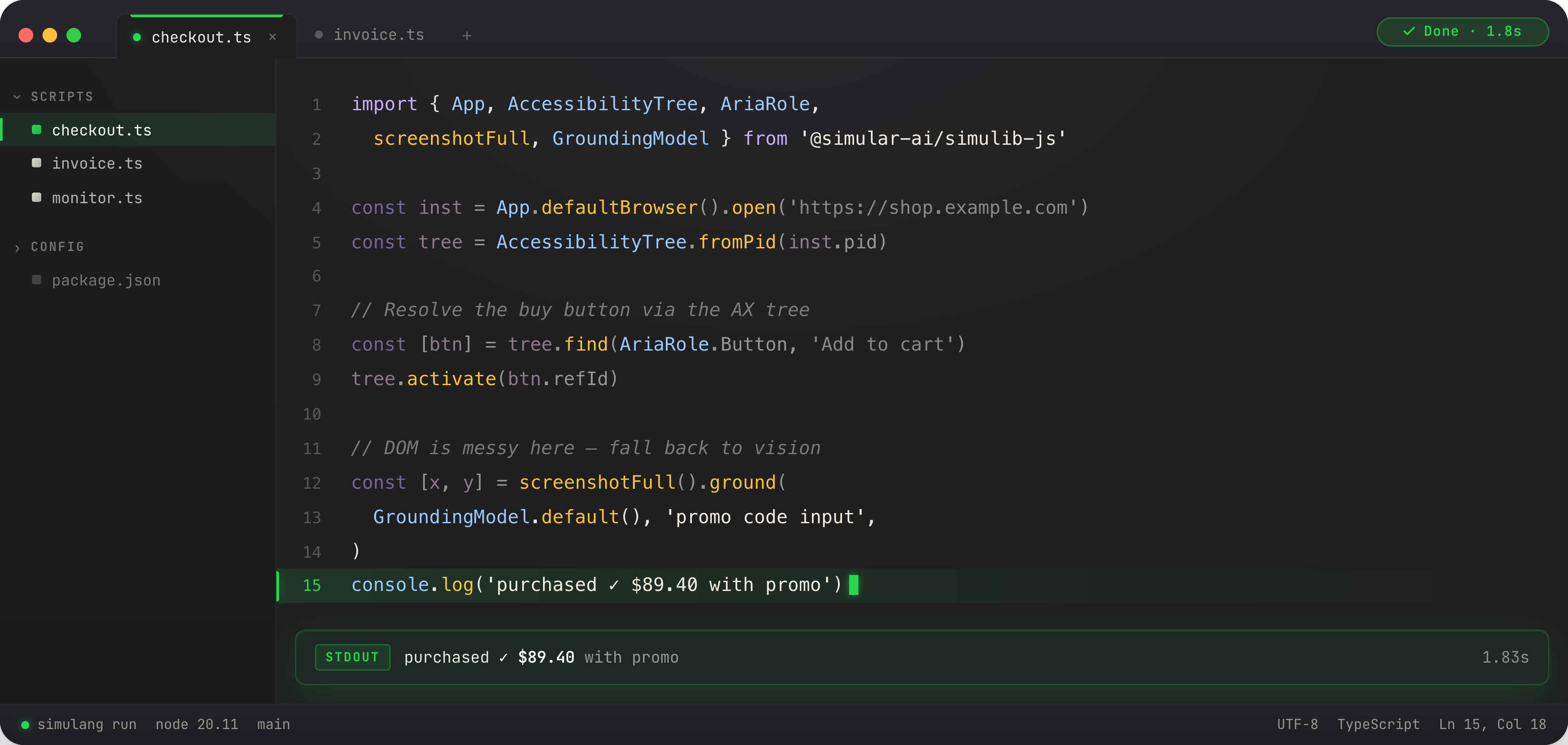
Simulang gives your agent two perception modes:
Accessibility tree (fast and exact): The OS exposes a structured tree of every UI element -- buttons, text fields, menus, labels — with semantic roles and names. Simulang reads this tree, assigns a ref ID to each element, and lets the script interact by ref.
Vision grounding (fallback for opaque UIs): Some applications -- games, custom-rendered canvases, Electron apps with poor accessibility -- do not expose a useful tree. For these, Simulang takes a screenshot and uses a vision model to locate the target element by description. Response time: 1-2 seconds. Accuracy: high but probabilistic.
Most real-world automations use the accessibility tree for 95% of interactions and fall back to vision for the remaining 5%. The script author does not need to decide -- Simulang handles the routing.
Simulang + coding agents
Simulang is not limited to standalone scripts. It can serve as the execution layer for AI coding agents that need to interact with the GUI.
Claude Code, Anthropic's CLI-based coding agent, is a natural pairing. Claude Code writes and edits code, runs tests, and creates pull requests — but it cannot open a browser to verify what it built, click through a checkout flow, or visually confirm that a UI change rendered correctly. Simulang fills that gap.
With the Simulang + Claude Code integration, you get a complete code-to-verification loop: Claude Code writes a feature, and Simulang opens the browser, tests the actual user experience, captures screenshots of the result, and reports back -- all in the same session. The coding agent handles the terminal. Simulang handles the screen.
Setup takes one configuration change.
Full documentation: docs.simular.ai/simulang/simulang-claude-code
What you can build with Simulang
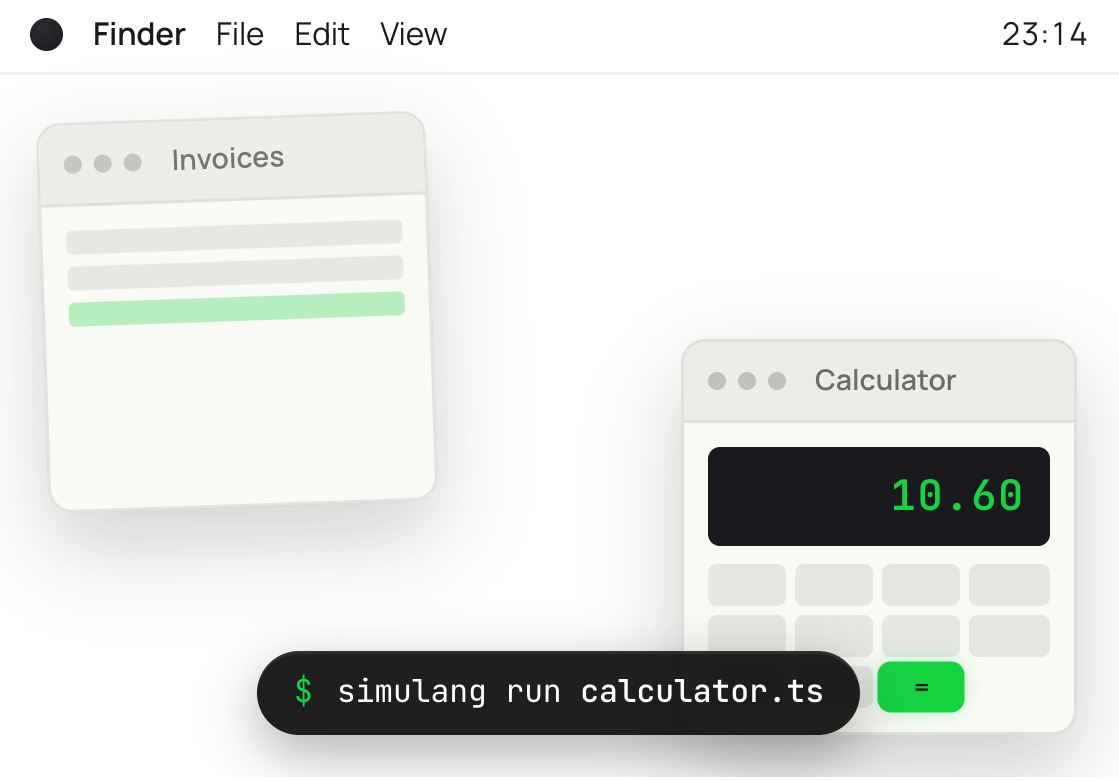
Workflow automation: "Every morning, open Gmail, find unread invoices, extract the amounts, paste them into a Google Sheet, and send a Slack summary to #accounting."
QA and testing: "Open our desktop app, navigate to Settings, change each preference, verify the UI updates correctly, and screenshot any failures."
Data collection: "Open LinkedIn, search for 'AI engineer in San Francisco,' collect the first 50 profiles, and export them to a CSV."
IT operations: "Open System Preferences, verify that FileVault is enabled, check that the firewall is on, and log the results to our compliance dashboard."
Cross-platform e-commerce monitoring: "Open Shopee, Lazada, and Amazon in three browser tabs, collect competitor pricing and daily sales data for 20 SKUs, paste the results into a tracking spreadsheet in Excel, and flag any price drops in Slack."
Social media cross-posting: "Take a finished video file, open TikTok and upload it with the first caption, switch to Instagram Reels and upload with a second caption, open LinkedIn and post with a third version, then log all three URLs into a Google Sheet content calendar."
Multi-file desktop consolidation: "Open Finder, navigate to the monthly reports folder, open each of the twelve Excel files one by one, copy the summary row from each, paste all twelve into a master spreadsheet, and save the consolidated file to Google Drive."
Each of these touches multiple applications and multiple UI surfaces. Simulang handles them in a single script.
Recognition
The research behind Simulang has been recognized by the academic and engineering communities:
Best Paper at ICLR 2025 -- the premier machine learning conference
#1 on OSWorld benchmark -- the standard evaluation for desktop automation agents
Top launch on Product Hunt -- voted by the developer community
Get started now
Install Simulang and write your first script:
Full documentation: docs.simular.ai/Simulang
Simulang is open source. The library, the CLI, and the documentation are all available on GitHub.
