
Agent S2:开放版,
计算机用途代理的模块化和可扩展框架
计算机用途代理是自主的 AI 代理,通过直接与包括桌面、移动设备、浏览器和各种软件在内的图形用户界面 (GUI) 交互,代表人类用户观察、推理和执行任务。它们以最直观的方式充当人类用户与其数字工具之间的智能中介——就像人类一样控制鼠标和键盘。这种类似人类的软件导航和控制能力标志着人工智能取得了根本性的飞跃,为由自主计算机使用代理推动的下一个技术进步时代奠定了基础。
今天,我们很高兴地宣布我们在计算机使用代理领域的下一次飞跃:特工 S2,我们的代理框架的第二代。在我们最初的成功基础上, 特工 S2 通过利用前沿基础模型和专业模型,提供更高的性能和模块化。 特工 S2 实现了最先进的全新结果,通过更多步骤可以很好地扩展,最重要的是,它完全开放!
最先进的性能

Agent S2 在应对关键基准测试挑战方面取得了显著进步,表现出卓越的计算机和电话使用率。
在计算机使用方面,Agent S2在OSWorld上通过15步和50步评估(两种最实用的实际使用设置)提供最先进的结果,证明我们的代理框架采取了更精确的行动,为任务制定了最佳计划,同时能够自我纠正和长期改进。值得注意的是,Agent S2在50步评估中实现了34.5%的准确率,超过了之前的SOTA(OpenAI CUA/Operator的32.6%),这表明了代理框架如何能够扩展到单一训练模型之外的情况。
在智能手机使用方面,Agent S2在AndroidWorld上实现了50%的准确率,超过了之前的SOTA(UI-TARS为46.8%),这表明了代理框架在不同的视觉用户界面环境中的普遍性。

在这篇博客文章之后,我们在准备论文时在 AndroidWorld 上取得了更强的成绩。我们更新了此表以反映最新表现。详情请参阅该论文。
为什么模块化框架很重要:来自人脑的灵感
人脑是模块化设计的一个杰出例子——一个由特殊组件组成的网络协同工作。不同的区域擅长不同的任务:左半球推动分析思维,右半球推动创造力,而运动和感官区域管理身体协调。这种针对协作进行了优化的模块化结构激发了我们如何设计计算机用途的人工智能代理的灵感。
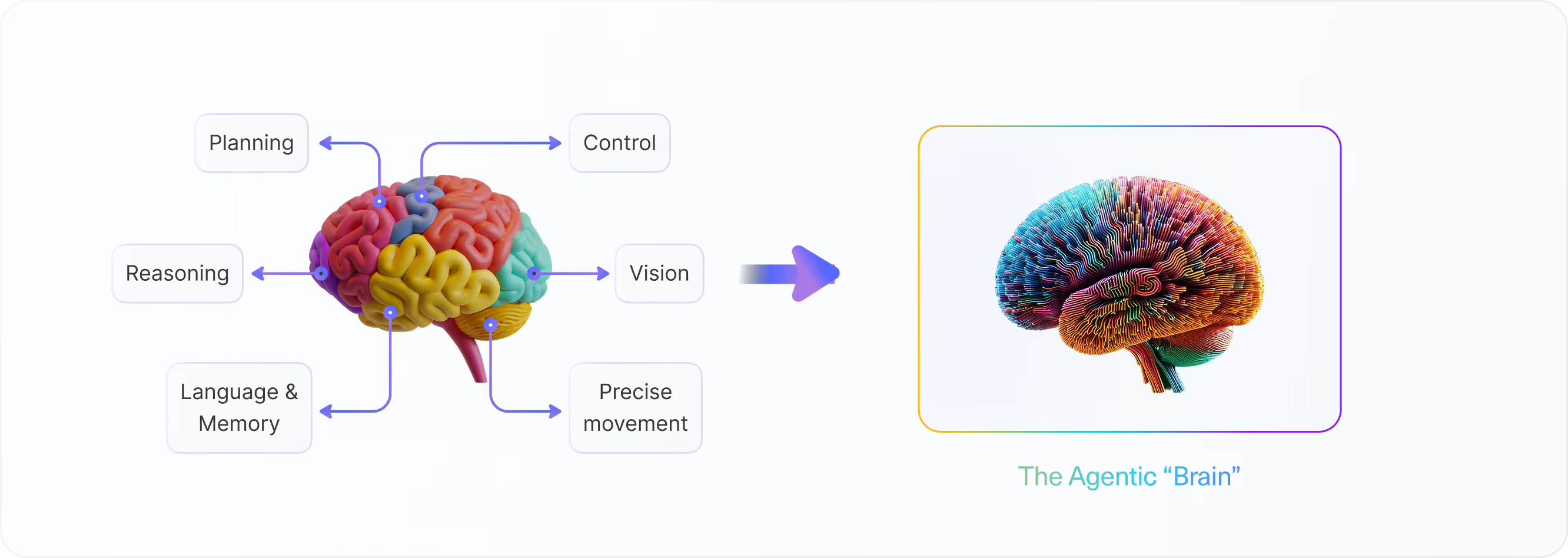
在 Simular,我们认为最有效的人工智能代理应该遵循类似的原则——模块化框架,无缝协调不同的模型,而不是依赖单一的单一系统。我们最初的代理框架, 特工 S于 2024 年 10 月 11 日推出,体现了这一愿景。以增强经验的分层规划为核心,Agent S 实现了比当时任何模型和框架都更好的整体性能。
我们的最新研究进一步表明,精心设计的模块化框架,即使是次优的单个模型,也可能胜过最佳的独立模型。为什么?因为不同的模型在不同的领域表现出色,每个模型都有独特的长处和短处。坚固耐用 框架优化了编排 在这些模块中,确保每种模型都能在表现最佳的地方做出贡献,从而实现卓越的整体结果。在快速变化的基础模型格局中, 模块化是关键。 我们的下一代代理框架, 特工 S2,凭借其更高的模块化和灵活性,可以显著改善感知、规划和精细控制。
特工 S2:它是如何工作的
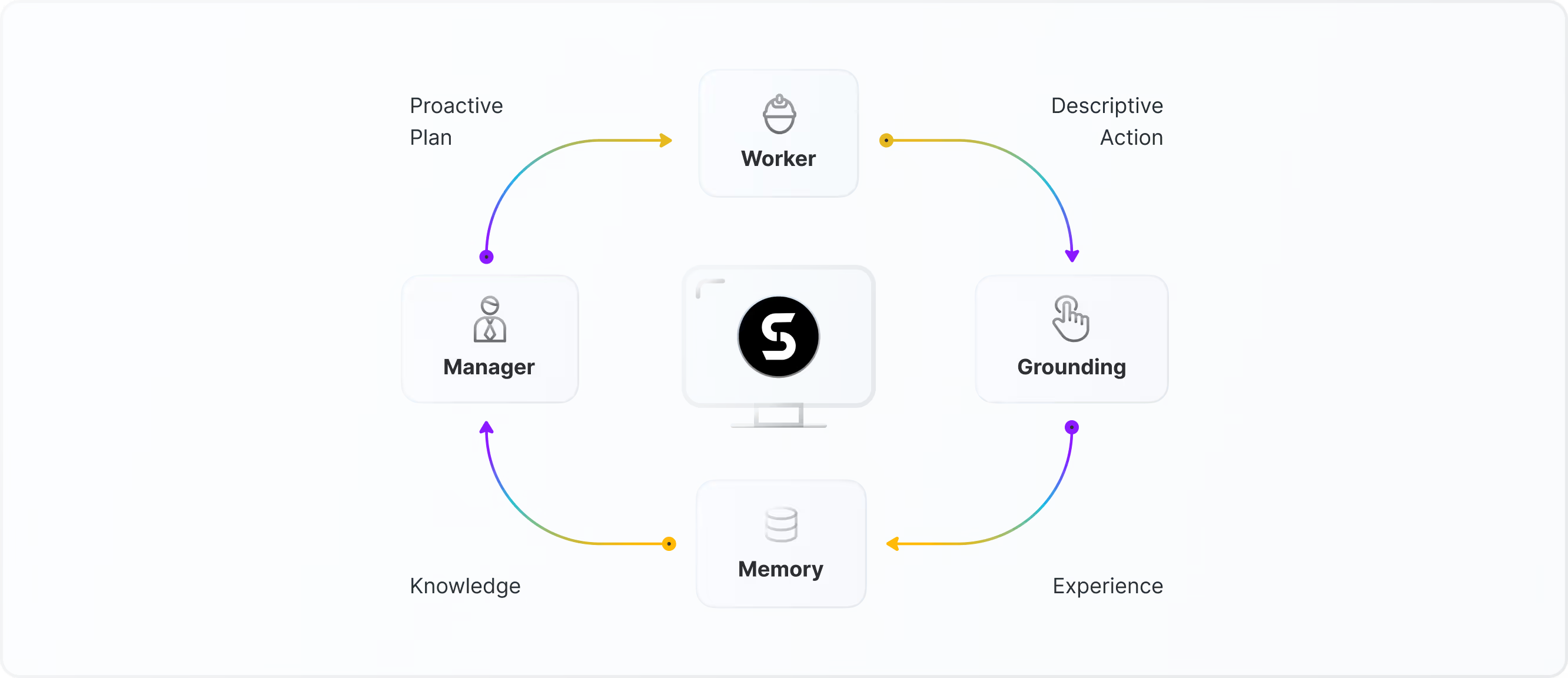
Agent S2 旨在通过模块化和可扩展的方法处理复杂的数字任务。其框架强调四项关键设计原则:
主动分层规划
Agent S2 遵循自然的任务层次结构,结合起来 用于低级执行的专业模型 和 用于高层规划的广义模型。用户界面元素选择或文本突出显示等低级任务需要高精度和特定领域的专业知识,而高级任务则需要更广泛的适应能力和战略监督。此外,Agent S2 的一个关键进步是它的转移 从被动规划到主动规划。Agent S2 不是只在遇到错误后才进行重新规划,这将需要更多步骤来回溯并可能产生更多错误,而是在每个子任务之后动态更新其计划。这种主动方法提高了对实时变化的适应性、从一个子任务到下一个子任务的连续性以及未来步骤的最佳性。
实现精确互动的视觉基础
Agent S2 通过专门的视觉基础模型实现与图形用户界面 (GUI) 的高精度交互。与其前身不同,前者依靠可访问性树来理解用户界面, Agent S2 仅使用原始屏幕截图作为输入进行操作,消除了对结构化无障碍数据的需求。通过将视觉理解委托给专用模型,Agent S2 可以准确地定位和操作按钮、文本、图像和单元格等用户界面元素,从而实现以前受可访问性限制限制的精细控制。
带有专家模块的代理计算机接口
Agent S2 通过将文本突出显示等复杂的低级任务卸载到,改进了代理计算机接口 (ACI) 专业的专家模块。这个 减少认知负荷 在基础模型上,使他们能够仅专注于高层次的规划和战略决策。
代理记忆机制
Agent S2 使用持续学习记忆机制,使其能够随着经验不断发展,从而随着时间的推移提高效率。保留了先前完成的任务的经验,使Agent S2能够回顾先前的行动,并根据历史成功和失败完善未来的策略。这种自适应学习能力使Agent S2能够更加熟练地使用每个应用程序,为长期自适应智能和个性化自动化奠定基础。
这种模块化架构还使扩展和适应变得毫不费力。由基础模型或专家模型提供支持的新模块可以轻松集成、移除或交换,从而使 Agent S2 能够轻松快速适应新的任务域。
Agent S2 在行动
计算机的使用
从 Google 云端硬盘下载图像并使用 GIMP 对其进行压缩


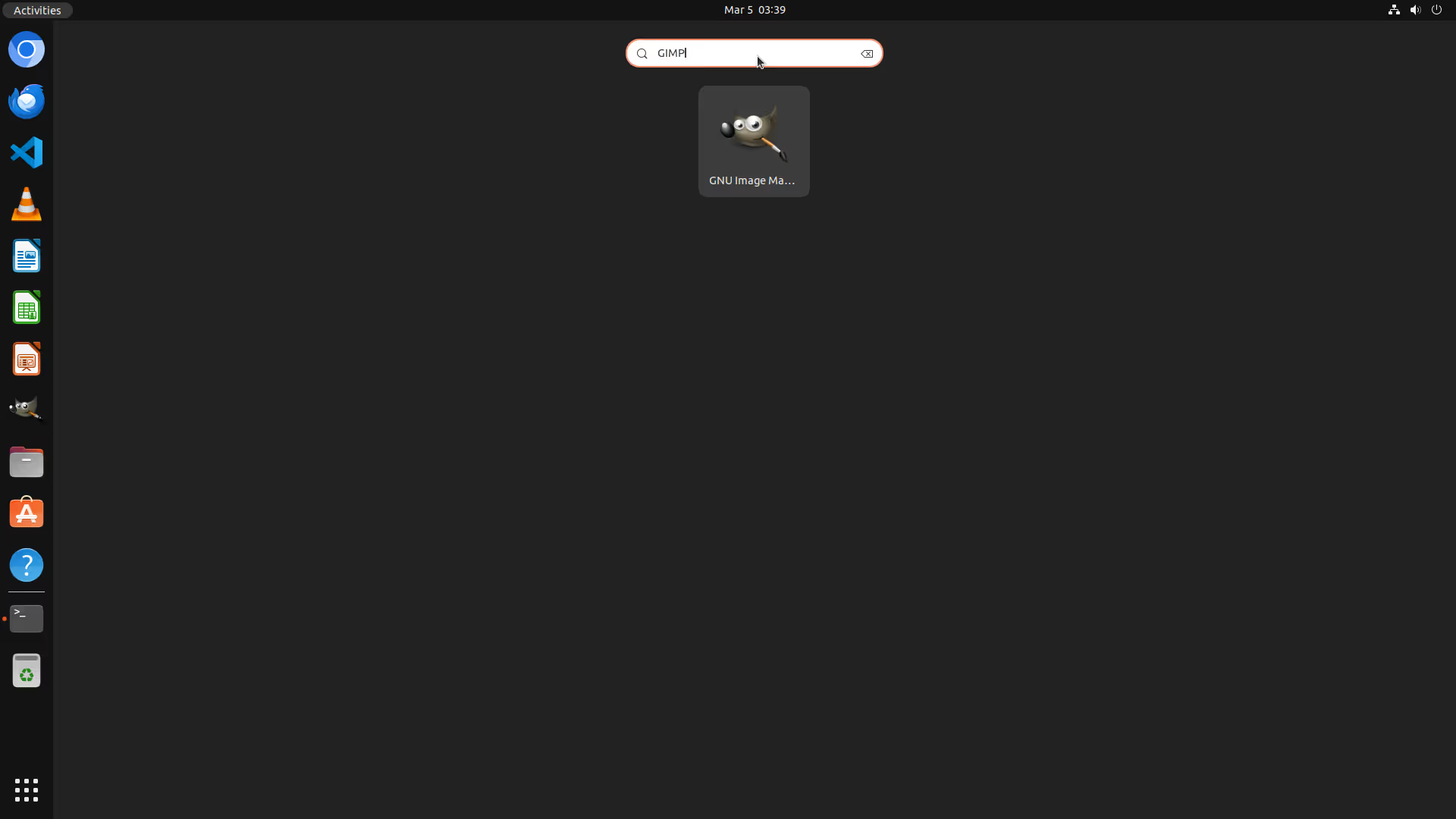


将图像复制到文档
将图像从 GIMP 复制到 LibreOffice Writer 文档,然后导出该文档


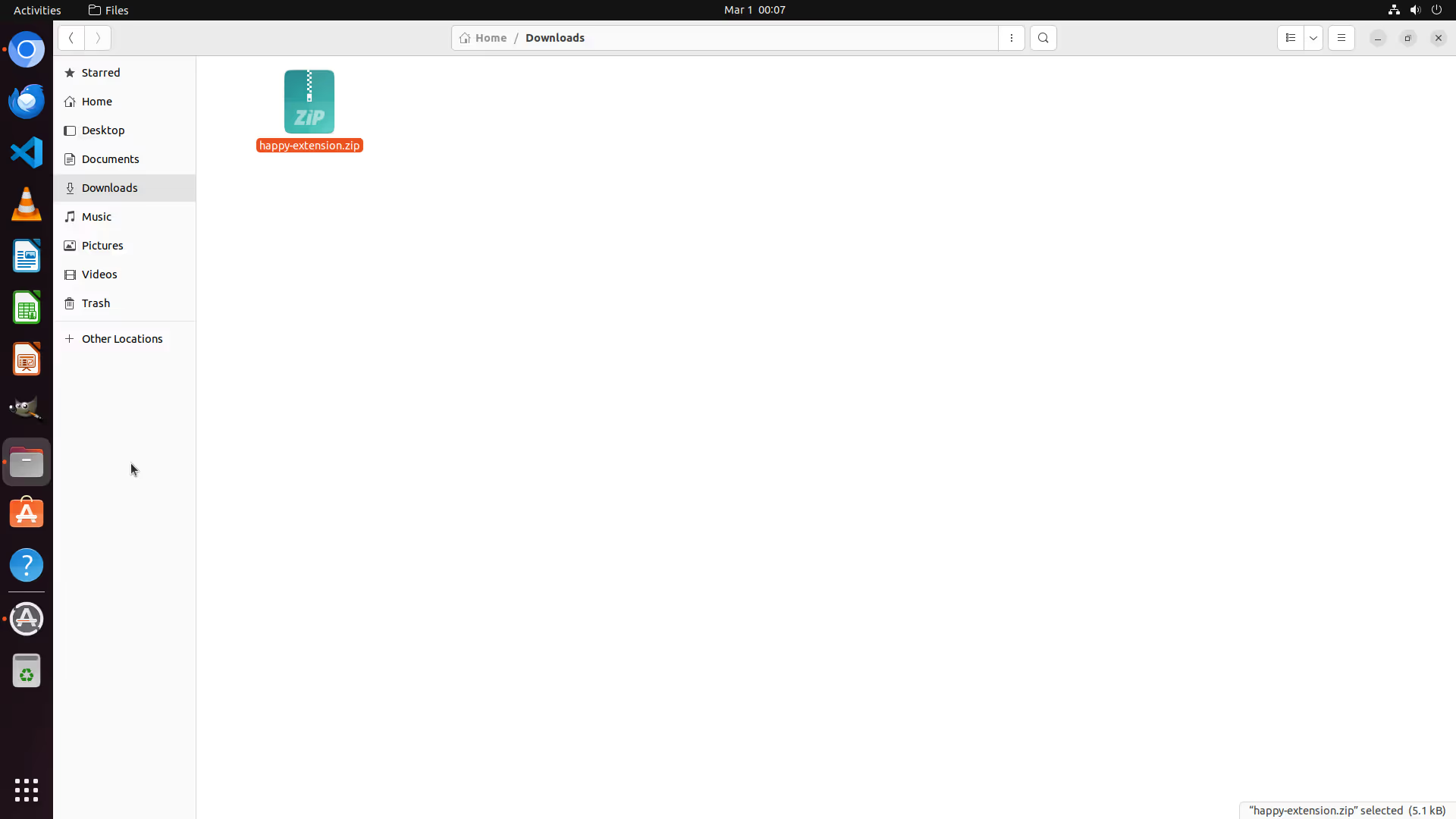
设置 Web 扩展
设置 Web 扩展程序




移除视频字幕
从视频中删除字幕并导出新视频


计算利润
在 LibreOffice 计算表中计算利润
.webp)


删除线段落
删除 LibreOffice Writer 文档中的最后一段
.webp)


智能手机上的 Agent S2
填写表格
任务:进入新的联系人屏幕并输入以下详细信息:名字:Grace,姓氏:Taylor,电话:799-802-1530,电话标签:
工作。不要点击 “保存”。


整理文件
任务:将 holiday_photos.jpg 从 sdk_gphone_x86_64 存储区域内的 Podcasts 移动到安卓文件系统中同一 sdk_gphone_x86_64 存储区域内的 DCIM。


What are the Key Features of a Computer Use Agent?
What functionalities does a computer use agent offer beyond basic automation?
A computer use agent goes beyond just automating tasks. It uses artificial intelligence to handle complex jobs and boost productivity. By integrating processes smoothly, users can automate workflows efficiently. AI capabilities help these agents analyze data, predict results, and adjust strategies, enhancing productivity.
How does modularity enhance the capabilities of a computer use agent?
Modularity improves a computer use agent by making it flexible and scalable. This setup allows for ongoing updates and customization to fit specific needs. Each module has its function, so users can upgrade parts without affecting the whole system. This adaptability helps agents keep up with changing technology, supporting growth and efficiency.
Can a computer use agent adapt to different operating systems and software applications?
Adaptability is vital for a computer use agent, ensuring it works well with varying operating systems and software. These agents integrate easily, maintaining performance on any platform, whether Windows, macOS, or Linux. Their broad compatibility means organizations can use them across diverse IT systems without facing issues.
How Does a Computer Use Agent Learn and Improve?
What learning mechanisms enable a computer use agent to adapt to user needs?
Computer use agents use machine learning and artificial intelligence to learn and adjust to user needs. They process large data sets to find patterns and make predictions. This helps them provide tailored solutions based on user behavior and preferences. By using feedback loops, they refine their operations for better accuracy over time. These systems effectively meet changing user demands with these methods.
How does a computer use agent handle unexpected situations or errors?
To manage unexpected situations or errors, computer use agents use strong error handling and automation. AI boosts their reliability by spotting and addressing anomalies quickly. These agents stay robust, preventing small issues from becoming serious problems. Automation in troubleshooting allows them to fix errors swiftly and keeps operations running smoothly even in unforeseen circumstances. This enhances user trust and system reliability.
What data privacy measures are implemented in a computer use agent?
Data privacy is crucial for computer use agents. They use strict security protocols to protect sensitive data and comply with regulations. Privacy measures include encrypting data during transmission and storage to guard against unauthorized access. Regular monitoring and updates of security systems help maintain data integrity. By focusing on data privacy, users can trust that their information is secure and handled properly.
What are the Practical Applications of Computer Use Agents?
Computer use agents, powered by artificial intelligence and automation, have a significant role in managing complex workflows. These advanced systems do more than just automate simple tasks. With their sophisticated reasoning abilities, they can handle intricate processes. Autonomous AI agents can organize multiple tasks, use resources efficiently, and keep workflows running smoothly. This technology is changing industries, helping businesses operate more efficiently and foster innovation with browser automation and AI workplace assistant.
Beyond automating simple tasks, what complex workflows can a computer use agent manage?
Computer use agents are deployed to handle complex workflows that need coordination and decision-making. These agents use artificial intelligence and automation to improve operations. Their advanced reasoning lets them assess situations, predict outcomes, and make decisions. This is useful in fields like logistics, finance, and healthcare that require quick adaptation to changing conditions.
How can a computer use agent improve productivity in specific professional contexts?
Using computer use agents in daily operations can greatly increase productivity and efficiency. In professional areas like project management or customer service, these agents automate regular tasks. This allows employees to focus on more strategic work. The innovative use of computer technology improves workflow and speeds up innovation, giving organizations a competitive edge.
What emerging technologies are integrated with advanced computer use agents?
The development of computer use agents is linked with advances in emerging technologies. Machine learning and foundation models, such as those from OpenAI, are crucial for these agents. These technologies allow agents to learn from data, adapt to new information, and improve over time. Continuous integration of new technology ensures that computer use agents remain highly effective across different domains.
Simular AI excels in this field by providing advanced solutions that use these technological developments. By keeping up with emerging technologies, Simular AI ensures its computer use agents are optimized for varied applications, offering great value to clients.
What are the Potential Limitations of Computer Use Agents?
What are the challenges in building truly reliable and trustworthy computer use agents?
Building reliable and trustworthy computer use agents involves several challenges. Integrating AI into these systems can create unexpected issues. This makes solid development protocols essential. It's important to ensure that automation aligns with human values and safety standards. To build trustworthy AI, we need to address biases, improve transparency, and perform thorough tests. Ongoing development and learning from real-world applications help enhance reliability.
How can the risk of errors and malfunctions be minimized in computer use agents?
Minimizing errors and malfunctions in computer use agents requires careful engineering practices and protocols. Advanced computing techniques should be used to detect and correct errors. Rigorous testing and simulation before deployment can help identify potential risks. Continuous monitoring after deployment allows for quick fixes. Effective risk management includes having fallback systems and regular software updates to fix vulnerabilities and boost operational stability.
What are the ethical considerations regarding the development and deployment of computer use agents?
When developing and deploying computer use agents, ethics are a major consideration. Protecting user data privacy and security is crucial. Developers must promote responsible AI use by setting transparent guidelines to prevent misuse or bias. Ethical considerations include assessing AI's impact on society and addressing job displacement concerns. Continuous dialogue among stakeholders is important for responsible development that aligns with societal values and legal standards.
How Can I Get Started with a Computer Use Agent?
What are the available options for accessing and utilizing computer use agent technology?
You have several options for accessing and using a computer use agent. Some popular software platforms include open-source solutions, which offer customization, and products from companies like Microsoft and Google. These platforms provide APIs, allowing seamless integration into your existing systems. Choosing the right one depends on your needs and how well it fits into your current technology setup.
What factors should be considered when choosing a computer use agent solution?
When picking a computer use agent, consider the following:
- Functionality: Make sure the agent fulfills your operational needs.
- Integration: Verify compatibility with your systems, such as OpenAI API.
- Cost: Look at both initial and ongoing costs.
- Support and Security: Check the availability of support and the strength of security features.
- User Interface: Ensure it's easy to use and intuitive for users.
By assessing these points, you can find a solution that meets your organization's goals and technical needs.
Where can I find resources and support for learning more about and using computer use agents?
To learn more about using computer use agents, consider these resources:
- Tutorials and Documentation: You can find guides on GitHub and the official websites of platforms like Microsoft Azure and OpenAI.
- Community Forums: Join forums to gain insights and practical knowledge from other users.
- Training Programs: Participate in training sessions by providers or external educators for hands-on experience.
- Learning Resources: Many online platforms offer courses and materials focusing on different aspects of computer use agents.
These resources will help you fully utilize your chosen computer use agent technology.
What are the benefits of using an autonomous agent for computer use?
Autonomous agents can automate and optimize computer use, improving efficiency. They help manage complex tasks, reduce human errors, and increase productivity by adapting to specific user needs.
How can a computer agent improve cyberattack management?
A computer agent analyzes suspicious behavior in real time to reinforce security against cyberattacks. It monitors networks, detects anomalies, and initiates quick responses to minimize risks.
What is the role of artificial intelligence in computer foundation models?
Artificial intelligence enhances foundation models by improving natural language understanding, which facilitates processing and analyzing complex data. It supports the development of innovative and user-friendly solutions.
Why is it important to consider user interfaces when implementing computer agents?
User interfaces ensure smooth interaction between computer agents and users. They make functionalities accessible and understandable, thereby improving user experience and operational efficiency.
How do navigation agents affect computer software usage?
Navigation agents simplify software interaction by guiding users through complex processes. They facilitate task customization and automation, optimizing software use.
What role do usage agents play in improving organizational workflows?
Usage agents automate redundant tasks and integrate various tools to create efficient workflows. They enable smooth operation management, reduce response times, and boost productivity in organizations.
How can computer agent usage strategies adapt to current work environments?
Computer agent strategies adapt by integrating emerging technologies like federated learning and multimodal models. These approaches make systems more flexible and responsive to changing work environment dynamics.
What are advanced language models, and how do they influence interaction with computer agents?
Advanced language models, such as large language models, enhance computer agents' ability to understand and generate human text. This leads to more natural and effective interactions, enriching the overall user experience.
Key Insights
- We offer advanced solutions for computer use agents in regions such as California, Canada, Florida, New York, Texas, the United Kingdom, and Washington.
- Our platform utilizes state-of-the-art computer use software to enhance computer utilization, positioning it as a leading intelligent system.
- Experience seamless interaction with user agents in GUI and UI design, which provides innovative navigation and autonomous agents.
- Work alongside industry leaders like Bill Gates and Sam Altman on groundbreaking projects in AI technology and sandbox environments.
- Engage with foundation models and large language models (LLMs) for top performance, backed by notable researchers like Ilya Sutskever.
- Gain insights into AI with resources from IEEE, MIT Technology Review, and publications on trustworthy AI practices.
- Prioritize secure computing environments to shield against cyber attacks, using tools and protocols for strong data integrity.
- Innovate with AI-driven solutions through platforms like OpenAI's ChatGPT and DALL-E, supported by pioneers such as Kai-Fu Lee.
- Access our suite of tools, including apps, plugins, and AI technologies that transform user interaction.
- Improve efficiency with AIOps for incident management and federated learning, optimizing organizational strategies and workflows.
- Enhance emotional well-being and decision-making through effective AI applications in business scenarios.
- Use advanced reasoning and adaptive systems for solving complex problems and strategic initiatives.
- Stay updated with the latest developments in AI, focusing on practical applications and emerging technologies.
- Apply machine learning across sectors, ensuring compliance and ethical standards in deployment.
- Explore uses of GPT and AGI in real-world situations through demonstrations, evaluations, and scholarly citations.
- Navigate the AI landscape with expertise, using resources like stargate datasets, deepfake prevention, and open-source contributions.
- Integrate AI seamlessly into existing agentic frameworks with reference implementations and best practice guidelines.
- Encourage AI innovation in computing, fostering community engagement and collaborative growth in tech.
- Enhance potential with AI-powered solutions for data analysis, automation, and process optimization across industries.
- Connect with professionals on platforms like LinkedIn to explore trends, job opportunities, and advancements in AI.
- Optimize your digital experience with tools designed for efficient browsing, communication, and information management.
- Maintain robust cybersecurity measures and safe data practices in all AI deployments and integrations.
准备好使用你的
用类似的方式计算机?
共享和整理您的记忆,并对任务进行个性化设置。