How to Find YouTube Micro Influencers That Convert

Learn a smarter way to uncover YouTube micro influencers your buyers already trust, then let an AI computer agent handle research, vetting, and list building for you.
Advanced computer use agent
Production-grade reliability
Transparent Execution

Why YouTube + AI Matter

YouTube micro influencers sit right where trust and attention meet. Their audiences show up for deep reviews, tutorials, and stories—not polished ads—so a single authentic video can outperform weeks of performance spend.But actually finding the right creators is slow: endless keyword searches, spreadsheet wrangling, and manual vet checks. Delegating that work to an AI computer agent means you still define the brief and brand fit, while the agent does the heavy lifting—scanning YouTube, collecting stats, and ranking creators—so you spend your energy on strategy and partnerships, not tab-hopping.

How to Find YouTube Micro Influencers That Convert

You don’t need another tab; you need a system. Let’s walk through the most effective ways to find YouTube micro influencers, from scrappy manual tactics to fully automated AI-agent workflows.
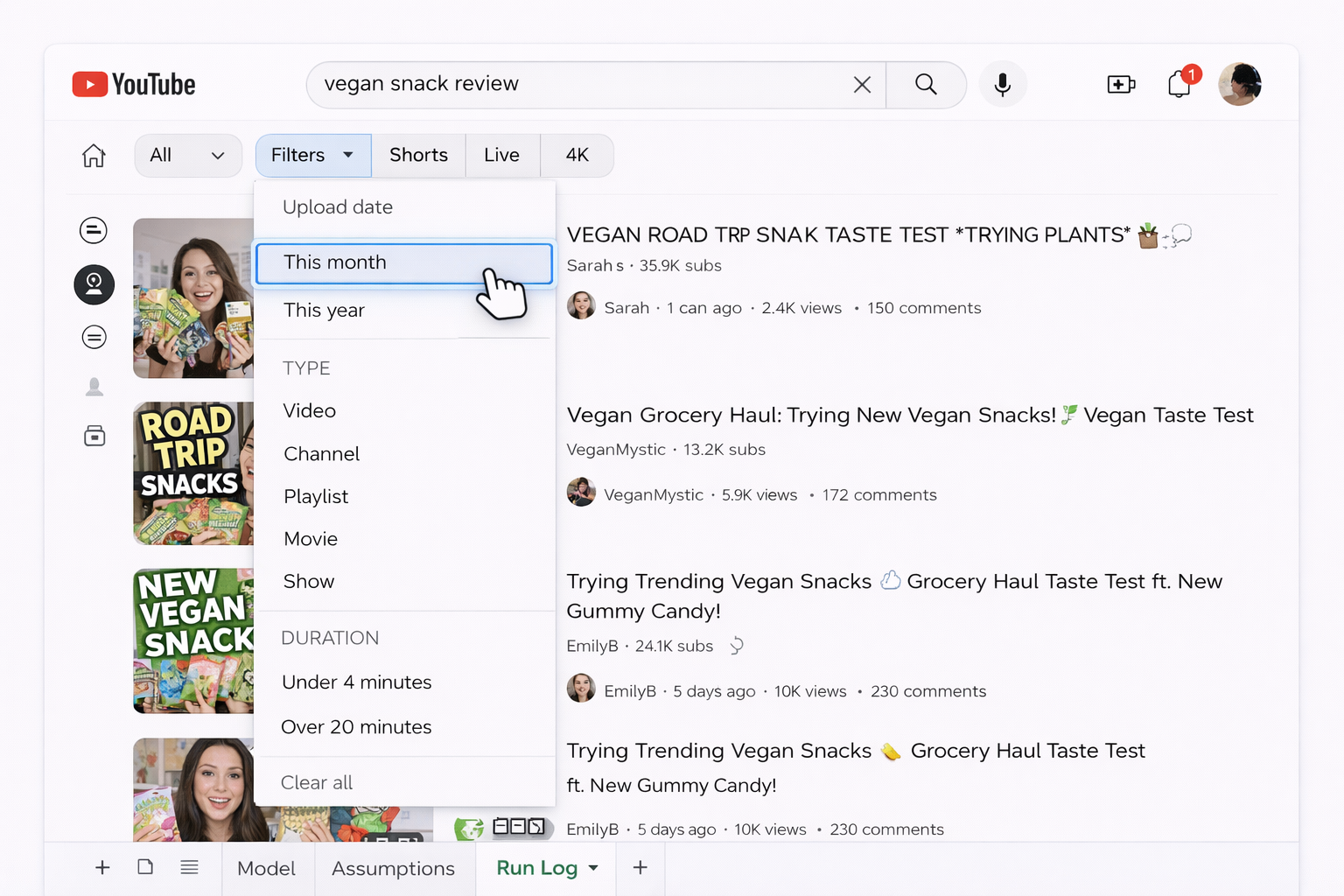
1. Manual Prospecting Inside YouTube

Start simple:

  • Search niche keywords (e.g. “vegan snack review”, “Notion setup for agencies”).
  • Filter by upload date to find active creators.
  • Check subscriber range (10K–100K) and recent views, likes, and comments.
  • Open the “About” tab for contact info.

Pros: Free, intuitive, great for understanding your niche. Cons: Brutally time-consuming, easy to miss hidden gems, hard to repeat at scale.

2. Google and Influencer Marketplaces

Use Google to find curated lists: “best YouTube channels for marathon training”, “top tech YouTubers under 100k”. Then explore influencer marketplaces to filter by category, location, and audience.

Pros: Faster discovery, some built-in analytics, copy-paste friendly. Cons: Databases can be biased toward larger creators, you’ll still manually qualify and export.

3. Build a Simple Research Pipeline

Before bringing in AI, define what “good” looks like:

  • Niche: topics, keywords, or categories.
  • Audience: geos, language, age.
  • Metrics: minimum views, engagement rate, posting frequency.

Track this in a Google Sheet or Airtable with columns for URL, subs, average views, engagement, contact, notes.

Pros: Clear criteria, easier to compare creators.

Cons: Still relies on you clicking, copying, and pasting for hours.
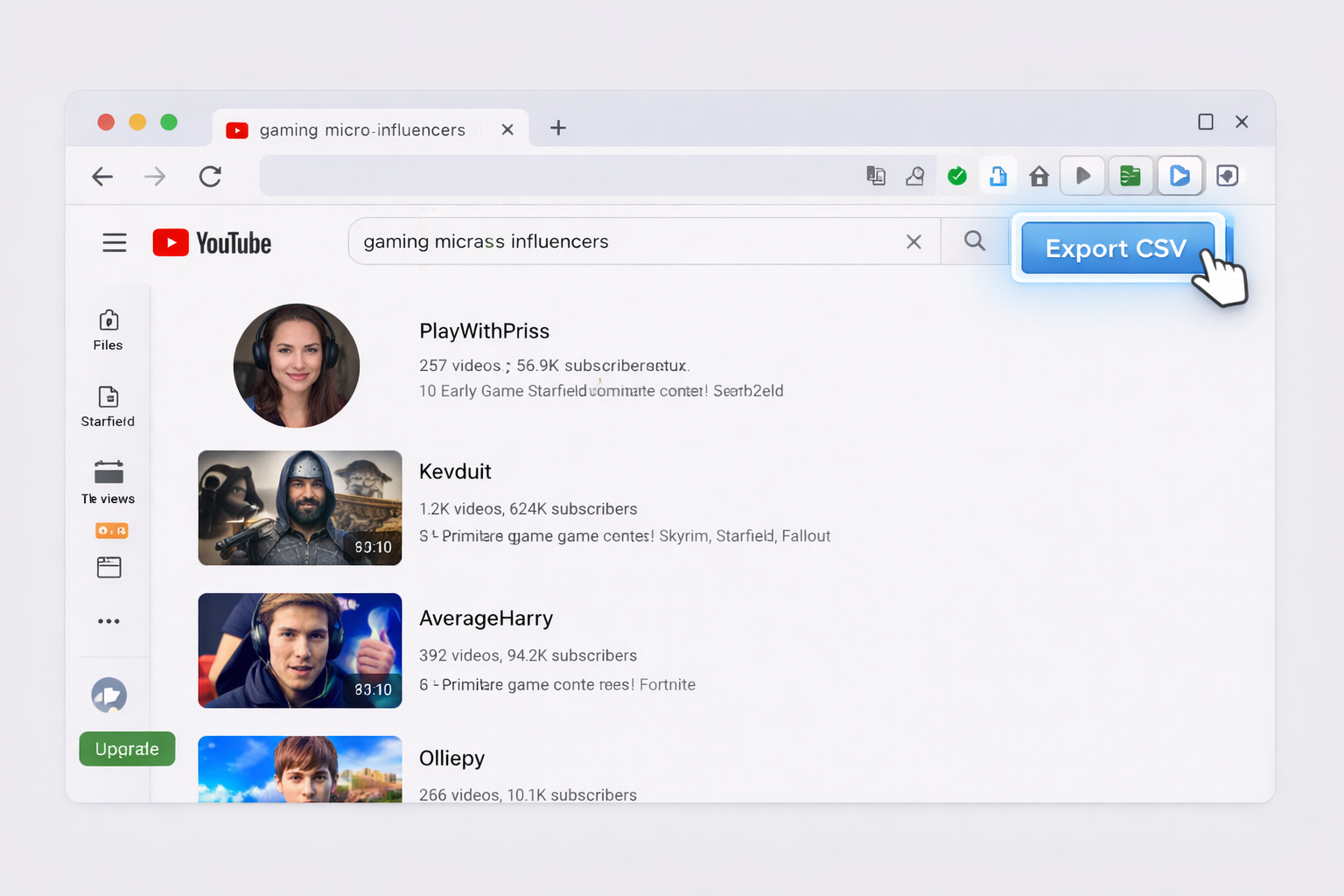
4. Semi-Automation With Browser Tools

You can speed up parts of the workflow with extensions and scripts that:

  • Scrape basic channel stats from search results.
  • Export lists into CSV.

Pros: Saves repetitive clicks, good for tech-savvy teams. Cons: Fragile when interfaces change, limited flexibility, still not “hands-off”.

5. Fully Automate With an AI Computer Agent

This is where things change for busy founders, agencies, and marketing teams.

With an AI computer agent like Simular’s, you teach the agent to:

  • Open YouTube, search your chosen keywords.
  • Click into promising channels and videos.
  • Read subscriber counts, average views, recent posting cadence, and descriptions.
  • Paste structured data into a Google Sheet or CRM.
  • Repeat the process across dozens of keywords and markets.

Because Simular agents operate like a power user on your desktop, they’re not limited to single tools—they can jump between YouTube, analytics dashboards, email, and spreadsheets in one workflow.

Pros:

  • Huge time savings: hours of research compressed into a repeatable run.
  • Production-grade reliability and transparent logs of every step.
  • Easy to tweak criteria without rebuilding everything.

Cons:

  • Requires an upfront “onboarding” of the agent (clear prompts, test runs).
  • Best results come when you already know your target audience and KPIs.

6. Turn It Into a Weekly Growth Engine

Once your AI agent is dialed in, schedule recurring runs:

  • Every week, it searches new keywords or regions.
  • Updates your master influencer sheet.
  • Flags promising channels that cross your thresholds.

Your role shifts from researcher to editor-in-chief: review the shortlist, prioritize outreach, and negotiate deals—while the agent handles the tiring discovery legwork.

Scale YouTube Micro Influencer Search With AI Now

Setup Simular Agent
Define your ideal YouTube micro influencer profile—niche, audience, metrics—then onboard a Simular AI computer agent to search YouTube, open channels, and log key stats into your sheets.
Tune Simular Agent
Run a few short test queries so the Simular AI computer agent searches YouTube, fills a sample sheet, and follows your rules. Adjust prompts, filters, and data fields until the first run looks campaign-ready.
Start Agent at Scale
Once results look right, hand the repetitive work to your Simular AI computer agent. Let it sweep YouTube across dozens of keywords, update your master list, and keep your micro influencer pipeline full on autopilot.

FAQS