Oops! Something went wrong while submitting the form.

.png)
.svg)
Your LinkedIn URL is your digital handshake: it lives on your resume, email signature, sales pages, and cold outreach. When you have to hunt one link, it’s easy. When you need hundreds—candidates, prospects, partners—it quietly becomes a time tax on your day. An AI agent can sit inside your normal browser flow, open profiles, grab the correct LinkedIn URL, verify it matches the right person or company, and store it consistently so your team never chases broken links again.
1. From Your Own Profile (Desktop)
Log into LinkedIn, click the Me icon, then View profile. Your URL appears in the browser bar and in Public profile & URL on the right. Copy it into your resume, CRM, or email signature.
Pros:
Cons:
2. From the Mobile App (iOS & Android)
Tap your profile photo → View profile → open Contact info. Under "Your Profile" you’ll see an address starting with www.linkedin.com/in/…. Long‑press and copy.
Pros:
Cons:
3. Company Page URLs (Desktop)
Search the company name in LinkedIn’s search bar, filter by Companies, click the right page, then copy the browser URL (e.g. linkedin.com/company/your-company).
Pros:
Cons:
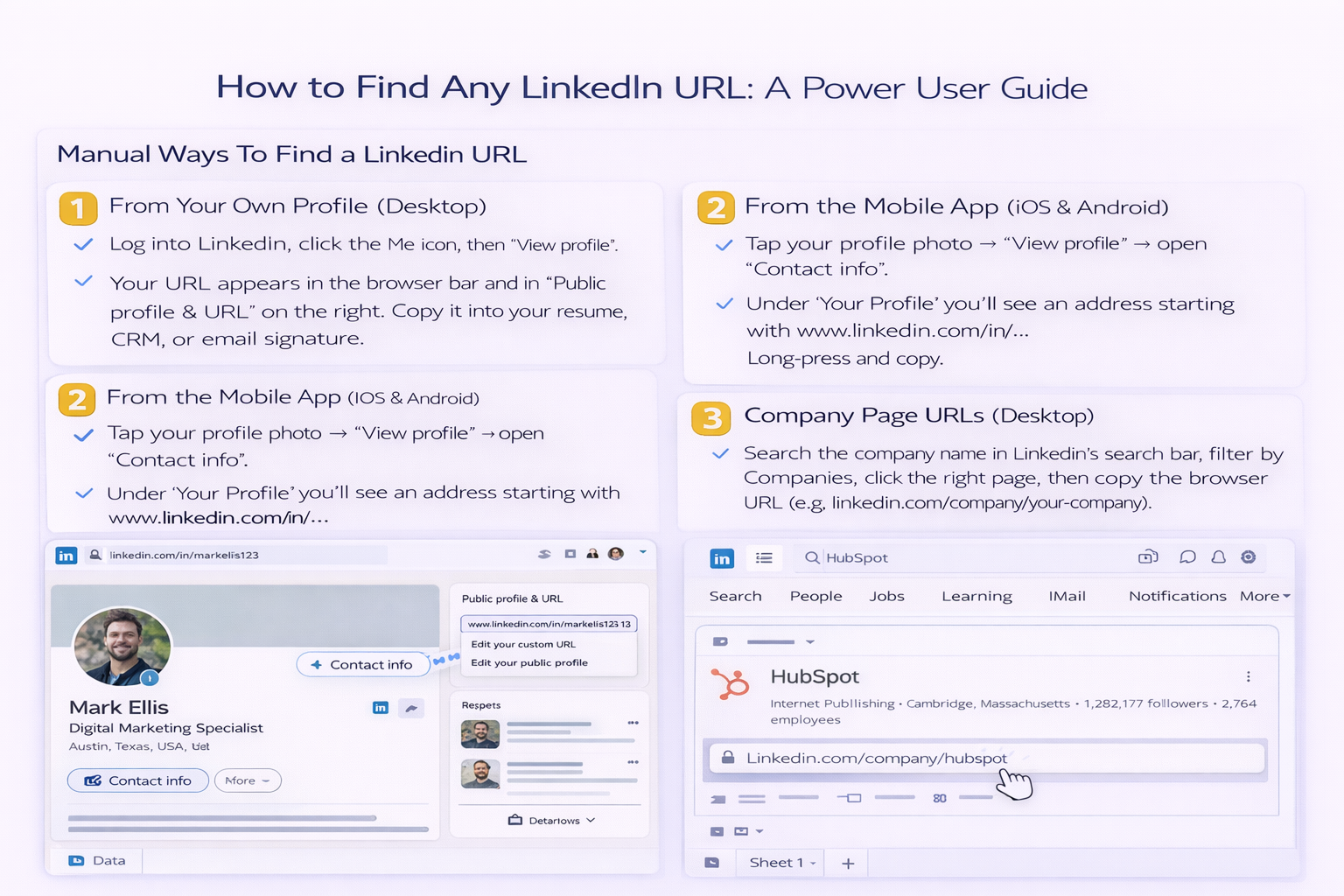
Manual steps are fine until you have a CSV of 500 leads and a deadline. This is where a Simular AI computer agent changes the game.
4. AI Agent for Batch Prospect URLs
You give Simular a spreadsheet with names, companies, and roles. The agent opens your browser, searches LinkedIn or Google, clicks into the most likely profile, checks that the role and company match, then pastes the confirmed LinkedIn URL back into your sheet.
Pros:
Cons:
5. Continuous Enrichment Workflows
Connect your CRM or lead source with a webhook. Whenever a new contact drops in without a LinkedIn URL, the Simular agent automatically runs: open browser → search → confirm → write URL back to the system. No one on your team ever opens a tab for it again.
Pros:
Cons:
In practice, the sweet spot is a hybrid: use manual methods for occasional personal tweaks, and let an AI computer agent quietly handle the repetitive LinkedIn URL mining in the background.