Oops! Something went wrong while submitting the form.
How to Post to YouTube: A Smart Automation Guide
Master how to post videos to YouTube, then hand the repetitive steps to an AI computer agent so you can focus on content, not clicking through menus.
Advanced computer use agent
Production-grade reliability
Transparent Execution
Why Automate Posting to YouTube
Posting a single video to YouTube is simple. But if you are a founder, agency, or marketer, it never stays at one video. Suddenly you are renaming files, copying descriptions, tweaking thumbnails, picking playlists, and double-checking visibility settings every day. Learning how to upload properly protects quality and brand. Then delegating those clicks to an AI agent frees your brain for scripting, strategy, and deals instead of drag-and-drop.
For most people, uploading to YouTube starts as a one-off task: drag a file in, add a title, hit publish. For a business or agency, it quickly becomes a production line. Here are the main ways to handle it.
Post Methods
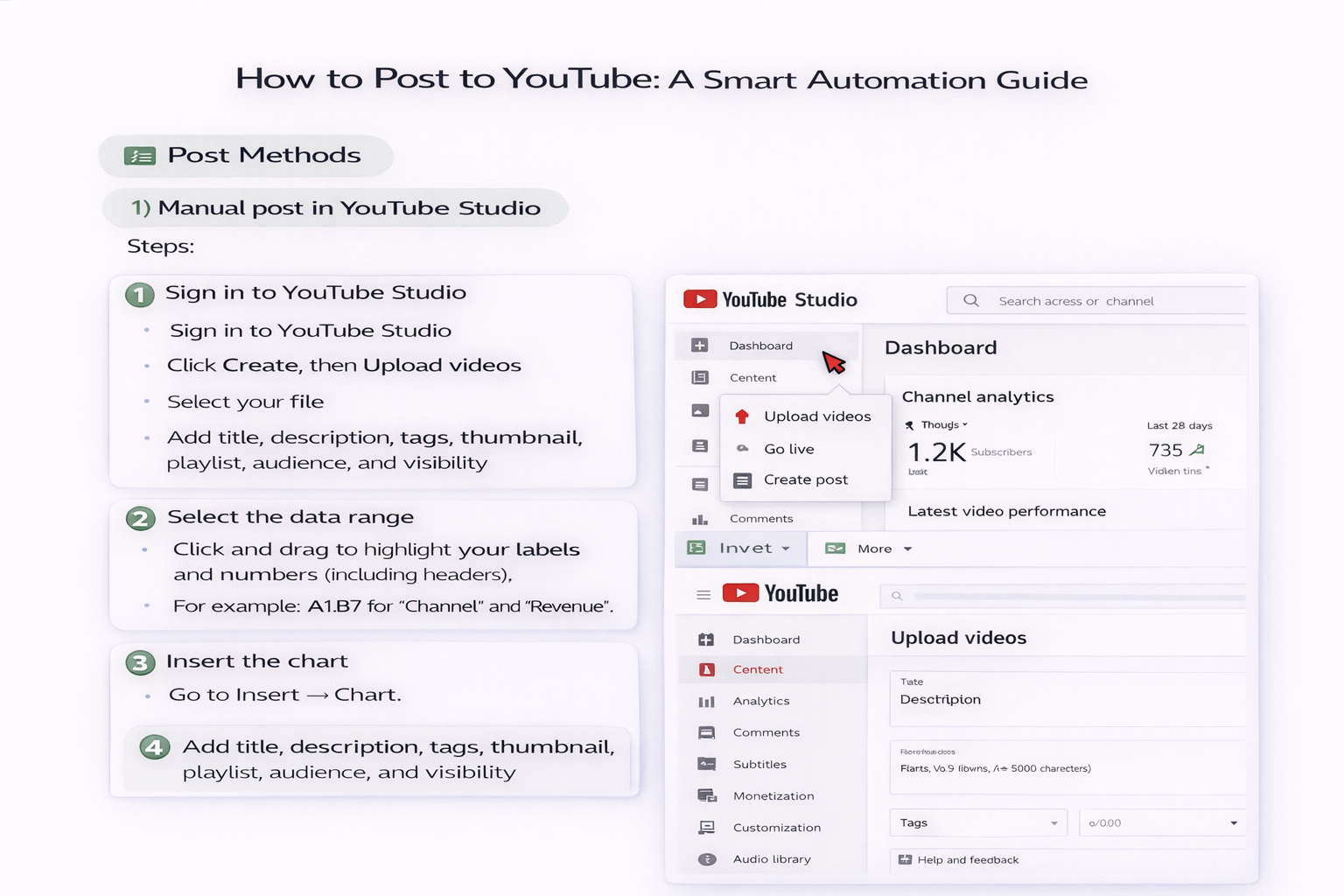
1) Manual post in YouTube Studio
Steps:
Sign in to YouTube Studio
Click Create, then Upload videos
Select your file
Add title, description, tags, thumbnail, playlist, audience, and visibility
Pros:
Full control
Easy to start
No extra tools needed
Cons:
Slow and repetitive
Error-prone when you have dozens or hundreds of videos
2) Mobile Uploads on the YouTube App
Steps:
Open the YouTube app and tap the plus icon
Choose Video
Pick a clip, trim if needed
Add basic details and tap Upload
Pros:
Great for quick, on-the-go content
Cons:
Limited fields
Harder to manage brand consistency
Not ideal for teams
3) Semi-Automated Workflows with Templates
How it works:
Create title and description templates in a doc or spreadsheet
Use browser extensions or simple scripts to paste in default descriptions, links, and tags
Pros:
Faster than pure manual
Less cognitive load
Cons:
Still requires you or your team to click through every field
Scaling to many channels is painful
4) At-Scale Automation with an AI Computer Agent Like Simular
Here the game changes. You teach the agent your exact upload workflow once:
How to open YouTube Studio
Select the right channel
Upload from a specific folder or cloud drive
Apply naming rules
Paste the right description for each series
Choose playlists, set thumbnails, language, subtitles, and schedule times
Then:
You drop finished videos into a folder or sheet
The AI agent reads your content plan, walks through the browser like a human, and completes every upload
Pros:
Massive time savings
Consistent metadata
Works across accounts
Runs while you sleep
Cons:
Requires initial setup
You should monitor early runs to ensure policy compliance and brand voice
5) Hybrid: Human Review, AI Execution
For most teams, the sweet spot is this:
Humans make creative decisions (topic, hook, thumbnail concept).
The AI agent does the mechanical work (forms, checkboxes, posts).
You keep control where it matters and automate everything else.

Scale YouTube Post With AI Agent Playbook Guide
Onboard Your Simular
Define your ideal YouTube post routine once for Simular: where videos live, how titles are structured, which playlists to use, and what default descriptions and tags to apply.
Test And Refine Runs
Run your Simular AI agent on a single YouTube post first. Watch each step, fix edge cases like Shorts vs long-form, age restrictions, and scheduling rules, then lock in those behaviors.
Automate All Posting
When the workflow is stable, delegate batches of YouTube uploads to Simular. Feed it a queue of videos and metadata so it can publish or schedule at scale while you focus on strategy.
Learn how to automate YouTube
YouTube is the world’s largest video platform, letting you upload, optimize, and share tutorials, promos, and stories with your audience in minutes.