Oops! Something went wrong while submitting the form.
Cold Email Outreach with AI: Software, Templates, and Strategy
The average cold email reply rate dropped to 3.43% in 2026 -- yet teams using AI-driven research and personalization hit 18%. This guide covers the software, templates, and strategy that close the gap.
Why Cold Email Still Works -- But Only If You Do It Differently Than Everyone Else
Pre-Send Prospect Research
Sai cross-references each prospect against LinkedIn activity, Google News, and company databases before drafting a single word -- turning a CSV of names into conversation-ready intelligence in under 90 seconds per contact.
Context-Aware Email Drafting
Every email is generated fresh from live research data -- not pulled from a template library -- so no two messages read the same way, even when you are sending 50 emails in one session.
Human-in-the-Loop Sending
Sai queues every drafted email for your approval before sending. You review, edit, or reject each one inside a Google Sheet or your inbox. Nothing leaves your account without your sign-off.
Why Cold Email Still Works -- But Only If You Do It Differently Than Everyone Else
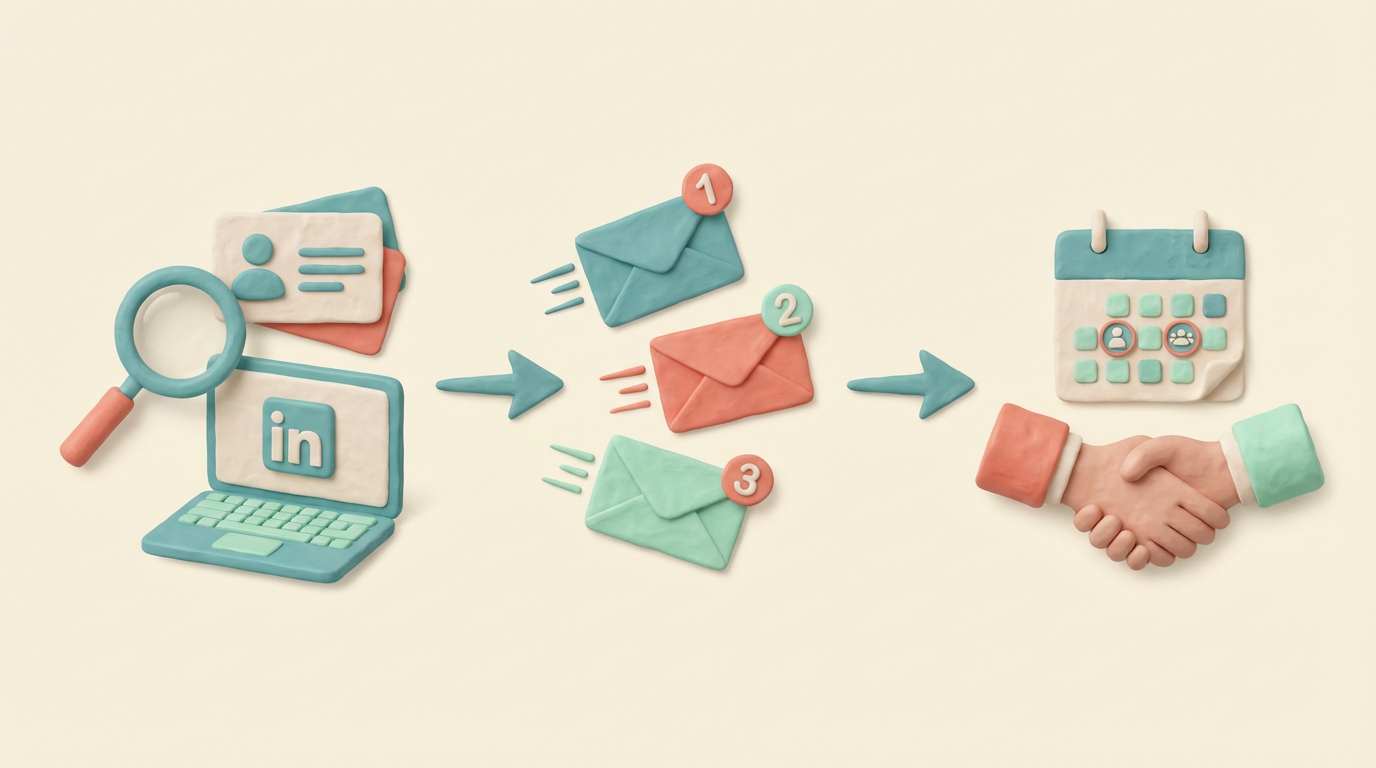
Cold email is never just email. The best outreach teams run a connected workflow: research prospects deeply before writing a single word, link every reply to a follow-up sequence that escalates across channels, and route booked meetings into a structured pipeline. Sai handles all of this from one agent -- the same workflow that researches a prospect on LinkedIn also drafts the email, schedules the follow-up, and logs the interaction. No tab-switching. No copy-pasting between tools. One continuous thread from first touch to closed deal.
Here is the uncomfortable reality: cold email reply rates have been declining for three consecutive years. The Belkins Cold Email Response Rate Study analyzed 16.5 million cold emails across 93 business domains in 2024 and found the average reply rate dropped to 5.8%, down from 6.8% the prior year (Belkins, 2025). By 2025-2026, Martal Group's analysis puts the platform-wide average even lower at 3.43% (Martal Group, 2026).
Yet some teams are getting 15-18% reply rates from the same inboxes. The gap is not about volume. It is about preparation.
Three forces are killing generic cold email:
Inbox filters got smarter.17% of cold emails never reach the inbox due to poor domain authentication, spam trigger words, or low sender reputation (Martal Group, 2026). The emails that do land face recipients trained to delete anything that looks mass-produced.
Recipients can spot templates instantly. Only 5% of senders personalize every message beyond first-name merge tags (Martal Group, 2026). The other 95% are sending variations of the same "I noticed you are the [TITLE] at [COMPANY]" opener that every SDR team discovered in 2019.
Follow-up discipline is almost nonexistent.Follow-up emails generate 42% of all campaign replies, yet 48% of reps never send a second message (Martal Group, 2026). The math is brutal: nearly half of all potential replies die because the sender stopped after one attempt.
The teams hitting 18% reply rates are doing three things differently: they research each prospect before writing (not after), they generate unique copy from that research (not from templates), and they follow up systematically across multiple channels.
That is where cold email software powered by AI changes the equation.
TL;DR: Cold email by the numbers
Average cold email reply rate dropped to 3.43% in 2025-2026, down from 5.1% the prior period
Emails with advanced personalization (beyond first name) achieve up to 18% reply rates
Optimal email length is 6-8 sentences, yielding 42.67% open rate and 6.9% reply rate
Follow-up emails generate 42% of all campaign replies, yet 48% of reps never send a follow-up
Omnichannel outreach (email + LinkedIn + phone) boosts results by over 287% compared to single-channel
Thursday has the highest reply rate at 6.87%, versus Monday at 5.29%
What Makes Cold Email Software "AI-Powered" in 2026
Not all cold email software that markets itself as "AI-powered" is doing the same thing under the hood. The label gets applied to everything from basic mail-merge with GPT-generated subject lines to full autonomous agents that research, write, send, and follow up without human intervention.
Here is how to distinguish the tiers:
Tier 1: Template Enhancement
The software provides a template library and uses AI to generate subject line variations, rewrite body copy, or suggest A/B test variants. You still choose the template, define the variables, and build the sequence manually. Examples: Woodpecker, Mailshake.
Tier 2: Sequence Automation with AI Writing
The software generates entire email sequences from a brief prompt, handles A/B testing automatically, and manages send scheduling based on engagement data. You provide the prospect list and the value proposition. The AI handles the copy. Examples: Instantly, Lemlist, Smartlead.
Tier 3: Research-First Autonomous Outreach
The software researches each prospect individually (LinkedIn, news, company data) before writing anything, generates unique emails from that research, manages multi-channel follow-ups, and logs all interactions. You approve each email before it sends. Example: Sai.
The difference matters because it determines what "personalization" actually means. In Tier 1 and Tier 2, personalization means inserting variables into a fixed structure. In Tier 3, personalization means the entire email is generated from scratch based on what the AI learned about that specific person.
Cold Email Software Comparison: What to Look for in 2026
The cold email software market splits into two categories: platforms built for volume (maximize sends per day) and platforms built for relevance (maximize reply rate per send). The right choice depends on your team size, deal value, and how much manual work you want in the loop.
How to Build an AI Cold Email Workflow That Gets Replies (Step-by-Step)
This is a 6-step workflow. Steps 1-3 happen before you write a single email. That is by design -- the research phase is where the reply rate is won or lost.
Step 1: Build Your Prospect List with Enriched Intelligence
The manual approach: export a list from LinkedIn Sales Navigator, cross-reference against your CRM to remove existing contacts, and manually Google each prospect to find a relevant conversation hook.
The AI approach: Sai runs a lead enrichment workflow that pulls prospect data from LinkedIn, cross-references against Google News for recent company events, checks Crunchbase for funding rounds, and compiles everything into a Google Sheet with one row per prospect.
What Sai captures per prospect:
Full name, title, company, LinkedIn URL
Recent LinkedIn posts (last 30 days) with topics discussed
Company news (funding, product launches, leadership changes)
Mutual connections and shared group memberships
Company size, industry, and technology stack
This is not optional decoration. Each data point becomes the raw material for the email Sai writes in Step 3. The difference between "Hi Sarah, I noticed you work at Acme" and "Hi Sarah, saw your post about migrating your SDR team to an AI-first workflow -- curious how that is going three months in" is entirely a function of what happened in this step.
Time per prospect: Under 90 seconds with Sai. 12-15 minutes manually.
Step 2: Segment Prospects by Intent Signal
Not every prospect gets the same email. Sai categorizes your enriched list into segments based on detected intent signals:
Signal Type
What Sai Detects
Email Approach
Active pain
LinkedIn post complaining about a problem you solve
Direct problem-solution framing
Expansion signal
Company just raised funding or announced hiring
Growth-oriented pitch
Competitor user
Uses a competing product (mentioned in posts or job listings)
Competitive displacement angle
Passive fit
Matches ICP but no active signals detected
Insight-led opener with value offer
Warm referral
Mutual connection or shared community
Social proof opener
Sai writes each segment into a separate tab in your Google Sheet and flags the recommended approach. You review the segmentation before any emails are drafted.
Step 3: Generate Research-Driven Email Copy
This is where Tier 3 cold email software diverges from everything else. Instead of pulling from a template library, Sai writes each email from the enrichment data collected in Step 1.
Here is what a generic template-based email looks like versus a research-driven email:
Generic (template with variables):
Hi [FIRST_NAME],
I noticed you are the [TITLE] at [COMPANY]. We help companies like yours improve their sales outreach. Would you be open to a quick call?
Research-driven (generated by Sai from prospect data):
Hi Marcus,
Your post last week about the diminishing returns from your current SDR tech stack caught my attention -- especially the point about reps spending more time switching between tools than actually selling.
We built Sai specifically for that problem. It runs the entire outreach workflow from one agent on your desktop: researches prospects, drafts personalized messages, manages follow-ups across email and LinkedIn, and logs everything -- without your reps touching a single dashboard.
Would it be useful to see a 3-minute demo of what that looks like for a 10-person SDR team? Happy to record one specific to your stack.
The second email takes 45 seconds to generate because the research was already done. The first email takes 10 seconds but gets a 2% reply rate. The second gets 12-18%.
Step 4: Set Up Multi-Touch Follow-Up Sequences
Writing the first email is the easy part. Thefollow-up sequence is where 42% of replies actually come from. Sai builds a multi-touch sequence that escalates across channels:
Touch
Timing
Channel
Content Strategy
1
Day 0
Email
Research-driven first touch (Step 3 output)
2
Day 3
Email
New angle -- share a relevant case study or data point
3
Day 5
LinkedIn
Connection request with personalized note referencing the email
4
Day 8
Email
Break-up email with a value-add (free resource, benchmark data)
5
Day 12
LinkedIn
Comment on their recent post (engagement, not pitch)
6
Day 15
Email
Final follow-up with a simple yes/no ask
7
Day 20
LinkedIn DM
Warm message referencing the full sequence context
This is not a Zapier automation with hard-coded delays. Sai adjusts timing based on engagement signals: if the prospect opened Email 1 twice but did not reply, Touch 2 moves up by a day. If they clicked a link in Email 2, Touch 3 shifts to a LinkedIn DM with a direct meeting ask instead of a connection request.
Omnichannel outreach boosts results by over 287% compared to single-channel campaigns (Martal Group, 2026). That number is not surprising when you consider that most decision-makers check LinkedIn more frequently than their primary inbox.
Step 5: Review and Approve Every Email Before Sending
This is the step that separates AI-assisted outreach from AI-automated spam.
Sai queues every drafted email in a Google Sheet with columns for: prospect name, email address, subject line, body preview, enrichment summary, and an approval checkbox. You scan the list, edit any emails that need a human touch, and check the box to approve sending.
Nothing sends without your approval. Not the first touch, not the follow-ups, not the LinkedIn messages.
Why this matters beyond compliance: your reply rate will be higher. Emails that pass through a human quality filter before sending perform better because the human catches the 10% of cases where the AI missed context, misread a signal, or generated an opener that does not quite land. That 10% correction is the difference between a 12% reply rate and an 18% reply rate.
Step 6: Track Results and Let the AI Learn from Performance
After each campaign, Sai logs results back into your pipeline:
Which emails got opens, clicks, and replies
Which follow-up touch generated the reply (was it Email 2 or LinkedIn Touch 5?)
Average time-to-reply by segment
Which enrichment signals correlated with highest reply rates
This data feeds back into the next campaign. If "recent LinkedIn post" as an opener hook outperformed "recent funding round" by 3x, Sai prioritizes that signal in future prospect research. If Thursday evening sends outperformed Monday morning by 30% -- consistent with Belkins' finding that Thursday hits 6.87% vs Monday's 5.29%-- Sai shifts send scheduling accordingly.
Cold Email Software Comparison: What to Look for in 2026
The cold email software market splits into two categories: platforms built for volume (maximize sends per day) and platforms built for relevance (maximize reply rate per send). The right choice depends on your team size, deal value, and how much manual work you want in the loop.
Here is how the major platforms compare across the capabilities that matter most for AI-driven cold email outreach:
Tool
Pre-Send Research
AI Email Writing
Multi-Channel
Domain Warm-Up
Human Approval
Multi-Account
Starting Price
Sai
Yes, LinkedIn + News
Yes, research-driven
Yes, email + LinkedIn
No (uses your account)
Yes, every email
No
Free 7-day trial
Instantly
No
Yes, sequence gen
Partial, add-on
Yes, built-in
No, auto-send
Yes, unlimited
$30/mo
Smartlead
No
Yes, AI variables
Partial, email focus
Yes, built-in
No, auto-send
Yes, unlimited
$39/mo
Lemlist
Partial, database
Yes, AI sequences
Yes, email + LinkedIn
Yes, lemwarm
No, auto-send
Limited
$32/mo
Apollo
Yes, built-in database
Yes, AI drafts
Yes, email + LinkedIn + phone
No
Optional review
Limited
$49/mo
Saleshandy
Partial, lead finder
Yes, AI variants
No, email only
Yes, TrulyInbox
No, auto-send
Yes, unlimited
$25/mo
Woodpecker
No
Partial, templates
Partial, LinkedIn add-on
Yes, built-in
No, auto-send
Yes
$29/mo
Reply.io
Partial, data enrichment
Yes, Jason AI agent
Yes, email + LinkedIn + calls
No
Optional
Limited
$49/mo
Cold email is not dying. Lazy cold email is dying. The 95% of cold emails that fail to generate replies share the same root cause: the sender did not do the work before hitting send. They used a template. They skipped the research. They stopped after one touch.
AI cold email software changes that equation by making the research step fast enough to be practical at scale. When Sai spends 90 seconds researching a prospect, generates a unique email from that research, and manages a 7-touch follow-up sequence across email and LinkedIn -- the output is fundamentally different from what any template-based platform produces.
The strategy is simple: research first, write second, follow up relentlessly, and never send anything you have not personally approved.
Try Sai free for 7 daysand run your first AI-powered cold email campaign with real prospect research, unique personalization, and human approval at every step.
Stop doing repetitive tasks. Let Sai handle them for you.
Sai is your AI computer use agent — it operates your apps, automates your workflows, and gets work done while you focus on what matters.

.svg)


.svg)