Oops! Something went wrong while submitting the form.
How to Use AI for Code Reviews: Automate PR Feedback Without Missing Bugs
Manual code reviews catch bugs but drain your team's time. Learn how AI automates PR feedback — from security flaws to style issues — so you ship faster without the bottleneck. Try it free.
Open Sai and say "Review PR #247 in our frontend repo."
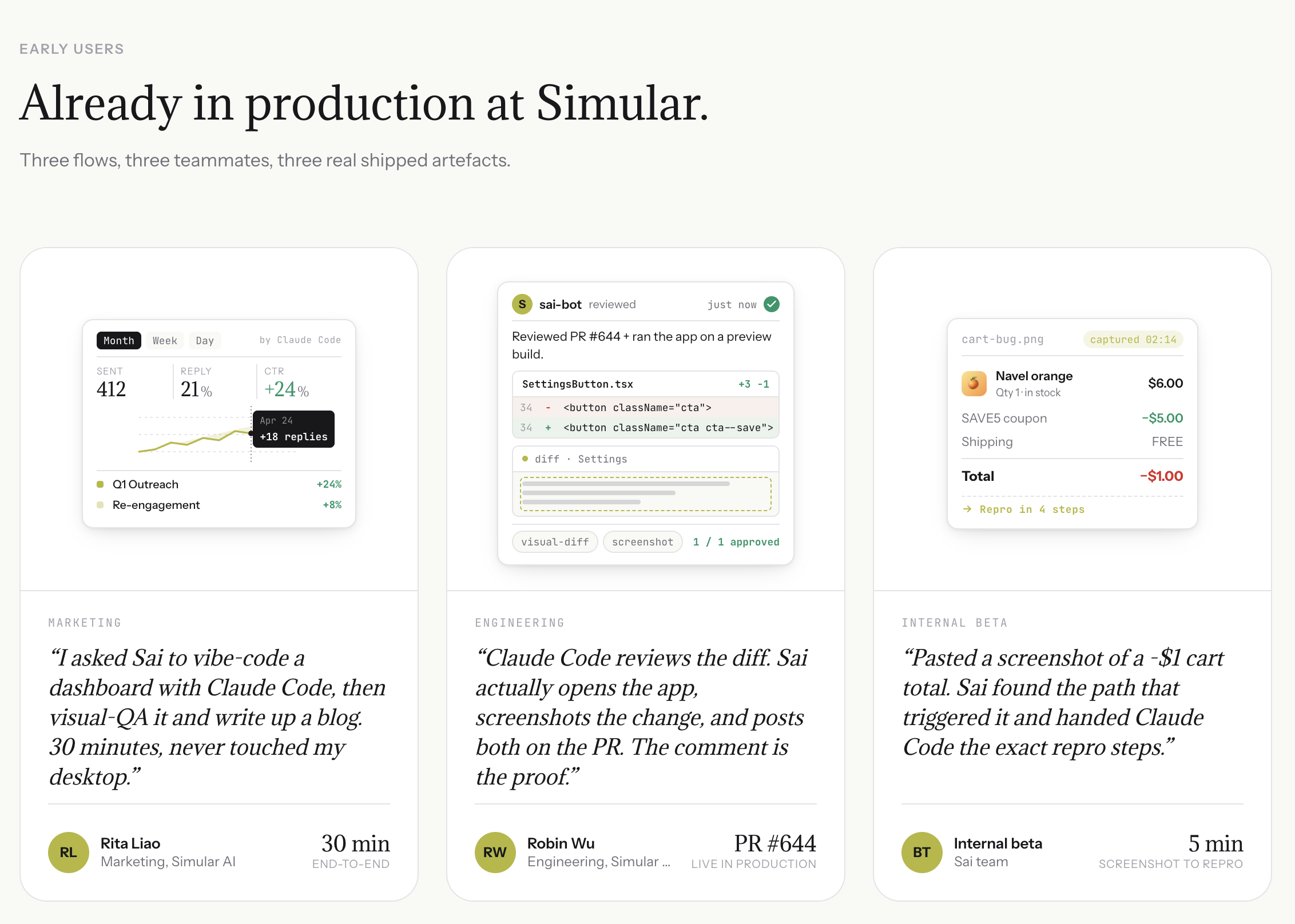
Sai pulls the diff, runs code analysis with Claude Code, tests affected user flows on staging, and posts a complete review with inline code comments and behavioral evidence (screenshots, steps to reproduce, console errors).
Set up automated review by saying "Monitor the main branch of our API repo and review every PR automatically."
Sai watches for new PRs, runs the full review pipeline (code analysis + behavior testing), and drafts a review for your approval before posting.
Create a review schedule by telling Sai "Every morning, check for open PRs in our three main repos and send me a summary with review priorities."
Sai triages PRs by risk level (security changes, database migrations, and auth logic get flagged as high priority), so you review the critical ones first.
What Is Code Review and Why It Still Matters
Code review is the systematic examination of source code by someone other than the original author. The goal is to catch bugs, improve code quality, share knowledge across the team, and maintain codebase consistency.
These fundamentals have not changed. What has changed is the volume and nature of the code being reviewed.
AI coding assistants now generate 30-60% of code in many teams. Developers using GitHub Copilot accept suggestions 30% of the time according to GitHub's own research. This means reviewers are increasingly evaluating code they did not see being written, by an author (AI) that cannot explain its reasoning when asked.
Three problems emerge:
Volume overload. More code generated faster means more PRs to review, with no increase in reviewer capacity.
Deceptive correctness. AI-generated code often looks syntactically perfect but contains subtle logic errors, hardcoded assumptions, or missing edge cases.
Context blindness. The AI that wrote the code does not know your business rules, your deployment constraints, or that the function it just generated duplicates logic in another service.
Manual code review alone cannot keep up. But replacing human reviewers entirely with AI tools creates a different risk: tools that catch pattern-level errors but miss application-level behavior. The answer is layering — assigning the right review tasks to the right reviewer (human, tool, or agent).
The Code Review Checklist Every Team Needs
Before introducing AI tools, teams need a clear framework for what a code review should cover. Most checklists focus on style and syntax. A complete checklist includes four layers:
Review Item
What to Check
Best Owner
Formatting and style
Indentation, naming conventions, import order, line length
Authorization bypass, privilege escalation, data exposure in new endpoints
AI Review Tool + Human
Test coverage
New functions have tests, edge cases covered, mocks are realistic
AI Review Tool + Human
Behavior verification
UI renders correctly, user flows work end-to-end, calculations match specs
AI Agent
Visual regression
Layout shifts, broken responsive design, missing elements on staging
AI Agent
Architecture and design
Module boundaries, dependency direction, API contract consistency
Human
Product intent
Does this solve the right problem? Should we build this at all?
Human
This checklist is deliberately structured as a progression. Each layer builds on the previous one. A linter handles formatting so humans can focus on logic. An AI review tool handles boilerplate pattern detection so humans can focus on architecture. An AI agent handles behavior verification so humans can focus on product decisions.
How Manual Code Reviews Work (and Where They Break Down)
The manual peer review process at most teams follows a predictable pattern:
Developer opens a pull request with a description of changes.
One or two reviewers are assigned (or volunteer).
Reviewers read the diff, file by file.
Reviewers leave inline comments on specific lines.
Developer responds to comments, makes changes, pushes updates.
Reviewer approves. PR merges.
This process works well for small teams with moderate velocity. It breaks down at scale for three reasons:
Review latency. The median time from PR opened to first review comment is 24 hours at most companies. For large PRs (500+ lines), it can take 48-72 hours. This latency compounds when reviewers request changes and the cycle repeats.
Inconsistent depth. Under time pressure, reviewers skim. A 2023 study from Microsoft Research found that reviewers spend an average of 10 minutes per review regardless of PR size — meaning a 50-line PR gets the same attention as a 500-line PR.
Knowledge silos. When only one person understands a subsystem, they become the bottleneck reviewer. If they are on vacation or overloaded, PRs stack up.
None of these problems are solved by telling developers to "review more carefully." They require structural solutions — tools and agents that handle the reviewable-by-machine parts so humans focus on the parts only humans can evaluate.
Code Review Tools: Linters, SAST, and Static Analysis
The first automation layer is deterministic tooling. These are not AI — they apply fixed rules to code.
Linters (ESLint, Pylint, Rubocop, Clippy) enforce style consistency and catch common mistakes. They are fast, predictable, and free. Every team should have linters running in CI.
Static Application Security Testing (SAST) tools (SonarQube, Semgrep, Snyk Code, CodeQL) scan code for known vulnerability patterns — SQL injection, XSS, insecure deserialization, hardcoded secrets. They operate on the AST (abstract syntax tree) and apply pattern matching against known vulnerability databases.
Type checkers (TypeScript, mypy, Flow) catch type mismatches at compile time that would otherwise surface as runtime errors in production.
These tools are essential but limited. They catch what can be expressed as a rule. They cannot evaluate:
Whether a function's logic matches the product requirement it was built for
Whether a new API endpoint handles authorization correctly in all edge cases
Whether a UI change introduces a visual regression
Whether a database query will perform acceptably at production scale
For those evaluations, you need AI.
AI Code Review Tools: How They Work and What They Catch
AI code review tools sit between static analysis and human reviewers. They use large language models to understand code semantics — not just patterns, but meaning.
Here is how the leading tools compare:
Tool
Type
Pricing
Platforms
Standout Feature
CodeRabbit
AI review bot
Free (open source) / $12/seat/mo
GitHub, GitLab, Bitbucket
Line-by-line contextual review with learning from past PRs
Greptile
AI review bot
Free (beta) / from $40/dev/mo
GitHub, GitLab
Full codebase indexing for cross-file context
GitHub Copilot
IDE assistant + review
$10/mo Individual / $19/mo Business
GitHub only
Native GitHub integration, code review in PR interface
Graphite
PR management + AI review
Free / Team $25/seat/mo
GitHub
Stacked PRs with AI-assisted review and merge queue
Qodo (CodiumAI)
AI review + test generation
Free / Teams from $19/seat/mo
GitHub, GitLab, VS Code, JetBrains
Auto-generates tests alongside review suggestions
Claude Code (/review)
AI coding agent with review
Usage-based (Claude API)
Terminal, any Git repo
Deep code understanding with subagent architecture
Sai
AI agent with behavior testing
Free / Pro $20/mo
macOS, Windows (cloud desktop)
Reviews code AND tests application behavior on staging
How AI code review tools work. When a PR is opened, the tool pulls the diff (and often the surrounding file context), sends it to an LLM, and generates inline comments. Better tools also analyze the full repository context — understanding how the changed function interacts with other parts of the codebase.
What they catch that linters miss:
Logic errors. "This function returns early on line 47, so the cleanup code on line 52 never executes."
Missing edge cases. "This handler does not account for empty arrays, which will cause a TypeError in production."
Security issues with context. "This API endpoint accepts user input but does not validate the role field, allowing privilege escalation."
Performance concerns. "This database query inside a loop will generate N+1 queries. Consider batching."
Documentation gaps. "This public function has no JSDoc and the parameter names are ambiguous."
What AI review tools still miss. Every tool in the table above operates on the same input: the code diff and surrounding file context. They read code. They do not run code. This creates a fundamental blind spot.
How to Automate Code Review with an AI Agent
An AI agent does not just read the diff. It operates a computer. It can open a browser, navigate to your staging environment, interact with the UI, take screenshots, and verify that the code change produces the expected behavior.
Here is the difference in practice:
Review Capability
Manual Reviewer
Linter / SAST
AI Review Tool
AI Agent (Sai)
Reads the diff
Yes
Yes
Yes
Yes
Understands full repo context
Partial
No
Yes
Yes
Catches style violations
Inconsistent
Yes
Yes
Yes
Detects known vulnerability patterns
Sometimes
Yes
Yes
Yes
Finds logic errors
Yes (when focused)
No
Yes
Yes
Suggests performance improvements
Senior only
Limited
Yes
Yes
Runs the application
Sometimes
No
No
Yes
Tests user flows on staging
Rarely
No
No
Yes
Captures screenshots as evidence
No
No
No
Yes
Evaluates architecture decisions
Yes
No
Partial
Partial
Assesses product-level intent
Yes
No
No
No
With Sai, the code review workflow becomes a closed loop:
PR is opened. Sai detects the new pull request.
Diff analysis. Sai reads the changed files and identifies what functionality is affected.
Context gathering. Sai checks related issues, previous conversations, and deployment logs.
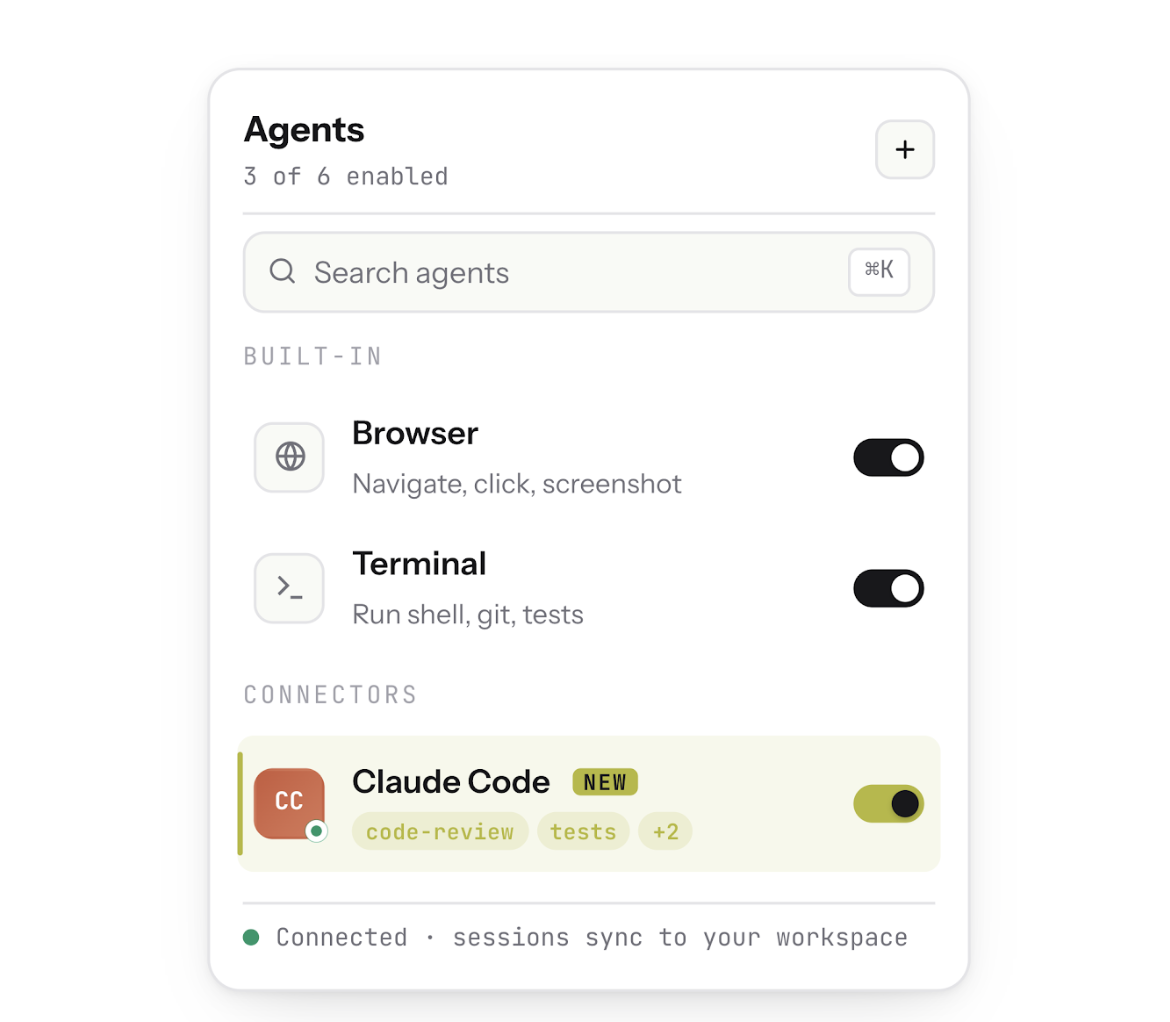
Code review. Sai runs Claude Code's /review command to catch code-level issues — syntax errors, logic gaps, security patterns.
Behavior testing. Sai opens a browser, navigates to the staging deployment, and tests the affected user flows.
Evidence collection. Sai takes screenshots, records steps to reproduce, and captures console errors.
Report generation. Sai compiles a review with code-level comments AND behavior-level evidence.
PR comment. Sai posts the full review as a PR comment with screenshots attached.
The key insight: steps 1-4 are what every AI code review tool does. Steps 5-8 are what only an AI agent with computer access can do. For a detailed walkthrough of the Claude Code integration that powers steps 3-4, see: Sai Now Runs Claude Code.
Step-by-Step: Set Up AI-Powered Code Review with Sai
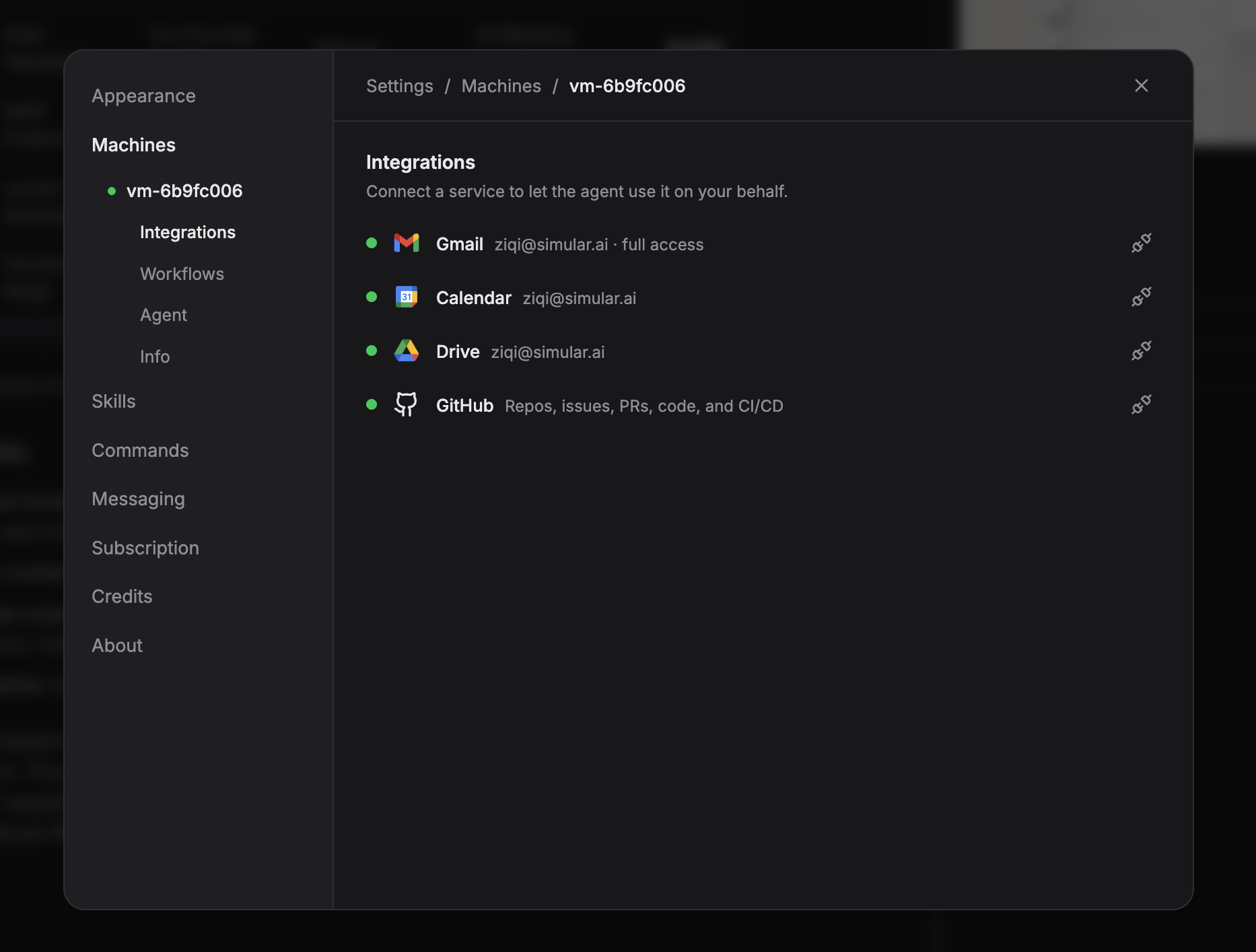
Step 1 — Connect your GitHub repository. In Sai, connect your GitHub account. Sai accesses your repositories through the GitHub API — reading PRs, diffs, issues, and CI/CD results. No code leaves your infrastructure; Sai reads diffs through the API the same way any GitHub App does.
Step 2 — Define your review scope. Tell Sai which repositories and branches to monitor. Example: "Review all PRs targeting the main branch in our frontend repo." You can set review triggers — every PR, only PRs over 100 lines, only PRs touching specific directories, or only PRs from AI coding tools.
Step 3 — Set code review rules. Define what your team cares about. Sai applies these as review criteria:
Security: Check for hardcoded secrets, SQL injection patterns, unvalidated user input
Performance: Flag N+1 queries, unbounded loops, missing pagination
Testing: Require test coverage for new public functions
Architecture: Enforce module boundaries and import restrictions
Business logic: Verify calculations match documented requirements
Step 4 — Configure behavior verification. This is what separates Sai from every other tool. Point Sai at your staging environment URL. Define critical user flows to test:
Dashboard: data loads correctly, filters work, export generates valid files
When a PR changes code that affects these flows, Sai does not just review the diff. It opens a browser, runs through the flow on staging, and captures screenshots of every step.
Step 5 — Set up notifications. Choose where Sai posts reviews: as GitHub PR comments, Slack messages, or both. Configure urgency levels — critical security issues trigger immediate Slack alerts; style suggestions are posted as PR comments only.
Step 6 — Approve and monitor. Sai always asks for approval before posting PR comments or sending messages. You review the draft comment, approve or edit, and Sai posts it. Over time, you can configure auto-approval for low-risk findings (style, documentation) while keeping approval required for security and logic findings.
For teams already using Claude Code for development, the integration is seamless — Sai runs Claude Code's /review command as part of its analysis pipeline. See the full setup guide in our Claude Code review walkthrough.
Stop doing repetitive tasks. Let Sai handle them for you.
Sai is your AI computer use agent — it operates your apps, automates your workflows, and gets work done while you focus on what matters.

.svg)

.svg)