Top Best Computer Use Agent Alternatives for Sales

Most founders, agency owners, and sales leaders all share the same quiet fantasy: finishing the day with the work done, the CRM up to date, the reports ready—without staying up past midnight clicking through tabs. The first time you watch a computer-use agent take over your screen and do the busywork for you, it feels a bit like hiring a tireless, invisible assistant.

The “best computer use agent” tools promise exactly that: agents that can see your screen, move the cursor, type into your apps, and follow multi-step playbooks across browser and desktop. Done right, they can prospect on LinkedIn, log activities in your CRM, pull reports, and even assemble client-ready decks while you’re in meetings. Done poorly, they become what PCMag bluntly called buggy, slow, privacy headaches—more babysitting than delegation.

In this guide we’ll look at the current wave of best computer use agent alternatives: how they actually behave in real-world workflows, where they shine for revenue teams and marketers, and where the fine print lives. We’ll pull from hands-on reviews like PCMag’s skeptical look at agents, brutally honest testing like Coasty’s benchmark of major agents, and practitioner reports such as Allie K. Miller’s review of 10+ agents to ground the hype in reality.

At their core, the best computer use agents are AI systems that can control your computer like a human: clicking, typing, scrolling, copying data between tools, and even operating terminals and APIs. They’re used for sales research, pipeline hygiene, marketing reporting, inbox triage, document prep, and more. The upside is huge—massive time savings and fewer dropped balls—while the tradeoffs tend to cluster around reliability, safety, and setup complexity. This article is your shortcut through that maze.

How we evaluated

Sales automation fails in predictable places, so we scored against the five that break deals rather than the ones that look good on stage.

  • Unattended execution. Can the agent run a workflow on a schedule, on its own, and finish it — or does it stop and ask a human every few steps? Any agent can do a task once. Doing it every morning is a different product.
  • Scope of control. Browser-only, or the whole computer? If your quota model lives in a local spreadsheet and your QBR deck lives in PowerPoint, a cloud browser cannot finish the job.
  • Reliability over long runs. A 40-step CRM hygiene pass is not a 4-step demo. We looked for consistent execution and recovery when a page loads slowly or a modal appears.
  • Control and visibility. Can you see every action it took? Can you require approval before it emails a customer, edits a closed-won record, or spends money?
  • Time to value. How much engineering stands between signing up and a working workflow — an afternoon of chat, or a sprint of integration work?

Comparison Summary

Tool Pricing model Best for Runs unattended? Scope of control
Sai by Simular Free tier; Pro and Team plans; enterprise pricing on request Sales, RevOps and agency teams that need the same multi-app workflow run every day without supervision Yes — scheduled runs, trigger-based runs, and approval checkpoints on sensitive steps Full computer: browser, desktop apps, files, and connected APIs
OpenAI Operator / ChatGPT agent Bundled into higher-tier ChatGPT subscriptions Individual reps running ad-hoc research and form-filling inside a browser Partially — sessions are interactive and hand control back often Cloud browser only
Manus Credit-based; free starting allowance Solo operators and creators automating research-heavy, document-heavy personal work Yes, for pre-defined tasks Cloud sandbox with an opt-in bridge to local files
Computer Agents Usage-based; free start tier Product and engineering teams embedding agentic compute into their own software Yes, via API and webhook orchestration Cloud virtual machines; not your laptop
Anthropic Claude computer use Per-token API pricing Developers building a bespoke agent and willing to own the harness Only what you build around it Whatever virtual desktop you give it, driven by screenshots

1. Sai by Simular — best for sales teams that need the work done every day

Meet Sai. Your autonomous computer.

Any agent can do it once. Sai does it every day, unattended, and gets better and faster each run.

Sai is built by Simular, an AI research company whose agent work is public: the open-source Agent S framework and reinforcement-learning research on computer-use agents sit underneath the product. That research lineage shows up as the thing sales teams actually care about — runs that hold together past step thirty.

What separates Sai from a browser agent is scope. It operates the real computer: web apps, desktop applications, local files, and connected services through APIs and MCP. A single Sai run can pull the week’s closed deals from the CRM, reconcile them against a spreadsheet on the machine, rebuild the pipeline slide, and drop the summary into Slack — without a human stitching the steps together.

The second difference is that it does not need you present. Workflows run on a schedule or on a trigger, report back through the channels your team already uses, and pause for approval on the steps you mark sensitive. Skills learned once are reusable, so the second run of a workflow is faster than the first.

Zero set-up — No complicated API integration. Chat to Sai and it handles the browser and apps like you would.

Pros

  • Runs unattended on a schedule — the only tool here designed around recurring, unsupervised work rather than one-off sessions.
  • Full-computer scope: browser, desktop apps, local files, and APIs in the same workflow.
  • Approval checkpoints and a visible action log, so security review has something to approve.
  • No integration project. Describe the workflow in chat; reusable skills mean it compounds instead of being rebuilt each time.
  • Free tier to test a real workflow before committing — see pricing.

Cons

  • Newer than the incumbent RPA platforms, so the third-party consultant ecosystem is smaller.
  • Teams wanting deterministic, code-defined pipelines may prefer a traditional workflow engine for the simplest API-to-API steps.

Best for: sales, RevOps, agency and operations teams who want the same multi-app workflow executed every day without anyone supervising it. Compare directly: ChatGPT vs Sai.
2. OpenAI Operator / ChatGPT agent mode — best for ad-hoc browser tasks

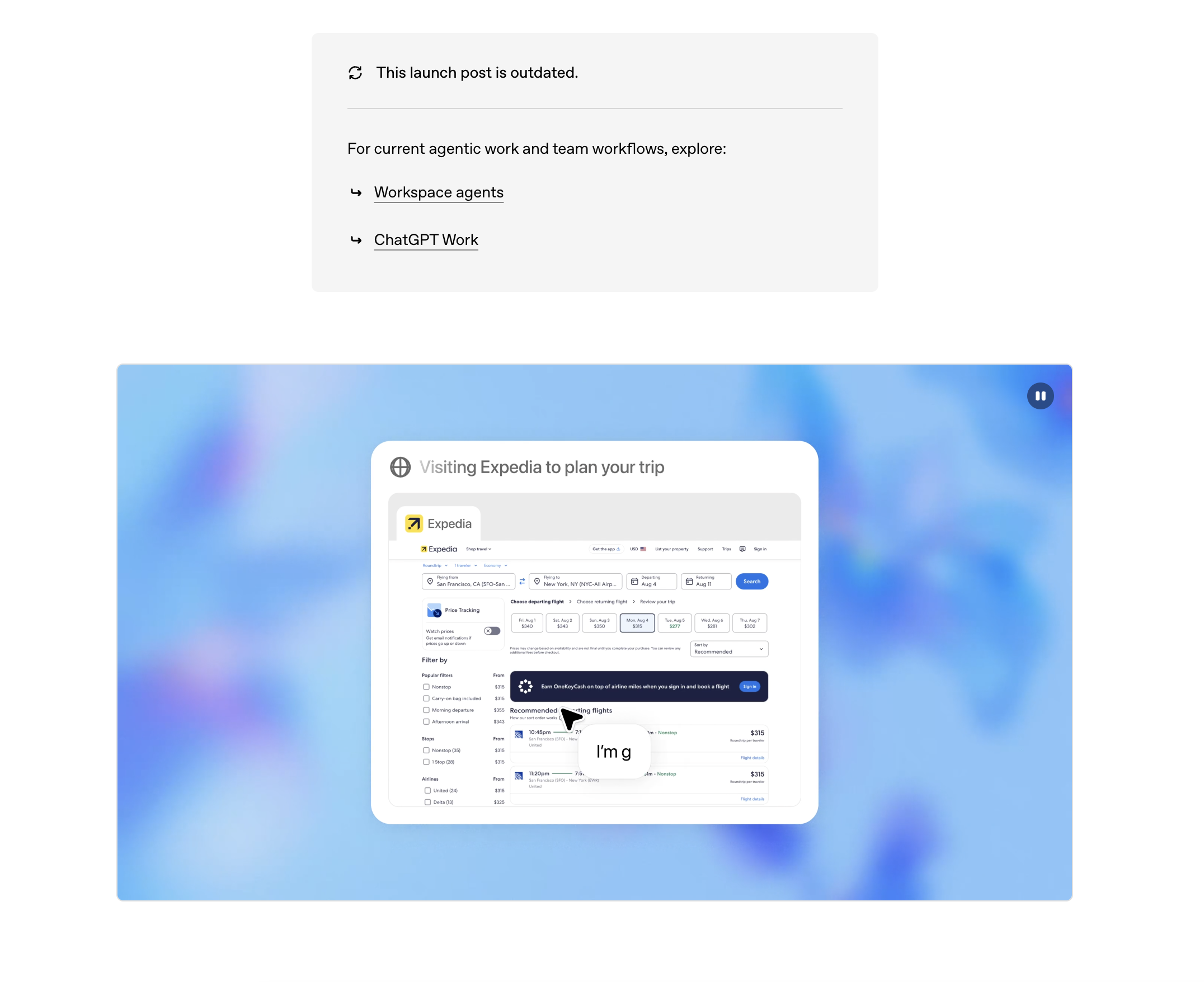
Operator, now folded into ChatGPT’s agent mode, gives ChatGPT a browser of its own. You state a goal — “compare these three competitors’ pricing pages and summarise the differences” — and it navigates, clicks and reads, handing control back when it needs you.

Pros

  • The most familiar interface in the category for non-technical reps: it is ChatGPT with a browser attached.
  • Strong web navigation and recovery on standard public sites.
  • Natural fit if your stack already sits on OpenAI.

Cons

  • Browser-only. No access to your desktop, local files, or native app clients.
  • Built around interactive sessions, not scheduled unattended runs — it hands control back rather than finishing alone.
  • Tied to higher-tier subscriptions, and heavy daily use adds up.

Best for: individual reps doing occasional research and form-filling, with a human at the keyboard.

3. Manus — best for research-heavy solo workflows

Manus runs an agent in a cloud sandbox that can plan and execute long tasks, with an opt-in bridge to folders on your own machine. It is strong on the research-to-artifact loop: gather sources, structure them, produce a document or a small app at the end.

Pros

  • Good at long-horizon research and content assembly with visible intermediate steps.
  • Reaches local files when you grant folder access, which most cloud agents cannot.
  • Approachable setup for non-developers.

Cons

  • Credit-based pricing gets expensive on large, frequent jobs — the shape of most sales-ops automation.
  • Designed around a personal workspace rather than a team’s recurring production workflows.
  • Less governance and audit depth than teams under security review will want.

Best for: solo operators and creators automating personal, document-heavy work.

4. Computer Agents — best for engineering teams embedding agentic compute

Computer Agents is an agentic compute platform: persistent cloud machines your own software can drive through an API and SDK. It is infrastructure, not an end-user assistant.

Pros

  • Clean API and SDK surface for product teams building agent features of their own.
  • Persistent workspaces suit long-running, repeatable jobs.
  • Enterprise-shaped controls: data boundaries, observability, access management.

Cons

  • Cloud-first. It does not run on the laptop where your sales work actually lives.
  • Requires engineering investment before a revenue team sees any value.
  • Better suited to shipping a product feature than to day-to-day sales operations.

Best for: SaaS companies building AI-native features on top of virtual machines.

5. Anthropic Claude computer use — best for developers building a bespoke agent

Claude’s computer use capability lets the model control a virtual desktop by reading screenshots and issuing mouse and keyboard actions. It is an API capability rather than a finished product: you supply the environment, the loop, the retries and the guardrails.

Pros

  • Excellent visual reasoning and document handling; strong on code.
  • Full desktop scope inside whatever environment you provision.
  • Mature safety documentation and a serious posture on autonomous action.

Cons

  • Not a product a sales team can adopt — the orchestration, scheduling and recovery are yours to build.
  • Per-token pricing makes long screenshot-heavy runs hard to forecast.
  • Anthropic itself frames the capability as still error-prone for unsupervised use.

Best for: developers and power users embedding an agent into custom tooling.

Stop doing repetitive tasks. Let Sai handle them for you.

Sai is your AI computer use agent — it operates your apps, automates your workflows, and gets work done while you focus on what matters.

Try Sai

FAQS