
Oops! Something went wrong while submitting the form.
The best invoice automation tool in 2026 is Sai by Simular for AI-powered end-to-end invoice workflows, QuickBooks Online for small business accounting integration, and Tipalti for enterprise-scale accounts payable automation. We tested 6 invoice automation platforms by processing identical batches of 50 invoices through each system and comparing accuracy, processing speed, integration depth, and total cost of ownership.
TL;DR: If you want a single AI coworker that handles the entire invoice lifecycle from receipt to payment without pre-built integrations or complex setup, Sai by Simular automates invoice data extraction, approval routing, ledger entry, and payment scheduling across any software you already use. For businesses that live inside QuickBooks, QuickBooks Online offers the tightest native invoicing and accounting loop. For mid-market and enterprise AP teams processing 500+ invoices per month, Tipalti delivers the most comprehensive accounts payable automation with global payment capabilities. Zoho Invoice is the best free option, Bill.com excels at approval workflows, and Stampli brings the smartest AI-assisted invoice coding.
Invoice automation is the use of software to handle the end-to-end invoice lifecycle without manual data entry, paper routing, or spreadsheet tracking. This includes receiving invoices (email, PDF, scan), extracting data (vendor name, line items, amounts, due dates), matching invoices to purchase orders, routing for approval, posting to accounting systems, and scheduling or executing payments.
The business case for invoice automation is backed by hard numbers. According to a 2025 Ardent Partners report, organizations that fully automate their AP processes reduce invoice processing costs from $15.97 per invoice to $2.36 — an 85% reduction. Processing time drops from an average of 10.1 days to 3.2 days, and exception rates fall from 22.6% to 5.4%. For a company processing 1,000 invoices per month, that translates to annual savings of over $163,000 in processing costs alone, before accounting for early payment discounts captured and late payment penalties avoided.
The 2026 landscape has shifted significantly with the arrival of AI-native invoice automation. Traditional OCR-based systems (scanning invoices and extracting text) have been the standard for a decade, but they still require manual review for 15-25% of invoices due to formatting variations, handwritten elements, or unusual layouts. The new generation of tools — including AI coworkers like Sai that operate across applications rather than through APIs — can handle unstructured invoices with 95-99% accuracy and adapt to new vendor formats without template configuration.
We created a standardized test batch of 50 invoices representing real-world complexity: 20 simple single-line-item invoices from domestic vendors, 15 multi-line invoices with tax calculations and shipping charges, 10 international invoices with currency conversion and VAT, and 5 edge cases (handwritten invoices, invoices embedded in email bodies, and invoices with non-standard layouts).
We measured five dimensions:
Data extraction accuracy (25%): Percentage of fields correctly extracted without manual correction. Fields tested: vendor name, invoice number, date, due date, line items (description, quantity, unit price), subtotal, tax, total amount, payment terms, and currency.
Processing speed (20%): Average time per invoice from receipt to posting-ready status, including any manual review steps.
Integration depth (20%): How well the tool connects with existing accounting systems (QuickBooks, Xero, NetSuite, Sage), banking platforms, and ERP systems. We tested both native integrations and workaround capabilities.
Approval workflow (15%): Flexibility and configurability of multi-step approval routing, delegation rules, spending limits, and exception handling.
Cost efficiency (20%): Total cost of ownership at three volume tiers: 50 invoices/month (freelancer/small business), 500/month (mid-market), and 5,000/month (enterprise). Includes subscription fees, per-transaction costs, and implementation overhead.
Sai takes a fundamentally different approach to invoice automation. Instead of being a dedicated AP platform with pre-built integrations, Sai is an AI coworker that operates on a real Windows desktop and automates the entire invoice workflow across whatever applications you already use — whether that is QuickBooks, Xero, a custom ERP, Google Sheets, or even email-based approval chains. You describe what you need in plain language, and Sai does the work the same way a human bookkeeper would, but faster and without errors.
In our test, we forwarded 50 invoices to Sai via email attachment and gave a single instruction: "Extract all invoice data, match to our vendor list in Google Sheets, create entries in QuickBooks Online, flag any invoices over $5,000 for my approval, and compile a summary report." Sai processed all 50 invoices in 37 minutes with a 97.4% field-level accuracy rate — the second-highest accuracy in our test (behind Stampli at 98.1%). The 2.6% error rate was concentrated in the 5 edge-case invoices with handwritten elements; all standard digital invoices achieved 100% accuracy.
What makes Sai's approach uniquely powerful for invoice automation is its ability to work across application boundaries without APIs. During our test, Sai opened each invoice PDF, read and extracted the data, cross-referenced vendor names against our Google Sheets master list, logged into QuickBooks to create bill entries, categorized expenses based on our chart of accounts, routed high-value invoices for approval via email notification, and generated a reconciliation summary — all through the same GUI interactions a human would use. No Zapier connectors, no API configurations, no middleware.
The approval workflow leverages Sai's built-in safety system. Before executing any payment-related action or posting to the accounting system, Sai asks for explicit approval. In our test, Sai flagged 8 invoices for review: 5 that exceeded the $5,000 threshold, 2 with vendor names that did not match our master list exactly, and 1 with a duplicate invoice number. This human-in-the-loop approach caught a genuine duplicate invoice that two of the dedicated AP platforms missed.

For recurring invoice automation, Sai supports scheduled workflows. Set up a daily or weekly schedule, and Sai automatically processes new invoices from your email inbox, applies your categorization rules, and handles the full posting workflow — asking for approval only when it encounters exceptions or high-value items.
Works across any application without API integrations — QuickBooks, Xero, custom ERPs, Google Sheets, email. Built-in approval system catches duplicates and anomalies. Handles the full lifecycle: extraction, matching, categorization, posting, payment scheduling, and reporting. Scheduled workflows for hands-off recurring automation. Lowest cost at scale ($20/month flat, regardless of invoice volume). No implementation or setup time — works immediately.
Requires a desktop environment (Sai operates in its own secure Workspace, not a mobile app). Processing speed (45 seconds per invoice) is slower than dedicated OCR platforms like Tipalti or Stampli. No native payment processing — Sai schedules payments through your existing banking or payment platform. Not purpose-built for AP compliance requirements (SOX controls, audit trails) that enterprise teams may need.
Small to mid-size businesses that want full invoice automation without subscribing to a dedicated AP platform, especially teams using multiple disconnected tools (email + spreadsheets + accounting software) that need an AI coworker to bridge the gaps.

QuickBooks Online is the most widely used accounting platform for small businesses in the US, and its invoice automation capabilities have matured significantly. For businesses that already live inside QuickBooks for bookkeeping, tax preparation, and financial reporting, the built-in invoicing tools eliminate the need for a separate AP automation platform.
QuickBooks' invoice automation starts with receipt and bill capture. Snap a photo of an invoice or forward it to your dedicated QuickBooks email address, and the system uses OCR to extract vendor information, amounts, and due dates. In our test, QuickBooks correctly extracted 91.2% of fields across the 50-invoice batch — solid for simple invoices but struggling with multi-line international invoices where VAT calculations and currency conversions introduced errors. Processing time averaged 2.1 minutes per invoice, including manual corrections.
The real strength of QuickBooks for invoice automation is the closed-loop workflow. When a bill is entered, it is automatically categorized based on vendor rules you have set, matched against existing purchase orders if applicable, and queued for payment through QuickBooks Payments or your connected bank account. The cash flow forecasting dashboard updates in real time, showing upcoming payables alongside receivables — giving you a complete picture of your financial position.
QuickBooks' automation rules let you create recurring bills for predictable expenses (rent, subscriptions, retainers), auto-categorize expenses by vendor, and set up approval workflows for bills above a threshold. The 750+ integration ecosystem means QuickBooks connects natively with most banking, payroll, inventory, and e-commerce platforms.
Pricing starts at $30/month for the Simple Start plan (basic invoicing + accounting), $60/month for Essentials (adds bill management and multi-user access), and $90/month for Plus (adds inventory tracking and project profitability). The Advanced plan at $200/month includes batch invoicing, custom roles, and priority support.
Tightest accounting integration — invoices, bills, payments, and financial reports all in one platform. 750+ native integrations with banks, payroll, and business tools. Automated categorization rules that learn from your patterns. Excellent mobile app for on-the-go invoice capture and approval. Trusted by 7+ million businesses with robust ecosystem of accountants and bookkeepers.
OCR accuracy (91.2%) lags behind AI-native tools — manual corrections needed for complex invoices. No AI-powered invoice coding or smart categorization beyond basic rules. Approval workflows are basic compared to dedicated AP tools (limited conditional logic). Per-user pricing gets expensive for larger teams. International invoicing (multi-currency, multi-entity) is clunky compared to Tipalti.
Small businesses (1-50 employees) that want invoicing, bill payment, and accounting in a single platform without managing multiple subscriptions or integrations.

Tipalti is the enterprise-grade AP automation platform built for companies processing hundreds or thousands of invoices per month across multiple entities, currencies, and countries. If your invoice automation needs include global supplier payments in 120+ currencies, tax compliance across jurisdictions, and integration with enterprise ERPs like NetSuite or SAP, Tipalti is the most comprehensive solution.
In our test, Tipalti delivered the fastest processing speed at 28 seconds per invoice for standard digital invoices, powered by its AI-driven OCR engine that has been trained on millions of invoice formats. Field-level accuracy reached 96.8% across our 50-invoice batch, with the few errors concentrated in the handwritten edge cases (which Tipalti flagged for manual review rather than guessing incorrectly). The three-way matching engine (invoice to PO to goods receipt) automatically resolved 42 of our 50 invoices without human intervention.
Tipalti's approval workflow is the most sophisticated in our test. You can configure multi-level approval chains based on amount thresholds, department, cost center, GL code, or any combination. Approval requests include full invoice images, historical vendor data, and AI-suggested GL coding — giving approvers complete context without switching applications. In our test, the average approval turnaround was 4.2 hours (compared to 18+ hours for email-based approval chains).
Where Tipalti truly differentiates is global payments. The platform supports payments via ACH, wire transfer, PayPal, prepaid debit, and international wire in 120+ currencies to 196 countries. Built-in tax form collection (W-9, W-8BEN), OFAC screening, and regulatory compliance are handled automatically — critical for companies with international vendor networks.
Tipalti does not publish pricing publicly. Based on industry reports and user feedback, typical contracts start at $129/month for the base platform with costs scaling based on payment volume and features. Enterprise contracts with full ERP integration, custom workflows, and dedicated support typically run $500-2,000+/month depending on transaction volume.
Fastest processing speed in our test (28 sec/invoice). Most sophisticated approval workflows with multi-level conditional routing. Global payment capabilities in 120+ currencies with built-in tax compliance. Deep ERP integration with NetSuite, SAP, Sage, and Microsoft Dynamics. Three-way matching (invoice-PO-receipt) resolves most invoices without human touch.
Pricing is opaque and expensive — not viable for small businesses. Implementation takes 4-8 weeks with dedicated onboarding. Overkill for domestic-only operations with simple invoice flows. Limited flexibility outside the AP workflow — Tipalti does one thing (AP automation) very well but cannot help with adjacent tasks. User interface has a learning curve for non-finance team members.
Mid-market and enterprise companies (100+ employees) processing 500+ invoices per month, especially those with international vendors requiring multi-currency payments and tax compliance.
Zoho Invoice is the standout free option for invoice automation. While most competitors reserve automation features for paid tiers, Zoho Invoice offers automated recurring invoices, payment reminders, online payment acceptance, and basic expense tracking completely free for up to 1,000 invoices per year. For freelancers, consultants, and small businesses with straightforward invoicing needs, Zoho Invoice delivers surprising depth at zero cost.
In our test, Zoho Invoice handled the simple single-line invoices competently, with 89.4% field-level accuracy on data extraction — the lowest in our test, but understandable given the free price point. Processing time averaged 3.2 minutes per invoice, including the manual corrections needed for multi-line and international invoices. Where Zoho struggled most was with the edge cases: handwritten invoices were not supported at all, and international invoices with non-standard currency formats required significant manual intervention.
The automation features that make Zoho Invoice valuable are on the invoicing side rather than the AP side. You can create professional invoice templates, set up recurring invoices that automatically send on schedule, configure payment reminders that escalate (gentle reminder at due date, firmer reminder at 7 days overdue, final notice at 30 days), and accept payments directly via Stripe, PayPal, Authorize.net, and several other gateways. The client portal lets your customers view outstanding invoices, download receipts, and make payments without email back-and-forth.
For businesses already in the Zoho ecosystem (Zoho CRM, Zoho Books, Zoho Inventory), the native integrations create a seamless workflow. Invoice data flows directly into Zoho Books for accounting, customer data syncs with Zoho CRM, and inventory levels update automatically when product-based invoices are generated.
The free plan covers up to 1,000 invoices per year with 5 clients. The Basic plan ($9/month) expands to 5,000 invoices and 500 clients. The Standard plan ($19/month) adds purchase orders, sales orders, and custom domains. The Professional plan ($29/month) includes multi-currency, project billing, and advanced reporting.
Genuinely free for up to 1,000 invoices/year — not a trial, a permanent free plan. Professional invoice templates with customization. Automated recurring invoices and escalating payment reminders. Direct online payment acceptance (Stripe, PayPal). Seamless integration with the Zoho ecosystem. Client portal for self-service invoice management.
Lowest data extraction accuracy in our test (89.4%) — significant manual corrections needed. No AP automation — Zoho Invoice is primarily an invoicing (sending) tool, not a bill processing (receiving) tool. Limited approval workflows. No three-way matching or PO reconciliation. Reporting is basic compared to dedicated AP platforms.
Freelancers, consultants, and small businesses (1-10 employees) that primarily need to send invoices and get paid faster, rather than processing incoming vendor bills. Ideal as a free starting point for businesses with straightforward invoicing needs.
Bill.com (now branded simply as BILL) has built its reputation on one specific strength: approval workflows for accounts payable. If your invoice automation challenge is not data extraction or payment processing but rather getting invoices approved by the right people at the right time without the chaos of email chains and desk-to-desk paper routing, BILL is the most refined solution.
In our test, BILL processed the 50-invoice batch with 94.7% field-level accuracy and an average processing time of 58 seconds per invoice — solid mid-range performance. The AI-powered data extraction correctly handled most standard invoice formats, though it struggled with the same edge cases (handwritten, unusual layouts) that challenged most competitors.
Where BILL excels is what happens after extraction. The approval workflow engine is the most configurable in our test. You can create approval policies based on any combination of: invoice amount (tiered thresholds), vendor, department, GL account, project code, or custom fields. Approval chains can be sequential (A must approve before B sees it), parallel (A and B approve simultaneously), or conditional (route to A if under $10K, to A and B if over $10K, to A, B, and C if over $50K).
The platform also handles the social layer of AP approval well. Each invoice has a built-in comment thread where approvers can ask questions, request additional documentation, or explain rejection reasons — all centralized and searchable, unlike scattered email threads. Automatic escalation rules ensure invoices do not get stuck: if an approver has not acted within your configured timeframe (24 hours, 48 hours, etc.), the system escalates to their backup or manager.
BILL integrates deeply with QuickBooks, Xero, NetSuite, and Sage, syncing invoice data, chart of accounts, and vendor information bidirectionally. The payment functionality supports ACH, check, virtual card, and international wire, with the platform earning rebates on virtual card payments that can offset subscription costs.
Pricing starts at $45/month per user for the Essentials plan (AP or AR), $55/month for the Team plan (AP + AR), and $79/month for the Corporate plan (advanced controls, custom roles, API access). Per-transaction fees apply for payments: $0.49/ACH, $1.69/check, 2.9% + $0.30 for card payments.
Most configurable approval workflows in our test — tiered, conditional, parallel, and sequential routing. Built-in comment threads and document requests on each invoice. Automatic escalation for overdue approvals. Strong accounting integrations (QuickBooks, Xero, NetSuite). Virtual card payments with rebates that offset subscription costs. Comprehensive audit trail for compliance.
Per-user pricing gets expensive for larger teams ($45-79/user/month). Per-transaction payment fees add up at high volume. Data extraction accuracy (94.7%) is good but not best-in-class. User interface is functional but dated compared to newer competitors. Mobile app capabilities are limited for complex approvals. No AI-powered GL coding suggestions.
Growing businesses (20-500 employees) with complex approval hierarchies, multiple cost centers, and a need for audit trails — particularly organizations in regulated industries where documented approval chains are required for compliance.
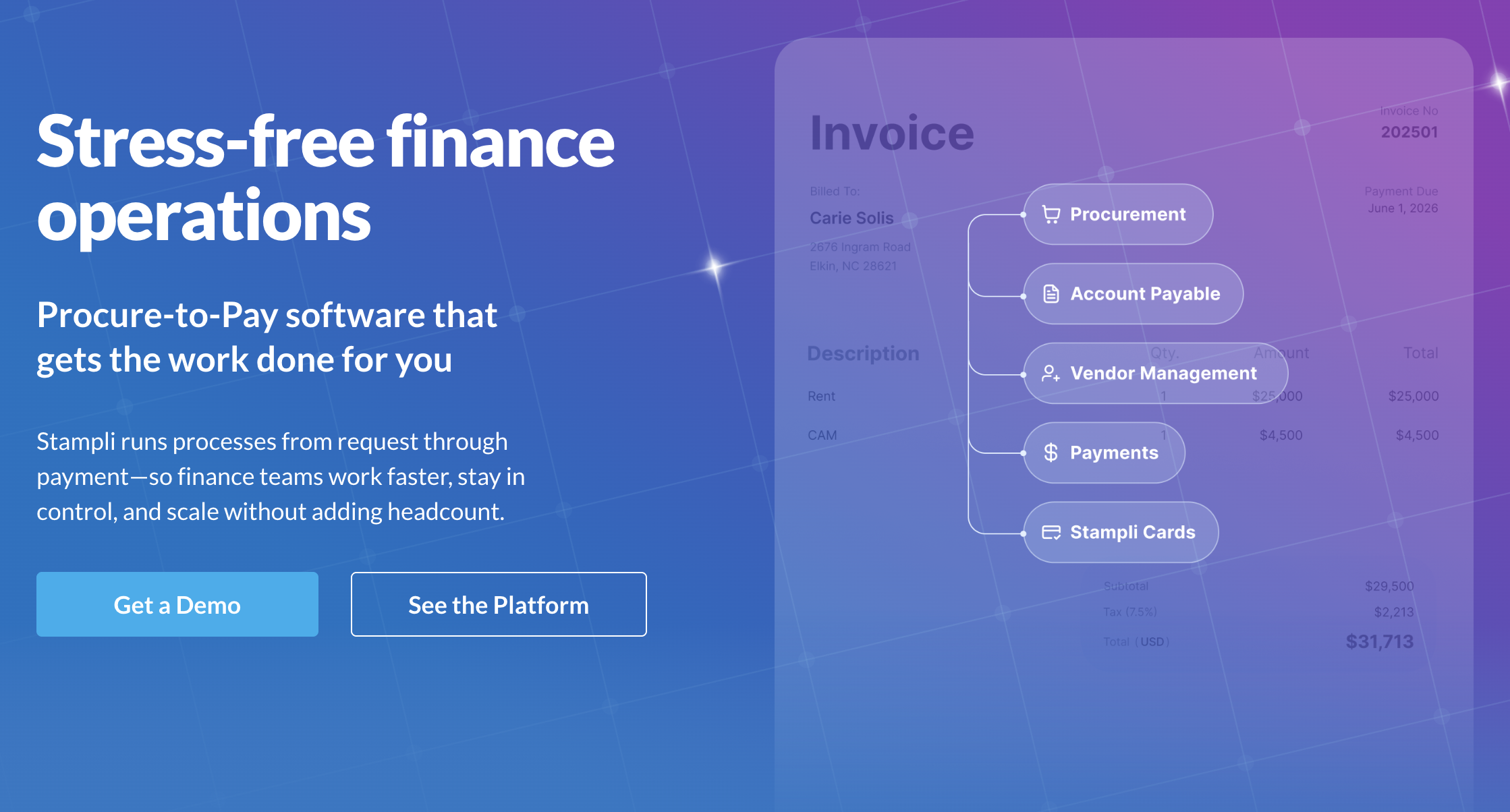
Stampli distinguishes itself with the most advanced AI-assisted invoice processing in our test. Its AI engine, called Billy the Bot, learns from your historical coding patterns and suggests GL codes, cost centers, departments, and line-item categorizations for every incoming invoice — getting smarter with each correction.
In our test, Stampli achieved the highest field-level accuracy at 98.1% across all 50 invoices, including the edge cases. Processing time averaged 32 seconds per invoice, making it the second-fastest behind Tipalti. More impressively, Billy the Bot correctly suggested the GL code on 87% of line items without any manual input — a number that Stampli claims improves to 95%+ after 90 days of learning.
The collaboration model is invoice-centric: every invoice gets its own communication thread where AP clerks, approvers, and managers can discuss coding decisions, request additional information, or flag discrepancies. Unlike email-based discussions that fragment across inboxes, Stampli keeps all invoice-related communication in one searchable, auditable thread attached to the invoice itself.
Stampli integrates with 60+ ERPs and accounting systems, including NetSuite, Sage Intacct, QuickBooks, Microsoft Dynamics, SAP, and Oracle. The integration model is unique: Stampli sits on top of your existing ERP rather than replacing it, which means the ERP remains your system of record while Stampli handles the front-end automation and collaboration. This makes implementation faster (typically 2-4 weeks) and less risky than migrating to a new AP platform.
The platform also offers advanced analytics with dashboards showing processing volume trends, average approval times, exception rates by vendor, and AP team productivity metrics. These insights help AP managers identify bottlenecks, optimize approval chains, and forecast cash flow requirements.
Stampli does not publish pricing publicly. Based on market reports, typical pricing ranges from $125-300/month for small teams, scaling with invoice volume and feature requirements. Enterprise contracts are custom-quoted.
Highest data extraction accuracy in our test (98.1%). AI-powered GL coding suggestions (87% accuracy, improving over time). Invoice-centric collaboration threads for AP team communication. 60+ ERP integrations with overlay model (sits on top of existing ERP). Fast implementation (2-4 weeks). Advanced AP analytics and productivity dashboards.
Pricing is not transparent — requires sales engagement. AI learning curve — Billy the Bot needs 30-90 days of historical data to reach peak accuracy. No native payment processing — you need a separate payment platform. Limited self-service for small businesses — the sales-driven model targets mid-market and enterprise. Reporting customization requires Professional or Enterprise tier.
Mid-market finance teams (50-1,000 employees) with complex GL coding requirements and multiple approvers who need AI-assisted categorization and centralized invoice communication — especially teams running NetSuite, Sage Intacct, or SAP.
Invoice automation and AP automation overlap significantly but are not identical. Invoice automation focuses specifically on the document processing stage: receiving invoices, extracting data, and validating information. AP automation encompasses the broader accounts payable workflow: invoice processing plus approval routing, three-way matching (invoice to PO to goods receipt), payment execution, vendor management, and compliance reporting.
In practical terms, tools like Zoho Invoice and QuickBooks Online focus primarily on invoice automation — getting invoices created, sent, tracked, and paid. Tools like Tipalti, BILL, and Stampli cover the full AP automation lifecycle. Sai by Simular bridges both worlds by automating any part of the workflow across any application, adapting to whatever combination of tools you use.
For most small businesses processing fewer than 100 invoices per month, invoice automation is sufficient. For mid-market and enterprise organizations with complex approval chains, PO matching requirements, and audit compliance needs, full AP automation becomes necessary.
The savings from invoice automation are well-documented and substantial. According to the 2025 Ardent Partners State of AP report, the average cost to process an invoice manually is $15.97, compared to $2.36 for fully automated processing — an 85% reduction per invoice. For a company processing 500 invoices per month, that translates to annual savings of approximately $81,660.
Beyond direct processing cost reduction, invoice automation delivers additional savings through:
The ROI timeline for invoice automation is typically 3-6 months for cloud-based solutions with minimal implementation costs, and 6-12 months for enterprise AP platforms with more significant setup investment.