
Oops! Something went wrong while submitting the form.
The best way to automate Excel in 2026 depends on what the task touches. For work inside one workbook, Copilot in Excel now edits sheets directly from a prompt, and Office Scripts with Power Automate run recorded steps on a schedule. For analysis, Python in Excel brings pandas into a cell. For model building, Claude for Excel and Shortcut act as AI analysts in the sidebar. And when the job crosses Excel and other software (copying figures out of a supplier portal, an ERP screen or a desktop app and into a workbook), Sai by Simular is the strongest choice, because it operates Excel and the other apps the way a person does.
Microsoft changed Excel automation more in the past year than in the previous decade. Copilot's agentic editing became the default experience in April 2026, the =COPILOT() function was retired on 14 September 2026, and Office Scripts' built-in scheduling is temporarily disabled. This guide covers the methods first, then the nine tools worth shortlisting, as of 31 October 2026.
Excel automation means getting Excel tasks done without repeating the clicks yourself: formatting and cleaning data, refreshing imports, building reports, updating rows from other systems, or sending the result to someone. You can automate inside Excel (macros, scripts, formulas, AI that edits the sheet) or around it (tools that read and write workbooks from other apps, or agents that use Excel through the screen).
| Method | Best for | Excel versions | Skill needed | Main limit |
|---|---|---|---|---|
| Macros / VBA | Anything inside desktop Excel | Windows, Mac desktop | VBA | No Excel for the web; macros from the internet are blocked by default |
| Office Scripts + Power Automate | Scheduled cloud workbook tasks | Web, Windows, Mac | Recorder or TypeScript | Business/education licence; connector limits |
| Power Query | Repeatable import, clean, merge | Windows, Mac | Point and click (M optional) | Data prep only, not actions |
| Python in Excel | Analysis and charts | Web, Windows, Mac | Python | Runs in Microsoft's cloud; internet required |
| Copilot in Excel | Multi-step edits from a prompt | Web, Windows, Mac | Plain language | Works inside the workbook only |
| Connectors (Zapier, Make) and RPA (UiPath) | Moving rows between Excel and other apps | Excel Online (connectors); desktop (RPA) | Low-code | Needs tables and APIs, or brittle scripts |
| AI computer-use agents (Sai) | Tasks across Excel and apps with no API | Desktop and web, as a person uses them | Plain language | Slower than an API call for pure data syncs |
A quick rule: if the task lives inside one workbook, start with Copilot, Office Scripts or Python. If it moves data between Excel and apps that have connectors, use Power Automate, Zapier or Make. If it involves software with no connector, or someone currently copies and pastes between screens, use a computer-use agent.
We looked at which Excel tasks each tool automates, which Excel versions it supports (desktop, web, Mac), how you set it up, what it costs, and where it stops working. Every fact comes from the vendor's official pages or Microsoft Learn, checked on 31 October 2026.
| Tool | Best for | Works with | Other apps | Starting price |
|---|---|---|---|---|
| Sai by Simular | Excel + portals, ERPs and desktop apps | Desktop and web Excel, through the screen | Any app a person can use | Free plan; $50/mo |
| Copilot in Excel | Prompt-driven edits inside a workbook | Web, Windows, Mac | Microsoft 365 data, finance connectors | $21/user/mo (Business add-on) |
| Power Automate + Office Scripts | Scheduled and triggered workbook flows | Excel Online; desktop via RPA | 1,400+ connectors | $15/user/mo (annual) |
| Python in Excel | Analysis with pandas in a cell | Web, Windows, Mac | None | Included in qualifying Microsoft 365 plans |
| Claude for Excel | Building and debugging models | Web, Windows, Mac | Financial data connectors | $17/mo (Claude Pro, annual) |
| Shortcut | Autonomous finance workbooks | Excel add-in, web and desktop app | Google Sheets | Free (20 credits/week); $100/mo |
| UiPath | Enterprise RPA around Excel | Desktop and Excel Online | Enterprise apps via activities | Free Community; Basic $25/mo |
| Zapier | Syncing rows with SaaS apps | Excel Online (OneDrive for Business, SharePoint) | 9,000+ apps | Free (100 tasks); $19.99/mo |
| Make | Visual multi-step spreadsheet pipelines | Microsoft 365 Excel (cloud) | 3,000+ apps | Free (1,000 credits); credit-based plans |

Most Excel automation stops at the edge of the workbook or at the edge of an API. Sai does not. It is an autonomous computer: an AI agent that works on its own Windows or Linux cloud computer, or on your own Mac or PC, and uses Excel the way a person does, alongside whatever other software the task needs. You describe the job in plain language, for example "log into the carrier portal, download yesterday's shipment report, paste the totals into the weekly tracker and flag anything over budget", and Sai does it, asking for approval before sign-ins and sensitive steps.
Because Sai works through the screen, it handles the cases that block other tools: desktop-only workbooks, files that are not formatted as tables, legacy ERP or accounting screens with no export, and portals that only offer a download button. Once a task works, Sai can run it on a schedule and gets faster on repeat runs because it reuses what it learned instead of reasoning from scratch. The agent underneath holds the highest partial score on the official OSWorld 2.1 leaderboard (79.38% in October 2026), a benchmark that includes real spreadsheet tasks in desktop office apps. Developers can trigger the same agent from their own code through the Sai API.
Key strengths: Works across Excel and any other app, including ones with no API. No macros, scripts or table formatting required. Runs unattended on a schedule with approvals for sensitive steps.
Limitations: For pure in-workbook formula work, Copilot or Claude for Excel is faster. For syncing rows between two cloud apps with good connectors, Zapier or Power Automate is cheaper per run. Sign-ins are completed by a person through an approval link.
Best for: Finance, operations and sales-ops teams who copy data between Excel and other systems every week.
Pricing: Free plan with daily credits. Pay as you go $50/month. Sai Unlimited $500/month. Enterprise custom (pricing).
Copilot in Excel now "can take multi-step, app-native actions directly in your documents, worksheets, and presentations", according to Microsoft's April 2026 announcement. In edit mode it builds formulas, tables, PivotTables and charts and changes the workbook directly; plan mode lays out the steps first. A June 2026 update added reusable Skills, Show Changes attribution, workbook rules and financial data connectors such as FactSet and S&P. Users can pick Claude or GPT models.
Key strengths: Built into Excel on web, Windows and Mac. Plain-language, multi-step editing. Enterprise data protection from Microsoft 365.
Limitations: Works inside the workbook, not across other apps. Microsoft advises against relying on it alone for financial, legal or medical decisions. The =COPILOT() cell function was retired on 14 September 2026, so workbooks that used it now show #NAME?.
Best for: Analysts and finance teams on Microsoft 365.
Pricing: Copilot Chat is included with eligible plans. Microsoft 365 Copilot Business add-on $21/user/month (annual; $18 promotional price through 31 December 2026). Enterprise Microsoft 365 Copilot $30/user/month (annual) (pricing).
Office Scripts record or code workbook steps in TypeScript from the Automate tab, and Power Automate runs them on a schedule or when something happens in another app, so the workbook updates without anyone opening Excel. Power Automate for desktop adds RPA for desktop Excel files.
Key strengths: Native to Microsoft 365 with 1,400+ connectors. Scripts can only touch the workbook, which keeps them safe. Admin controls per tenant.
Limitations: Office Scripts' own scheduling is "temporarily disabled", so you schedule through Power Automate. The Excel Online connector caps files at 25 MB and Run script at 1,600 calls per day, and does not support PivotTables. Needs a business or education licence.
Best for: IT-friendly operations teams moving off VBA.
Pricing: Office Scripts is included in business and education Microsoft 365 plans. Power Automate Premium $15/user/month (annual); unattended Process $150/bot/month (pricing).
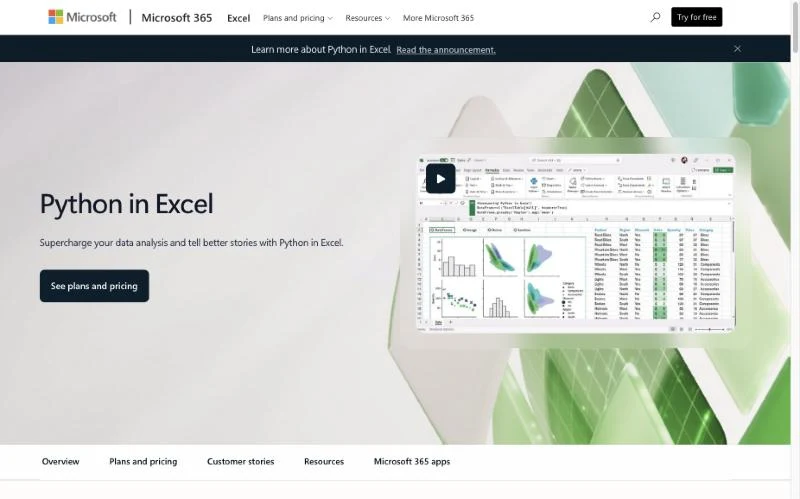
Python in Excel lets you type =PY in a cell and run Python with an Anaconda library set (pandas, Matplotlib, scikit-learn) in Microsoft's cloud. No local Python install is needed. It is generally available for Business and Enterprise users on Windows, Mac and Excel for the web.
Key strengths: Real Python analysis and charts inside the grid. Secure, isolated cloud runtime. Results recalculate like formulas.
Limitations: Requires an internet connection. Not available on mobile or on perpetual and device-based licences. Premium compute is capped monthly; more needs a paid add-on.
Best for: Analysts who already know pandas.
Pricing: Standard compute is included with qualifying Microsoft 365 business and enterprise plans (availability).
Claude for Excel is Anthropic's add-in, now part of Claude for Microsoft 365. It explains models with cell-level citations, changes assumptions while keeping formula links intact, traces #REF! and other errors, builds models from templates, and edits pivots, sorting and conditional formatting. It connects to financial data sources such as S&P and LSEG and supports Skills.
Key strengths: Strong at understanding and editing complex models. Cell-level citations make changes reviewable. Works on web, Windows and Mac.
Limitations: Does not support macros, VBA or data tables. Anthropic warns about prompt-injection risk from untrusted files. Not available in Excel 2016 or 2019.
Best for: Finance, FP&A and banking teams working on models.
Pricing: Included with Claude Pro ($17/month annual, $20 monthly), Max, Team and Enterprise (pricing).

Shortcut describes itself as "a superhuman AI Excel agent" and now markets to finance teams and hedge funds. It builds financial models, consolidates data, writes formulas and formats reports, either as an Excel add-in, a web or desktop app, or a Google Sheets plugin.
Key strengths: Takes on whole workbook tasks, not single formulas. Works in Excel and Google Sheets. Focused on finance accuracy.
Limitations: Credit-based pricing, with a message costing roughly 2 to 15 credits. Expensive per seat for teams. Your data is processed by a third party.
Best for: Analysts who want an agent to build a first draft of a workbook.
Pricing: Free (20 credits/week). Pro $100/month (annual, 1,000 credits). Teams $320/month plus $100 per seat (pricing).

UiPath offers an Excel activities pack for "automating all aspects of Microsoft Excel": reading and writing ranges, running macros, and working with Excel Online. Robots can chain Excel with ERP, email and other enterprise apps, and UiPath now adds agentic automation on top.
Key strengths: Mature enterprise RPA with governance and orchestration. Can run existing macros as part of a larger process. Handles desktop and online Excel.
Limitations: Steep learning curve. Recorded selectors can break when interfaces change. Enterprise pricing is quoted.
Best for: Enterprises with an automation centre of excellence.
Pricing: Community plan free. Basic from $25/month. Standard and Enterprise via sales (pricing).
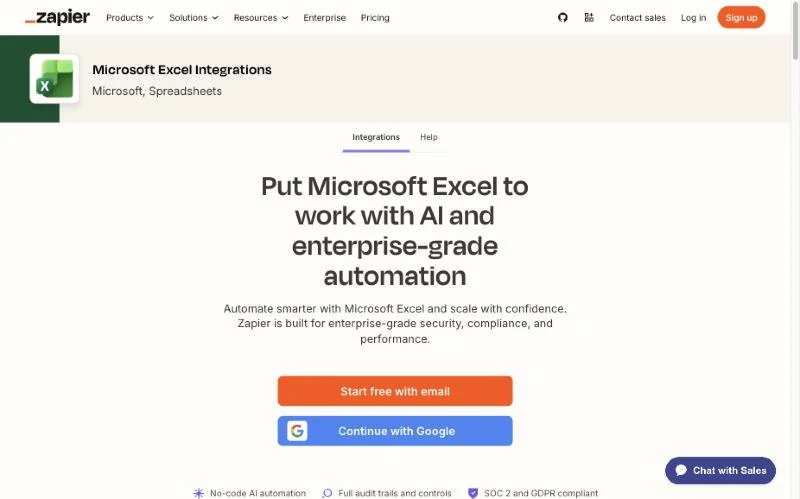
Zapier's Excel integration watches for new or updated rows and adds or updates rows from 9,000+ apps, so a form entry, a Stripe payment or a CRM deal can land in a workbook automatically.
Key strengths: Easiest setup. The largest app catalogue. Zapier Agents for light AI steps.
Limitations: Works only with Excel files on OneDrive for Business or SharePoint, not local or desktop files, and needs a paid Microsoft 365 business account. Headers must be in row 1 with no blank rows. Triggers poll rather than fire instantly.
Best for: Small teams pushing SaaS data into shared workbooks.
Pricing: Free (100 tasks/month). Professional from $19.99/month (pricing).
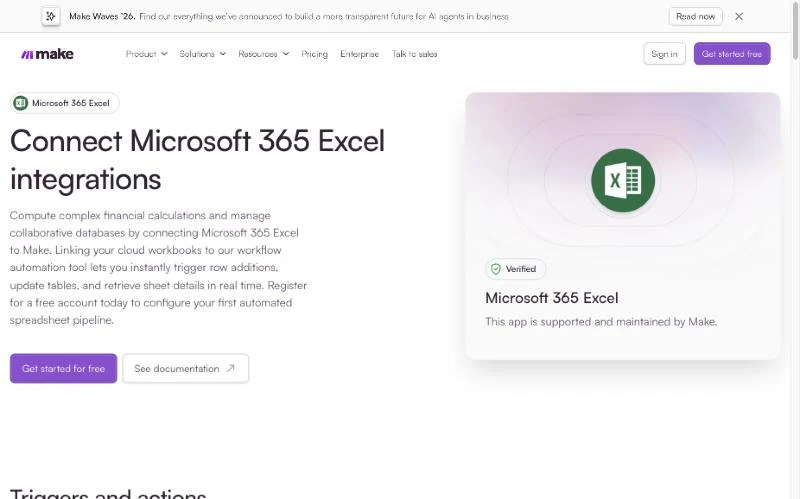
Make's Microsoft 365 Excel integration watches table rows, worksheet rows and workbooks, and adds or updates rows inside multi-step visual scenarios with branching and error handling.
Key strengths: More logic per scenario than linear tools. Good value for multi-step pipelines. AI agents available on the same canvas.
Limitations: Cloud workbooks only. Credit usage is hard to predict, and AI steps cost extra credits.
Best for: Ops builders who want visual control over Excel pipelines.
Pricing: Free (1,000 credits/month); paid plans are priced by credits (pricing).
Sai is built for work that crosses screens. If your task lives entirely inside one workbook, Copilot in Excel or Claude for Excel will be quicker. If you only need rows to flow between two cloud apps that already have connectors, Zapier, Make or Power Automate will be cheaper per run. And if you need an auditable script that your IT team reviews line by line, Office Scripts or VBA remain the right tools.
Connector tools cannot. RPA can, but breaks when screens change. AI computer-use agents such as Sai work through the interface and adapt when it changes.
Related reading: Best low-code workflow automation tools · Best AI agent builders · What is an autonomous computer? · AI agents that control your mouse and keyboard
Product details and prices were checked on each vendor's official website and Microsoft Learn on 31 October 2026.