Oops! Something went wrong while submitting the form.
How to Boost LinkedIn Lead Generation More Productively
Struggling to scale LinkedIn lead generation? Learn proven strategies, tools, and workflows to generate high-quality B2B leads faster—plus how AI can automate the entire process.
Why Does LinkedIn Lead Generation Matter for Modern Businesses?
Runs lead research, profile analysis, and outreach support inside a secure, dedicated workspace
Works continuously in the background, enabling always-on lead generation without blocking your workflow
Provides approval-based control, so you stay in charge of important actions while automating repetitive tasks
Why Does LinkedIn Lead Generation Matter for Modern Businesses?
LinkedIn is not just another social platform — it is the single most effective channel for B2B lead generation. According to HubSpot's 2024 State of Marketing report, LinkedIn generates 80% of all B2B leads from social media, outperforming Facebook, X (Twitter), and Instagram combined. For sales teams, founders, and growth operators, LinkedIn is where deals start.
The reason is simple: LinkedIn is the only platform where professional intent is built in. Every profile contains real-time signals — job title, company size, industry, recent activity, mutual connections — that allow for precision targeting that cold email and paid ads cannot match.
But here is the challenge: LinkedIn lead generation is one of the most labor-intensive growth channels. A single outreach cycle involves defining your ICP, searching for prospects, reviewing profiles, crafting personalized messages, managing follow-ups, and tracking pipeline metrics. Research from Salesforce shows that sales reps spend only 28% of their time actually selling — the rest goes to administrative tasks like these.
This is where the gap between knowing LinkedIn works and actually making it work at scale becomes critical.
TL;DR
LinkedIn generates 80% of B2B social media leads — the highest of any platform (HubSpot, 2024)
The platform offers precision targeting by role, company, industry, and activity that cold channels cannot replicate
The average B2B sales cycle involves 6-8 touchpoints before conversion — consistent follow-up is essential
Manual LinkedIn prospecting takes 3-4 hours per day for meaningful pipeline building
Sales reps spend only 28% of their time selling — the rest goes to admin and research (Salesforce)
An AI coworker like Sai can handle prospect research, lead qualification, outreach drafting, and follow-up scheduling in the background — while you focus on closing
What is LinkedIn Lead Generation?
LinkedIn lead generation is the structured process of identifying, engaging, and converting potential customers, partners, or business opportunities through LinkedIn's professional network. It is the primary B2B outbound strategy for sales teams, startup founders, agencies, recruiters, and anyone targeting professional decision-makers.
Unlike generic lead generation, LinkedIn lead generation leverages the platform's unique context-rich environment. Every prospect has a public profile with actionable data: current role, company, tenure, skills, recent posts, shared connections, and group memberships. This makes every touchpoint more informed than a cold email or phone call.
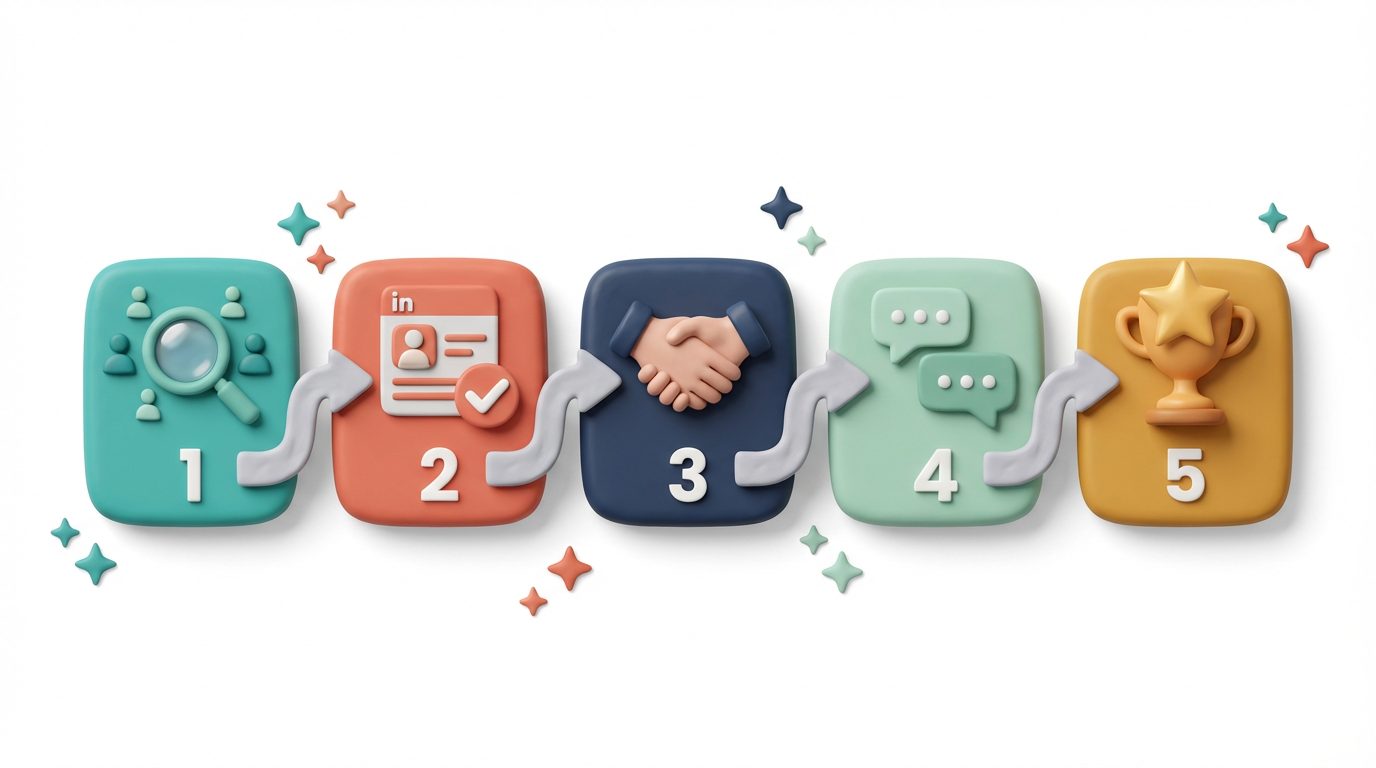
In practice, LinkedIn lead generation follows a multi-stage workflow:
ICP Definition — Identify exactly who you are targeting by role, company size, industry, and pain points
Prospect Research — Use LinkedIn Search, Sales Navigator, or third-party tools to build lead lists
Lead Qualification — Review profiles to assess fit, intent signals, and engagement potential
Profile Optimization— Ensure your own profile converts visitors into conversations
Nurture & Follow-Up — Maintain multi-touch engagement over days or weeks
Pipeline Tracking — Monitor acceptance rates, response rates, and conversions in a CRM or spreadsheet
Who uses LinkedIn lead generation?
B2B Sales Teams — Prospecting and outbound pipeline building
Startup Founders — Investor outreach, partnership development, early customer acquisition
Marketing Agencies — Client acquisition and lead generation services
Recruiters — Sourcing and engaging passive candidates
Consultants & Freelancers — Building a client pipeline through thought leadership and direct outreach
What makes LinkedIn different from other channels is the combination of trust, context, and professional intent. When someone connects with you on LinkedIn, they can see your background, mutual connections, and professional credibility. This reduces friction dramatically compared to anonymous cold outreach.
Why Should You Invest in LinkedIn Lead Generation?
1. Access to Decision-Makers at Scale
LinkedIn has over 1 billion members across 200+ countries, with 65 million decision-makers actively using the platform (LinkedIn, 2024). Unlike email databases that decay at 25-30% annually, LinkedIn profiles are self-maintained and updated in real time.
This means:
You are reaching verified professionals, not purchased lists of unknown quality
Targeting precision goes down to job title, company size, revenue, industry, geography, and even years in role
LinkedIn Sales Navigator users report a 45% higher likelihood of hitting quota vs. non-users (LinkedIn Sales Solutions)
For B2B LinkedIn lead generation specifically, no other platform gives you this level of granularity combined with real-time accuracy.
2. Higher Response Rates Through Built-In Trust
LinkedIn outreach consistently outperforms cold email in response rates. Industry benchmarks show:
LinkedIn InMail open rate: 57.5% (vs. cold email average of 21.6%)
LinkedIn connection request acceptance rate: 25-40% with personalized notes
Response rate on LinkedIn messages: 10-25% for targeted outreach (vs. 1-5% for cold email)
The reason is built-in trust signals:
Mutual connections create social proof
Public profiles provide credibility at a glance
Shared groups, companies, or interests create natural conversation starters
Sai can amplify this by analyzing profile context at scale — identifying the specific trust signals (mutual connections, shared experiences, recent posts) that make each outreach message feel genuinely personalized, not templated.
3. Predictable Pipeline with Compounding Returns
Unlike paid ads that stop generating leads the moment you stop spending, LinkedIn lead generation compounds over time. Your network grows, your content builds visibility, and your connection base becomes a permanent asset.
A structured LinkedIn lead generation system produces:
Sales-qualified leads on a weekly cadence
Partnership and co-marketing opportunities
Inbound interest from profile visitors who see your growing activity
Referral opportunities from warm connections
The key metric: teams that maintain consistent LinkedIn outreach (15-20 connection requests + 5-10 follow-up messages per day) typically see their pipeline grow by 30-50% within 90 days.
4. Massive Time Savings Through AI-Powered Automation
Here is where most teams hit a wall. The manual LinkedIn lead generation workflow looks like this:
Task
Time Per Day (Manual)
Time Per Day (With Sai)
Time Saved
Prospect research & list building
45-60 min
5-10 min (review output)
~85%
Profile review & lead qualification
30-45 min
5 min (review scores)
~88%
Writing personalized connection requests
30-45 min
10 min (review & approve drafts)
~75%
Follow-up message management
20-30 min
5 min (approve follow-ups)
~80%
Pipeline tracking & CRM updates
15-20 min
0 min (auto-exported)
~100%
Total
2.5-3.5 hours
25-30 min
~85% reduction
That is 12-17+ hours per week on tasks that are repetitive but require judgment. Traditional automation tools (like Dux-Soup or Phantombuster) can handle some of this, but they operate as scripts — they cannot adapt to context, qualify leads intelligently, or personalize at the level required for high-conversion outreach.
An AI coworker like Sai takes a fundamentally different approach. Because Sai operates across browser and desktop like a human colleague, it can:
Research profiles and extract ICP-relevant signals in batches
Qualify leads using your specific criteria (not just keyword matching)
Draft personalized messages that reference real profile details
Schedule and manage follow-up cadences
Export qualified leads to Google Sheets or your CRM
All while you review and approve the critical actions.
5. Personalization at Scale — Without the Bottleneck
The data is clear: personalized LinkedIn messages receive 2-3x higher response rates than generic templates. But personalization at scale is the #1 bottleneck for every sales team.
High-performing outreach requires:
Referencing the prospect's current role, recent posts, or company news
Aligning your value proposition with their specific pain points
Adapting tone for different seniority levels (C-suite vs. IC)
Varying your approach based on industry context
Manually doing this for 20+ prospects per day is unsustainable. Sai bridges this gap by acting as your research layer — it reads profiles, identifies relevant talking points, and drafts message variations so you can personalize at volume without sacrificing quality.
How to Do LinkedIn Lead Generation (Step-by-Step)
Step 1: Define Your Ideal Customer Profile (ICP)
Everything starts here. A vague ICP leads to wasted outreach and low response rates. Your ICP should specify:
Target Roles: e.g., VP of Marketing, Head of Growth, CTO, Founder
Company Size: e.g., 50-500 employees, Series A-C startups
Industry: e.g., SaaS, FinTech, E-commerce, Professional Services
Geography: e.g., US, UK, DACH region, Southeast Asia
Pain Points: What specific problems does your product solve for this persona?
Buying Signals: What behaviors indicate they might be in-market? (e.g., recently hired, raised funding, posted about a relevant challenge)
Pro tip: Analyze your last 10 closed-won deals. What patterns emerge in role, company size, and industry? Use those patterns as your ICP foundation — not assumptions.
Sai can accelerate this by analyzing your existing customer data, CRM exports, or past successful conversations to surface ICP patterns automatically.
Step 2: Build and Qualify Lead Lists
Once your ICP is defined, build your prospect list using:
LinkedIn Search (free) — Basic filters by role, company, location
LinkedIn Sales Navigator — Advanced filters including company headcount growth, recent activity, and years in role
Third-party tools — Apollo, Lusha, or ZoomInfo for enrichment
But finding leads is only half the equation. Qualification is what separates high-performing teams from everyone else.
For each prospect, assess:
Role fit — Does their title match your ICP?
Company fit — Is the company the right size, stage, and industry?
Timing signals — Have they recently posted about relevant pain points, changed roles, or raised funding?
Engagement potential — Are they active on LinkedIn (posting, commenting) or dormant?
Instead of manually scanning 50+ profiles per day, Sai can batch-process LinkedIn profiles, extract key signals, score leads against your ICP criteria, and output a qualified shortlist to Google Sheets — with the reasoning for why each lead scored high or low.
Step 3: Optimize Your LinkedIn Profile for Conversion
Before you send a single connection request, your profile must convert visitors into conversations. Think of your LinkedIn profile as your landing page — every prospect will check it before responding.
Profile optimization checklist:
Headline: Lead with the value you deliver, not your job title. Instead of "Account Executive at Acme," try "Helping SaaS teams cut churn by 30% through proactive customer intelligence"
Banner image: Reinforce your value proposition or brand
About section: 3-4 paragraphs covering who you help, what problem you solve, proof (metrics/results), and a clear CTA
Featured section: Pin relevant case studies, blog posts, or lead magnets
Experience: Frame past roles around outcomes, not responsibilities
Recommendations: At least 3-5 from clients or colleagues in your target industry
Step 4: Send Personalized Connection Requests
This is where most people fail. The connection request is your first impression — and you only get one shot.
Connection request principles:
Keep it under 300 characters (LinkedIn's limit)
Reference something specific about the prospect
Do not pitch in the connection request
Focus on starting a conversation, not closing a deal
Outreach template examples:
Template 1 — Mutual Connection Hook: "Hi [Name], I noticed we're both connected with [Mutual Connection]. I've been following [Company]'s work in [space] — would love to connect and exchange ideas."
Template 2 — Content Engagement Hook: "Hi [Name], really enjoyed your recent post on [topic]. Your point about [specific detail] resonated with me. Would love to connect."
Template 3 — Industry Relevance Hook: "Hi [Name], I work with several [industry] teams on [problem you solve]. Thought it might be valuable to connect and share notes."
Template 4 — Company News Hook: "Hi [Name], congrats on [Company]'s recent [milestone — funding, launch, expansion]. Exciting times. Would love to connect and learn more about what you're building."
Sai can help draft personalized connection request variations by analyzing each prospect's profile, recent posts, company news, and mutual connections — ensuring each message feels individually crafted without you writing every one from scratch.
Step 5: Manage Follow-Ups and Nurture Conversations
The data says it all: 80% of sales require 5+ follow-ups, but 44% of sales reps give up after just one (Brevet Group). Follow-up is where deals are actually won.
Follow-up cadence best practice:
Day 1: Connection accepted → Send a warm thank-you message (no pitch)
Day 3-5: Share something valuable — a relevant article, case study, or insight related to their industry
Day 7-10: Ask a genuine question about their work or challenges
Day 14-21: Make your soft pitch — reference a specific pain point and offer a brief conversation
Day 30+: If no response, add them to a long-term nurture list (engage with their content periodically)
Follow-up message template:
"Hi [Name], thanks for connecting! I noticed [Company] is scaling its [function] team — we've been helping similar teams with [specific value]. Would you be open to a quick 15-min chat to see if there's a fit? Happy to share what we've seen working."
Sai can monitor your LinkedIn conversations, flag leads that have not been followed up, and draft contextual follow-up messages based on the conversation history — ensuring no warm lead falls through the cracks.
Step 6: Track, Measure, and Optimize Your Pipeline
You cannot improve what you do not measure. Track these key metrics weekly:
Metric
Benchmark (Good)
Benchmark (Great)
What to Optimize If Low
Connection request acceptance rate
25-30%
35-50%
Profile quality + request personalization
Message response rate
10-15%
20-30%
Value proposition + messaging sequence
Meeting booking rate (from responses)
15-25%
30-40%
CTA clarity + qualification criteria
Lead-to-opportunity conversion
5-10%
15-25%
ICP accuracy + follow-up consistency
Average touchpoints to conversion
5-7
3-5
Targeting higher-intent prospects
Time to first meeting
7-14 days
3-7 days
Outreach timing + follow-up speed
Optimization actions based on metrics:
Low acceptance rate → Improve your profile and connection request personalization
Low response rate → Refine your messaging sequence and value proposition
Low meeting rate → Improve your call-to-action and qualification criteria
High touchpoints → Sharpen your ICP to target higher-intent prospects
Sai can organize your pipeline data, calculate conversion metrics across stages, and surface patterns in what messaging, timing, and ICP segments perform best — enabling data-driven optimization without manual spreadsheet wrangling.
Stop doing repetitive tasks. Let Sai handle them for you.
Sai is your AI computer use agent — it operates your apps, automates your workflows, and gets work done while you focus on what matters.

.svg)

.svg)