
Oops! Something went wrong while submitting the form.

Claude Code is the best coding agent most developers have used. It reads your codebase, writes functions, runs tests, creates pull requests, and handles the full development lifecycle from a terminal window. Developers who have tried it rarely go back to writing code manually.
But Claude Code cannot open your browser and test what it just built. It cannot fill out a form in your desktop app to verify the UI works. It cannot switch to Slack and post a deployment notification. It cannot open Excel and update a tracking spreadsheet.
That is where Simulang comes in — and why they are complementary tools, not competitors.

Claude Code is Anthropic's CLI-based coding agent. It runs in your terminal, reads your project files, understands your codebase, and writes code autonomously. It can create and edit files, run shell commands, execute tests, manage git operations, and submit pull requests — all from a single conversation.
Install it with a single command:
npm install -g @anthropic-ai/claude-code
Claude Code's architecture uses a system of specialized subagents: a Router that understands intent, a Coder that writes code, a Reviewer that checks quality, a Tester that validates functionality, and a Browser that can read web pages for research. These subagents coordinate automatically — you describe what you want, and Claude Code delegates to the right specialist.
Claude Code also supports hooks (custom scripts that run before or after actions), custom instructions via CLAUDE.md files, and MCP (Model Context Protocol) for extending its capabilities with external tools.
Pricing: Claude Code requires a Claude Pro ($20/month), Max ($100/month), Team ($30/seat/month), or Enterprise subscription, plus API usage for extended sessions.
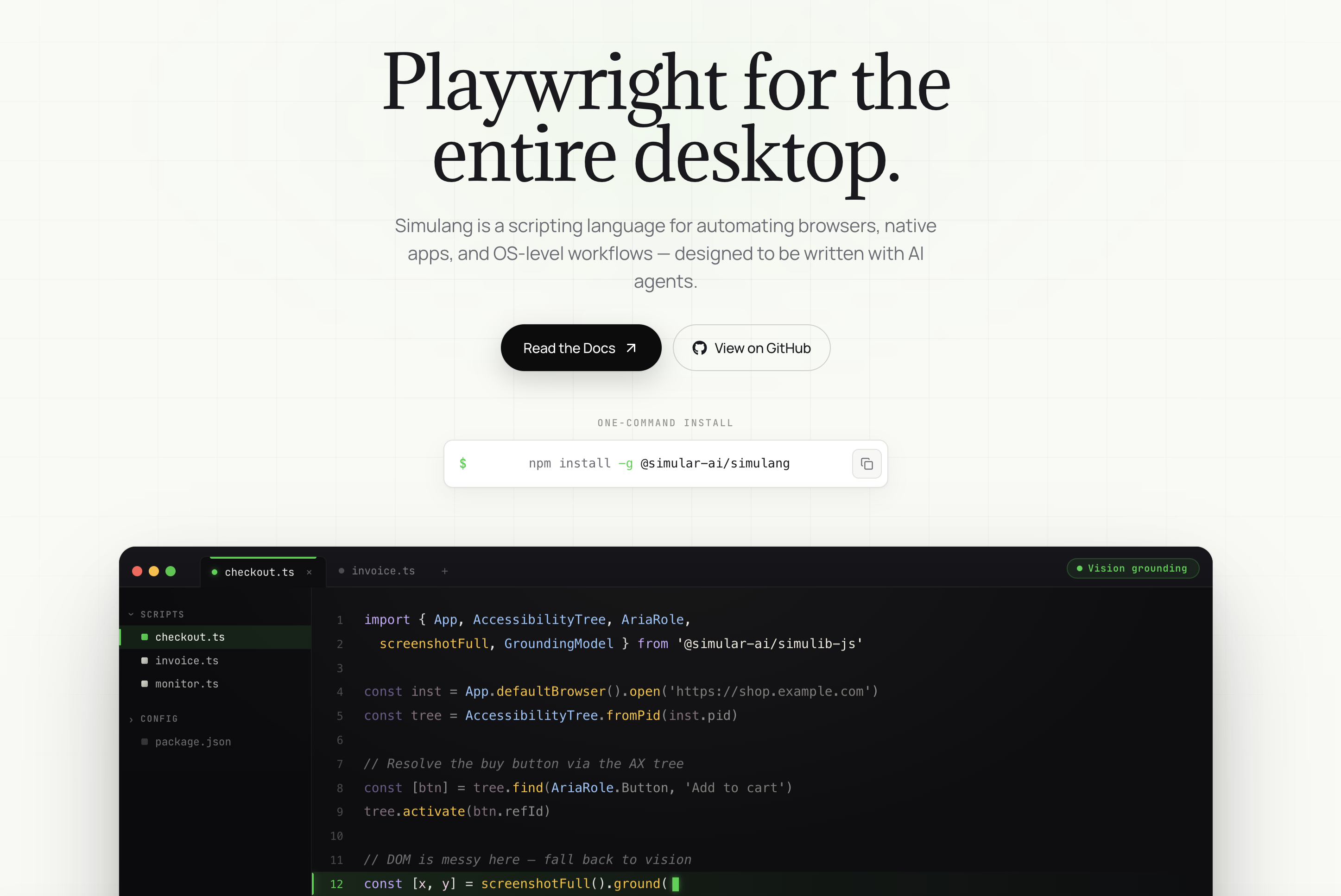
Simulang is an open-source JavaScript library that automates desktop applications by reading the operating system's accessibility tree. Instead of looking at pixels like a vision model, Simulang reads the structured data that screen readers use — every button, text field, menu item, and dialog box, with its exact name, role, state, and position.
Install it with:
npm install -g @anthropic-ai/simulangYou write automation scripts in JavaScript (or TypeScript). Those scripts can control browsers, native desktop apps, and OS-level workflows through precise element references. Once written, scripts replay instantly at zero cost — no API calls, no token consumption.
Simulang powers Sai, the AI agent that uses it as its execution layer. When Sai automates a workflow, it uses Simulang's accessibility tree underneath. You can describe what you want in natural language, and Sai generates Simulang scripts automatically.
Pricing: Simulang is free and open source. Sai (built on Simulang) offers a free tier and paid plans starting at $20/month.
Claude Code recently added a Computer Use preview — screenshot-based GUI control similar to Claude Cowork. This is the only area where Claude Code and Simulang technically overlap.
Claude Code's Computer Use is explicitly positioned as a "last resort" by Anthropic — use it when no API or CLI alternative exists. It captures full-screen screenshots, sends them to Claude's vision model, and returns mouse coordinates. The same accuracy, speed, and privacy limitations that apply to Claude Cowork apply here.
Simulang's accessibility tree approach avoids all three problems. But Computer Use can handle applications with poor accessibility support (custom-rendered UIs, games, legacy tools), while Simulang depends on the OS accessibility API.
This is the key insight most comparison articles miss. Claude Code and Simulang do not compete — they operate in entirely different domains.
Claude Code lives inside your codebase. Its universe is source files, package manifests, test suites, git history, CI/CD pipelines, and terminal output. It excels at:
Everything Claude Code does happens in the terminal or through file system operations. It thinks in code.
Simulang lives outside the codebase. Its universe is application windows, browser tabs, system dialogs, and GUI elements. It excels at:
Everything Simulang does happens through the graphical user interface. It thinks in interactions.
Claude Code wins decisively for anything involving code:
Deep codebase understanding. Claude Code reads your entire project, understands dependencies, follows import chains, and maintains context across hundreds of files. No other tool matches its ability to reason about large codebases and make coordinated changes across multiple files.
Subagent specialization. The Router-Coder-Reviewer-Tester architecture means each subtask gets handled by a purpose-built agent. The Reviewer catches bugs the Coder introduced. The Tester validates changes the Reviewer approved. This pipeline produces higher-quality code than any single-pass approach.
Git workflow integration. Claude Code creates branches, writes commits, opens PRs, and responds to review feedback — all natively. It understands git history and can reason about why previous changes were made.
MCP extensibility. Through the Model Context Protocol, Claude Code can connect to databases, APIs, documentation sites, and custom tools. This makes it adaptable to almost any development environment.
IDE integration. Claude Code works inside VS Code, JetBrains IDEs, and the Claude desktop app — fitting into existing developer workflows without requiring context switching.
Simulang wins for anything involving graphical user interfaces:
Cross-application automation. A single Simulang script can open Chrome, navigate to a website, extract data, switch to Excel, paste the data, format cells, save the file, open Outlook, attach the file, and send an email. Claude Code cannot do any of this.
Deterministic replay. Simulang scripts run identically every time — same elements, same actions, same results. There is no probabilistic interpretation, no vision model guessing, no token consumption on replay. For daily automated workflows, this reliability is non-negotiable.
Speed. Simulang actions execute in under 50 milliseconds. A 20-step GUI workflow completes in under a second. Claude Code's Computer Use preview (screenshot-based) takes 3-5 seconds per action. For time-sensitive automation, the difference is 100x.
Privacy. Simulang runs entirely on your local machine. The accessibility tree is queried locally, actions execute locally, and no data leaves your computer. Claude Code sends code context to Anthropic's servers for processing.
Native API integration. Simulang (via Sai) has built-in integrations for Google Workspace (Gmail, Calendar, Sheets, Drive, Docs), GitHub, and Slack — no MCP server configuration required. These work out of the box with OAuth authentication.
The most powerful setup is using both tools together. Claude Code writes the code. Simulang tests the product.
Here is a real workflow:
Claude Code handles steps 1-2. Simulang handles step 3. Neither can do the other's job.
This is not theoretical. Sai's Claude Code integration already enables this workflow. You describe what you want, Claude Code writes the code, and Sai verifies it works in the actual browser — not just in unit tests.