
什么是“机器人秘书”?一种能够操控多个自主运行计算机的计算机代理程序。
November 17, 2026
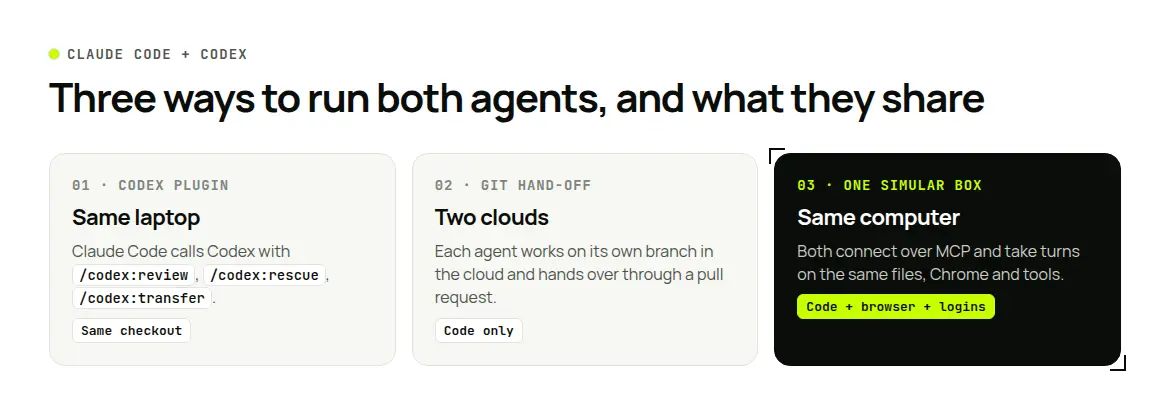
Short answer: There are three ways to use Claude Code and Codex on the same project. On one laptop, install OpenAI's official Codex plugin for Claude Code: Claude Code can ask Codex for a review, delegate a task, or hand the whole session over with /codex:transfer. In the cloud, let each agent work on its own branch and hand over through pull requests. To share more than the code (a browser, logins, a running dev server, files outside the repo), connect both to one cloud computer such as Simular Box, where they take turns on the same machine.
Definition. Using Claude Code and Codex together means letting two coding agents work on one task: one writes, the other reviews, or one starts and the other finishes. A handoff is the moment one agent passes the work, with its context, to the other. What breaks a handoff is usually not the code, which is in git, but everything around it: the open browser, the signed-in test account, the half-finished build, the notes in the first agent's head.
Why developers use both
Each agent has strengths the other lacks, and a second model can catch mistakes the first one keeps repeating. That is why OpenAI's plugin leads with review: one agent writes, the other checks. For a side-by-side look at the two, read Codex vs Claude Code.
Three setups, and what each one shares
| What is shared | Codex plugin in Claude Code | Git hand-off between cloud agents | Both on one Simular Box |
|---|---|---|---|
| Code | Same local checkout | Branches and pull requests | Same checkout on the box |
| Files outside the repo | Same local files | No | Same files on the box |
| Browser and logins | Your local browser, if used | Separate, per agent | One Chrome on the box, signed in once |
| Running servers and builds | Same machine | Rebuilt per task | Same machine, kept between sessions |
| Handoff | /codex:transfer, /codex:rescue, codex resume | Pull request or diff | Notes file on the box; the next agent continues |
| Runs while your laptop is closed | No | Yes | The box keeps running; local agent sessions still pause |
Facts checked on GitHub and the vendors' docs, 16–17 November 2026.
Option 1: the Codex plugin for Claude Code
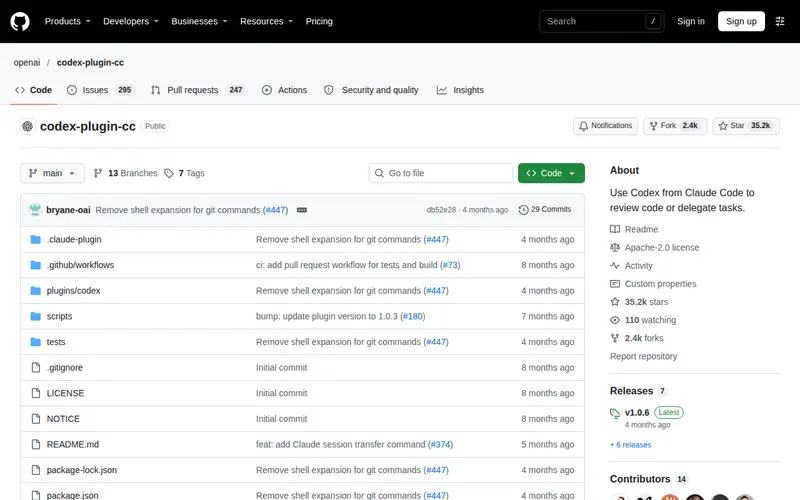
OpenAI publishes codex-plugin-cc, an open-source (Apache-2.0) plugin that lets you call Codex from inside Claude Code.
Getting started. Add the plugin's marketplace and install it in Claude Code (commands in the README), then run /codex:setup. It checks whether Codex is installed and signed in, and can offer to install Codex with npm. You need a ChatGPT account (the free plan works) or an OpenAI API key, and Node.js 18.18 or later. Usage counts toward your Codex limits.
The commands.
- @@PROTECT5@@: a read-only Codex review of your uncommitted changes, or of your branch against a base with
--base main. The README says it gives the same quality as/reviewinside Codex. - @@PROTECT8@@: a steerable review that challenges the design. Add focus text, for example "look for race conditions and question the chosen approach".
- @@PROTECT9@@: hand a task to Codex, such as "investigate why the tests started failing". It can resume the last rescue thread, and you can pick a model and effort.
- @@PROTECT10@@: create a Codex thread from the current Claude Code session and print a
codex resume <session-id>command, so you can continue the same context directly in Codex. - @@PROTECT12@@, @@PROTECT13@@, @@PROTECT14@@: follow, read and stop background jobs. Long reviews and rescues can run with
--background.
Useful details. The plugin uses your local Codex CLI, the same sign-in and the same config.toml, so your existing Codex models and settings apply. An optional review gate (/codex:setup --enable-review-gate) runs a Codex review before Claude Code finishes a turn and blocks the stop if it finds issues; the README warns it can loop and drain usage, so turn it on only when you are watching.
Limits. Both agents run on your computer, so they stop when it sleeps, and anything they set up stays on that one laptop.
Option 2: two cloud agents, handing off through git
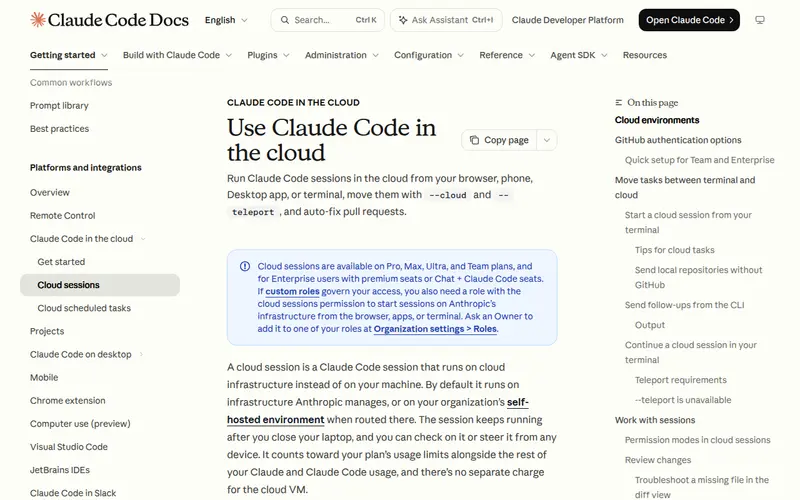
Both agents also run in the cloud. Claude Code in the cloud connects a GitHub repository, works on a task in a cloud session and produces a pull request you review; you can start it from the browser, the phone or the terminal. Codex cloud tasks work the same way: each task clones the repo into its own container and returns a diff or pull request.
How the handoff works. One agent opens a branch or pull request; the other picks it up from git, reviews it or continues on top of it.
Limits. Only the code travels. Each agent gets a fresh environment, so browser logins, local files and running services are not shared, and the receiving agent starts from the diff and whatever you write in the description.
Option 3: one shared cloud computer
If the work needs more than the repo, put it on a computer both agents can reach. Simular Box is a cloud Linux desktop with Chrome, files and a terminal. Claude Code and Codex both connect to it as one remote MCP server, with the same box account (steps: Claude Code, Codex CLI). In Codex, mention @box so it does not pick a different app named Box.
What the two agents share on the box.
- The same checkout and build output, so Codex can run the tests Claude Code just wrote.
- One Chrome, signed in once. A staging login or test account works for both. Passwords stay on the box and are never sent to the AI.
- The same tools and keys. Anything installed on the box stays; API keys added as secrets work for both without either agent seeing them.
- A live view you can watch, also on your phone, and take over.
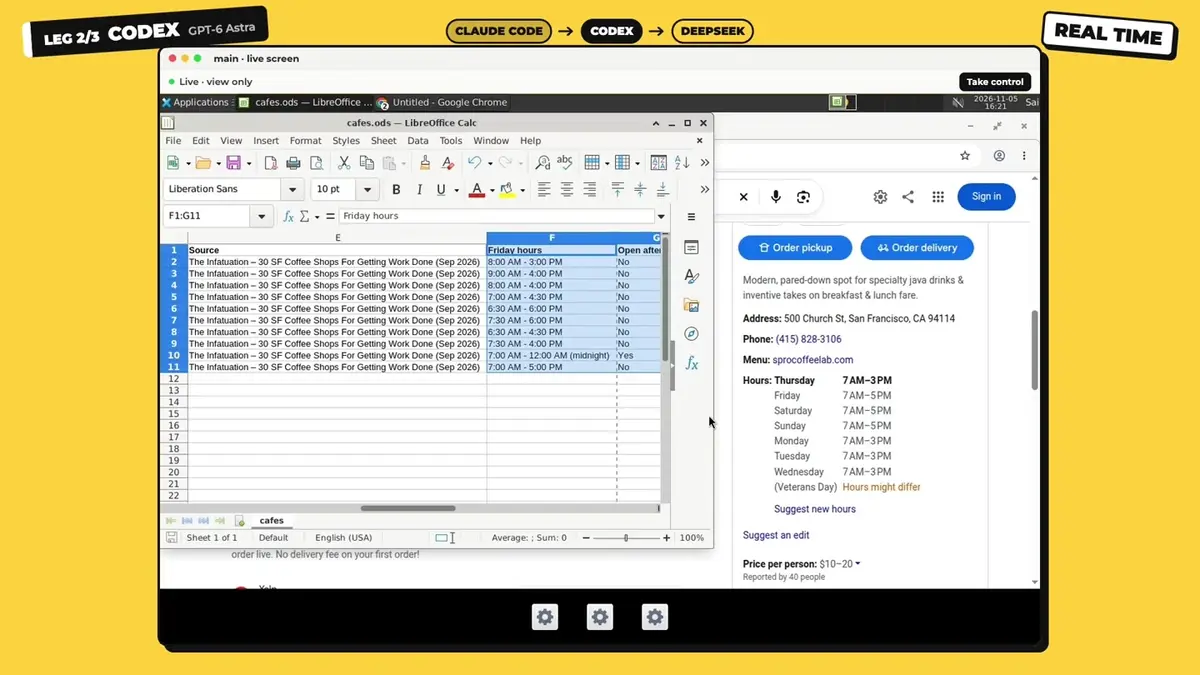
Agents take turns on a box rather than acting at the same moment. In box's three AIs, one box example, Claude Code starts a job and saves a spreadsheet on the box; Codex, mentioned with @box, opens the same file and continues; a third agent finishes it:
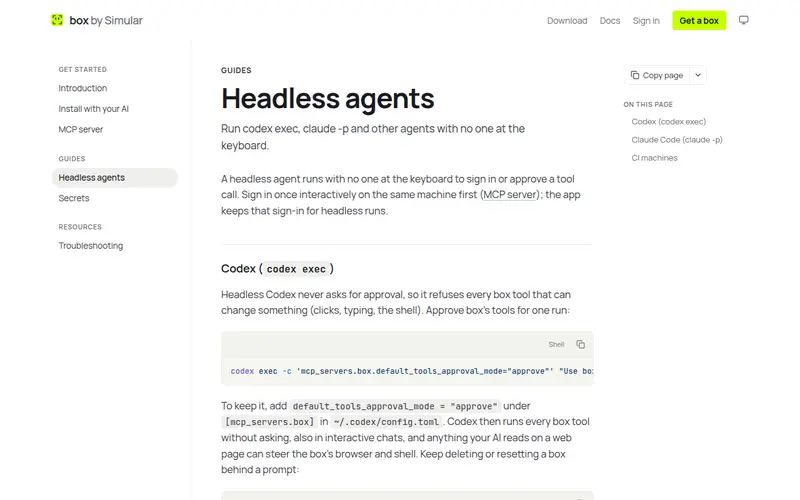
Unattended runs. Both agents have non-interactive modes, claude -p and codex exec, which cannot ask for permission mid-run. The box headless guide shows how to allow box's tools for one run and keep risky actions, such as deleting a box, behind a prompt.
Limits. Linux only, and someone has to sign in to box and click Allow once in each app.
How to hand off cleanly
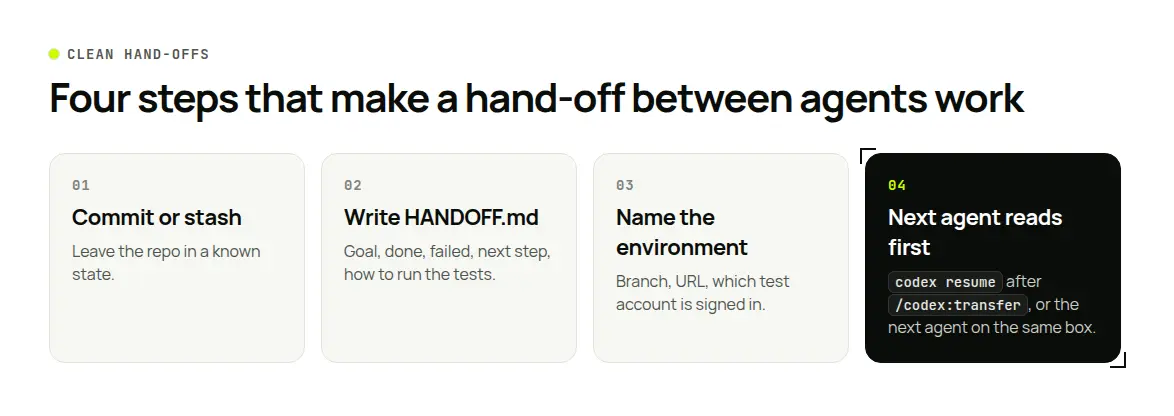
Whichever option you use, a handoff goes better with a short written state:
- Commit or stash. Leave the repo in a known state.
- Write a handoff note in the repo or on the box (for example
HANDOFF.md): the goal, what is done, what failed, the next step, and how to run the tests. - Name the environment. Which branch, which URL, which test account is signed in.
- Ask the next agent to read the note first, then continue.
A good prompt for the receiving agent: "Read HANDOFF.md, run the tests, confirm the current failures, then continue from the next step. Do not redo finished work."
Which setup should you use?
- Quick second opinion on a diff: Codex plugin,
/codex:review. - Claude Code is stuck: @@PROTECT2@@ or @@PROTECT3@@.
- Many small, well-defined tasks you will review as pull requests: two cloud agents and git.
- The task needs a browser, logins or a long build, or you want to continue from another device: one shared box.
- You can combine them: run the plugin on the box, so the review and the handoff happen on the shared machine.
To let either agent test in a real browser, see how to let Claude Code test your website in a real browser.
FAQ
Can I use Claude Code and Codex together?
Yes. OpenAI's Codex plugin for Claude Code lets Claude Code call Codex for reviews and tasks; both agents can also hand off through git in the cloud, or connect to one shared cloud computer such as Simular Box.
What is codex-plugin-cc?
OpenAI's open-source plugin that adds Codex commands to Claude Code: review, adversarial review, rescue, transfer, and job status. It uses your local Codex CLI and needs a ChatGPT account or an OpenAI API key.
How do I hand a Claude Code session to Codex?
Run /codex:transfer. It creates a Codex thread from the session and prints a codex resume command to continue in Codex.
Does the Codex plugin use my existing Codex settings?
Yes. It uses your local Codex CLI, the same sign-in and the same config.toml, including project-level settings in trusted projects.
Can Claude Code and Codex share the same browser and logins?
On one cloud computer, yes. On Simular Box both use the same Chrome, so a site signed in once works for both.
Can Claude Code and Codex work at the same time on one box?
They take turns on a box rather than acting at the same moment. Give each a clear handoff note.
Do I need two subscriptions?
Claude Code needs a Claude plan or API access, and the Codex plugin needs a ChatGPT account (the free plan works) or an OpenAI API key. Each agent's model use is billed by its own provider.
