
Oops! Something went wrong while submitting the form.

OpenAI Codex and Claude Code are the two most capable autonomous coding agents available today. Both promise the same thing: describe what you want in natural language, and the agent writes, edits, and tests the code for you.
But they approach this promise from fundamentally different directions.
Codex runs in the cloud. You submit a task through the ChatGPT interface or API, and it executes inside a sandboxed environment -- reading your repository, writing code, running tests, and returning a completed pull request. You do not watch it work. You review the result when it finishes.
Claude Code runs in your terminal. You type a command, and it works through the task on your local machine -- reading your files, making changes, running your test suite, and committing directly to your repository. You can watch every step in real time or walk away and let it finish.
This architectural difference -- cloud sandbox versus local terminal -- shapes everything: speed, cost, security, workflow integration, and the kinds of tasks each tool handles well.
We spent three weeks using both agents on production projects to find the real differences that matter. This guide covers every dimension: architecture, code quality, reasoning, pricing, developer experience, and the critical gap that neither tool fills.
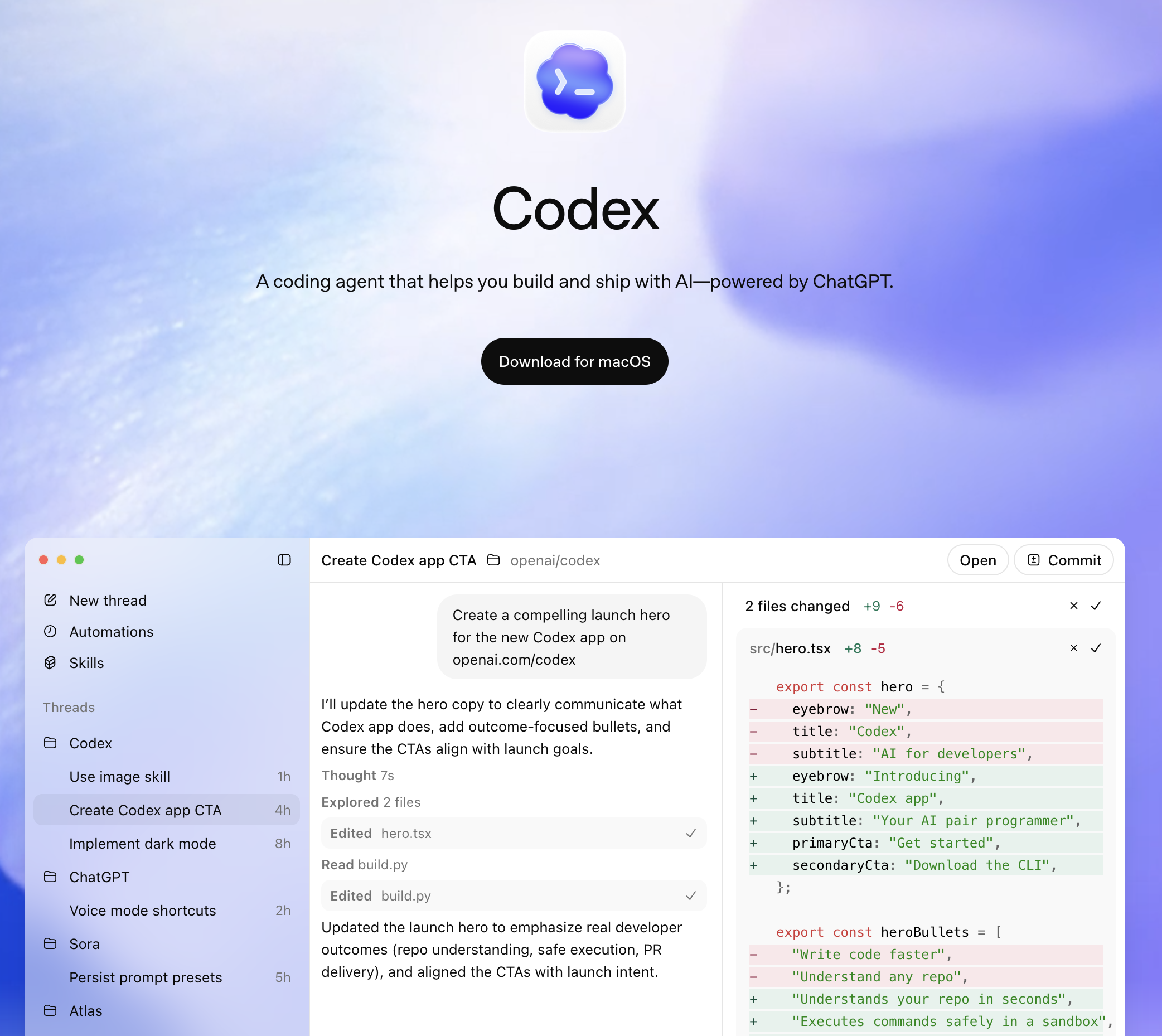
OpenAI Codex is a cloud-based coding agent launched in May 2025. It is built into the ChatGPT platform and uses the codex-1 model, which is a version of o3 fine-tuned specifically for software engineering tasks.
How it works:
You connect your GitHub repository to Codex through the ChatGPT interface. Then you describe a task:
"Add rate limiting to the /api/users endpoint. Use Redis for the token bucket.
Include tests and update the API documentation."
Codex then:
The entire process happens asynchronously in the cloud. You can close your browser, switch tabs, or submit multiple tasks in parallel. Each task gets its own isolated sandbox with internet access disabled by default.
Key characteristics:
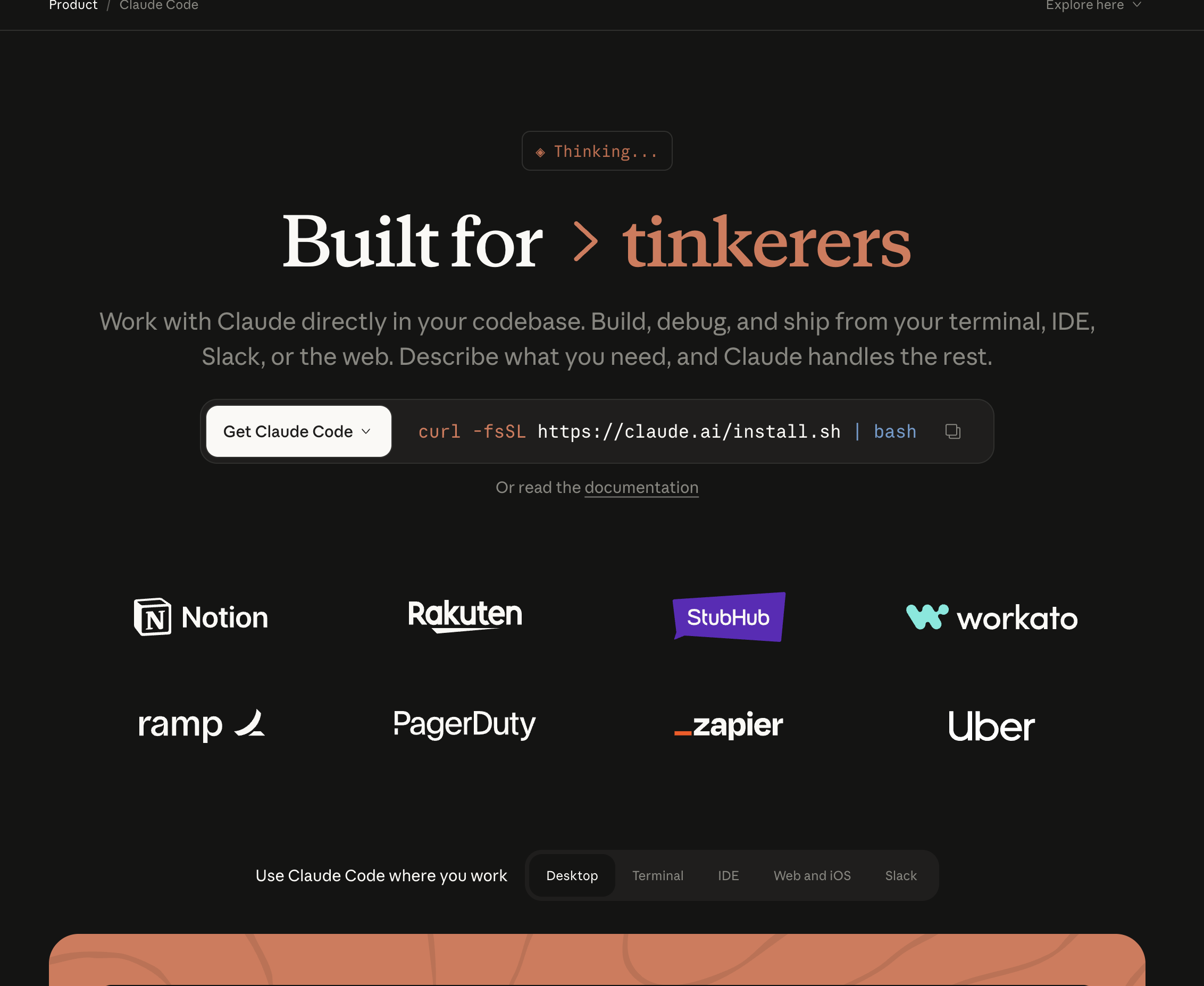
Claude Code is Anthropic's terminal-based coding agent, launched as a research preview in February 2025 and generally available since May 2025. It uses Claude Sonnet 4 as its default model with the option to configure Claude Opus.
How it works:
You open your terminal in any project directory, type claude, and describe your task:
claude "Add rate limiting to the /api/users endpoint. Use Redis for the token bucket.
Include tests and update the API docs."
Claude Code then:
Everything happens on your machine, in your terminal. You see the agent think, read files, write code, and run tests in real time. You can interrupt, redirect, or ask follow-up questions at any point.
Key characteristics:
This is the fundamental difference. Every other distinction flows from this architectural choice.
Codex operates on a delegation-and-forget model. You submit a task. It runs in the cloud. You review the result.
The workflow:
Advantages of this model:
Disadvantages:
Claude Code operates on an interactive-autonomy model. It works autonomously but on your machine, with you watching.
The workflow:
claude in your project directoryAdvantages of this model:
Disadvantages:
Codex uses codex-1, a version of OpenAI's o3 model fine-tuned for software engineering. The o3 base gives it strong logical reasoning, and the fine-tuning optimizes it for reading codebases, following coding conventions, and generating production-quality implementations.
Claude Code uses Claude Sonnet 4 by default, with optional configuration for Claude Opus. Claude's models are known for careful reasoning, instruction following, and long-context understanding.
In benchmark comparisons, both models perform at similar levels on standard coding tasks. SWE-bench results show competitive scores. The practical difference is not in raw model capability -- it is in how each tool applies that capability.
Claude Code tends to reason more deeply before acting. It reads more files, considers more edge cases, and produces more architecturally thoughtful solutions on the first attempt. In our testing, Claude Code required fewer iterations to reach a production-ready result for complex, multi-file tasks.
Codex tends to execute faster for well-defined, scoped tasks. Its cloud sandbox spins up quickly, and the o3 backbone handles straightforward implementation tasks efficiently. For tasks like "add this endpoint" or "write tests for this module," Codex often returns a result faster than Claude Code completes the same work locally.
Both tools handle multi-file changes, but the approaches differ:
Builder.io's analysis found that Claude Code uses approximately 5.5x fewer tokens than comparable tools for equivalent tasks. This is partly architectural -- Claude Code's planning-first approach reduces back-and-forth -- and partly model-level, with Claude's models being more concise in their reasoning chains.
Codex's token usage is less transparent because it is bundled into the ChatGPT subscription. You do not see per-task token counts unless you use the API directly.
Codex is included in ChatGPT Pro ($200/month), Team ($30/user/month), and Enterprise plans. Pro users get the highest rate limits, while Team users get moderate usage. There is no free tier for Codex -- you need at least a ChatGPT Plus subscription ($20/month) for limited access.
The bundled pricing model means Codex is effectively "free" if you already pay for ChatGPT Pro for other reasons. But if you subscribe specifically for Codex, $200/month is steep -- especially compared to Claude Code's per-token pricing, where light users might spend $50-80/month.
Claude Code uses a BYOK (bring your own key) model. You pay Anthropic directly per token:
For developers who use coding agents intermittently -- a few tasks per day, not all day every day -- Claude Code's per-token model is significantly cheaper. For developers who run coding agents constantly throughout the day, the cost approaches ChatGPT Pro's flat rate.
Both tools offer code review, but with different approaches.
Codex can be used for code review by submitting a PR diff as a task: "Review this PR for bugs, security issues, and style inconsistencies." It analyzes the diff in its sandbox and returns structured feedback.
Because Codex runs asynchronously, you can set up workflows that automatically submit new PRs for Codex review. The results come back as comments or a summary.
Claude Code has a built-in /review command and a GitHub Action for automated PR review. It uses specialized subagents:
The subagent architecture produces more structured, categorized findings. Each reviewer operates independently, which reduces the chance of missing issues that a single-pass review might overlook.
If you have 10 GitHub issues that need implementation, Codex lets you submit all 10 simultaneously. Each task gets its own sandbox, and results come back as separate PRs. Claude Code handles these sequentially -- one at a time.
For teams with large backlogs of well-defined tasks, this parallelism is transformative. A morning's worth of task submissions can produce a day's worth of PRs.
Codex runs entirely in the cloud. Your machine stays free for other work -- running the application, debugging, attending meetings on video calls. Claude Code consumes CPU, memory, and disk I/O on your machine while it works.
If your team already uses ChatGPT for research, documentation, brainstorming, and communication, Codex lives in the same interface. No context switching. You can go from "explain this algorithm" to "implement it in our codebase" in one conversation.
Each Codex task runs in a sandboxed container with no network access by default. There is zero risk of the agent accidentally modifying files outside the project, running destructive commands, or accessing sensitive local data. Claude Code runs on your machine with your permissions -- a misconfigured task could theoretically cause local damage (though Anthropic has safeguards).
Codex creates branches and opens pull requests directly. The output is a PR ready for human review -- with a description, the changes, and test results. Claude Code commits locally and you push manually (or configure it to push).
For tasks that require understanding complex codebases, reasoning through architectural decisions, and producing coherent changes across many files, Claude Code consistently outperforms. Its planning-first approach and subagent architecture handle ambiguity better.
In our testing, Claude Code produced production-ready results on the first attempt more often than Codex for tasks involving 10+ files, unfamiliar codebases, or ambiguous requirements.
When a task is ambiguous or you realize mid-execution that the approach is wrong, Claude Code lets you intervene immediately. Say "stop -- use the existing rate limiter instead of writing a new one" and it adjusts. With Codex, you wait for the result, reject it, and resubmit with clarified instructions.
Claude Code uses your local databases, Docker containers, environment variables, API keys, and internal tools. If your tests require a running PostgreSQL instance, Claude Code connects to the one already running on your machine. Codex's sandbox cannot reach it.
This matters most for:
Claude Code uses approximately 5.5x fewer tokens per task and shows you exactly what each task costs. You can optimize prompts, adjust model selection (Sonnet vs Opus), and control spending precisely. Codex's costs are hidden inside the subscription.
Claude Code runs in any terminal -- SSH sessions, CI pipelines, Docker containers, cloud VMs. You can automate it in scripts and integrate it into build systems. Codex requires the ChatGPT interface or API, which is harder to embed into existing automation.
Your code stays on your machine. It is sent to Anthropic's API for processing but not stored in a cloud sandbox or associated with a ChatGPT account. For companies with strict data policies, SOC 2 requirements, or classified codebases, this matters.
Here is the section that every other "Codex vs Claude Code" comparison skips.
Both tools are code agents. They read source code, generate implementations, and run test suites. Neither one:
Both Codex and Claude Code operate in the code layer. They verify that the code compiles, passes linting, and passes existing tests. They do not verify that the code produces the correct user experience.
Real example: A PR updates the discount calculation logic. Both agents review the diff and find no issues -- the math is correct, the tests pass. But when a user applies a coupon, removes an item, then proceeds to checkout, the total goes negative. The bug is not in the code of either function. It is in the interaction between two flows. Only testing the actual running application catches it.
In our three-week test, approximately 35-40% of bugs that reached production were in categories that neither Codex nor Claude Code could detect -- visual regressions, cross-flow state bugs, and environment-specific failures.
Sai is an AI agent that operates on a cloud desktop. It runs browsers, takes screenshots, reads error logs, and interacts with deployed applications -- the verification layer that both Codex and Claude Code lack.
When paired with Claude Code on Sai's cloud desktop, it creates a complete build-test-fix loop:
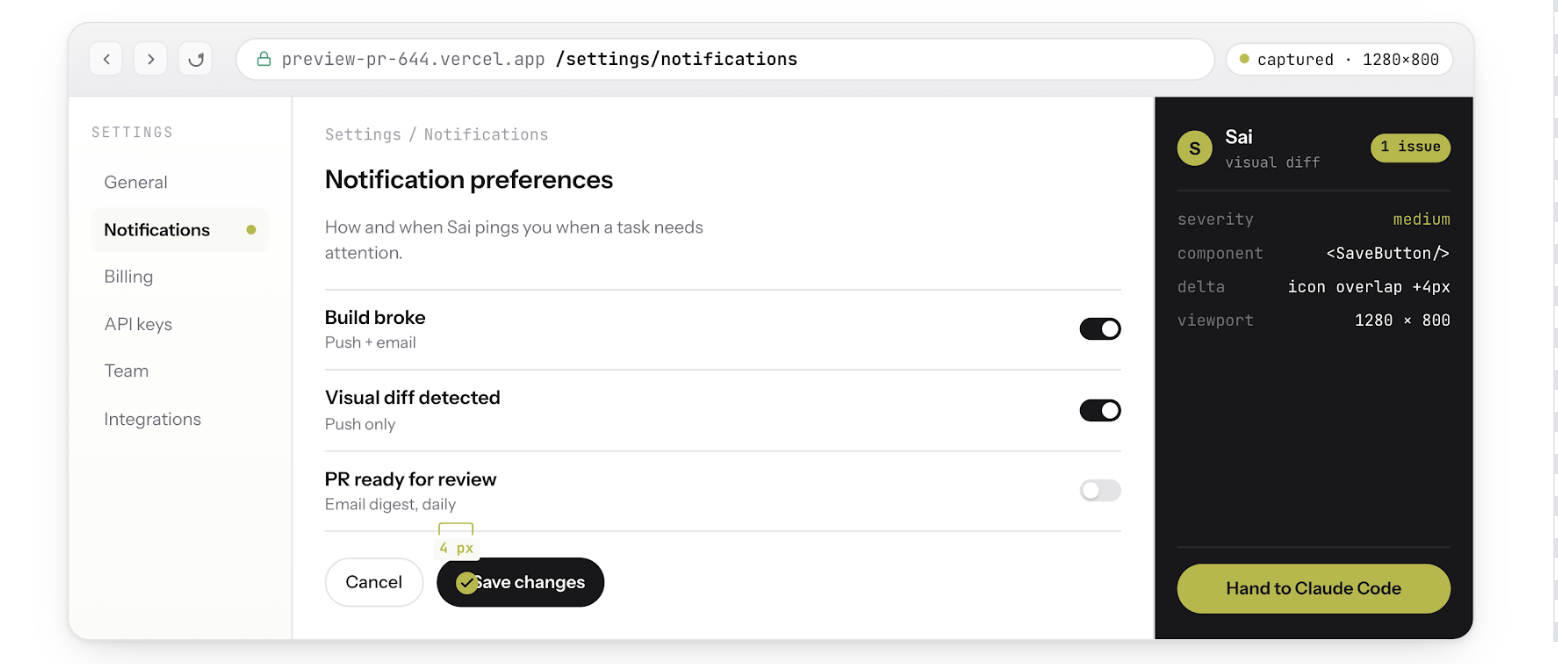
Neither Codex nor Claude Code alone can do steps 2 through 5. They both stop at "the code compiles and tests pass." Sai picks up where they stop and verifies the actual product.
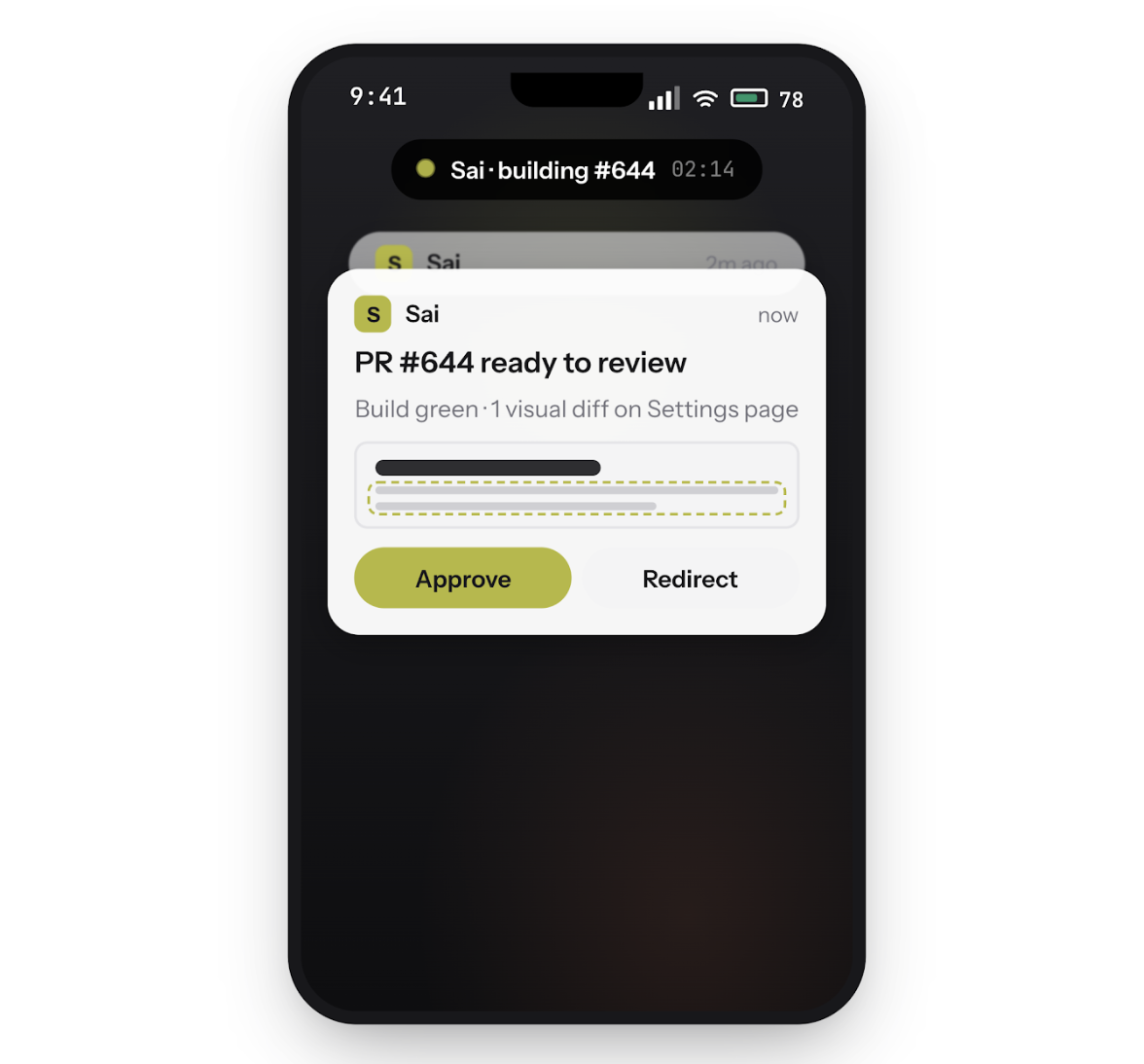
Run Claude Code on Sai's cloud desktop and close your laptop. Your coding agent keeps working -- building, testing, committing -- while you step away. Steer the loop from your phone: approve actions, redirect tasks, or ship a fix from anywhere.
When a PR opens, Sai opens your preview deployment, logs in with a test account, and clicks through the affected user flows. It screenshots every state transition and flags visual regressions, broken flows, and state-dependent bugs that code review cannot catch.
Paste a user's bug screenshot into Sai. It explores your app, reproduces the exact sequence of actions that triggers the issue, and hands Claude Code a structured report with steps-to-reproduce, expected vs. actual behavior, and annotated screenshots.