Top Best sai vs zapier alternatives for agencies

April 27, 2026

Top Best sai vs zapier alternatives for agencies

On a Tuesday night, somewhere between your fifth follow-up email and yet another spreadsheet export, you realise you’re not really doing marketing anymore. You’re babysitting tabs. You set up a few Zaps to help, but now you’re maintaining automations more than campaigns. It feels like you hired a robot intern and still have to stand over its shoulder.

That’s the gap tools like Sai and Zapier sit on opposite sides of. Zapier is the veteran connector, wiring apps together with triggers and actions. Sai is a newer class of AI computer agent that actually drives a full desktop for you. Where Zapier waits for webhooks and APIs, Sai opens a browser, clicks buttons, types into CRMs, runs terminal commands, and completes multi-step workflows autonomously. Zapier shines at predictable, API-based flows but struggles with complex branching and can get pricey at scale, as many reviewers point out (see this detailed Zapier review or critiques like ‘You Shouldn’t Need Zapier to Connect Two Tools’). Sai, by contrast, trades some setup simplicity for real-world execution power across any app you can open on a computer.

If you’re a founder, agency, or growth marketer, you probably live somewhere between those worlds: you want Zapier’s reliability and ecosystem, but you’re tired of it only nudging data around while you still do the “real work” on your laptop. In this guide we’ll explore Sai vs Zapier directly, then walk through five of the best alternatives that give you more autonomy, better economics, or deeper control over how work actually gets done.

How we evaluated

To compare Sai, Zapier, and the best alternatives, we borrowed a page from hands-on reviews like Vellum’s Zapier guide and Simular’s own AI assistant benchmarks, then adapted it for business owners, agencies, and go-to-market teams.

Our evaluation process combines real workflows, structured scoring, and qualitative notes:

  • Real-world scenarios
    • Email triage: processing 50+ inbound emails, drafting replies, updating CRM, scheduling follow-ups.
    • Lead research: finding 20 prospects, enriching data, and pushing into a pipeline or sheet.
    • Content workflows: turning a brief into posts, emails, and assets across multiple tools.
    • Operations tasks: file organisation, reporting, repetitive back-office admin.
  • Testing methods
    • We set up each tool from a cold start, without vendor support, to mirror how a busy founder or marketer would actually adopt it.
    • Every platform was run for multiple full workflows end-to-end, not just toy demos.
    • We measured how often the system could complete a task without human rescue and how painful debugging felt when it failed.
  • Evaluation dimensions
    • Ease of use: onboarding time, UI clarity, and how much “automation thinking” is required.
    • Pricing model: free tiers, per-task vs usage-based vs flat, and how quickly costs spike at agency scale.
    • Autonomy level: are we configuring rules (Zapier-style), calling LLMs, or letting a true agent operate a computer?
    • Surface area: browser-only SaaS workflows vs full desktop + terminal + file system control.
    • Ideal for: solo founders, agencies, RevOps teams, or enterprise IT.
    • Safety & transparency: approvals, logs, and whether every action is inspectable.
  • Desktop vs browser-only
    • Many “AI automation” tools are actually just wrappers on APIs and webhooks. We called this browser/API-only.
    • Tools like Sai and Simular Pro that can move a mouse, type into native apps, and manage files were flagged as full computer agents.

The result is a practical, opinionated view: which tools can you trust to actually do the work for you, and which ones still expect you to be the glue?

Comparison Summary

ToolStarting Price*Key AdvantagesAutonomous Agent?Ideal ForDesktop Tasks
Simular ProCustom / contact salesProduction-grade computer agent, millions of reliable steps, transparent execution, webhook integrationYes — full desktop + browserOps teams, agencies, and product leaders needing robust, repeatable automationsYes — full desktop automation
SaiAround $20/monthAlways-on AI co-worker, secure cloud workspace, approval-based safety, great for personal productivityYes — cross-app computer agentSolo founders, executives, power users who want a personal AI assistantYes — Windows workspace
ActivepiecesFree tier; Plus from ~$25/monthOpen-source option, flat-rate pricing, drag-and-drop builder, strong AI and SaaS integrationsPartial — AI-enhanced workflows, not full computer controlTeams wanting affordable, flexible automation across cloud appsNo — browser/API only
MakeFree tier; paid by operationsPowerful visual scenarios, complex branching, rich SaaS ecosystemNo — rule-based workflow engineTechnical marketers and ops teams building intricate API workflowsNo — cloud integrations only
GumloopFree tier; paid team plansAI-native flows, templates for data, support, CRM, and meeting prep, strong GTM focusPartial — AI agents inside browser/SaaSAI-native teams automating GTM and analytics across toolsNo — browser and SaaS only

1. Simular Pro – The Strongest Alternative When You Outgrow Sai vs Zapier

If Sai is the always-on AI co-worker that lives on your own virtual desktop, Simular Pro is its older sibling: the platform you bring in when the “one clever assistant” model needs to turn into a production-grade operation.

Built on the same agentic foundation, Simular Pro is Simular’s most advanced computer-use agent platform, designed specifically for pros. Instead of cobbling together hundreds of Zaps or browser-only bots, you give a Simular Pro agent an objective and it handles nearly everything a human can do across the entire desktop environment: clicking, typing, navigating native apps, driving browsers, calling APIs, running terminals, and even writing code.

Under the hood, Simular’s neuro-symbolic approach combines the flexibility of large language models with the precision of symbolic code and reinforcement learning. The result is a highly capable agent that isn’t just curious in a sandbox – it’s reliable in production. Workflows can run from thousands up to millions of steps with transparent, inspectable execution. Every action is logged and modifiable: what you see is what runs.

For agencies, RevOps, and product teams, the magic is in how Pro plugs into your existing systems. You don’t have to rebuild your stack around it. You trigger agents from your current pipelines via simple webhooks, let them do the messy multi-app work on a secure desktop, then push results back into your CRM, data warehouse, or ticketing system. It’s the missing layer between “one clever agent on a laptop” and “automation infrastructure the whole team can trust.”

Pros:

  • True computer agent that can operate desktop, browser, and cloud tools together.
  • Production-grade reliability with transparent logs and modifiable scripts.
  • Simple webhook-based integration into existing workflows.

Cons:

  • Best suited for teams and businesses rather than casual individual use.
  • Requires more upfront design than a quick one-off Zap.

Pricing: Simular Pro is positioned for professional and enterprise use, with custom pricing based on scale and environments. If you’re already considering a serious Zapier or RPA deployment, you’re in the right budget range.

2. Sai – Your Personal AI Co-Worker, Not Just Another Bot

Before we talk alternatives, it’s worth grounding what Sai actually is in the Sai vs Zapier conversation.

Sai is an always-on AI co-worker that does your job when you’re not there. Instead of living in a chat box, it lives in a private, cloud-based Windows workspace that’s isolated, secure, and always on. When you ask it to research competitors, clean your inbox, update a CRM, or organise files, it uses your desktop the way you do – clicking, typing, operating the GUI – as well as calling APIs, running terminals, and writing code when that’s faster.

Whenever it’s about to do something sensitive – send an email, post content, delete files – Sai pauses and asks for approval. You stay in control without hovering over every click. That human-in-the-loop design is what lets busy founders and marketers sleep while their AI co-worker finishes the boring parts.

In head-to-head tests, Sai completed full cross-app flows that Zapier simply can’t touch, because Zapier is limited to integrations and webhooks. But Sai isn’t perfect for everything: if you only need simple form-to-CRM handoffs, Zapier is cheaper and easier. If you want an AI that actually drives a computer, Sai is in a different class.

Pros:

  • Full computer agent with an always-on workspace.
  • Human approvals for risky actions.
  • Great for solo operators who want an AI “teammate.”

Cons:

  • Currently runs on a Windows workspace (macOS is on the roadmap).
  • Overkill if you only need a handful of simple Zaps.

Pricing: Around $20/month with a free trial, making it far cheaper than even a part-time virtual assistant.

3. Activepieces – AI-Ready Automation Without the Per-Task Headache

If you love Zapier’s model but hate watching task counts creep up every time a campaign performs well, Activepieces is a compelling alternative.

Activepieces is an open-core automation platform with a drag-and-drop builder for non-technical users and a TypeScript framework for developers. Instead of charging aggressively per task, it offers a generous free tier and flat-rate Plus plans, so your costs are predictable even as your volume grows. With more than 400 pre-built connectors spanning AI providers, CRMs, finance tools, and collaboration apps, it looks and feels like a modern, more open Zapier.

Where it connects to the Sai vs Zapier conversation is AI: Activepieces is AI-native. You can drop AI steps into workflows, integrate with OpenAI, and even build custom AI agents that live inside your flows. But it’s still a workflow engine, not a computer agent. It can’t click through your desktop or manage files directly; everything runs through APIs, webhooks, and SaaS UIs.

Pros:

  • Flat-rate pricing and open-source option for self-hosting.
  • Strong ecosystem of connectors and AI-ready building blocks.
  • Great balance of power and approachability for teams.

Cons:

  • No true desktop or GUI control.
  • Complex flows still require someone who thinks in “nodes and branches.”

Pricing: Free community edition and cloud free tier; Plus plan around $25/month, Business plans higher. It’s often significantly cheaper than Zapier for serious usage.

4. Make – Visual Workflows for People Who Think in Diagrams

Make, formerly Integromat, is often the first name people mention after Zapier. Where Zapier gives you linear “trigger → action” flows, Make gives you a full canvas where you can visually orchestrate complex scenarios, branch, merge, loop, and transform data in almost any way you can imagine.

For agencies and RevOps teams who live inside APIs and weird edge cases, this is gold. You can stitch together dozens of SaaS tools, run HTTP calls to any public API, and build flows that would be painful or impossible in Zapier’s interface.

But in the Sai vs Zapier framing, Make is more like “Zapier, but stronger,” not “Sai, but different.” It still lives entirely in the browser/server world. It cannot open a desktop app, log into a legacy system that only exposes a GUI, or clean your Downloads folder. It’s fantastic automation glue for cloud software – and that’s where it stops.

Pros:

  • Exceptionally powerful visual workflow builder.
  • Handles complex branching, loops, and data manipulation.
  • Massive app ecosystem plus generic HTTP modules.

Cons:

  • Steeper learning curve than Zapier.
  • Still not a true autonomous agent; everything is rule-based.

Pricing: Make offers a free tier and then tiered pricing based on “operations.” Costs can be very attractive at low-to-medium scale but ramp quickly with heavy usage. Always confirm current pricing on their site.

5. Gumloop – AI Workflows Tailored for GTM Teams

Gumloop sits closer to the AI side of the spectrum. It’s built for AI-native teams that want to automate data analysis, customer support, CRM updates, meeting prep, and call analysis – all from a friendly, template-driven interface.

Instead of just connecting apps, Gumloop wraps AI agents around your workflows. You can have a Data Analysis Agent that answers questions from Slack, a Support Agent that helps triage tickets, or a CRM Agent that lets sales teams update pipeline data without ever opening their CRM UI.

For marketers and agencies, the appeal is obvious: launch real AI workflows in days, not months, across the tools you already use. But just like Activepieces and Make, Gumloop lives in the cloud. Its agents operate across SaaS and APIs, not at the OS level. They won’t log into a stubborn legacy desktop tool or manage your local files.

Pros:

  • AI-native automations focused on GTM, support, and analytics.
  • Excellent templates and education for non-technical teams.
  • Strong community and “University” for learning.

Cons:

  • No full-computer control; limited to browser and SaaS.
  • Better for data and communication workflows than deep back-office ops.

Pricing: Free tier plus paid team plans; pricing scales with usage and team size. Check Gumloop’s site for the latest details.

6. Other Notable Alternatives and How to Choose

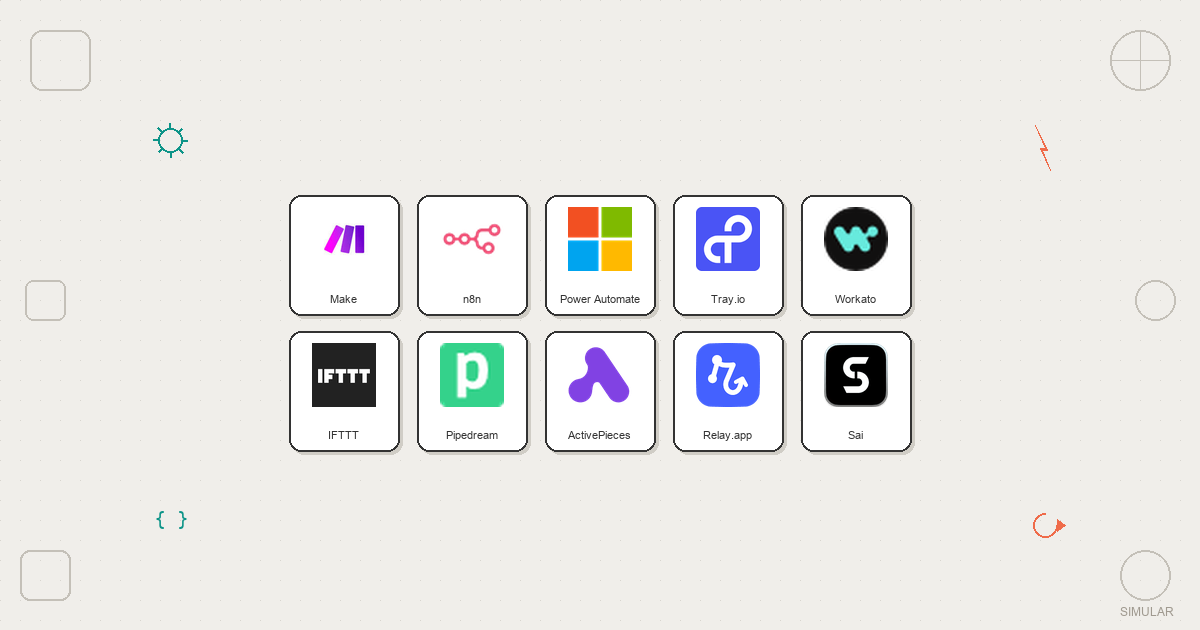
Beyond these five, there’s a long tail of serious contenders: n8n for self-hosted power users, Pabbly Connect for budget-conscious teams who hate per-task billing, Workato and Tray.io for enterprise orchestration, and even vertical-specific tools that automate just sales or just support.

So how should you think about Sai vs Zapier and the broader landscape?

  • If you only need simple SaaS-to-SaaS glue and love clear triggers and actions, Zapier, Activepieces, or Make will feel natural.
  • If you want AI-enhanced workflows but are happy staying in the browser and APIs, Gumloop is a strong, opinionated choice.
  • If what’s actually killing you is the manual computer work between all those tools – the clicking, copy-pasting, file wrangling, and multi-step processes – then a true computer agent is where the real leverage lies.

That’s where Simular’s stack, especially Simular Pro, stands out. It doesn’t just nudge data between apps; it uses a secure, always-on desktop to do the work a human would do, with transparent logs and guardrails that keep you in control. If you’re ready to delegate real work – not just notifications and updates – start by trying Sai for personal productivity, and graduate to Simular Pro when your whole team is ready for an AI co-worker that can scale.

When you’re done maintaining automations and ready to manage outcomes instead, it’s time to see what a production-grade computer agent can do.

Stop doing repetitive tasks. Let Sai handle them for you.

Sai is your AI computer use agent — it operates your apps, automates your workflows, and gets work done while you focus on what matters.

Try Sai

FAQS