

Oops! Something went wrong while submitting the form.


.svg)
Every business has a money story. An income and expense worksheet is the page where that story finally becomes readable. Instead of guessing from a bank balance, you see patterns: the clients who always pay late, the subscriptions you forgot to cancel, the campaigns that quietly print profit. In Google Sheets or Excel, a simple layout of dates, categories, and amounts turns chaos into a narrative you can actually steer.
Where an AI agent changes the game is in the execution. Instead of you chasing receipts, exporting CSV files, and copy pasting into columns, an AI computer agent can log in, open your Google Sheets or Excel workbook, pull transaction data from email or portals, label it, and reconcile totals on its own. You keep strategic control, while the machine handles the clicks, drags, and data cleanup.
You can build a beautiful income and expense worksheet in an afternoon. The real challenge is keeping it alive when business gets busy. Let’s walk through the practical ways to manage it manually in Google Sheets and Excel, then see how an AI agent can quietly take over the grunt work.
This is where most scrappy founders and agencies start.
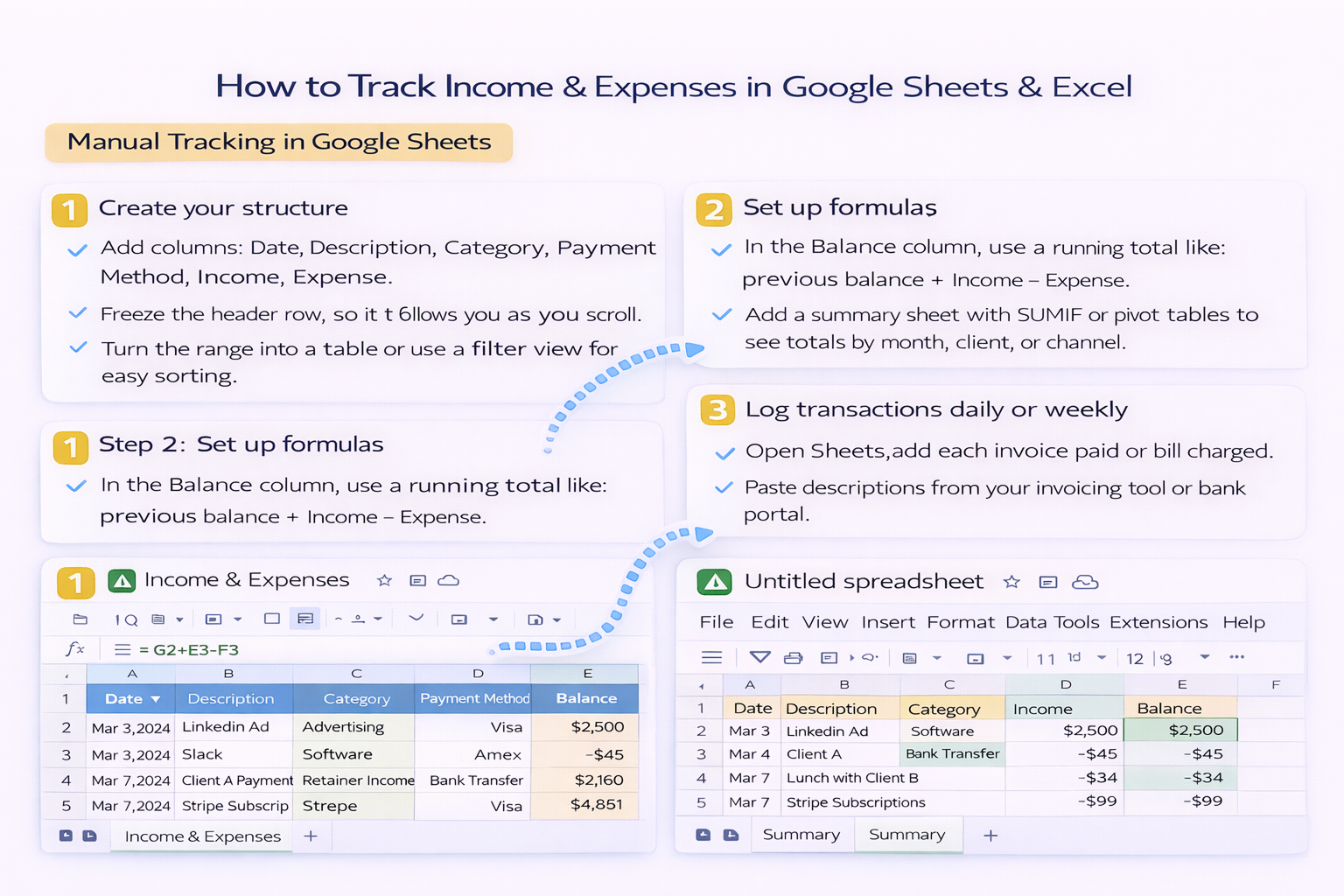
Step 1: Create your structure
Step 2: Set up formulas
Step 3: Log transactions daily or weekly
Pros
Cons
Excel shines when your data gets heavier or you are used to desktop tools.
Step 1: Start from a template
Step 2: Customize for your business
Step 3: Update on a schedule
Pros
Cons
If you are a solo creator with a dozen payments a month, manual is fine. But as soon as you are running an agency with multiple retainers, ad spend, contractors, and subscription tools, two problems appear:
That is exactly the kind of digital chore an AI computer agent is built for.
An AI agent can operate your computer the way a human assistant would: opening the browser, logging into portals, downloading CSVs, and updating Google Sheets or Excel line by line.
Example automated workflow
The sweet spot for most business owners and marketers looks like this:
Over time, your worksheet becomes less of a chore and more of a live dashboard. You still get the story of your money, but an AI agent does the typing, clicking, and late night data cleanup for you.
