
Oops! Something went wrong while submitting the form.


.svg)
Every sales cycle, contract term, renewal window, and cohort age hides inside a simple pair of dates. DATEDIF turns those dates into exact spans of days, months, or years. In Excel and Google Sheets, it can express an age, a subscription lifetime, or the duration between launch and renewal using units like y, m, d, ym, yd, and md. That makes it a quiet workhorse for forecasting, revenue modeling, and marketing timelines.
But in a real business, you are not calculating one duration; you are maintaining hundreds of sheets and workbooks, copying formulas, adjusting date ranges, and debugging #NUM! errors. This is where an AI computer agent changes the story. Instead of a human dragging formulas down columns or patching MD edge cases, the agent can open Excel or Sheets, apply the right DATEDIF patterns, test results on sample rows, and roll the logic out across files and teams. You get consistent, audited time-based metrics without burning human hours on mechanical spreadsheet work.
DATEDIF is one of those unglamorous but essential functions that quietly powers forecasts, retention dashboards, and contract tracking. It calculates the time between two dates in years, months, or days. For a small sheet, manual use is fine. At business scale, you need structure, automation, and eventually an AI agent that can operate across Google Sheets and Excel for you.
Below are three practical paths, moving from hands-on to fully automated.
These are the building blocks your team should understand before you automate.
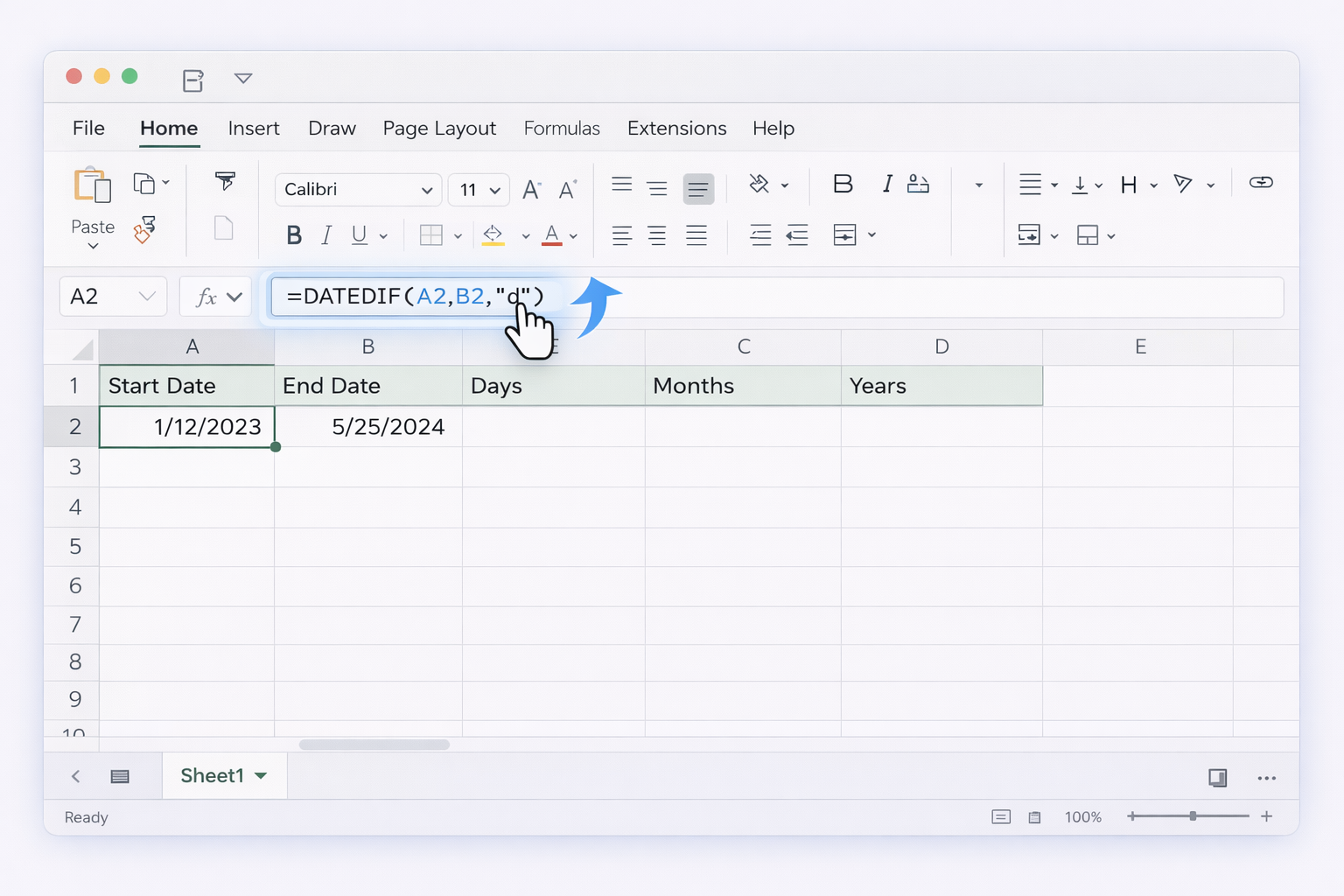
=DATEDIF(A2,B2,"d")=DATEDIF(A2,B2,"m")=DATEDIF(A2,B2,"y")Official reference: Microsoft DATEDIF support page:
https://support.microsoft.com/en-us/office/datedif-function-25dba1a4-2812-480b-84dd-8b32a451b35c
For sales or customer success, you might want the "age" of an account or contract in a human-readable format.
=DATEDIF(A2,B2,"y")=DATEDIF(A2,B2,"ym")=DATEDIF(A2,B2,"md")=C2 & " years " & D2 & " months " & E2 & " days"Now an AM can instantly see how long a customer has been active.
Google Sheets also supports DATEDIF with similar syntax.
=TODAY() for a dynamic value).=DATEDIF(A2,B2,"d")=DATEDIF(A2,B2,"m")Official Google Sheets DATEDIF reference:
https://support.google.com/docs/answer/6055612
Microsoft notes that "md" can return unexpected results. Their suggested workaround:
=E17 - DATE(YEAR(E17),MONTH(E17),1)This subtracts the first day of the ending month from the end date, avoiding the buggy "md" behavior.
See the Known issues section in:
https://support.microsoft.com/en-us/office/datedif-function-25dba1a4-2812-480b-84dd-8b32a451b35c
Once your formulas are stable, you want them to update without human hands.
You can keep marketers and sales reps out of the formula work by wiring Apps Script triggers.
This still relies on the built DATEDIF formulas, but the updates happen automatically whenever new data arrives.
Docs: Time-driven triggers in Apps Script
https://developers.google.com/apps-script/guides/triggers/installable#time-driven_triggers
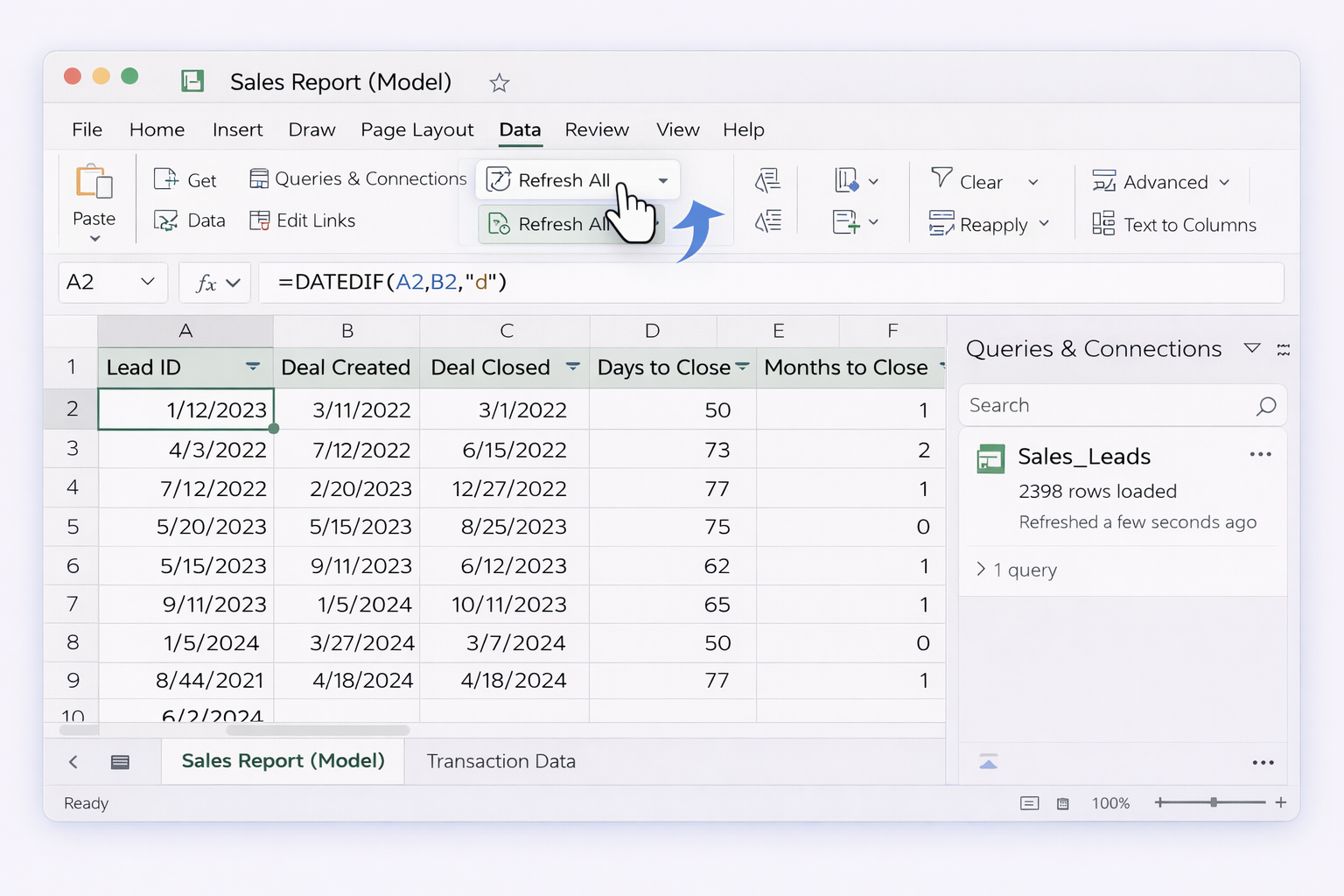
For operational reporting in Excel, you can:
This separates data ingestion from your DATEDIF logic and makes refreshes one-click rather than manual copy-paste.
Learn more about creating and managing queries:
https://support.microsoft.com/en-us/office/import-or-export-text-txt-or-csv-files-5250ac4c-663c-47ce-937b-339e391393ba
If your CRM or marketing tools feed Google Sheets or Excel files in OneDrive/SharePoint, you can:
This keeps business users in their familiar CRM while durations are quietly computed in the background.
At some point, your team is copying DATEDIF patterns across dozens of Sheets and Excel workbooks, each with slightly different structures. This is where an AI agent like Sai stops being a nice-to-have and becomes leverage.
Imagine a Simular AI computer agent that can:
You configure the workflow once. From then on, when a new template or client workbook arrives, you simply drop it into a folder and signal the agent. No humans dragging formulas for 500 rows at midnight.
Pros:
Cons:
Learn about Sai agents:
https://www.sai.work/
A more advanced pattern for agencies and sales teams:
Now, every Monday morning, duration metrics and cohort ages are up to date, without anyone owning a recurring "refresh this spreadsheet" chore.
Pros:
Cons:
DATEDIF has known quirks (especially with "md"), and human users are prone to off-by-one errors. You can set up Simular to:
This turns the agent into a tireless QA assistant, preserving trust in the metrics that drive your campaigns, forecasts, and P&Ls.
By starting with solid manual patterns, moving into lightweight no-code automation, and then letting an AI agent operate at the desktop and browser level, you turn a humble function like DATEDIF into a reliable, fully automated building block of your business intelligence stack.
.png)
%20(1).svg)