

Oops! Something went wrong while submitting the form.


.svg)
If you run a business, agency, or sales team, you already feel CAC in your gut. You see ad invoices, payroll, and tool subscriptions… but it is hard to answer one deceptively simple question: what does a single new customer really cost?
A CAC calculator in Google Sheets or Excel pulls those moving parts into one living model. Marketing can plug in ad spend, sales logs new customers, finance adds overhead, and everyone sees the same number instead of debating screenshots.
Now layer in an AI computer agent. Instead of someone babysitting tabs and copying exports, the agent logs into your CRM, ad platforms, and email, moves the data into Sheets or Excel, applies your CAC formula, checks for anomalies, and refreshes reports on a schedule. You are no longer chasing numbers; you are reacting to them in real time, with a quiet digital teammate doing the grunt work for you.
Customer Acquisition Cost (CAC) is one of those metrics that quietly runs the show. If you get it wrong, you overspend on campaigns that feel good but bleed cash. If you get it right, you can scale with confidence.
Below are practical ways to calculate CAC manually in Google Sheets and Excel, and then how to scale the same workflow with an AI computer agent so you never have to rebuild it by hand again.
Step 1: List your acquisition costs
=SUM(B2:B20) and label it Total Acquisition Cost.
Step 2: Track new customers
=SUM(D2:D31) for monthly new customers.
Step 3: Calculate CAC
=Total_Acquisition_Cost / New_Customers (or reference the exact cells, e.g., =B21/F5).CAC - This Month.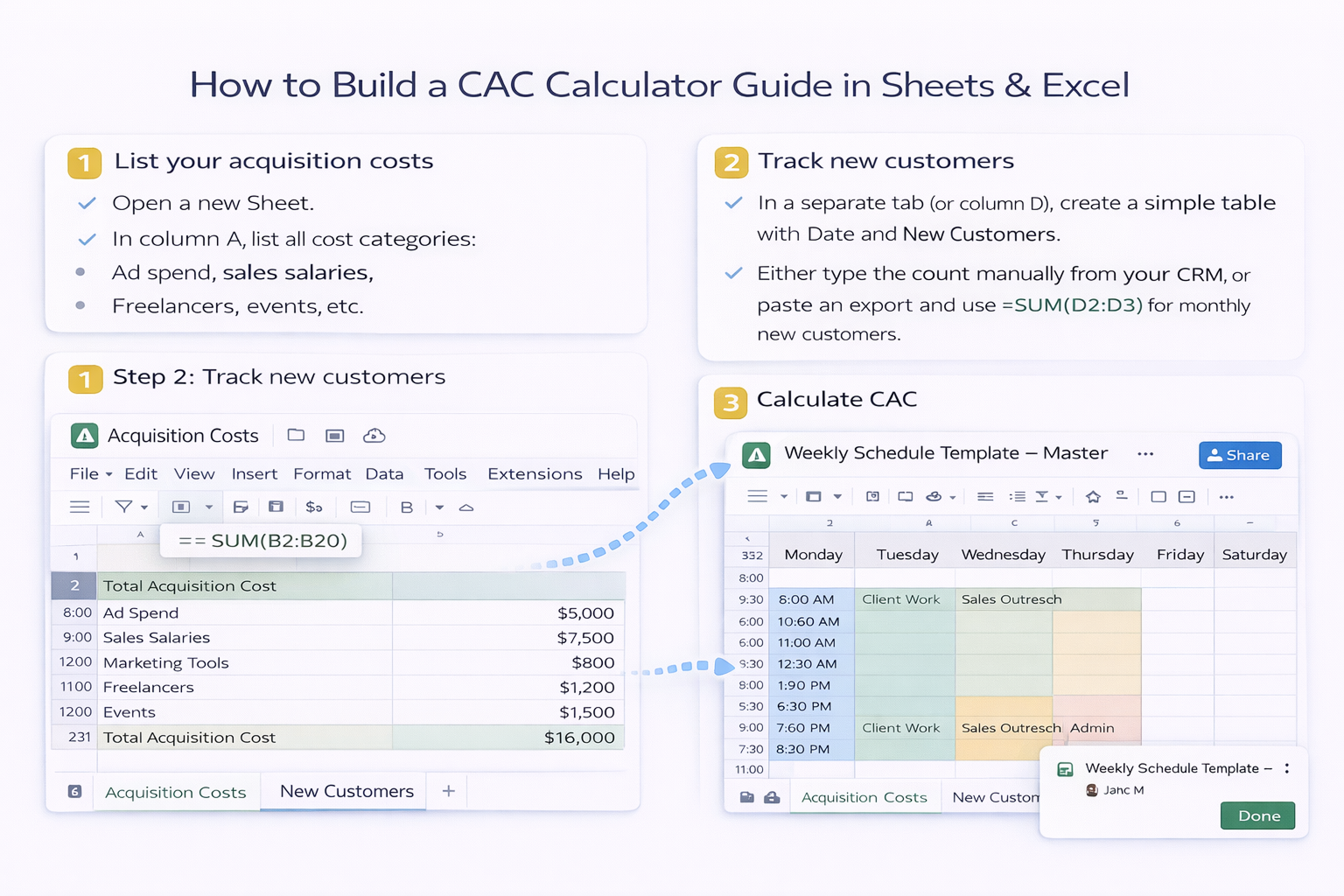
Pros of manual Google Sheets
Cons
Excel shines when your finance team lives in it and wants more structure.
Step 1: Build a cost table with structured references
Acquisition_Costs with columns: Category, Amount, Period.=SUMIFS(Acquisition_Costs[Amount], Acquisition_Costs[Period], "2025-01") to get the cost for a specific month.
Step 2: Build a customers table
New_Customers with columns: Date, Count.=SUMIFS(New_Customers[Count], New_Customers[Date], ">=" & StartDate, New_Customers[Date], "<=" & EndDate) to aggregate customers for the period.
Step 3: Add a clean CAC summary sheet
Total Cost and New Customers.=Total_Cost / New_Customers for CAC, plus a simple chart to show CAC trend by month.
Pros of manual Excel
Cons
Manual CAC spreadsheets are fine when you have one or two ad platforms and a single sales motion. But as soon as you:
…someone on your team quietly becomes the "spreadsheet operator" instead of doing strategy. They log into five tools, export CSVs, clean columns, paste into Sheets or Excel, and pray no formulas break.
That is exactly the type of repetitive, rules-based work an AI computer agent is built to own.
An AI agent running on your desktop can behave like a focused digital analyst that never gets tired.
What the agent can do for CAC
Most teams get the best results by starting manually and then handing off the repetitive part to an AI agent.
CAC stops being a mystery number you calculate once a quarter. It becomes a living signal that updates itself and tells you, in near real time, whether your growth engine is healthy or burning cash.
