Oops! Something went wrong while submitting the form.
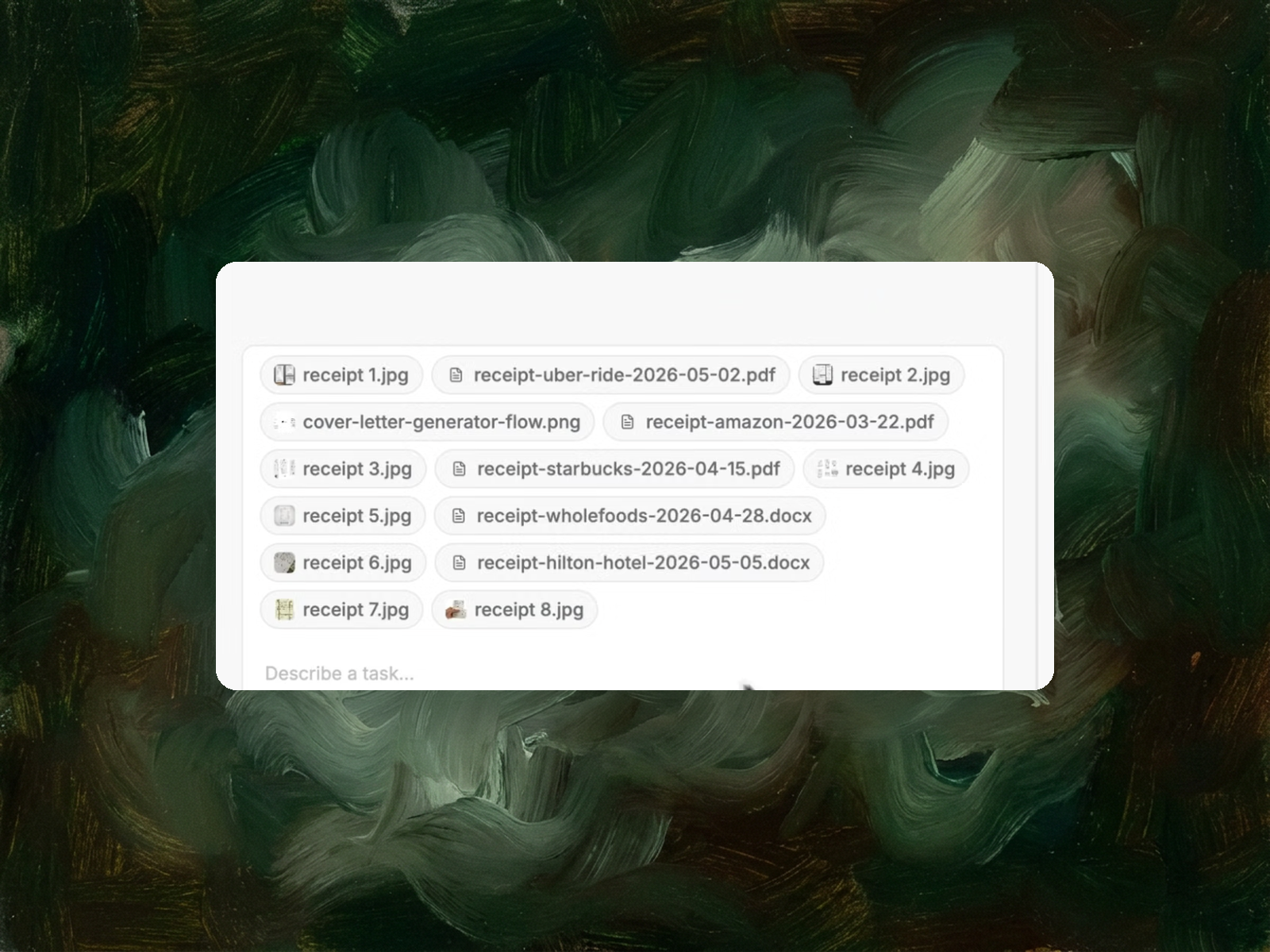
Drop in PDFs, photos, screenshots, Word files — whatever your vendors sent. Sai reads every line item, categorizes it, and writes it all into Google Sheets with the numbers reconciled.

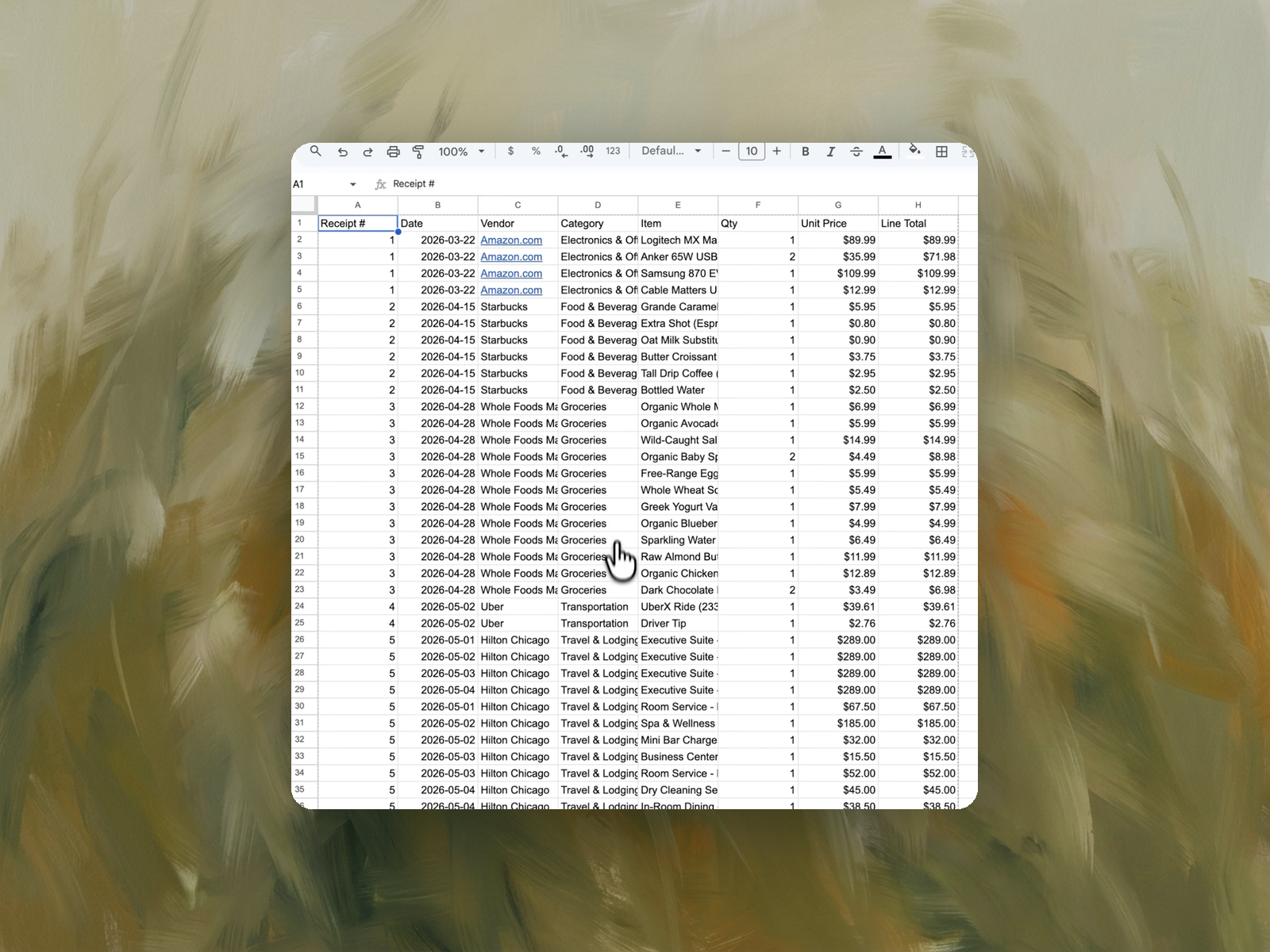
The recording is a real session. The sheet on the right is what it produced.
Sai opens each profile, pulls the signal, and writes the row, live, in a real browser.
Eight columns, sorted by score, with a source link behind every claim.
Your invoices and receipts in any format — PDF, JPG, PNG, DOCX. Attach them all at once.
A Google Sheet with one row per line item: receipt number, date, vendor, category, item, quantity, unit price, and line total — with anything unreadable flagged rather than guessed.
Minutes for a batch that takes an AP clerk most of a day. Industry benchmarks put manual invoice processing at 25 to 40 documents per person per day.
Run it monthly at close, or weekly if you're processing vendor invoices on a rolling basis.
Reading a document someone else designed, and typing what it says into a system that expects a fixed shape.
That's the whole job, and it's why it resists automation longer than it should. Every vendor formats differently. Amazon sends a structured PDF, the coffee shop sends a photo of a thermal receipt, the hotel sends a Word document with folio charges spread across four days, and the rideshare app sends an email you screenshot on your phone.
A human handles all of these without thinking. Traditional software handles none of them, because each one needs its own parser.
Because OCR reads characters, and invoice processing is a comprehension problem.
Getting the text off the page is the easy half and it's been solved for years. The hard half is knowing what the text means. Which number is the line total and which is the running subtotal. Whether "2" is a quantity or part of a SKU. That a hotel folio has one charge per night rather than one charge for the stay. That tax and tip are not line items in the same sense that a croissant is.
Template-based tools solve this by learning each vendor's layout, which works well until a vendor redesigns their invoice or you onboard a new one. Then someone has to build a new template, and the ongoing maintenance quietly eats the time the automation saved.
The alternative is to read the document the way a person does — understand what kind of document it is, then find the information wherever it happens to be. That generalizes to formats nobody configured in advance, which in practice is most of them.
One row per line item, not one row per document.
That distinction is the whole value. A summary row telling you Whole Foods cost $94.23 is a number you already had on your card statement. What you don't have, and what makes the data useful, is the twelve items behind it — because categorization, budget tracking, expense policy checks, and reimbursement all operate at the item level.
Each row carries a receipt number so line items stay grouped by source document, then the date, vendor, category, item description, quantity, unit price, and line total. A hotel stay becomes separate rows for each night's room charge plus room service, the spa, the mini bar, and dry cleaning — which is exactly the granularity you need when part of a trip is reimbursable and part isn't.
Categories are inferred from what the items actually are, so groceries, transportation, travel and lodging, and office equipment separate themselves without you writing rules.
It gets flagged, not guessed.
This is the part worth being careful about, because a wrong number in a finance spreadsheet is worse than a missing one. A blank cell gets noticed at review. A confidently wrong total gets reconciled, filed, and discovered in an audit six months later.
The prompt explicitly instructs Sai to flag anything it can't read clearly rather than infer it. Crumpled thermal paper, a photo taken at an angle, a faded total — these produce a flag you can resolve in thirty seconds, which is a much better outcome than a plausible-looking number nobody questions.
Expense platforms are systems of record. This is a data extraction task.
If you already run Expensify or Ramp and every purchase flows through it, use that. Those tools handle approval routing, policy enforcement, and accounting integration, and this task does none of those things.
But plenty of finance work happens outside that boundary. A contractor sends a quarter of PDF invoices. You're reconciling a trip after the fact. A client needs a line-item breakdown in a format their system accepts. Someone inherited a shoebox of receipts from a project that predates the expense policy. In all of those, the destination is a spreadsheet, and the work between the documents and the spreadsheet is manual typing.
That's the gap this fills. If you want the output in a reusable structure afterward, our Google Sheets invoice template page covers how to set that up, and our guide to organizing receipts is worth reading if the pile is large and undated.
Yes, and that's the normal case rather than the edge case.
You can attach PDFs, phone photos, screenshots, and Word documents together in a single run. Sai reads each one on its own terms and writes them all into the same sheet with consistent columns. There's no per-format setup and no sorting the pile before you start.
This matters more than it sounds, because the sorting is often the part people dread. A batch that's 60% PDFs and 40% photos of crumpled paper is exactly the batch that never gets processed until the deadline forces it.
Different job, and we have a separate walkthrough for it.
This task reads invoices you received. If you need to issue one to a client — with your details, line items, payment terms, and a due date — our guide on how to create invoices covers that, and the invoice automation page covers running it as a repeating workflow.