
Opa! Algo deu errado ao enviar o formulário.


.svg)
Every serious marketer eventually hits the same wall: you know Instagram ads are working, but you can’t clearly see which campaigns deserve more budget and which should be killed. An ad cost calculator built around your own numbers changes that. By pulling spend, impressions, clicks, and revenue into one place, you can see CPC, CPM, CPA, ROAS, and true profit per campaign in minutes instead of guessing.
Delegating this calculator to an AI computer agent means it logs into Instagram Ads Manager, exports fresh performance data, updates your Google Sheets model, and flags anomalies every day without you touching a keyboard. Instead of burning an hour building pivot tables and checking formulas, you wake up to a ready-made dashboard and a short summary of what changed, so you can decide where to scale or cut spend. That’s how agencies, sales teams, and founders turn a spreadsheet into a daily growth engine.
If you run Instagram ads, you live and die by your numbers. But manually checking Ads Manager, exporting CSVs, and rebuilding the same report in Google Sheets is a productivity tax on every marketer, founder, and agency. Let’s walk through three levels of Instagram ad cost calculation:
Throughout, your two anchors are Instagram Ads Manager and Google Sheets.
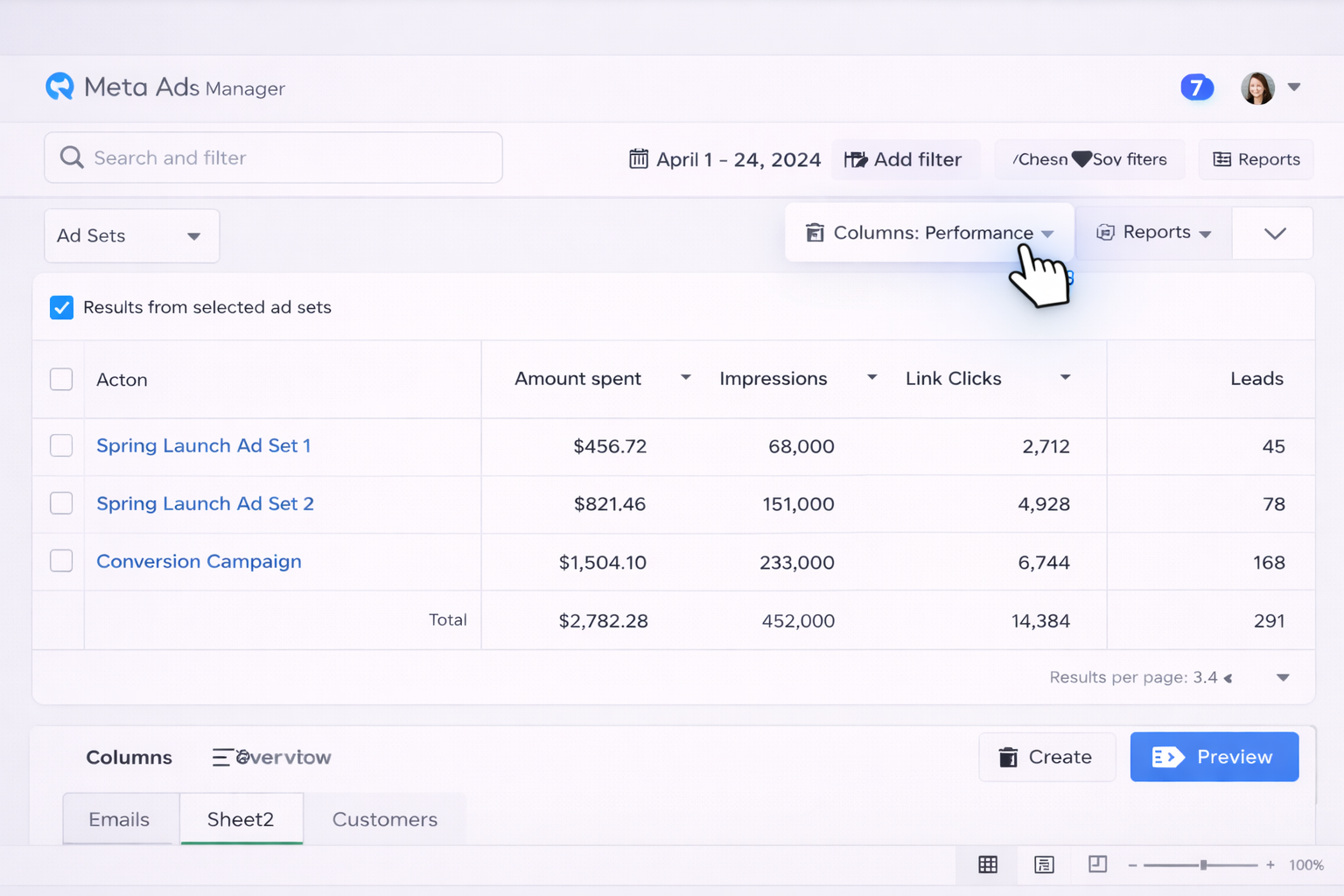
This is simple but painful to repeat daily or across many accounts.
=C2/E2 for CPC and copy down.=C2/(D2/1000) for CPM and copy down.=C2/F2 for CPA and copy down.=G2/C2 for ROAS and copy down.You now have a living calculator but still must export and paste every time.
Forecast.Forecast!B2, reference historical averages from your data tab using =AVERAGE(Data!H:H) for CPC, etc.This mimics classic calculators but is still entirely manual.
No-code platforms (such as popular automation tools) can pipe Instagram/Meta Ads data directly into Sheets.
Raw_Instagram.Metrics tab that references Raw_Instagram using =QUERY or =SUMIFS.Now your calculator updates automatically whenever the automation runs.
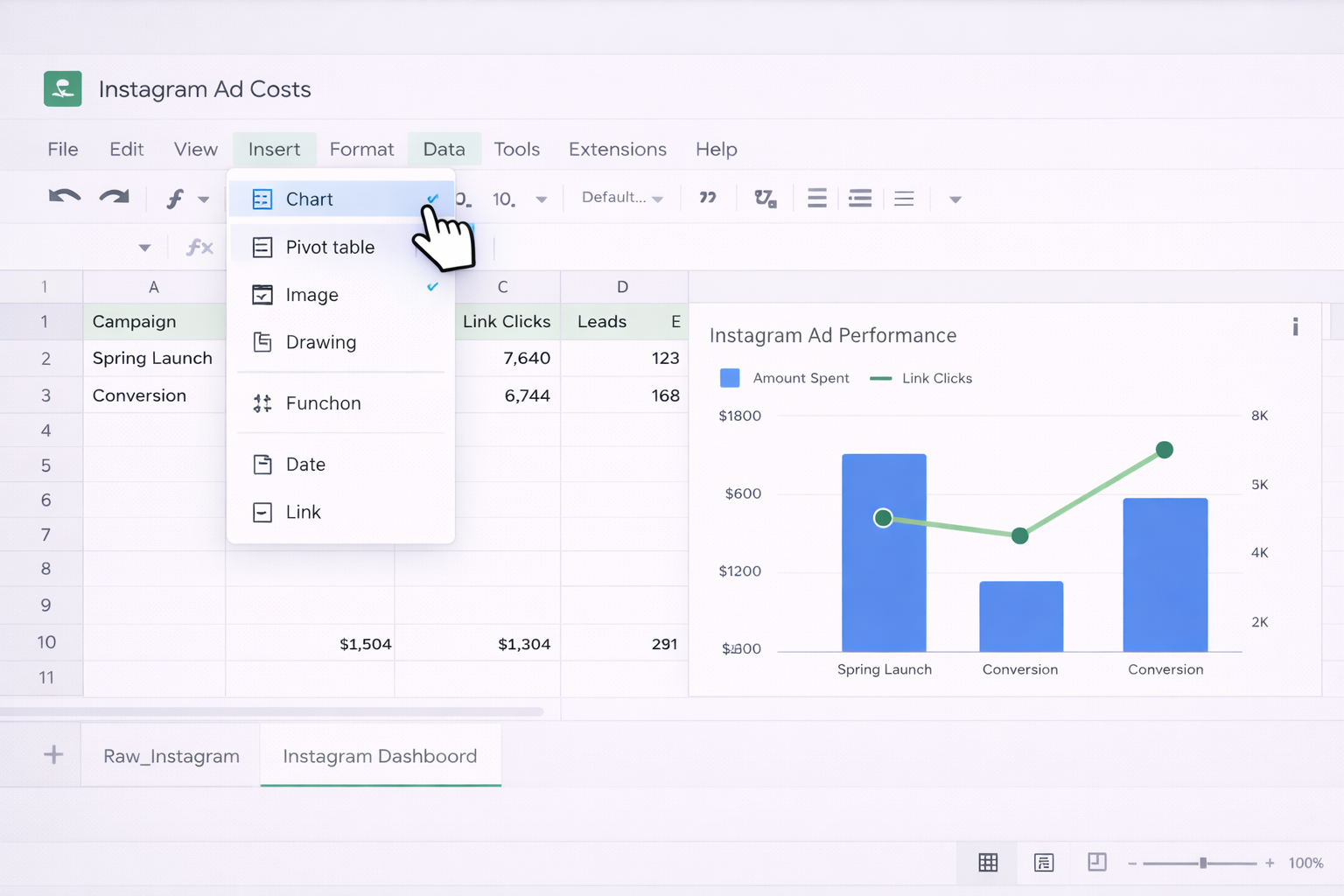
With live data arriving, you can:
=QUERY(Raw_Instagram!A:K,"select B,sum(C),sum(D),sum(E),sum(G) group by B",1) to aggregate by campaign.This turns your Sheet into a lightweight BI tool for Instagram costs, with no code.
Manual and no-code flows save time, but they still require you to design and maintain the logic. An AI agent can watch your screen, navigate Ads Manager, update Google Sheets, and even narrate what changed.
Imagine your AI computer agent doing this every morning:
raw_imports folder, or paste fresh metrics into the Raw_Instagram tab.
Pros:
Cons:
Beyond just updating costs, your AI agent can:
Because an advanced agent can operate across your entire desktop environment, it behaves like a junior analyst who never sleeps—collecting, calculating, and interpreting Instagram cost data for you.
The result: instead of spending your mornings exporting, cleaning, and calculating, you review one Sheet, read one narrative, and make faster budget decisions at scale.

