
Opa! Algo deu errado ao enviar o formulário.
Em uma terça à noite, em algum lugar entre seu quinto e-mail de acompanhamento e mais uma exportação de planilha, você percebe que não está mais fazendo marketing. Você é babá de tabs. Você configurou alguns Zaps para ajudar, mas agora está mantendo mais automações do que campanhas. Parece que você contratou um estagiário de robôs e ainda precisa se esforçar.
Essas são as lacunas, como Sai e Zapier, que ficam em lados opostos. Zapier é o conector veterano, conectando aplicativos com gatilhos e ações. Sai é uma nova classe de agente de computador de IA que, na verdade, aciona um desktop completo para você. Enquanto o Zapier espera por webhooks e APIs, Sai abre um navegador, clica em botões, digita em CRMs, executa comandos de terminal e conclui fluxos de trabalho de várias etapas de forma autônoma. O Zapier brilha com fluxos previsíveis baseados em API, mas tem dificuldades com ramificações complexas e pode se tornar caro em grande escala, como apontam muitos revisores (veja este artigo detalhado Avaliação do Zapier ou críticas como 'Você não deveria precisar do Zapier para conectar duas ferramentas'). Sai, por outro lado, troca um pouco de simplicidade de configuração por poder de execução no mundo real em qualquer aplicativo que você possa abrir em um computador.
Se você é fundador, agência ou profissional de marketing de crescimento, provavelmente mora em algum lugar entre esses mundos: você quer a confiabilidade e o ecossistema do Zapier, mas está cansado de apenas mexer nos dados enquanto ainda faz o “trabalho real” em seu laptop. Neste guia, exploraremos Sai versus Zapier diretamente e, em seguida, abordaremos cinco das melhores alternativas que oferecem mais autonomia, melhor economia ou controle mais profundo sobre como o trabalho realmente é realizado.
Para comparar Sai, Zapier e as melhores alternativas, pegamos emprestada uma página de análises práticas, como o guia Zapier da Vellum e os benchmarks de assistentes de IA da própria Simular, e a adaptamos para proprietários de empresas, agências e equipes de mercado.
Nosso processo de avaliação combina fluxos de trabalho reais, pontuação estruturada e notas qualitativas:
O resultado é uma visão prática e opinativa: em quais ferramentas você pode confiar para realmente fazer o trabalho por você e quais ainda esperam que você seja a cola?
Se Sai é o colega de trabalho de IA sempre ativo que mora em seu próprio desktop virtual, o Simular Pro é seu irmão mais velho: a plataforma que você traz quando o modelo de “um assistente inteligente” precisa se transformar em uma operação de nível de produção.
Construído sobre a mesma base de agente, o Simular Pro é a plataforma de agentes de uso de computador mais avançada da Simular, projetada especificamente para profissionais. Em vez de reunir centenas de Zaps ou bots somente para navegador, você dá a um agente Simular Pro um objetivo e ele lida com quase tudo que um ser humano pode fazer em todo o ambiente de desktop: clicar, digitar, navegar em aplicativos nativos, dirigir navegadores, chamar APIs, executar terminais e até mesmo escrever código.
Nos bastidores, a abordagem neuro-simbólica da Simular combina a flexibilidade de grandes modelos de linguagem com a precisão do código simbólico e o aprendizado por reforço. O resultado é um agente altamente capaz que não é apenas curioso em uma caixa de areia — é confiável na produção. Os fluxos de trabalho podem ser executados de milhares a milhões de etapas com execução transparente e inspecionável. Cada ação é registrada e modificável: o que você vê é o que é executado.
Para agências, RevOps e equipes de produto, a mágica está na forma como o Pro se conecta aos seus sistemas existentes. Você não precisa reconstruir sua pilha em torno dela. Você aciona agentes de seus pipelines atuais por meio de webhooks simples, permite que eles façam o trabalho confuso de vários aplicativos em um desktop seguro e, em seguida, envia os resultados de volta ao seu CRM, data warehouse ou sistema de tíquetes. É a camada que falta entre “um agente inteligente em um laptop” e “infraestrutura de automação na qual toda a equipe pode confiar”.
Prós:
Contras:
Preços: O Simular Pro está posicionado para uso profissional e corporativo, com preços personalizados com base na escala e nos ambientes. Se você já está considerando uma implantação séria do Zapier ou do RPA, está na faixa de orçamento certa.
Antes de falarmos sobre alternativas, vale a pena fundamentar o que Sai realmente é na conversa entre Sai e Zapier.
Sai é uma colega de trabalho de IA sempre ativa que faz seu trabalho quando você não está presente. Em vez de morar em uma caixa de bate-papo, ele vive em um espaço de trabalho Windows privado, baseado em nuvem, isolado, seguro e sempre ativo. Quando você pede que ele pesquise concorrentes, limpe sua caixa de entrada, atualize um CRM ou organize arquivos, ele usa seu desktop da mesma forma que você — clicando, digitando, operando a GUI — além de chamar APIs, executar terminais e escrever código quando é mais rápido.
Sempre que está prestes a fazer algo delicado — enviar um e-mail, publicar conteúdo, excluir arquivos — Sai faz uma pausa e pede aprovação. Você mantém o controle sem passar o mouse sobre cada clique. Esse design inovador é o que permite que fundadores e profissionais de marketing ocupados durmam enquanto seus colegas de trabalho com IA terminam as partes chatas.
Em testes diretos, Sai concluiu fluxos completos entre aplicativos que o Zapier simplesmente não consegue tocar, porque o Zapier está limitado a integrações e webhooks. Mas o Sai não é perfeito para tudo: se você só precisa de transferências simples de formulários para CRM, o Zapier é mais barato e fácil. Se você quer uma IA que realmente conduza um computador, Sai está em uma classe diferente.
Prós:
Contras:
Preços: Cerca de $20/mês com um teste gratuito, o que o torna muito mais barato do que até mesmo um assistente virtual em tempo parcial.
Se você adora o modelo de Zapier, mas odeia ver a contagem de tarefas aumentar toda vez que uma campanha tem um bom desempenho, Peças ativas é uma alternativa atraente.
O Activepieces é uma plataforma de automação de núcleo aberto com um construtor de arrastar e soltar para usuários não técnicos e uma estrutura TypeScript para desenvolvedores. Em vez de cobrar agressivamente por tarefa, ele oferece planos generosos de nível gratuito e planos Plus de tarifa fixa, para que seus custos sejam previsíveis mesmo com o aumento do volume. Com mais de 400 conectores pré-construídos abrangendo provedores de IA, CRMs, ferramentas financeiras e aplicativos de colaboração, parece um Zapier moderno e mais aberto.
Onde ele se conecta à conversa entre Sai e Zapier está a IA: a Activepieces é nativa da IA. Você pode inserir etapas de IA em fluxos de trabalho, integrar-se ao OpenAI e até mesmo criar agentes de IA personalizados que residem em seus fluxos. Mas ainda é um mecanismo de fluxo de trabalho, não um agente de computador. Ele não pode clicar em sua área de trabalho ou gerenciar arquivos diretamente; tudo é executado por meio de APIs, webhooks e UIs de SaaS.
Prós:
Contras:
Preços: edição comunitária gratuita e nível gratuito na nuvem; plano Plus em torno de $25/mês, planos empresariais superiores. Geralmente, é significativamente mais barato do que o Zapier para uso sério.
Faça, anteriormente Integromat, costuma ser o primeiro nome que as pessoas mencionam depois de Zapier. Enquanto o Zapier fornece fluxos lineares de “gatilho → ação”, o Make oferece uma tela completa na qual você pode orquestrar visualmente cenários complexos, ramificar, mesclar, repetir e transformar dados de praticamente qualquer maneira que você possa imaginar.
Para agências e equipes de RevOps que vivem dentro de APIs e casos extremos estranhos, isso é ouro. Você pode unir dezenas de ferramentas SaaS, executar chamadas HTTP para qualquer API pública e criar fluxos que seriam difíceis ou impossíveis na interface do Zapier.
Mas no enquadramento Sai vs Zapier, Make é mais parecido com “Zapier, mas mais forte”, não “Sai, mas diferente”. Ele ainda vive inteiramente no mundo do navegador/servidor. Ele não pode abrir um aplicativo de desktop, fazer login em um sistema legado que só expõe uma GUI ou limpar sua pasta Downloads. É uma cola de automação fantástica para software em nuvem — e é aí que ela para.
Prós:
Contras:
Preços: faça das ofertas um nível gratuito e, em seguida, preços diferenciados com base em “operações”. Os custos podem ser muito atraentes em baixa a média escala, mas aumentam rapidamente com o uso intenso. Sempre confirme os preços atuais em seu site.
Gumloop fica mais perto do lado da IA do espectro. Ele foi desenvolvido para equipes nativas de IA que desejam automatizar a análise de dados, o suporte ao cliente, as atualizações de CRM, a preparação para reuniões e a análise de chamadas, tudo a partir de uma interface amigável e orientada por modelos.
Em vez de apenas conectar aplicativos, o Gumloop envolve agentes de IA em seus fluxos de trabalho. Você pode ter um agente de análise de dados que responde às perguntas do Slack, um agente de suporte que ajuda na triagem de tickets ou um agente de CRM que permite que as equipes de vendas atualizem os dados do pipeline sem nunca abrir a interface do CRM.
Para profissionais de marketing e agências, o apelo é óbvio: lance fluxos de trabalho reais de IA em dias, não meses, nas ferramentas que você já usa. Mas, assim como o Activepieces e o Make, o Gumloop vive na nuvem. Seus agentes operam em SaaS e APIs, não no nível do sistema operacional. Eles não entrarão em uma ferramenta de desktop antiga teimosa nem gerenciarão seus arquivos locais.
Prós:
Contras:
Preços: nível gratuito mais planos pagos para equipes; escalas de preços de acordo com o uso e o tamanho da equipe. Consulte o site do Gumloop para obter os detalhes mais recentes.
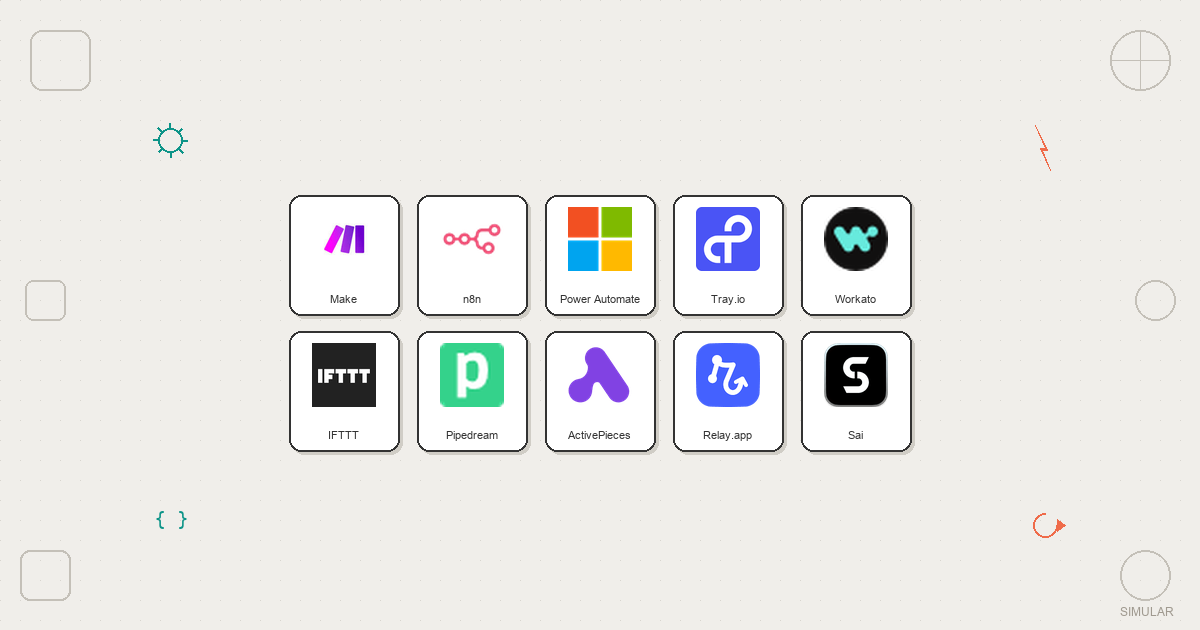
Além desses cinco, há uma longa lista de concorrentes sérios: n8n para usuários avançados auto-hospedados, Pabbly Connect para equipes preocupadas com o orçamento que odeiam o faturamento por tarefa, Workato e Tray.io para orquestração corporativa e até ferramentas verticais específicas que automatizam apenas as vendas ou apenas o suporte.
Então, como você deve pensar sobre Sai vs Zapier e o cenário mais amplo?
É aí que o stack do Simular, especialmente o Simular Pro, se destaca. Ele não apenas troca dados entre aplicativos; ele usa um desktop seguro e sempre ativo para fazer o trabalho que um ser humano faria, com registros e grades de proteção transparentes que mantêm você no controle. Se você está pronto para delegar trabalho real, não apenas notificações e atualizações, comece experimentando o Sai para produtividade pessoal e passe para o Simular Pro quando toda a sua equipe estiver pronta para um colega de trabalho com IA que possa escalar.
Quando você terminar de manter as automações e estiver pronto para gerenciar os resultados, é hora de ver o que um agente de informática de nível de produção pode fazer.