
Hoppla! Beim Absenden des Formulars ist etwas schief gelaufen.

.svg)
Zendesk Marketplace is where your support stack quietly compounds in value. Nearly every workflow your team touches—support, sales assist, billing, reviews, campaigns—already has a purpose‑built app waiting there. Instead of custom‑coding integrations from scratch, you mix and match apps for AI and bots, agent productivity, CRM and marketing, analytics, and more, then plug them straight into your Zendesk workspace. Ratings, reviews, and categories make it easy to validate vendors and de‑risk choices, while themes and partner services help you shape a help center and operation that actually fits your brand and scale.
Now imagine an AI computer agent walking that marketplace for you. While your team handles strategy, the agent can log into Zendesk, compare apps, install trials, configure test workflows, and capture before‑and‑after metrics. It becomes your tireless operations assistant: spinning up experiments at night, rolling back losers, scaling winners, and documenting every click. You stop firefighting integrations and start orchestrating a constantly improving CX machine.
You don’t need to be a developer to turn Zendesk into a powerful, automated customer hub. Between the Zendesk Marketplace, built‑in automation, and an AI computer agent like Simular, you can go from manual chaos to a self‑optimizing support stack.
Below is a practical playbook, from traditional methods all the way to AI‑driven automation.
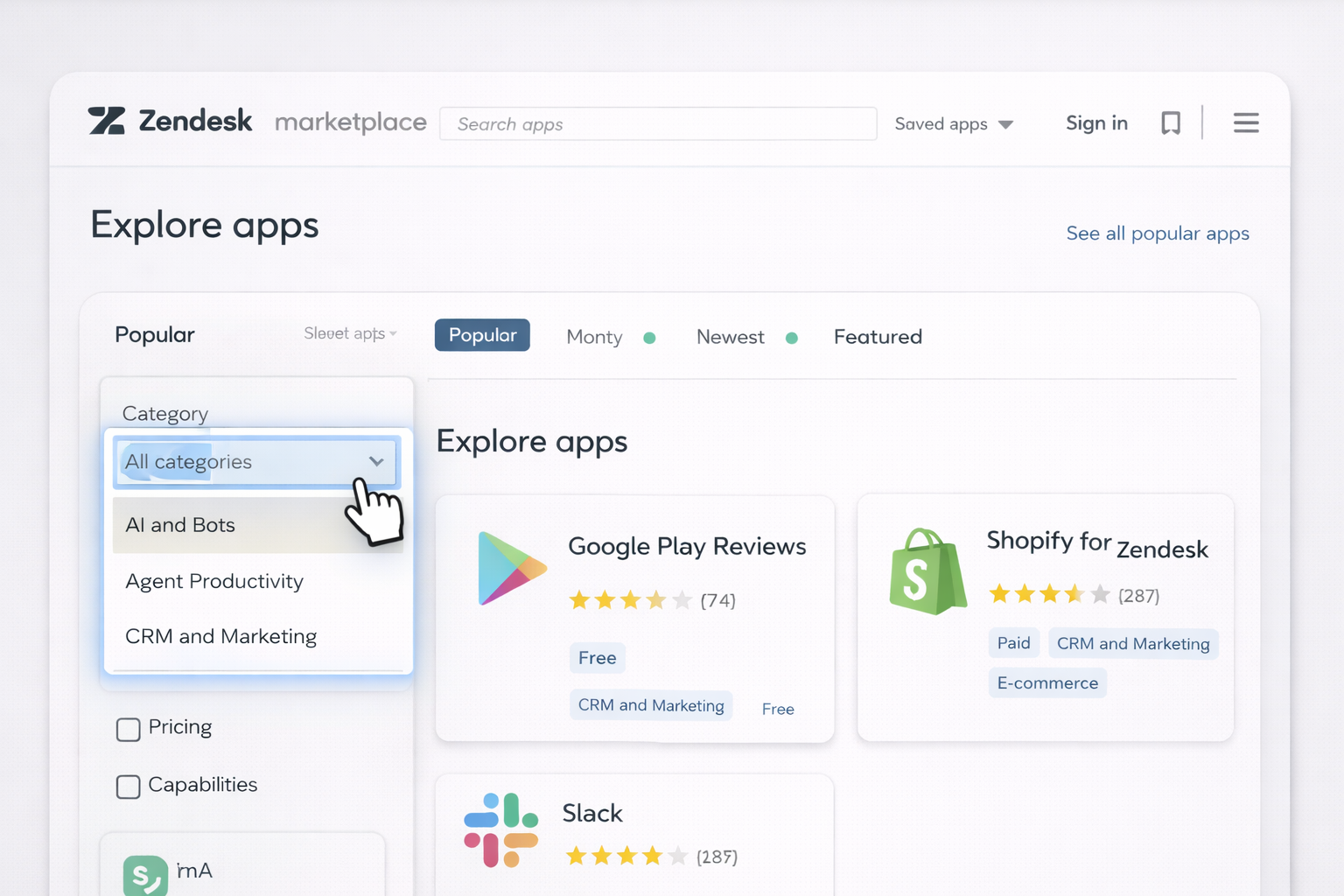
This is slow but gives you intuition about the ecosystem and what’s possible.
Let’s say you pick Shopify for Zendesk to give agents instant order context.
Docs hub: https://support.zendesk.com/hc/en-us
Pros: high control and understanding. Cons: consumes founder/manager time.
Many Marketplace apps expose actions or fields that work best when paired with Zendesk’s own automation.
Example: automatically tag tickets that contain Trustpilot review links.
Ticket is Created and Comment text contains 'trustpilot.com'.Add tags → trustpilot_review.This is still manual but gets you to consistent behavior.
Every quarter:
This works, but as your operation grows, the reviews, experiments, and audits become too heavy to do by hand.
When manual steps start burning hours, layer in no‑code automation.
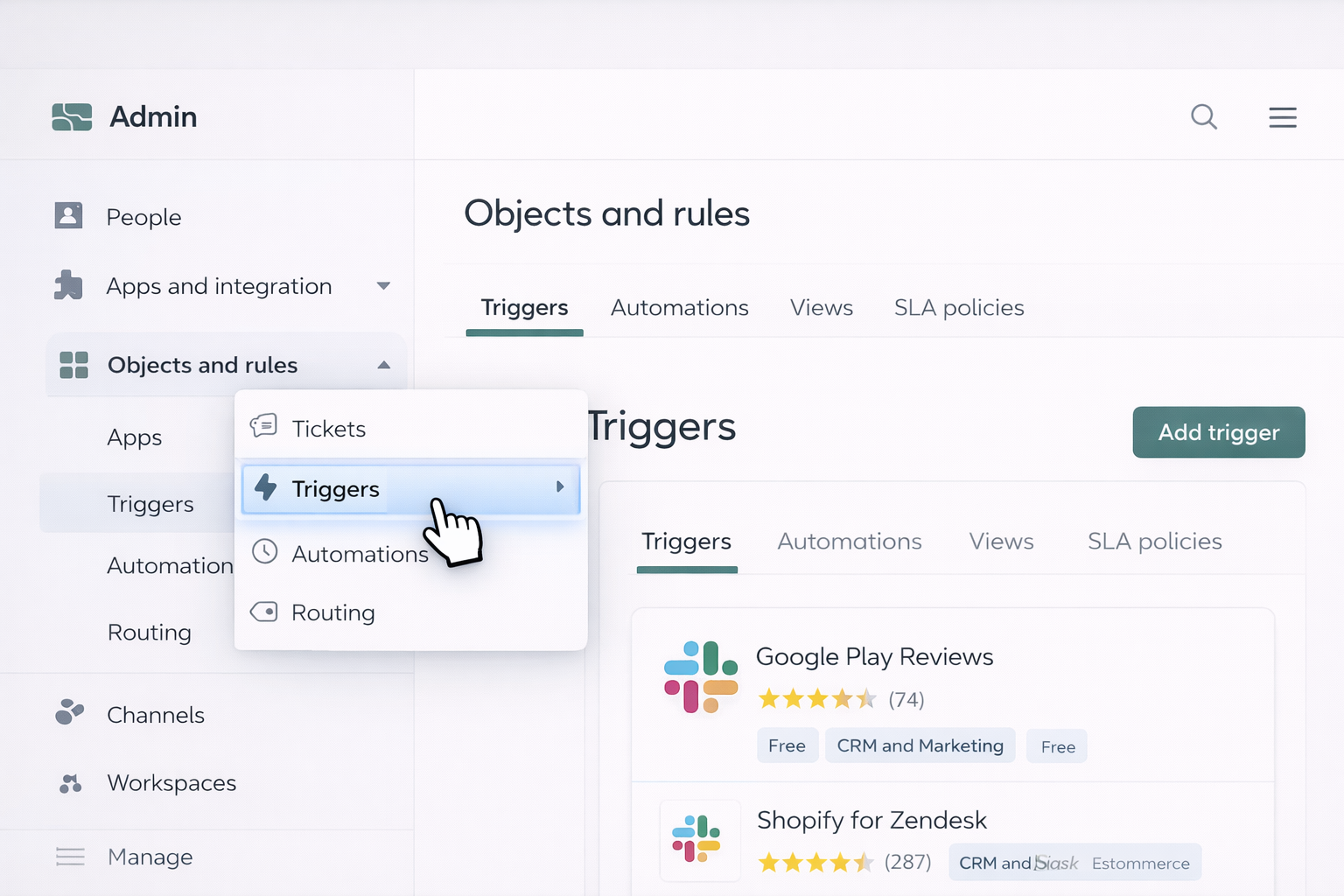
Zendesk’s native rules engine can orchestrate behavior across many Marketplace apps.
Example: auto‑route VIP tickets to a dedicated Slack channel using the Slack app.
Ticket is Created and Tags contain vip.This gives you if/then routing without writing code.
For messaging channels, combine Zendesk bots with Marketplace apps under AI and Bots.
Reference: https://support.zendesk.com/hc/en-us for bot and Flow Builder documentation.
Sometimes you want Zendesk to sync with CRMs, billing, or marketing tools that also live in the Marketplace.
Example: push post‑support NPS survey results into your CRM.
Pros of no‑code: faster than custom engineering, friendly to ops and CX leaders. Cons: you still design and maintain every rule.
At some point, the bottleneck isn’t Zendesk—it's your human time. This is where a Simular AI computer agent becomes your operations teammate, not just a script.
Simular Pro (https://www.simular.ai/simular-pro) can operate like a power user across desktop, browser, and cloud, including Zendesk and its Marketplace. Every click, scroll, and configuration step is transparent and inspectable.
Use case: you’re a marketing agency or growing brand wanting the best AI, reviews, and CRM apps without spending weekends in the Marketplace.
Workflow:
Pros: research that used to take a manager half a day now runs in the background. Cons: you still decide what to install, which is usually what you want for governance.
Use case: a sales team wants Zendesk + Shopify + Slack wired together for launch week, without an ops engineer.
Workflow:
Pros: repeatable rollouts across multiple brands or clients; ideal for agencies. Cons: requires initial workflow design, and you’ll want guardrails for permissions.
Use case: you run a support org with dozens of Marketplace apps and no one has time to prune or optimize.
Workflow:
Pros: ongoing savings and performance improvements without manual audits. Cons: you need a human owner to approve changes and keep a strategic view.
For official documentation, always start from the Zendesk Help Center at https://support.zendesk.com/hc/en-us and explore Simular Pro’s capabilities at https://www.simular.ai/simular-pro.

.svg)
%20(1).svg)

.svg)
