
Hoppla! Beim Absenden des Formulars ist etwas schief gelaufen.
.svg)
.svg)
.svg)
If you sell, teach, or pitch for a living, YouTube is your secret weapon: live product demos, testimonials, explainers, all embedded right inside PowerPoint so your audience sees and feels the story instead of squinting at bullet lists. But hunting links, pasting URLs, resizing frames, testing playback across dozens of decks? That’s busywork. An AI computer agent can follow your exact rules—brand layout, slide structure, timing—and do the mechanical YouTube-to-PowerPoint work at scale while you stay focused on the narrative and strategy.
There are two main approaches: manual methods for one-off presentations, and automated workflows powered by an AI agent for recurring tasks.
Steps:
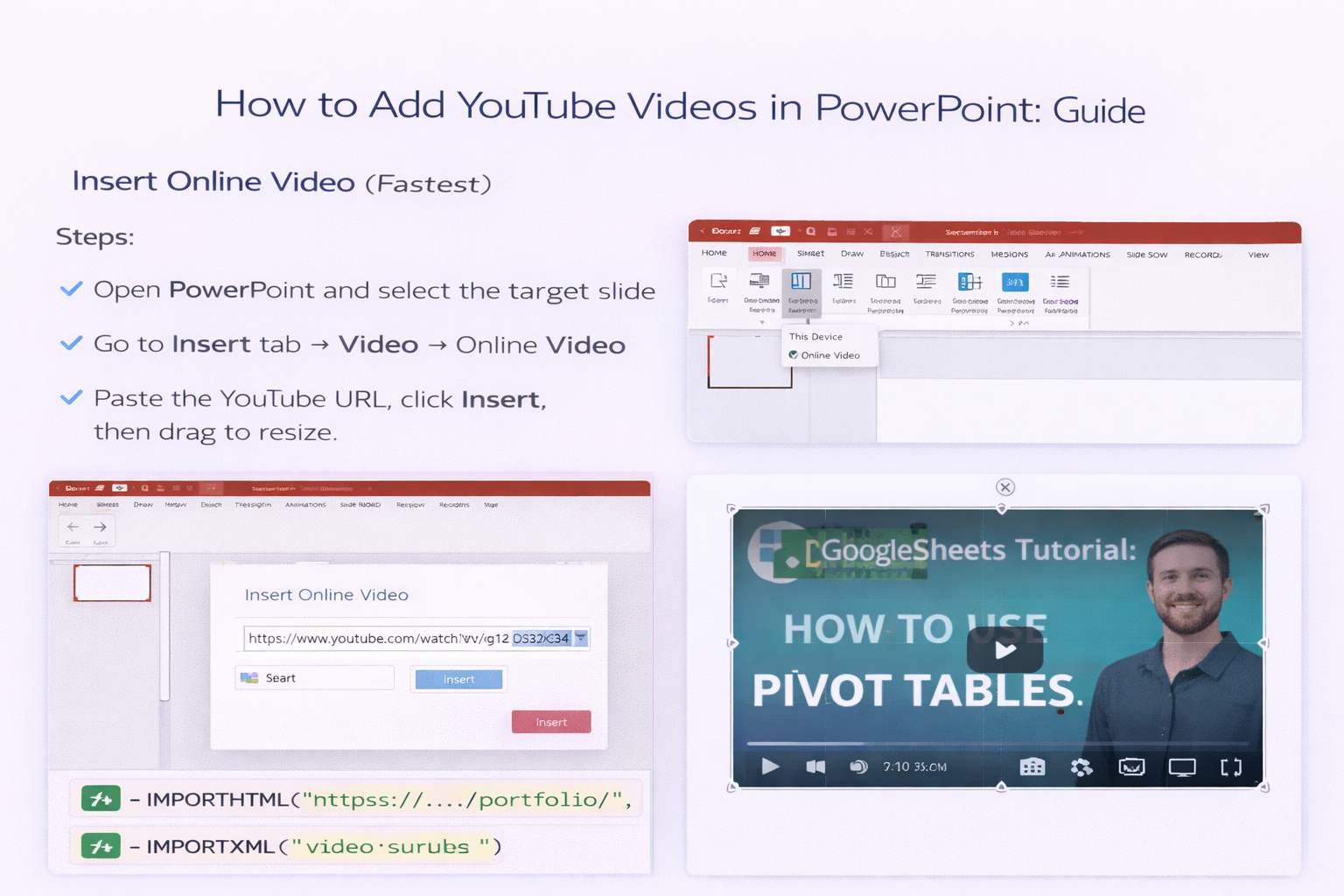
Pros:
Cons:
Steps:
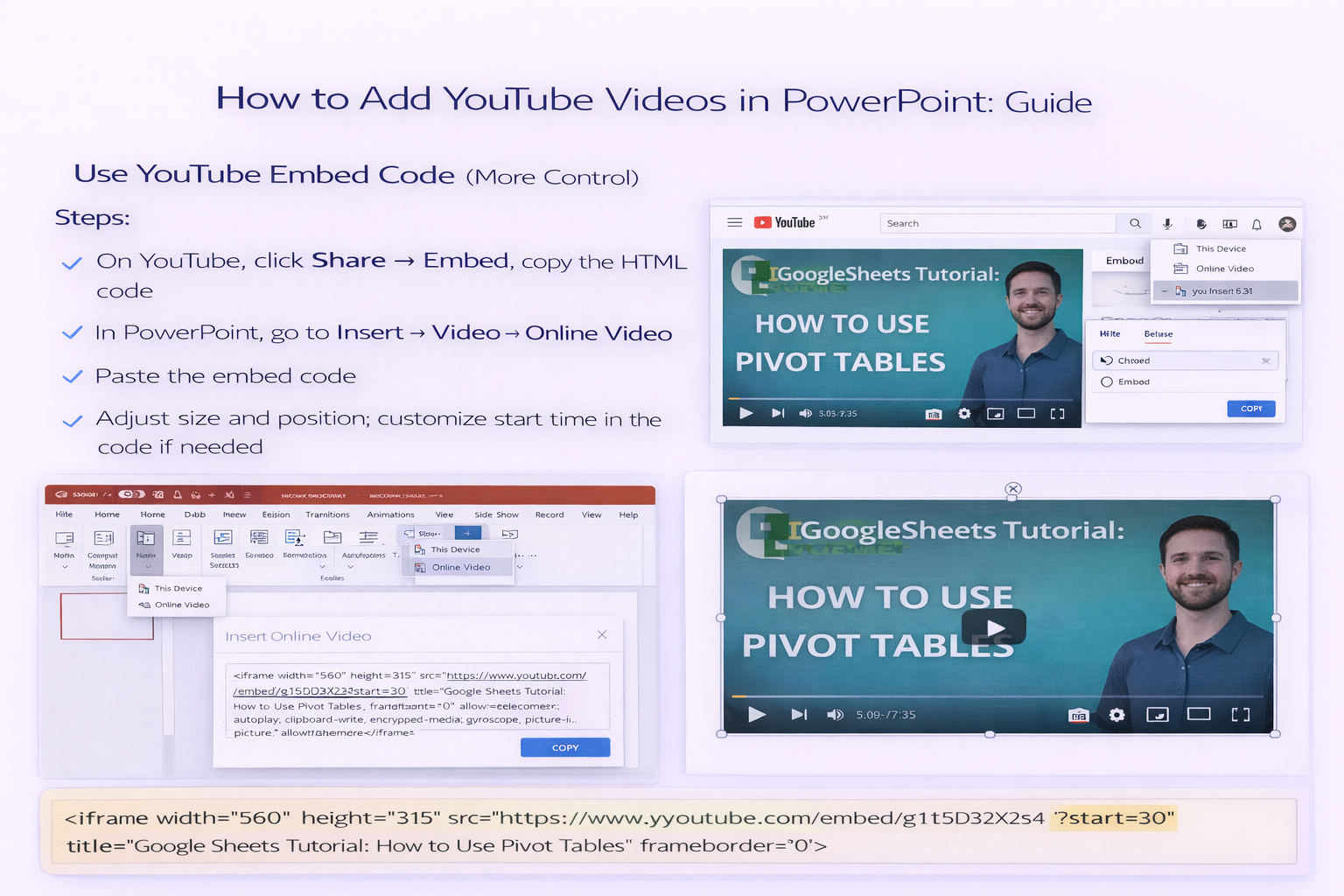
Pros:
Cons:
Steps:
Pros:
Cons:
Best for: Routinely adding YouTube clips to dozens of PowerPoint decks—client pitches, webinar follow-ups, or sales enablement.
What it does:
Pros:
Cons:
