
Oops! Something went wrong while submitting the form.

Last Tuesday, I watched a founder spend 42 minutes doing the kind of work nobody puts on their LinkedIn: copying numbers from a dashboard into a spreadsheet, renaming files, chasing down a contract link, then rewriting the same follow-up email—again.
That’s the moment “AI task automation” stops being a trend and becomes relief. Not the hype version where a bot “should” do it. The real version where tasks actually get done while you keep selling, shipping, or sleeping.
AI task automation is the use of AI to run repeatable work across your tools—deciding, generating, and adapting while it runs (not just moving data from A to B). It shines in sales ops (lead enrichment, CRM updates), marketing ops (content repurposing, reporting), and admin (documents, scheduling). The upside is speed and coverage of edge cases; the downside is reliability and control—many teams end up babysitting automations that “just figure it out,” which is exactly why AI workflows fail in practice (see the 2026 critique on Medium: https://medium.com/@NeoPotate/the-just-figure-it-out-fallacy-6-reasons-why-ai-workflow-automation-fails-b23f7e56b5f7). The fix is clear guardrails, auditability, and human-in-the-loop checkpoints (the HITL concept is referenced widely, including here: https://cloud.google.com/discover/human-in-the-loop). If you want a broader 2026 landscape of AI productivity tools, Activepieces’ roundup is a useful cross-check: https://www.activepieces.com/blog/top-9-ai-productivity-tools-for-digital-workflow-management.
We tested AI task automation tools the same way a busy agency or small team actually uses them: messy inputs, multiple apps, real deadlines, and “somebody will notice if this breaks.” Here’s what we measured and how.
Testing methods (what we actually did)
Evaluation dimensions (scored qualitatively)
The headline lesson: if your workflow touches “real computer work” (logging into tools, downloading files, moving folders, filling PDFs, signing in with 2FA), you want a computer-use agent. If it’s primarily data routing between SaaS apps, orchestration tools are faster and cheaper.
Most “automation tools” are really integration tools. They move data. They trigger webhooks. They update fields.
Simular Pro is different because it’s built around a highly capable computer-use agent: it can operate the desktop environment the way a human does—clicking, typing, navigating the GUI—while still being able to use APIs, terminals, and code when that’s smarter.
If you’ve ever said, “Our workflow breaks because the tool doesn’t integrate with X,” you already understand the advantage: a computer-use agent doesn’t need an integration for every app. It can simply do the work in the app.
An always-on AI co-worker that completes your work through a remote desktop—so tasks keep moving even when you’re not there.
Simular Pro is designed for production-grade reliability: workflows with thousands to millions of steps. That matters more than people think. The “agent demo” is easy. The “agent runs every day without drama” is the real product.
And it’s built around transparent execution. In practice, this is the missing piece in most agentic tooling. If you can’t read the steps, inspect them, and modify them, you end up with a black box that creates a new job: “AI babysitter.”
• Desktop-wide automation: not just browser tabs. • Long workflows: designed to complete end-to-end sequences. • Transparent execution: actions are readable, inspectable, and modifiable. • Simple integration: webhooks to plug into existing pipelines.
• Computer-use agents require clear instructions and guardrails. • You’ll still want approval steps for sensitive actions (payments, sending contracts, deleting files). • Some tasks are better done with deterministic API-based workflows; desktop control is powerful, but not always the cheapest path.
Sales & Marketing • Influencer research → collect stats → write outreach drafts → populate Google Sheets. • “Turn this research paper into a viral X thread” including images and structured posts. • Monitor multiple Discord channels → summarize announcements → push into a sheet. • CRM-based lead work: find leads, pull context, draft cold emails with personalization.
General Admin • Generate NDAs for multiple parties → send via DocuSign with signature boxes. • File cleanup: find documents by topic and move/rename into the right folders. • Consulting-style research: compile a market analysis report with sources.
Recruiting & Scheduling • Source candidates → summarize profiles into spreadsheets. • Reply to candidate emails → coordinate scheduling links → book Zoom meetings.
Web Data Extraction • Collect top-cited papers → write into a doc. • Download PDFs from Google Scholar → upload to Drive → organize folders.
Engineering and Other “Hard Stuff” • Package and run a macOS release process. • Sign into services that require 2FA (with appropriate human checkpoints).

If your goal is true AI task automation—not “yet another dashboard”—Simular Pro is the most direct path because it can do the actual computer work.
n8n is the tool I recommend when the workflow is mostly data + logic, and you want to own the pipeline. It’s flexible, developer-friendly, and it scales well when your automations become a real system.
n8n’s sweet spot is orchestration: connecting services, transforming data, calling AI models, and handling branching logic—without locking you into a “credits per action” trap.
• Very flexible workflow design. • Supports code steps (JavaScript/Python). • Self-hosting option gives control over data and cost. • Great for multi-step, deterministic flows.
• Learning curve is real. • It won’t “use a computer” for you. If you need UI clicks in a desktop app, you’ll need another layer.
• Free self-hosted option. • Cloud starts around $20/month.
• New lead form → enrich via AI → score lead → route to Slack channel + CRM. • RSS/news monitoring → summarize with AI → draft social posts → queue in Notion. • Support inbox → classify intent → create ticket → notify owner → write first-draft response.
n8n is what you use when you want a reliable automation backbone. Simular Pro is what you add when the workflow hits “and then click around in the tool like a human.”
Zapier is the fastest way to go from “we should automate this” to “it’s running.” It’s not always the cheapest at scale, and it’s not the most customizable—but for agencies and marketers, speed of implementation is a feature.
• Huge integration library. • Quick to build and deploy. • Good for lightweight automations and notifications.
• Complex logic can get messy. • Credit/task pricing can surprise you as volume grows. • Still largely connector-based; not a true desktop agent.
• Free tier available. • Paid starts around $19.99/month.
• Typeform → enrichment → HubSpot → Slack alert. • Gmail label “Client Request” → summarize → create Asana task → notify team. • Calendly booking → generate meeting brief → email agenda to attendee.
If you’re early, Zapier is a great starting point. When you outgrow it, you’ll feel it.
Make (formerly Integromat) is like Zapier’s more technical cousin. The scenarios are visual, and it’s strong at data transformation—turning messy inputs into clean, structured outputs.
• Visual, inspectable flows. • Strong mapping/transforms. • Often cost-effective for mid-volume.
• Still connector-first. • Advanced scenarios can become hard to maintain without documentation.
• Free tier available. • Core starts around $9/month.
• Ad report exports → normalize → push into Google Sheets → weekly email summary. • Webhook events → filter → enrich → multi-channel notifications. • Content intake → rewrite variants → route for approval.
Make is great when your team thinks in “process diagrams.”
Gumloop is an AI-first workflow builder that targets the “I want the AI to do a job, not just write text” crowd. It’s especially useful for marketing automations where templates, structured outputs, and repeatability matter.
• Strong templates. • Designed for AI workflow patterns. • Good for content, enrichment, and research loops.
• Less ideal for deep engineering customization. • Typically browser/API oriented.
• Free tier available. • Solo starts around $30/month.
• YouTube → transcript → SEO blog draft → internal review checklist. • Brand mentions monitoring → sentiment → priority routing → response draft. • Lead scraping → categorization → outreach draft (with approvals).
Gumloop is a fast way to operationalize “AI as a process,” especially for agencies.
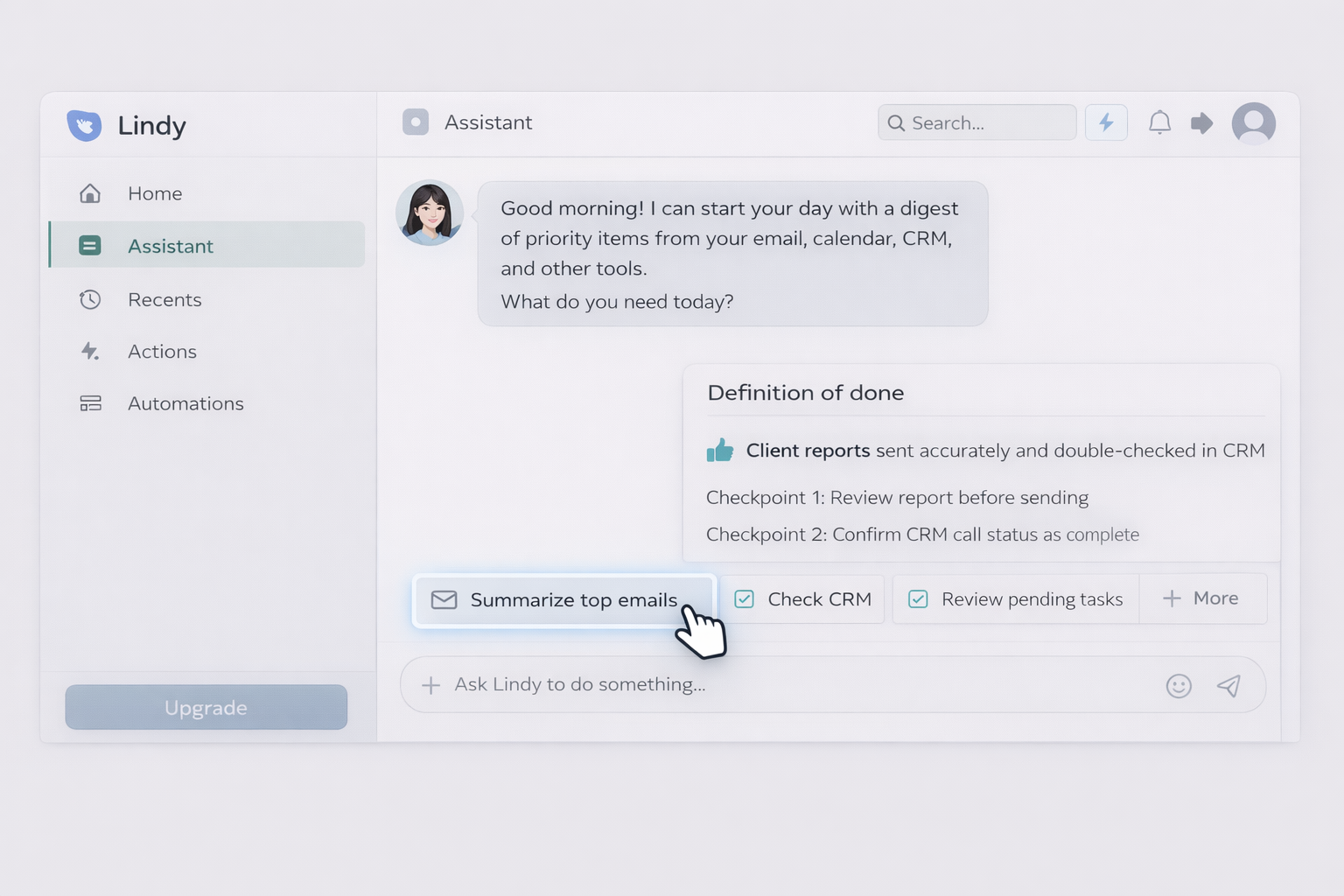
Lindy.ai feels like delegating to a helpful assistant that lives in your tools. It’s often used for straightforward, repetitive workflows—especially when you want the automation to feel conversational.
• Beginner-friendly. • Useful for recurring personal/team tasks. • Integrates with many tools.
• Not built for complex, heavily branched systems. • Desktop agent capabilities are limited compared to a true computer-use agent.
• Free tier available. • Pro starts around $39.99/month.
• “When a lead replies, summarize context and suggest next step.” • “Draft a follow-up email from CRM notes and last thread.” • “Every morning, send me a digest of priority items.”
If your goal is to reduce cognitive load, Lindy can be a clean starting point.
Agentforce is Salesforce’s agentic platform, and its strength is deep alignment with Salesforce workflows, permissions, data models, and enterprise governance.
• Deep Salesforce-native integration. • Strong fit for enterprise sales/service. • Works where reps already are (often Slack + Salesforce).
• Expensive for small teams. • Less attractive if Salesforce is not your system of record.
• Flex credits start around $500.
• Auto-triage inbound leads → assign → generate next-step tasks. • Draft account summaries before calls. • Service workflows: summarize cases, propose responses, update fields.
If Salesforce is the operating system of your revenue team, Agentforce can be a powerful add-on.
Workato is the “serious plumbing” option. It’s built for enterprises that need governance, RBAC, monitoring, and cross-department automations with controls.
• Strong enterprise governance. • Good for complex cross-system integrations. • Designed for scale and compliance.
• Enterprise-only pricing. • Overkill for small teams.
• Enterprise only.
• Employee onboarding across HRIS, IT, and finance. • Data sync and validation between ERP and CRM. • Controlled AI steps with approvals.
Workato is less “fun,” more “it won’t break payroll.”
ChatGPT Agent Builder is useful when you want to prototype agent behavior quickly. It’s easy to iterate, and it’s familiar. It’s not always the best production automation engine, but it’s a strong experimentation surface.
• Very fast to prototype. • Great for drafts, summaries, structured outputs. • Cheap entry point.
• “Autonomy” depends on the actions/integrations available. • Not a desktop agent. • Requires discipline to avoid prompt spaghetti.
• Included in ChatGPT Plus ($20/month).
• Internal content brief generator. • Sales call recap → follow-up email draft. • SOP-to-checklist conversion for your team.
Depending on your stack and risk tolerance, you may also look at tools like Activepieces (open-source leaning), Notion AI for knowledge workflows, and platform-native assistants inside HubSpot, Zendesk, or Asana.
If your work is mostly moving data between SaaS apps, start with n8n, Zapier, or Make. They’re strong orchestration layers.
If your work includes “do it in the app like a human”—clicking around, downloading files, handling weird UI states, operating across desktop tools—pick a computer-use agent.
That’s why Simular Pro stands out. It’s built for the reality of business work: not everything has an API, not everything integrates cleanly, and the job still has to get done. If you want AI task automation that feels like delegation (not configuration), try Simular Pro.