
Oops! Something went wrong while submitting the form.

Most founders and marketers don’t wake up excited to debug automations. You wake up thinking about pipeline, clients, and campaigns—then lose two hours to Zap errors and Make.com scenarios that mysteriously stop mid-flow. At some point, you realize you didn’t start a business to be your own integration engineer.
Make.com is often the first stop on that journey. It’s a visual automation platform that lets you connect apps into multi-step "scenarios"—moving data between CRMs, inboxes, spreadsheets, and more. It’s trusted by 350,000+ customers and can absolutely help you scale operations, reduce manual data entry, and relieve support teams, as one TeleClinic operations lead noted on the official site. But public feedback is mixed: on Trustpilot, Make currently sits at an "Average" 2.8/5 rating, with users praising its power while criticizing complexity, support delays, and occasional fragility. Community threads echo the same story—great when it works, frustrating when you’re stuck.
How we tested these Make.com alternatives
When we talk about the “best” Make.com alternatives for business owners and agencies, we’re not guessing. We built and broke real workflows in each tool, then judged them against what modern teams actually need.
Here’s how we evaluated Make.com and its competitors:
We also paid close attention to long‑run reliability: how tools behave over hundreds or thousands of steps, and whether they feel like something you’d trust with client‑critical workflows.

If you’ve ever thought, “I wish I could just hand my laptop to an assistant and come back to a finished task,” that’s essentially what Simular Pro is built to do.
Simular Pro is Simular’s most advanced computer-use agent platform, designed for pros who live inside their machines all day. Instead of just wiring APIs together, Simular’s agent can see your screen, click, type, drag, and navigate across your entire desktop environment—macOS apps, browsers, files, cloud tools—the way a human would.
Under the hood, Simular combines large language models with symbolic code and reinforcement learning. That neuro-symbolic foundation is what lets it move from “smart autocomplete” to a reliable executor:
That translates into concrete use cases for knowledge workers:
Pros
Cons
Pricing
Simular Pro is in active, fast-moving development. Pricing is currently handled via direct contact, with early-access and business plans tailored to workload and scale. If you’re evaluating Make.com alternatives for mission-critical workflows, it’s worth starting a conversation rather than looking for a flat "$/task" sticker price.
Where Simular focuses on using the whole computer, Lindy focuses on intelligent helpers living inside your SaaS stack. Lindy lets you spin up AI agents (“Lindies”) that answer emails, attend and summarize meetings, route support requests, and even handle inbound and outbound phone calls in 30+ languages.
Tightly integrated with an ecosystem of 2,500+ apps via Pipedream and Apify, Lindy shines when your world is primarily Google Workspace, CRM, helpdesk, and calendar.
Pros
Cons
Pricing
Lindy offers a free tier, with paid plans (typically per-user plus usage) that scale with seat count and call volume. Expect entry-level paid tiers in the tens of dollars per user per month.
If Make.com was your first automation tool, Zapier was probably the second tab you opened. Zapier is the long-time market leader for no-code business automation, boasting 7,000+ integrations and an enormous library of plug-and-play “Zaps.”
For straightforward API workflows—"when this happens in HubSpot, do that in Slack and Google Sheets"—Zapier is still hard to beat on ease of use and documentation.
Pros
Cons
Pricing
Zapier’s free plan covers light usage. Paid plans start around $20/month and scale based on task volume and advanced features (paths, webhooks, etc.). For heavy-use agencies, you’ll want to run the math on how many tasks your flows will burn per month.
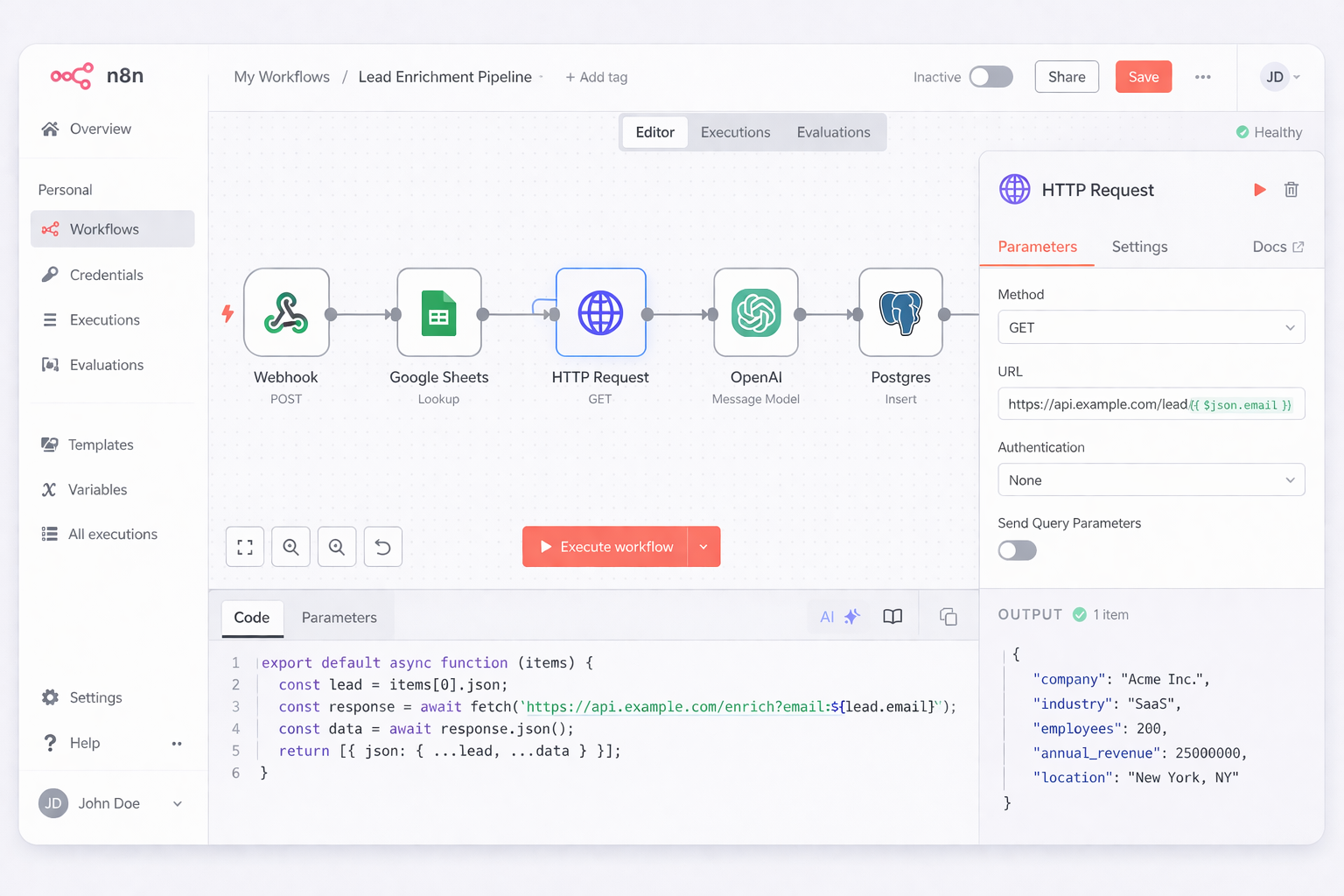
If you have developers on staff and care deeply about data control, n8n is one of the most compelling Make.com alternatives. It’s a source-available workflow engine you can self-host, extend with code, and integrate deeply into your stack.
n8n lets you combine visual flows with JavaScript or Python snippets, call LLMs, and orchestrate complex pipelines spanning hundreds of services.
Pros
Cons
Pricing
Self-hosted n8n is free (aside from your infra costs). Their managed cloud starts around $24/month and climbs with executions, data retention, and enterprise features.
Where some tools retrofit AI onto old-school automation, Gumloop was built from day one for AI-native workflows and agents. It’s especially popular with marketers and operators who want to chain together LLM calls, scraping, enrichment, and outbound actions without writing code.
Gumloop makes it easy to launch templates for common GTM motions: prospect research, lead enrichment, content repurposing, and reporting. Under the hood, it can orchestrate multiple LLMs and tools to behave like light-weight agents.
Pros
Cons
Pricing
Gumloop offers a generous free tier and paid plans for heavier workloads and teams. Pricing is typically based on workflow runs and AI usage, with entry tiers suitable for small agencies.
Beyond these five, there’s a whole ecosystem of Make.com alternatives:
But the right tool really comes down to one question: where does your work actually happen?
That’s where Simular Pro stands apart. Instead of forcing you to rebuild your world around APIs, it sends an autonomous, transparent agent into the environment you already use: your computer. For agencies, operators, and founders who want to truly delegate end-to-end work—not just glue apps together—that difference is huge.
If you’re ready to see what it feels like when your laptop starts working for you, Simular is the alternative worth piloting first.