
哎哟!提交表单时出了点问题。

.svg)
When you’re comparing stocks or SaaS multiples, the price/earnings ratio is the one number you keep reaching for. It condenses market sentiment, growth expectations, and profitability into a single, comparable metric. With a P/E ratio calculator wired into your workflow, you can quickly spot overvalued darlings, hidden bargains, or portfolio drift—without wading through full financial statements each time. For founders, marketers, and agency owners who also invest or report to investors, a clean, always-current P/E grid is like a dashboard for your conviction.
This is exactly where delegation shines. An AI computer agent can open your favorite data sites, copy the latest prices and EPS figures, and update your Google Sheets model on a schedule—no more hunting tickers at midnight. You get fresh P/E ratios on demand, while the agent handles the tabs, copy‑paste, and formula checks in the background.
Let’s start with how most people learn it: by hand. The core formula is simple:
P/E ratio = Share price ÷ Earnings per share (EPS)
Here are a few traditional methods, with clear steps:
Method 1: Plain calculator and notepad
Pros: Teaches intuition. Zero setup.
Cons: Painful to scale beyond a few tickers. No history, no charts.
Method 2: Manual Google Sheets table
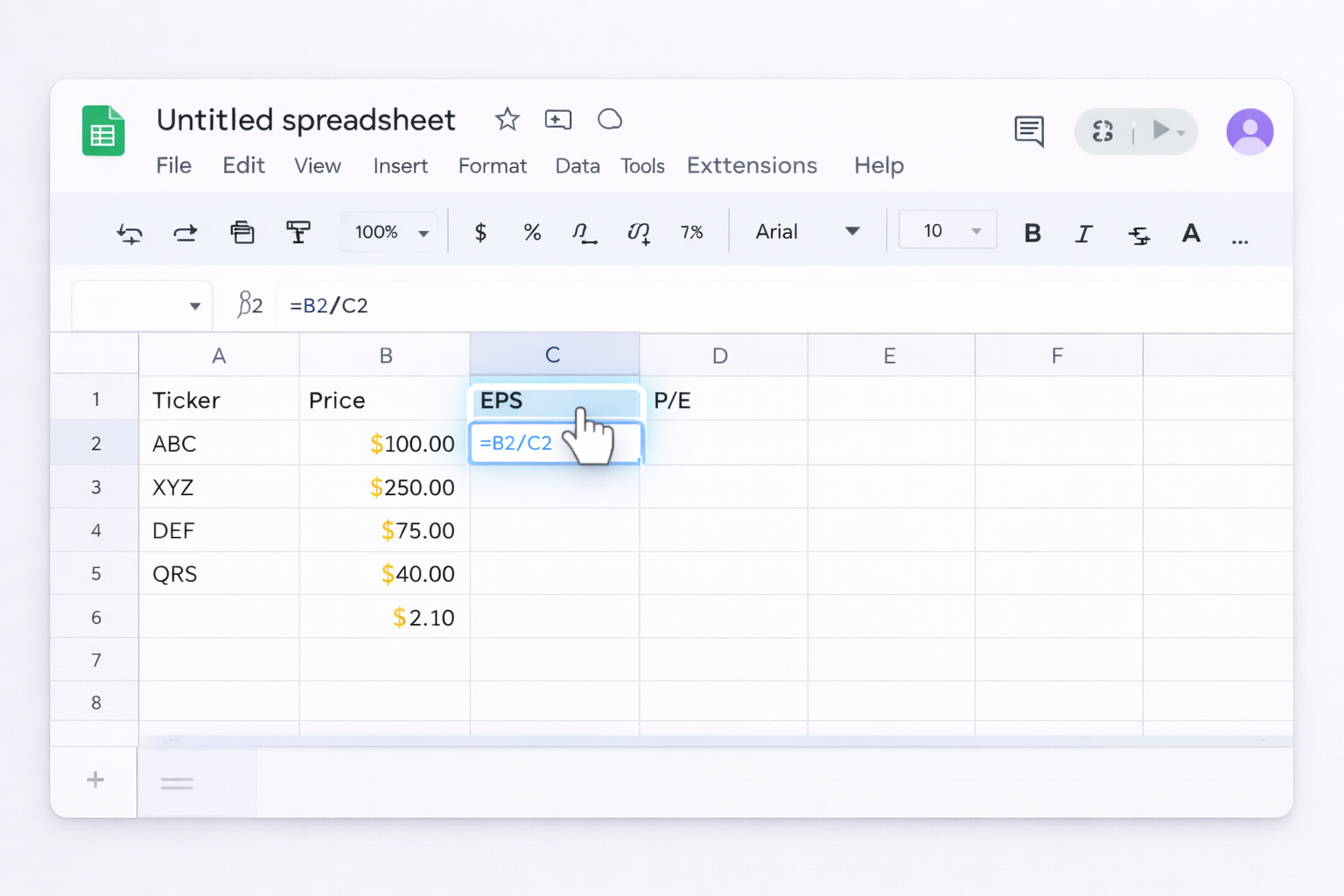
Ticker | Price | EPS | P/E.=B2/C2 and drag down to compute P/E for all rows.Official docs on creating and editing sheets:
Pros: Easy to understand; flexible formatting and charts.
Cons: You still have to fetch prices and EPS by hand.
Method 3: Copying from a web P/E calculator
Pros: Fast for one-off checks.
Cons: Still manual copy/paste; hard to maintain a portfolio view.
Method 4: Basic desktop spreadsheet (Excel)
Price, EPS, P/E column pattern.
Pros: Works offline; good if your company standardizes on Excel.
Cons: Collaboration is harder; no native web automations.
These methods are fine when you’re curious about one or two tickers. The moment you’re tracking a portfolio, a content creator index, or public comps for a fundraising deck, the friction becomes obvious.
You don’t have to jump straight to full AI agents. A lot can be done with lightweight automations.
Method 5: GOOGLEFINANCE in Google Sheets
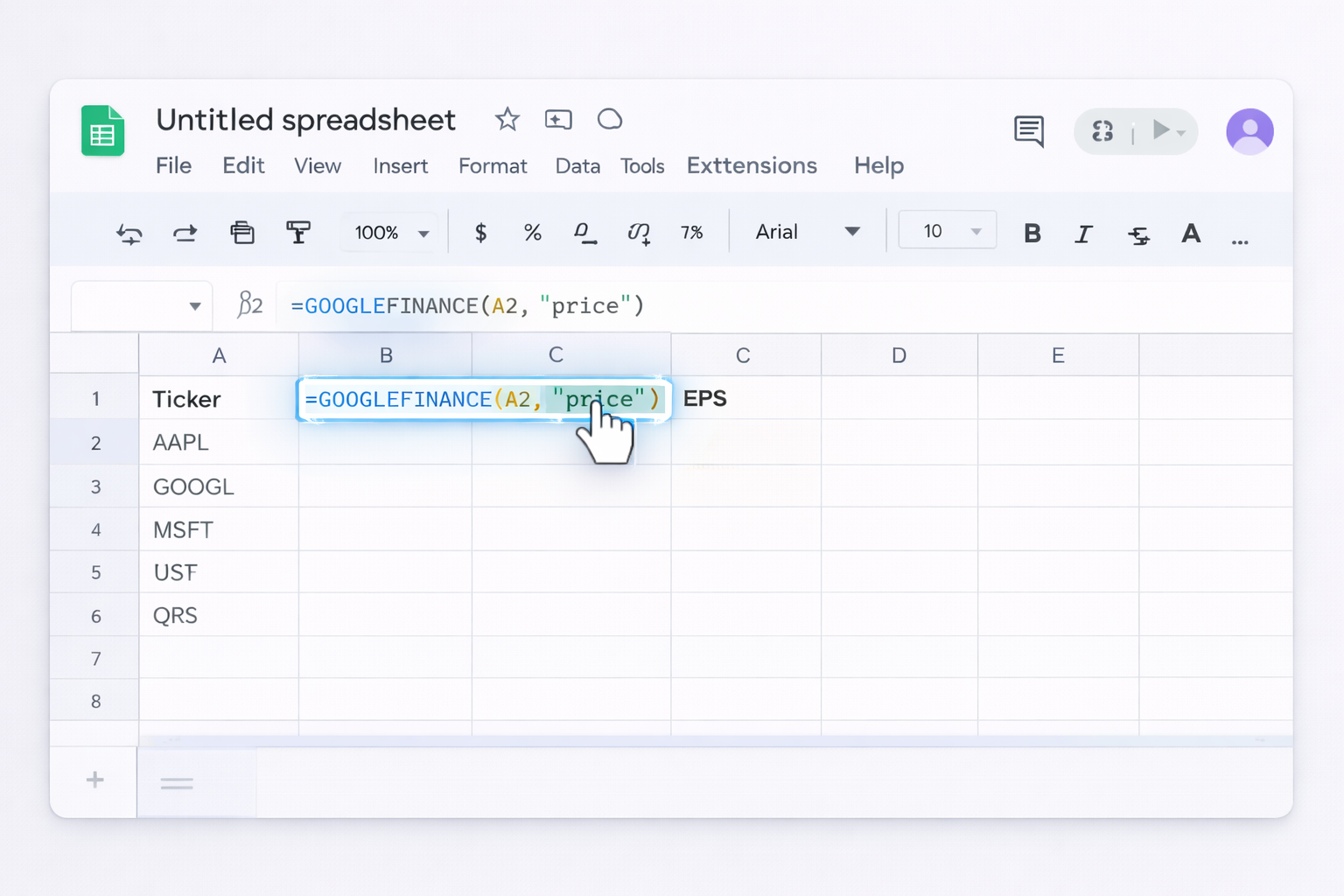
AAPL, GOOGL, MSFT).=GOOGLEFINANCE(A2, "price")=GOOGLEFINANCE(A2, "eps")=IFERROR(B2/C2, "N/A")Official GOOGLEFINANCE documentation:
Pros: No code, fully inside Sheets, auto‑refreshing data.
Cons: Ticker coverage and EPS fields can be patchy for some markets.
Method 6: Importing data from web tables
If a site posts updated P/E ratios in an HTML table, you can pull it directly.
=IMPORTHTML("https://example.com/page", "table", 1)INDEX, VLOOKUP) to map imported data into your own model.Docs for IMPORTHTML and related functions:
Pros: Great when someone else maintains the data; you just subscribe to it.
Cons: Breaks if the site layout changes; limited control.
Method 7: Zapier/Make integrations into Sheets
Use a no‑code platform (Zapier, Make, etc.) plus an API‑friendly data provider.
Ticker, Price, EPS, P/E, Last Updated.P/E as a formula (=B2/C2) so it recalculates automatically.Docs for Google Sheets integration:
Pros: Reliable scheduled updates; no manual browsing.
Cons: You must manage API keys and rate limits; setup is more involved.
No‑code automations are powerful, but they assume APIs are perfect and pages never change. In reality, marketers, agencies, and founders work across messy websites, custom dashboards, and exports. That’s where a Simular AI agent becomes your digital analyst.
Simular Pro is designed to automate nearly anything a human can do on a desktop: open the browser, log in, click through dashboards, copy data, and update Google Sheets. Learn more:
Method 8: Agent as your P/E data collector
Imagine you maintain a Google Sheet of 40 public comps to benchmark your SaaS brand or portfolio companies.
Workflow:
Pros:
Cons:
Method 9: Agent for multi‑source P/E sanity checks
Maybe your investors want conservative numbers. You can have the agent cross‑verify P/E from two different sites.
Workflow:
Pros:
Cons:
Method 10: Agent‑driven P/E alerts for your team
Take it one step further—let the agent not only update the sheet but also notify sales or leadership when valuations move.
Workflow:
Pros:
Cons:
A Simular AI agent essentially becomes the operations person you wish you had: patient, precise, and happy to click through 100 pages to keep your P/E ratios honest and up to date—so you can focus on narratives, pitch decks, and strategy instead of data chores.


.svg)