Oops! Something went wrong while submitting the form.
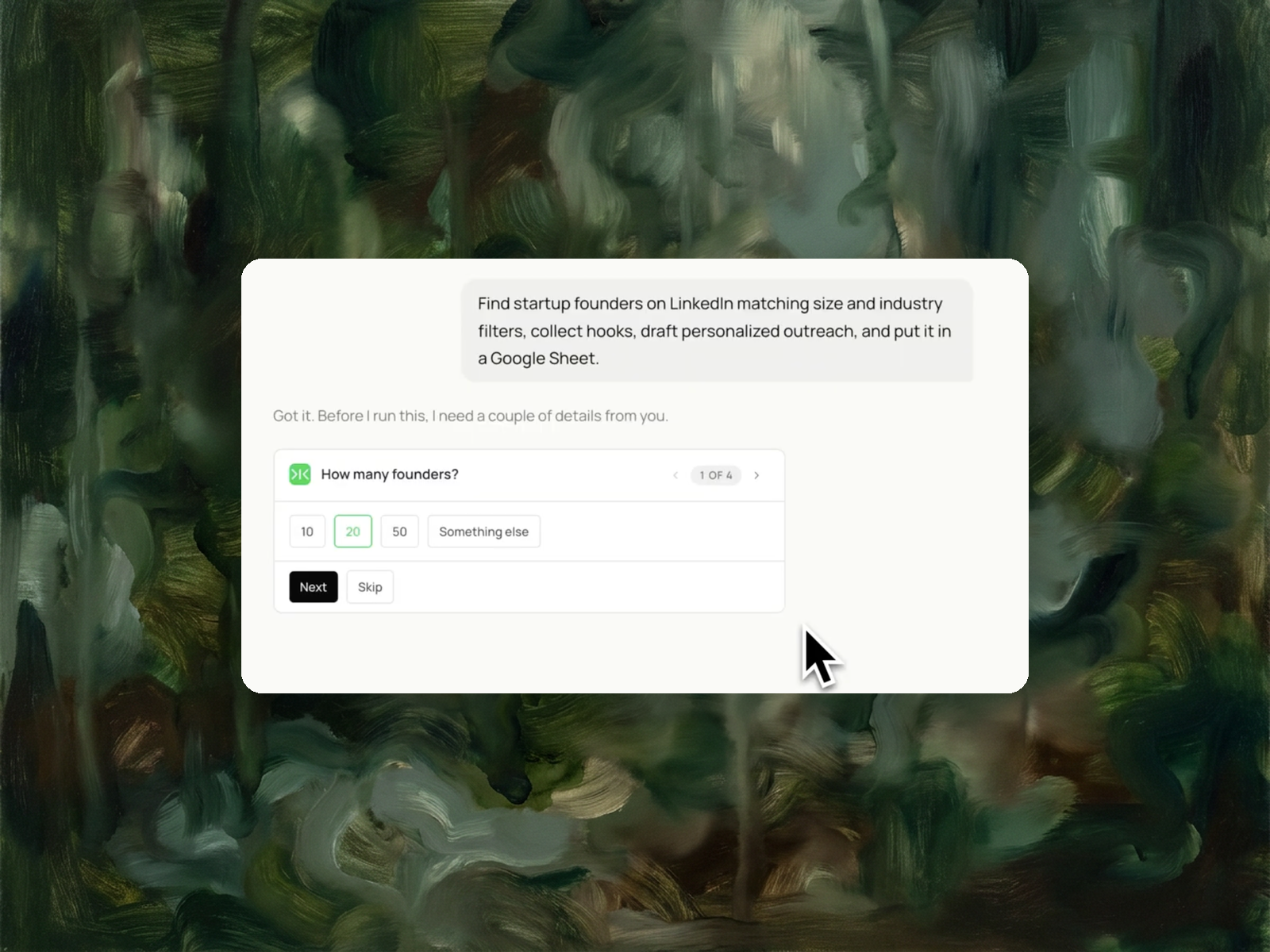
Give Sai your ICP. It searches LinkedIn as you, verifies each founder against your criteria, finds one specific hook per person, and writes a Google Sheet where every row already has an outreach message ready to send.


The recording is a real session. The sheet on the right is what it produced.
Sai opens each profile, pulls the signal, and writes the row, live, in a real browser.
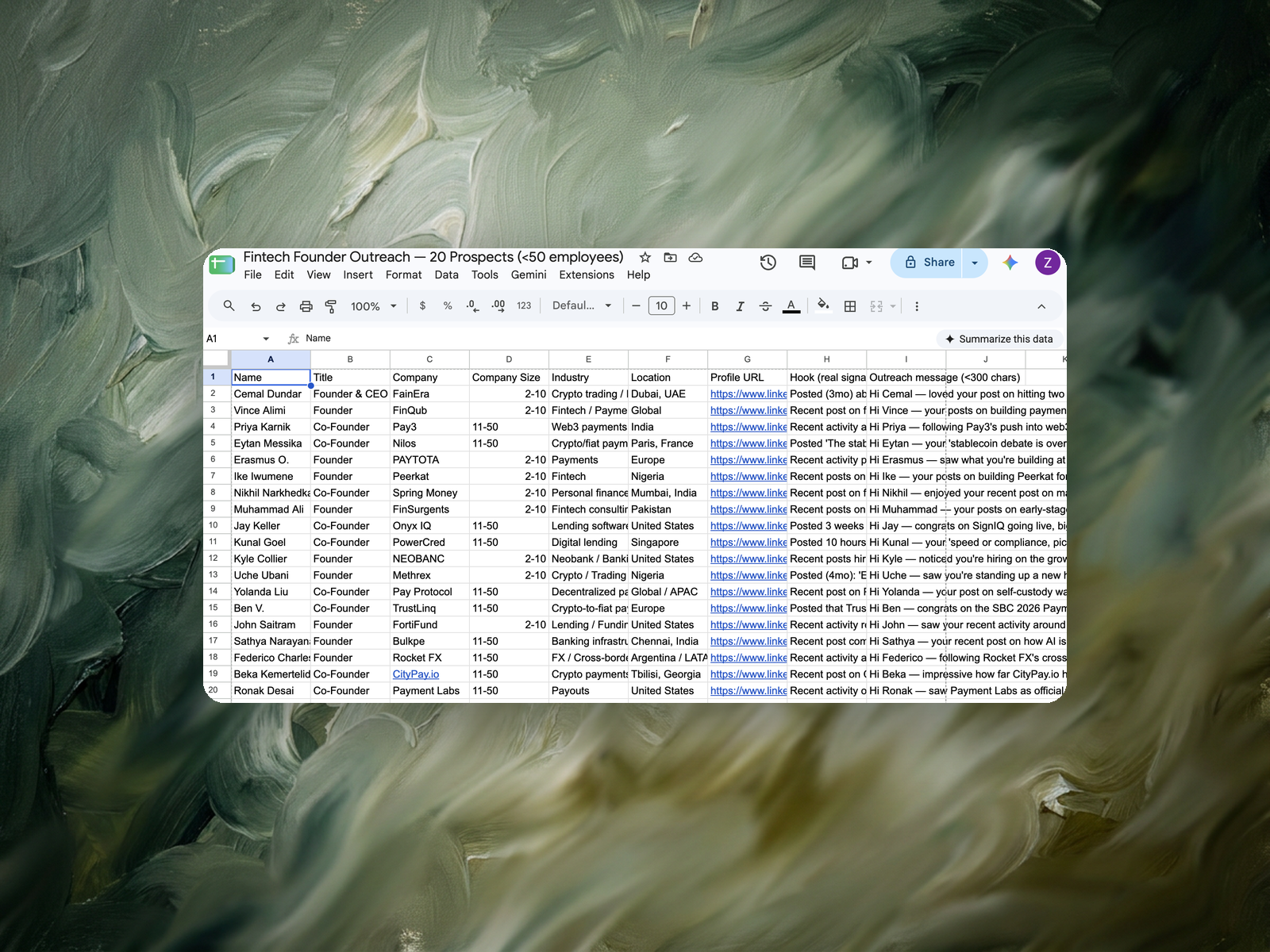
Eight columns, sorted by score, with a source link behind every claim.
Your ICP in plain words - company size, industry, and what makes someone a good fit. A LinkedIn account you're already signed into.
A new Google Sheet, one row per founder: name, title, company, size, industry, location, profile URL, the specific hook Sai found, and a ready-to-send outreach message under 300 characters.
About 12 minutes for 20 founders.
Re-run weekly and Sai only surfaces founders who weren't in last week's sheet.
Stealth startup founder sourcing is the practice of identifying people who have left a known company to build something that has not been publicly announced yet. These founders are invisible to contact databases: their company has no funding record, no website, and often no company page, so the record that databases key on does not exist. The only reliable signal is the live LinkedIn profile — a current position at an unnamed or placeholder company, a start date within the last few months, and a prior role that tells you what they are likely building. Sourcing them therefore means reading profiles and judging each one against a stated ICP, not applying a filter.
Sai automates that reading pass. Sai runs the searches in your own LinkedIn session, opens each candidate profile, verifies it against the ICP you described in plain English, discards the ones that do not qualify, finds one specific hook per remaining person, and writes a Google Sheet with a drafted first message on every row.
A stealth startup founder is someone building a company that hasn't publicly launched. On LinkedIn they show up with a title like Founder, Co-Founder, or CEO at a company listed as "Stealth", "Stealth Startup", or "Stealth Mode" - often with no website, no funding announcement, and a company page created within the last 12 months.
That combination is exactly why they're hard to reach and worth reaching. They're early enough to still be choosing their tools, their vendors, and their first hires. They're also invisible to every prospecting database that builds its records from company websites and funding press releases.
Because most B2B databases are built from public company records, and a stealth company has almost none. No domain, no press coverage, no filled-out company profile. The signal that a stealth founder exists lives almost entirely inside LinkedIn - in a job title change, a company page with 40 followers, or a post that says "excited to share what I've been working on."
This is the gap that trips up standard tooling:
So the work that actually matters isn't collection. It's judgment - deciding, founder by founder, whether this person is worth a message, and finding the one detail that makes the message land.
Describe your ICP in plain English, run the task above, and review the sheet. Sai searches LinkedIn while signed in as you, opens each candidate profile, checks it against your criteria, and discards the ones that don't fit before they ever reach your sheet.
For every founder that does fit, it looks for one specific, recent hook: a post from the last few weeks, a hiring signal, a funding event, a role change. That hook then goes into a drafted outreach message in the same row - so you're reviewing sentences, not assembling them.
Each of those tools owns one part of this job. The comparison below is about this specific task - finding stealth founders and getting to a sendable message - not about the products overall.
Clay is the closest comparison and a genuinely capable tool - it can do everything in this table. The difference is where the work sits. Clay hands you the building blocks and you assemble the workflow. Sai takes the description of the outcome and does the assembly itself.
One Google Sheet, one row per founder, with these columns: name, title, company, company size, industry, location, profile URL, hook, and outreach message.
The hook column is the one to read first. If the hook is specific - a post, a job opening, a raise - the message in the next column will be worth sending. If a hook is thin, that's your signal to skip the row or write that one yourself. You stay the editor; the drafting is done.
This workflow is run by founders doing their own outbound, by seed-stage investors tracking who has just left a company, and by early sales hires at developer-tool and infrastructure companies whose buyers are other founders. The common shape is the same: the list has to be small, the reasoning behind each name has to be visible, and it has to be refreshed every week rather than bought once.
Start with 20. It's enough to judge whether your ICP description is producing the right people, and small enough to read every row in a few minutes.
Once the criteria are producing founders you'd actually message, raise the number and set the task to re-run weekly. On a repeat run, Sai reports only the founders who weren't in the previous sheet, so the list stays a queue instead of a growing pile.