Oops! Something went wrong while submitting the form.
Sai reads unread and starred Gmail, recent calendar events, and Slack DMs, then returns a single briefing of what needs doing, ranked by urgency. It takes no outgoing actions — nothing is sent, replied to, or written to any other system.



The recording is a real session. The sheet on the right is what it produced.
Sai opens each profile, pulls the signal, and writes the row, live, in a real browser.
Eight columns, sorted by score, with a source link behind every claim.
A connected Gmail account and Google Calendar. Slack is optional — if no workspace is connected, the run continues and reports Slack as unavailable rather than failing.
A briefing file listing action items from all three sources, each with an owner, a source, and a deadline where one was stated, ranked by urgency with the basis given. Items requiring no action are listed separately. Sources that returned nothing are named.
The example run completed in two segments — a 5-step collection pass in 50 seconds and a 9-step analysis pass in 1 minute 20 seconds — over 32 unread emails, 5 starred emails, 8 sent emails and 1 calendar event. Runtime scales with the number of threads that need opening: threads classified from the subject line are fast, ambiguous ones are opened and read.
Schedule it for 8am so the briefing is ready before the first meeting. A 3-day lookback on a daily schedule overlaps deliberately — items raised on Friday still appear on Monday.
The category covers two functions.
The first is scheduling. Motion and Reclaim take a list of tasks and place them into calendar slots, adjusting when meetings move.
The second is task processing. Asana Intelligence, ClickUp Brain, Notion AI and Todoist AI Assistant operate on tasks already in the system — summarizing status, breaking work into subtasks, drafting descriptions, flagging what looks at risk.
Both operate on tasks that already exist as records. The step that creates the record is manual.
Commitments are made in conversation before they exist as tasks.
A reply agreeing to send figures by Thursday creates an obligation. A meeting where a follow-up is assigned creates one. A Slack DM asking for a review creates one. Each becomes a managed task only if someone opens the task manager and types it in.
The tasks in a task manager are the ones that were remembered and entered. Items that were not entered do not appear in any prioritization, because prioritization runs over the list.
This task reads the sources where commitments are made and extracts the items from them.
Three sources over a 3-day window.
Gmail — unread and starred messages, plus sent messages. Sent mail is included for cross-referencing: it records what was agreed to, and identifies which threads were already answered.
Google Calendar — recent events, for follow-ups attached to meetings that have already happened.
Slack — direct messages, where requests are made without a paper trail.
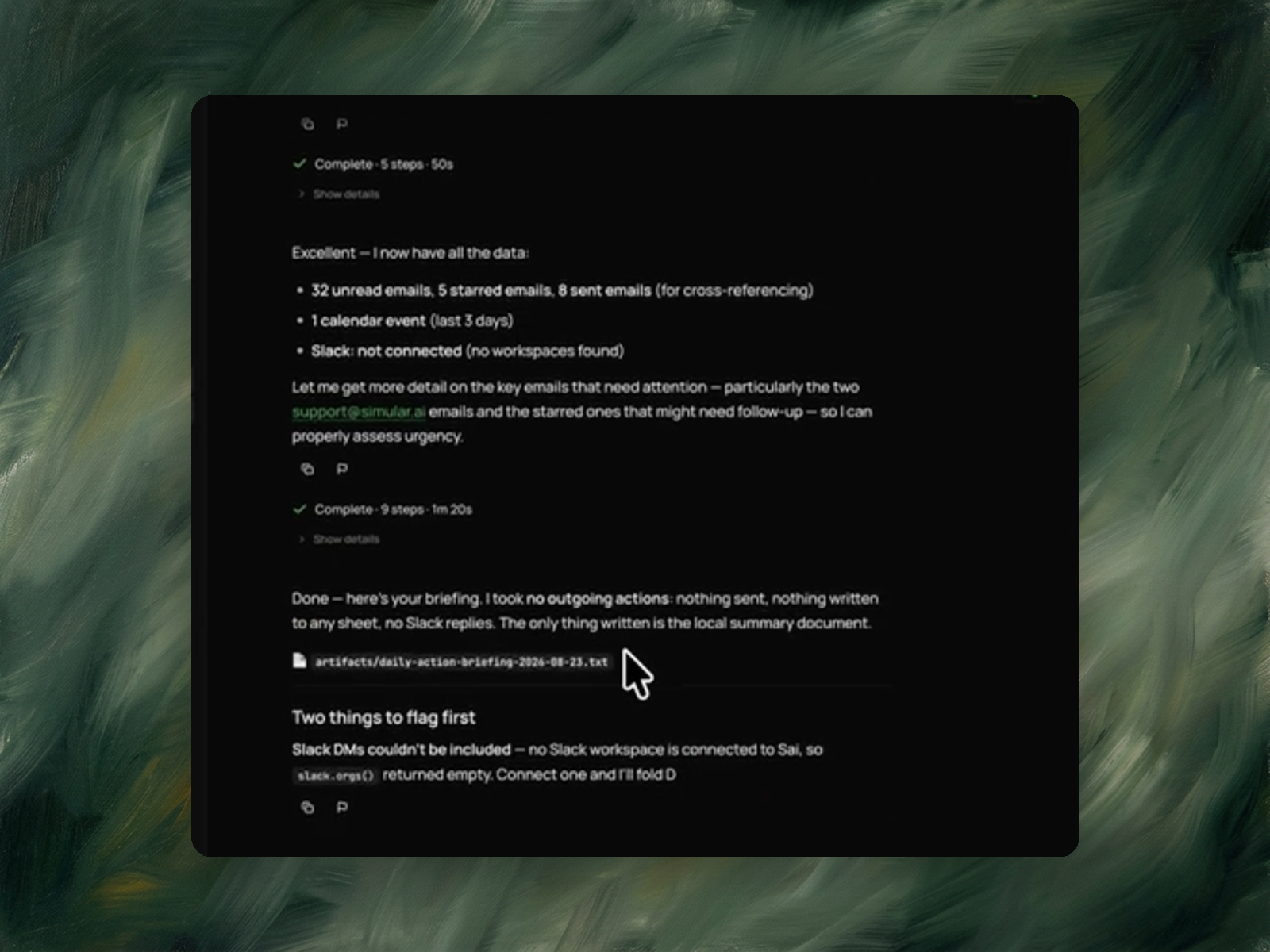
The example run reported its inventory before analyzing: 32 unread emails, 5 starred emails, 8 sent emails, 1 calendar event, and Slack not connected, with the reason stated — no workspace found.
A source that fails silently produces an incomplete briefing that reads as complete.
In the example run, Slack was not connected. The run continued and reported it: "Slack DMs couldn't be included — no Slack workspace is connected to Sai, so slack.orgs() returned empty."
The briefing therefore represents Gmail and Calendar, and says so. The absence is visible rather than absorbed.
Each item carries four fields: what needs doing, who is responsible, which source it came from, and a deadline where one was stated.
Deadlines are taken from dates stated in the source. Items with no stated date are marked as not specified rather than assigned an estimate, because an inferred date cannot be distinguished from a stated one once written down.