
Sai가 이제 Claude 코드를 실행합니다 - 그래서 당신이 일일이 신경 쓸 필요가 없습니다
작성자: 앙 리

Today, we're launching Claude Code on Sai in preview -- a new way to run, steer, and verify your AI coding sessions from anywhere. Sai keeps running your Claude Code on a secure cloud desktop even when you step away and close your laptop. Approve, direct and ship all from your phone.This is an early preview of a capability we've been building and testing internally at Simular. The core workflow is live, and we're excited to ship this to the public after extensive internal testing. It changed how we code, handling trivial work -- like catching small UI bugs -- and freeing up time for us to do more high-value work.Claude Code transformed how developers write software, but it didn't entirely liberate people from their monotonous work and sedentary life.
이 에세이에서 저는 인간이 말을 할 수 있기 때문에 더 이상 손이 필요 없다고 말하는 것과 같다고 주장합니다.목소리만으로는 할 수 없는 손재주가 필요한 과제는 항상 있기 마련입니다.
Why This Combination Matters
Claude Code is a terminal-based agent. It reads code, writes code, and reasons about code. What it can't do is open your app, click through the checkout flow, and tell you that the coupon field just broke the cart total.Every developer using Claude Code today faces the same friction:- You have to keep your laptop open for long-running sessions- You can't verify that code changes actually work in the real product- Bug reports come as screenshots, but Claude Code only sees diffs- You end up context-switching between Claude Code's terminal and your browser, manually testing what it just shippedAI made teams ship more code. But it also created more code to review, more PRs to verify, and more edge cases to catch. The review bottleneck didn't disappear -- it moved downstream.
Claude Code writes the code. Sai tests, reproduces, and reports back.
Here's what the integration unlocks:
1. Visual QA that Claude Code Can't Do Alone
Sai opens your preview deployment, clicks through real user flows, and screenshots anything visually broken. Claude Code reads diffs. Sai sees the product.Some bugs don't show up in the code. They show up when someone actually clicks through the app. A button that overlaps on mobile. A discount calculation that goes negative after removing an item. A modal that never closes. These are the bugs that pass every linter and fail every user.Sai catches them before your users do.
2. Reproduce from a Single Screenshot
Hand Sai a bug screenshot -- the kind your QA team pastes into Slack with no steps to reproduce. Sai explores the app, finds the path that triggers the issue, and hands Claude Code the exact reproduction steps.No more back-and-forth threads asking "what browser were you on?" No more "works on my machine." Sai finds the path, documents it, and passes it straight to Claude Code for the fix.
3. Reach Context Claude Code Can't
Sai pulls data from auth-walled tools, dashboards, admin panels, and monitoring services -- then feeds it straight into Claude Code's session. Need to check Sentry for new errors after a deployment? Sai does that. Need to verify a Stripe webhook landed correctly? Sai can open the dashboard and confirm.Claude Code is the brain. Sai is the hands and eyes that give it production context.
Why This Combination Matters
Claude Code is a terminal-based agent. It reads code, writes code, and reasons about code. What it can't do is open your app, click through the checkout flow, and tell you that the coupon field just broke the cart total.Every developer using Claude Code today faces the same friction:- You have to keep your laptop open for long-running sessions- You can't verify that code changes actually work in the real product- Bug reports come as screenshots, but Claude Code only sees diffs- You end up context-switching between Claude Code's terminal and your browser, manually testing what it just shippedAI made teams ship more code. But it also created more code to review, more PRs to verify, and more edge cases to catch. The review bottleneck didn't disappear -- it moved downstream.
Claude Code writes the code. Sai tests, reproduces, and reports back.
How Sai + Claude Code Works
Sai gives Claude Code something it never had: eyes, hands, and a production environment.Here's the setup. Three steps, zero friction.
1. Toggle Claude Code on.

Inside Sai, flip Claude Code on in your Agents panel. Your existing Anthropic API key connects in seconds -- no migration, no reconfiguration.
2. Close your laptop.

Inside Sai, flip Claude Code on in your Agents panel. Your existing Anthropic API key connects in seconds -- no migration, no reconfiguration.
3. Steer from your phone.
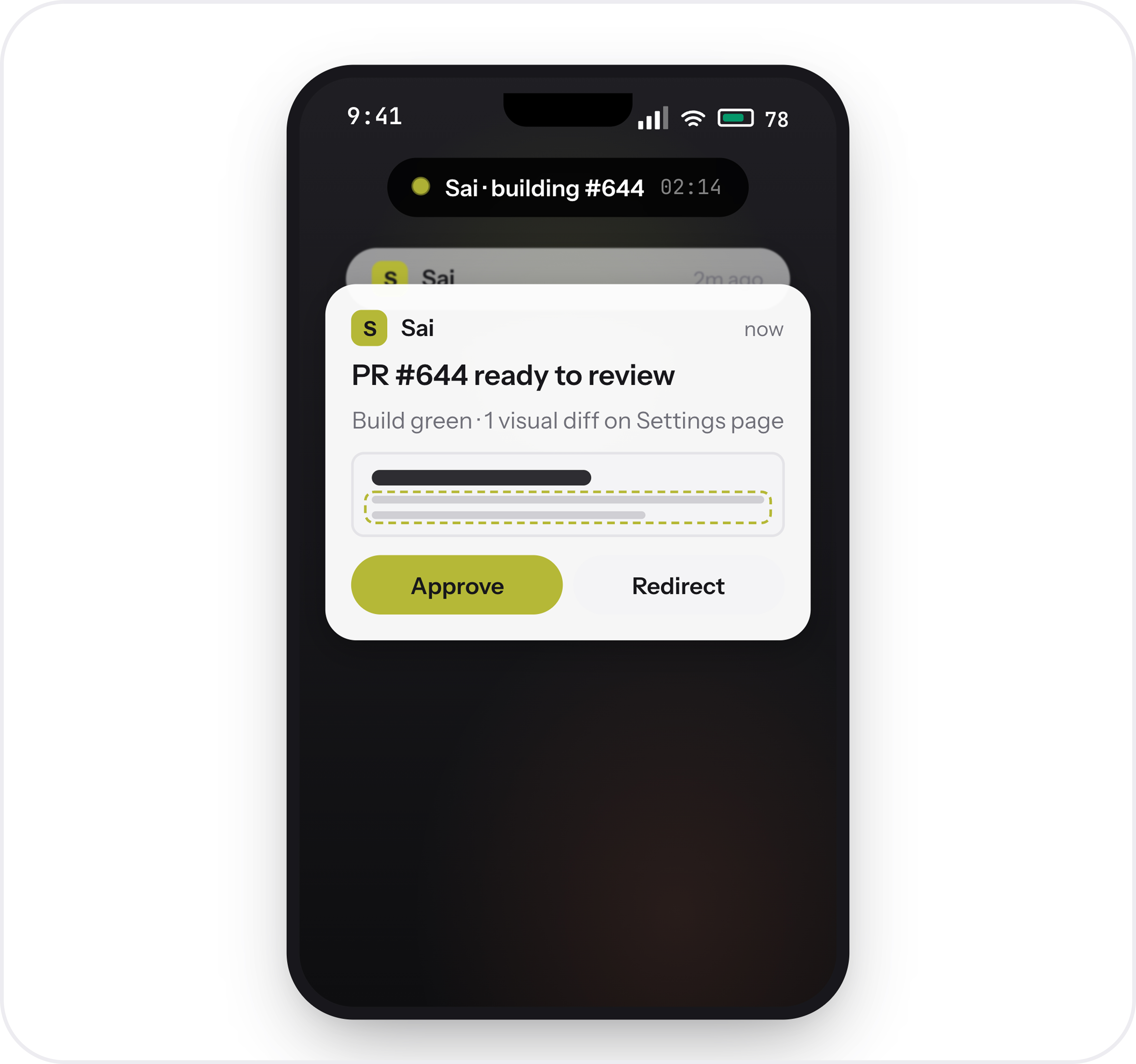
Sai pings you with screenshots and summaries. Approve an action, redirect a task, or ship a fix -- the full development loop, controllable from one screen, anywhere.
The Full Loop: Build → Test → Fix → Verify
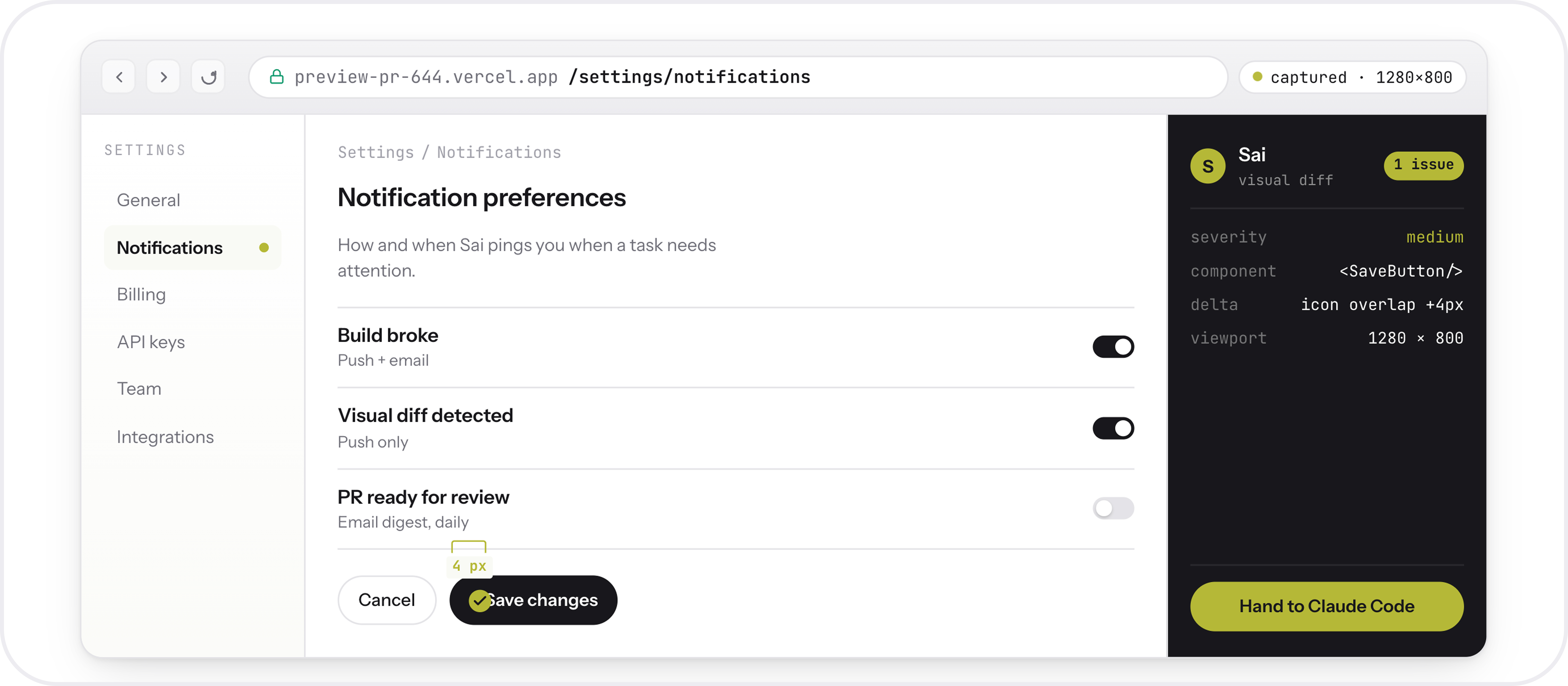
This is what the complete workflow looks like in practice:
1. A PR opens on GitHub (or a bug report arrives in Slack)
2. Sai reviews the code changes and opens the preview deployment
3. Sai clicks through key user flows and captures screenshots
4. If something breaks, Sai passes the evidence to Claude Code with exact reproduction steps
5. Claude Code generates the fix
6. Sai verifies the fix in the live environment
7. You get a summary on your phone approve, redirect, or shipThe entire cycle runs without you keeping a terminal window open. You step in for judgment calls. The system handles everything else.
- Use invite code SAI_CLAUDECODE to get started.
Claude Code on Sai is available now in early preview. Your existing Claude Code setup works out of the box -- connect your Anthropic API key, toggle it on, and start shipping verified code from anywhere.
