Hoppla! Beim Absenden des Formulars ist etwas schief gelaufen.


.svg)
Paid search only feels data-driven. In most agencies, a human is still copy-pasting from Google Ads at midnight, trying to explain why ROAS dipped while CPC climbed. KPIs are how you turn that chaos into a story you can act on.
Tracking CTR, CPC, conversion rate, ROAS, CPA, and Quality Score gives you a complete feedback loop: are your ads getting attention, are you paying the right price for that attention, and is it turning into profit? When those KPIs are clearly defined and visible in one place, you know which campaigns to scale, which to fix, and which to kill before they burn budget.
Now imagine an AI computer agent sitting between Google Ads, Google Sheets, and Excel, doing the legwork for you. Instead of spending two hours a day refreshing accounts and updating formulas, you wake up to dashboards already cleaned, checked, and annotated. The agent collects the data, verifies it, flags outliers, and even drafts narrative insights, so you can spend your energy on creative strategy and client conversations instead of spreadsheet gymnastics.
If you run paid search for a business or agency, you already know the pattern: end of month, twenty tabs open, three spreadsheets half-broken, and a client asking, "So, did this actually work?" Let’s turn that slog into a system you can eventually hand off to an AI computer agent.
Below are three tiers of maturity: manual, no-code automation, and fully agentic. Start where you are and climb.
1.1 Export data from Google Ads
1.2 Build a KPI sheet in Google Sheets
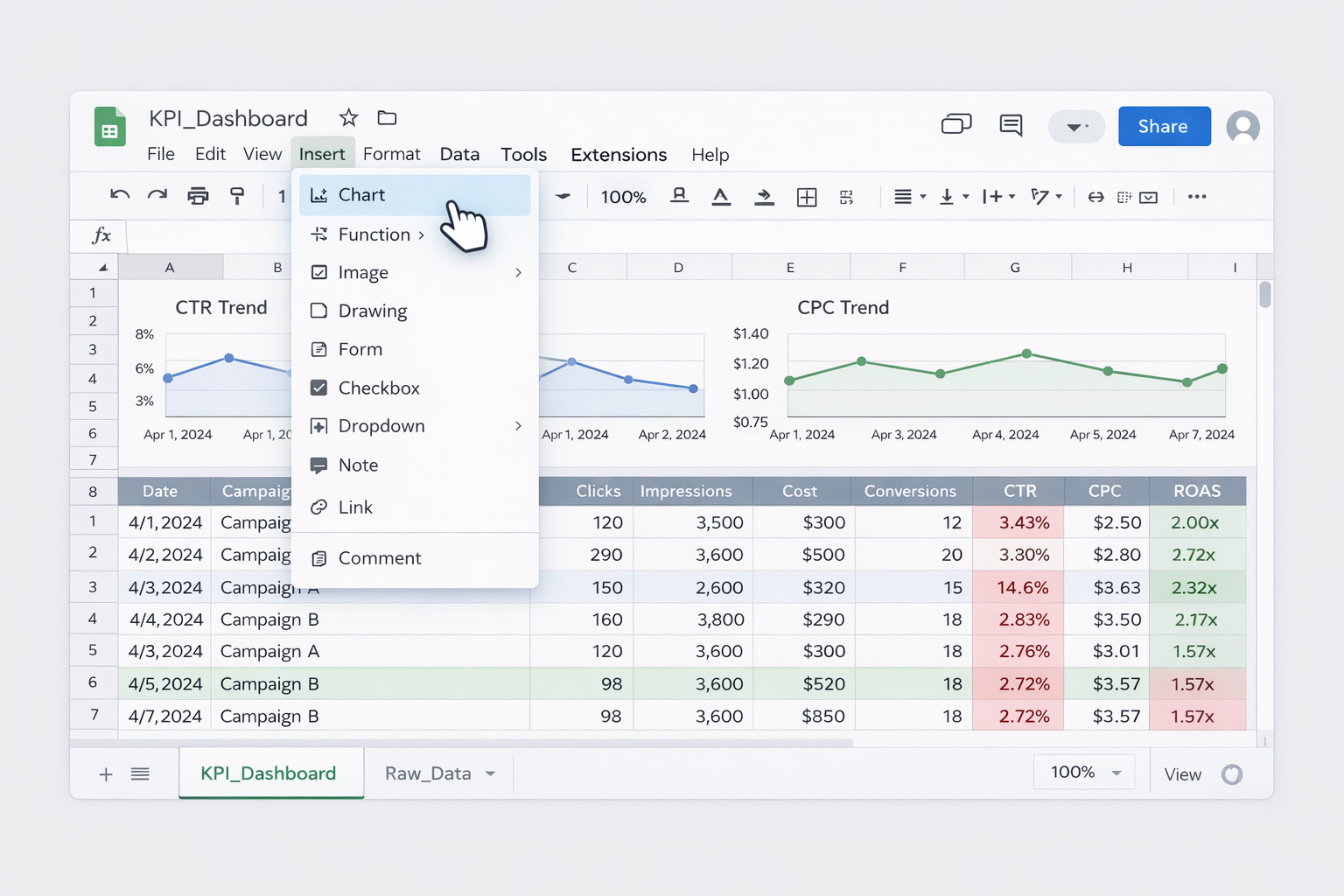
KPI_Dashboard.=Clicks/Impressions=Cost/Clicks=Conversions/Clicks=ConversionValue/Cost
Useful docs:
1.3 Do the same in Excel for deeper analysis
=[@Clicks]/[@Impressions] for CTR=[@Cost]/[@Clicks] for CPCUseful docs:
Pros (manual)
Cons (manual)
Once you’re confident in your KPI definitions, automate the plumbing.
2.1 Connect Google Ads to Google Sheets directly
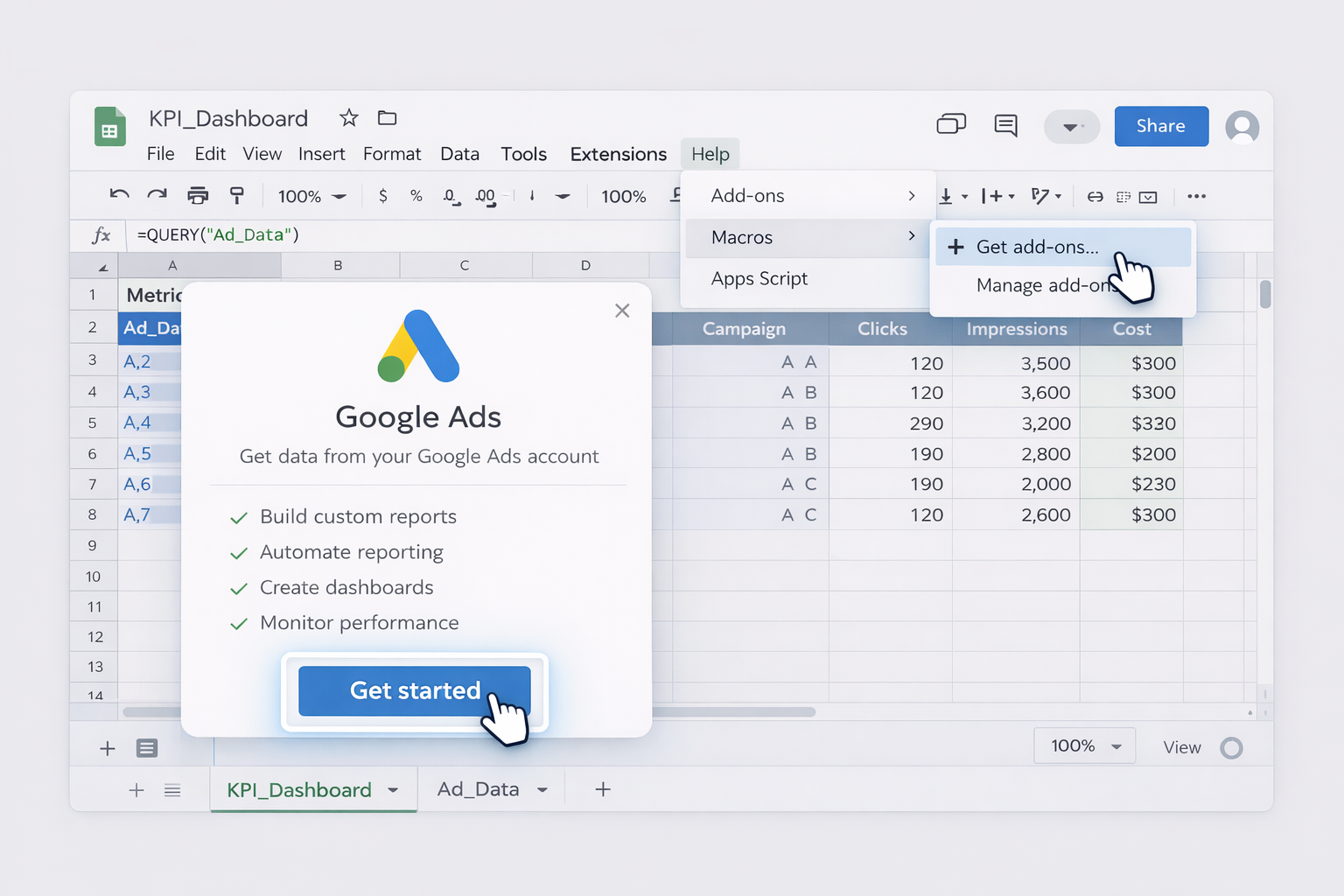
Docs:
2.2 Use Apps Script for daily KPI snapshots
History tab each night.
Docs:
2.3 Automate data refresh in Excel with Power Query
Docs:
Pros (no-code)
Cons (no-code)
Now we add the final layer: an AI computer agent that behaves like a tireless junior analyst who never sleeps and never mistypes a formula.
3.1 Agent as data runner and checker
Pros
Cons
3.2 Agent as narrative KPI storyteller
Pros
Cons
3.3 Agent as cross-account KPI monitor at scale
Pros
Cons
Start with solid manual KPIs, graduate to no-code automation, then invite an AI computer agent to run the whole circuit for you. The spreadsheets stay; the late nights don’t.