Sai vs OpenClaw

OpenClaw is an open-source gateway you run on your own machine, so your coding agent can be reached from Slack, WhatsApp or iMessage. Sai is a managed computer that already has the machine, the accounts and the schedule — and keeps doing the work when you are not there.

What unifies Sai

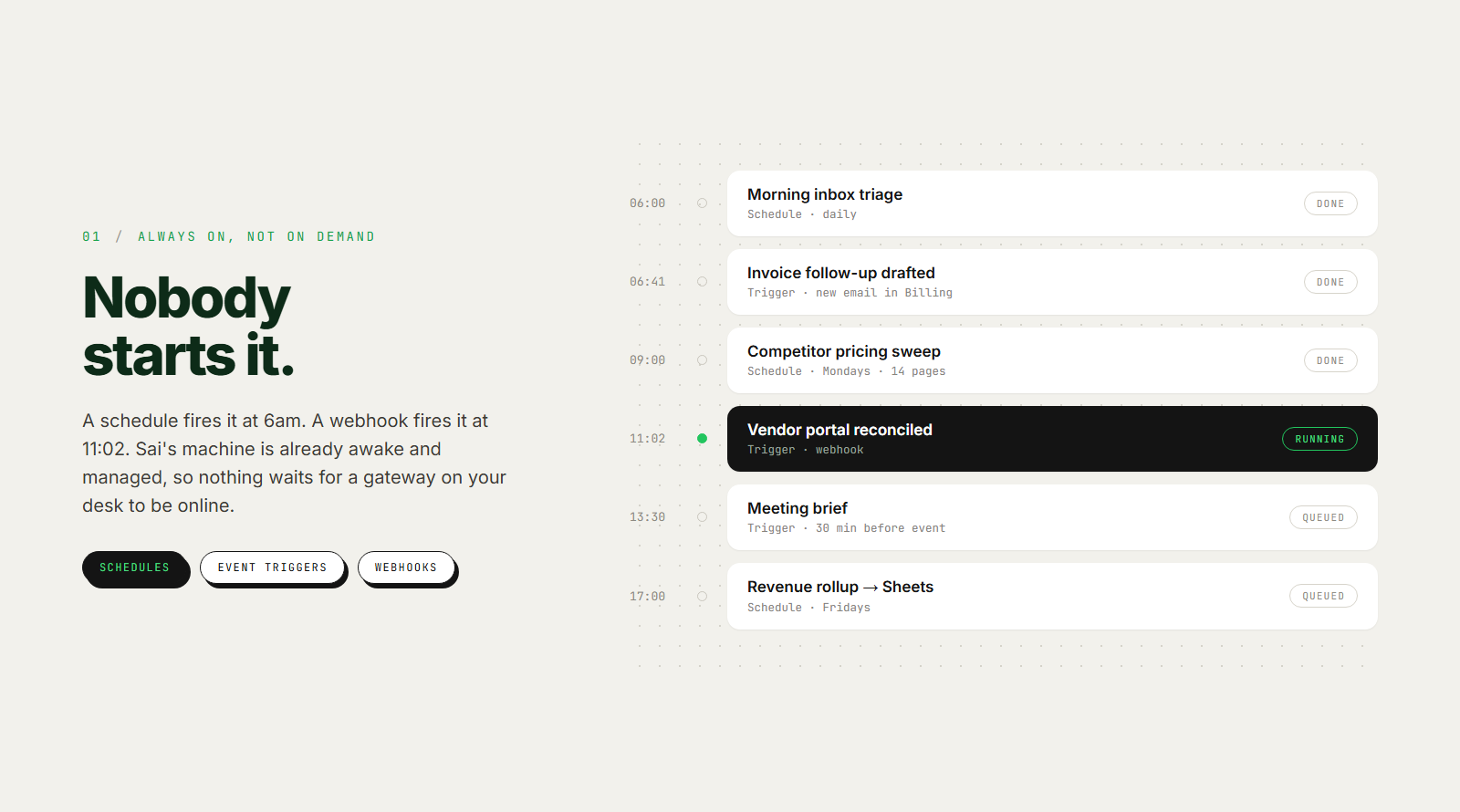
Always on, not on demand

Sai starts work without you: not only schedules, but events and webhooks — a new email, a PR opening, a meeting about to start. Nothing has to be typed to kick it off, and nothing has to stay online at your end for it to fire. Runs are independent and can go in parallel, so a morning briefing, an inbox sweep, and a pipeline refresh are not queued behind each other. Each run leaves the workspace where the last one left it, so the work compounds instead of restarting.
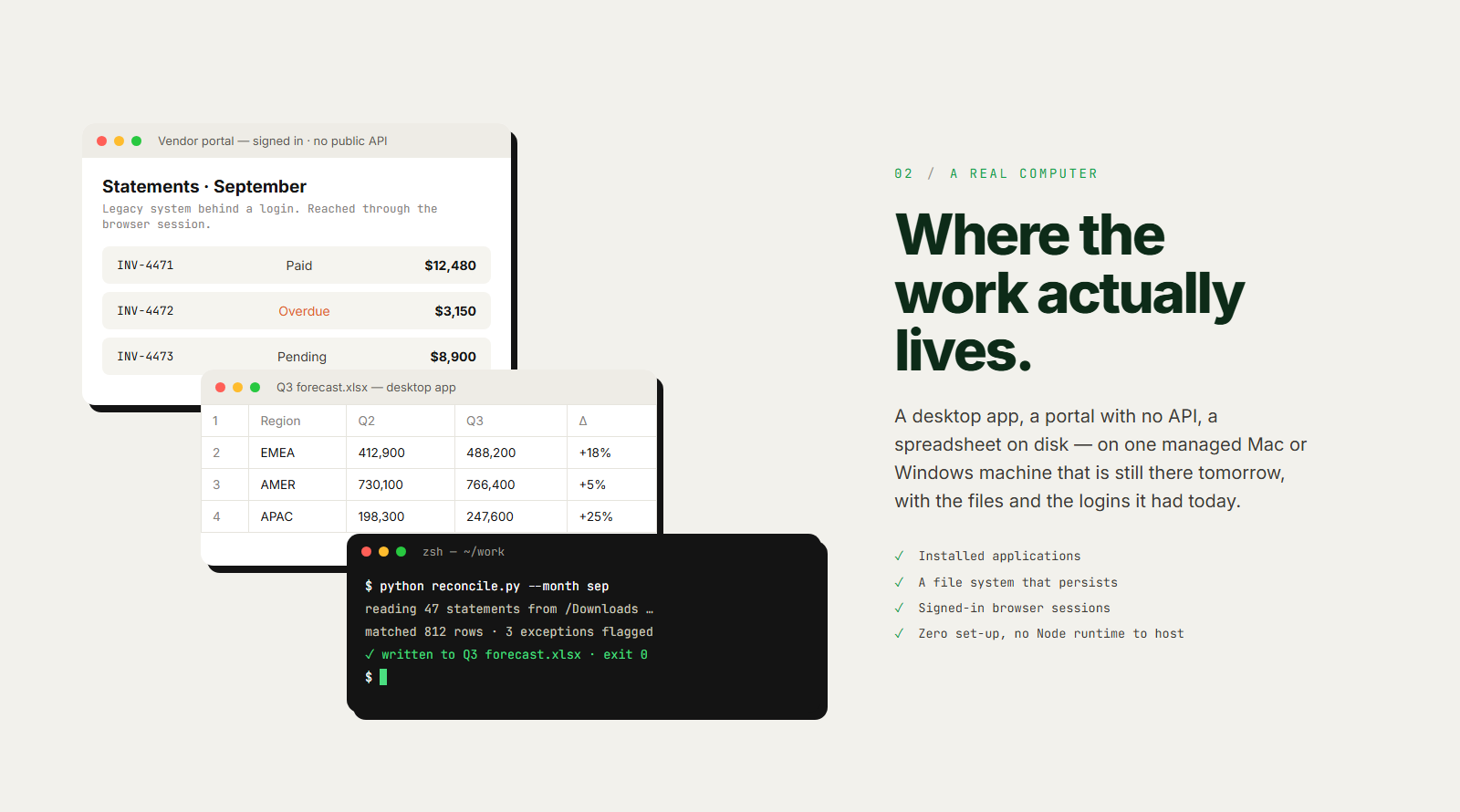
Sai operates an actual desktop: installed applications, a file system, a browser with your signed-in sessions. That is what makes the awkward half of real work reachable — internal portals, legacy systems behind a login, tools that never shipped an API, spreadsheets that only open in the desktop app. Files it downloads on Monday are still there on Friday. Zero set-up: no runtime to install, no gateway to keep patched, no API integration to build before the first task runs.
A real computer, not a chat window
Your accounts, your call

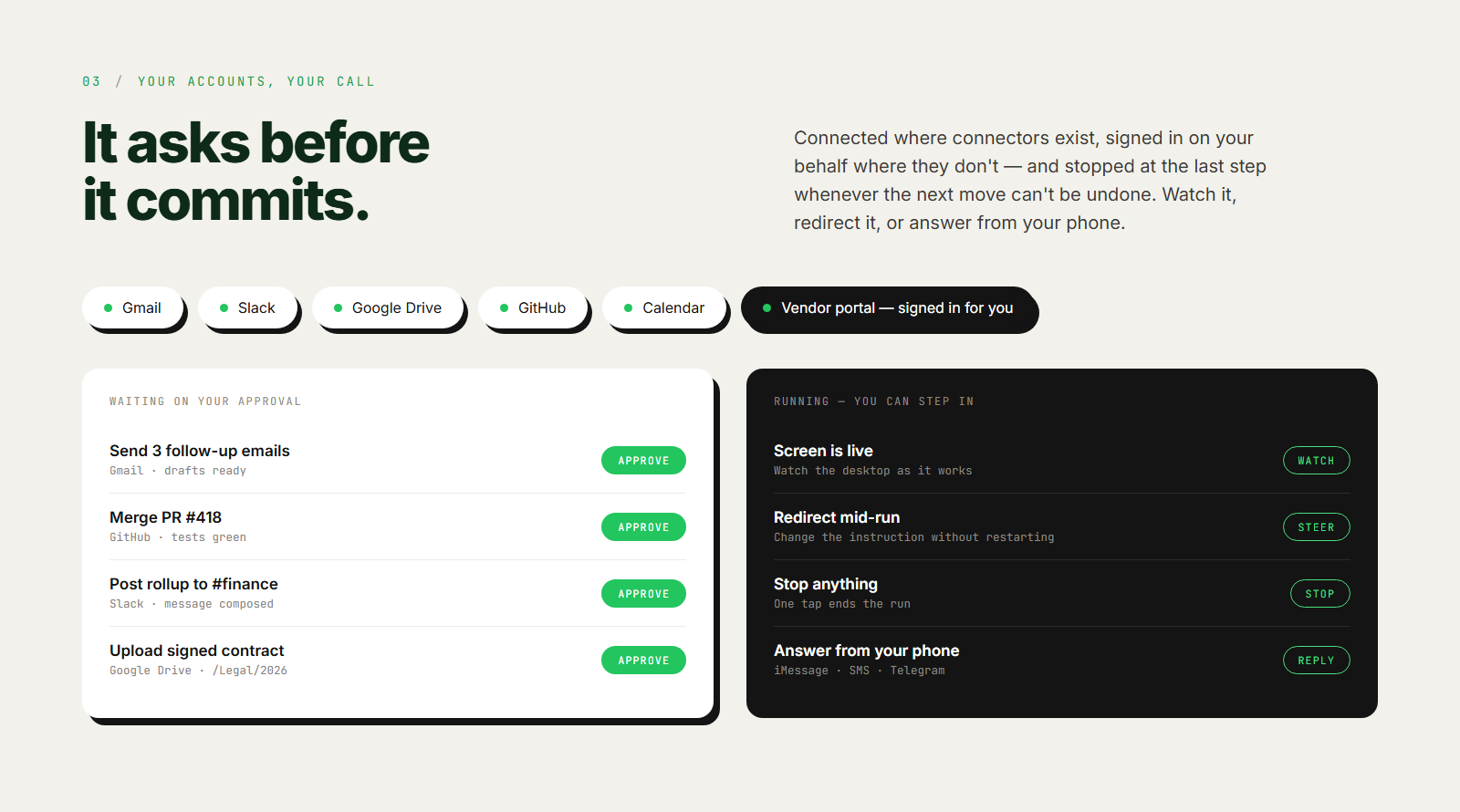
Sai connects directly to Gmail, Slack, Google Drive, GitHub, and Calendar, and signs in on your behalf to sites that have no connector at all. Irreversible actions stop for approval before they happen. You can watch a run on screen, redirect it mid-task, or stop it. And you can reach it from your phone — iMessage, SMS, or Telegram — without opening an app.
Why choose Sai over

OpenClaw

Feature comparisonSaiOpenClaw
How the work runs
Runs on a schedule Daily, weekly, or a custom cadence
Triggered by events New email, PR opened, meeting starting, webhook
Works unattended No window to keep open Only while the Gateway you host stays awake
Tasks running at once Multiple, in parallel Subagents and background tasks on your machine
Persistent workspace between runs Files, installed apps, signed-in sessions Per-agent workspaces on hardware you maintain
Infrastructure managed for you Self-hosted by design
What it can reach
Operates a real computer Full Mac or Windows desktop, not just a browser Shell, files and terminal panes on the host you supply
Desktop applications Only what the host shell can script
Software with no API Internal portals, legacy systems behind a login Through an isolated browser profile you seed yourself
Browsing and web research
Runs code and scripts
Your accounts and control
Connects to your accounts Gmail, Slack, Drive, GitHub, Calendar You wire each provider and hold the tokens
Signs in to sites on your behalf Sites with no connector or API You log the browser profile in first
Approval before irreversible actions
Steerable mid-run Watch the screen, redirect, or stop it Chat and Control UI, no live desktop view
Reachable over iMessage / SMS / Telegram Plus Slack, WhatsApp, Discord, Signal, Teams and more
Open source and self-hostable Managed service MIT-licensed
Getting started
Setup required None — describe the task Node 22+ (26 recommended), install and run the Gateway, connect channels, supply model credentials
Who keeps it running Sai You
Starting price $20/month, desktop included Free and MIT-licensed; you pay model usage and hosting

Feature Comparison

Feature Comparison
Sai
OpenClaw
No items found.

Stop doing repetitive tasks. Let Sai handle them for you.

Sai is your AI computer use agent — it operates your apps, automates your workflows, and gets work done while you focus on what matters.

Try Sai